





jimbohead
Members
-
Joined
-
Last visited
Everything posted by jimbohead
-
Figured it out! There's a known issue with the latest version. Follow the updated guide here: https://docs.ibracorp.io/all-guides-in-order/documentation/cloudflare-tunnel So thankful for the UnRaid community to help me get this up and running overnight!
-
Bummer. I also have a blank (hidden) .json file with no name.
-
Running into the exact same issue. Thought it was a syntax error on my end, but I've been reading that others are also not getting a UUID. When navigating to the appdata folder, I can't see any json files, but also can't figure out how to delete the original (2) tunnels I created.
-
Sorry for the bump, but anyone have an idea on what might be happening based on the attached logs?
-
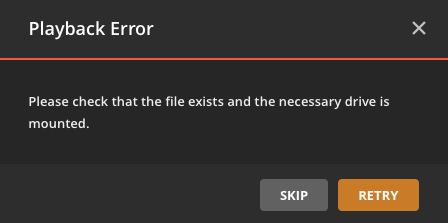
My covers are baaaack and I was able to download logs from troubleshooting, download logs (attached). Same playback error as posted above on any of my files. Any guidance here would be much appreciated! Thanks ahead! Plex Media Server Logs_2019-06-17_22-49-43.zip
-
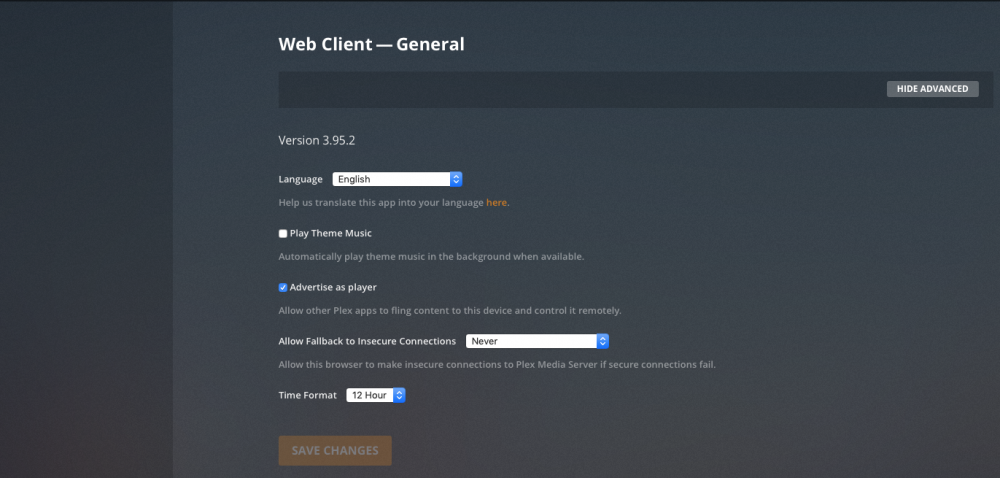
Thanks squid, but the issue seems to have gotten worse. No covers are showing and I'm unable to pull logs from Plex (troubleshooting option doesn't appear) Attaching logs manually pulled from the logs folder.
-
Hi all, had Plex running just fine until my power went out the other night. The docker image disappeared (saw the orphan image) and have been unsuccessful in my attempts to reinstall. Here are the logs from the fresh install. It seems to install properly and I'm able to access the Plex interface, but I'm unable to access any of my media and nothing updates (e.g. new movie added but Plex doesn't see it) . See playback error screenshot. Any ideas? Command: root@localhost:# /usr/local/emhttp/plugins/dynamix.docker.manager/scripts/docker run -d --name="plex" --net="host" -e TZ="America/Los_Angeles" -e HOST_OS="unRAID" -e "VERSION"="docker" -e "TCP_PORT_32400"="32400" -e "TCP_PORT_3005"="3005" -e "TCP_PORT_8324"="8324" -e "TCP_PORT_32469"="32469" -e "UDP_PORT_1900"="1900" -e "UDP_PORT_32410"="32410" -e "UDP_PORT_32412"="32412" -e "UDP_PORT_32413"="32413" -e "UDP_PORT_32414"="32414" -e "PUID"="99" -e "PGID"="100" -v "/mnt/user/Media/Movies/":"/movies":rw -v "/mnt/user/Media/":"/tv":rw -v "/mnt/user/appdata/plex":"/config":rw linuxserver/plex Unable to find image 'linuxserver/plex:latest' locally latest: Pulling from linuxserver/plex dadaf844289c: Pulling fs layer 7dc3b1f15044: Pulling fs layer 80fcb4a2a1b5: Pulling fs layer 95dd2aca3a54: Pulling fs layer 77c939d32925: Pulling fs layer 82e412194be5: Pulling fs layer 77c939d32925: Waiting 82e412194be5: Waiting 95dd2aca3a54: Waiting 7dc3b1f15044: Download complete 80fcb4a2a1b5: Verifying Checksum 80fcb4a2a1b5: Download complete 95dd2aca3a54: Verifying Checksum 95dd2aca3a54: Download complete dadaf844289c: Verifying Checksum dadaf844289c: Download complete 82e412194be5: Verifying Checksum 82e412194be5: Download complete dadaf844289c: Pull complete 77c939d32925: Verifying Checksum 77c939d32925: Download complete 7dc3b1f15044: Pull complete 80fcb4a2a1b5: Pull complete 95dd2aca3a54: Pull complete 77c939d32925: Pull complete 82e412194be5: Pull complete Digest: sha256:fe77dfa9bc1cacfd9f28b61374dc95d6f9a534c5814a6785cfe8b9907d53cc34 Status: Downloaded newer image for linuxserver/plex:latest 870c084c9931173193796c88eb65451d22320819989a8d39b6a63d7e9247a1aa The command finished successfully! [s6-init] making user provided files available at /var/run/s6/etc...exited 0. [s6-init] ensuring user provided files have correct perms...exited 0. [fix-attrs.d] applying ownership & permissions fixes... [fix-attrs.d] done. [cont-init.d] executing container initialization scripts... [cont-init.d] 10-adduser: executing... ------------------------------------- _ () | | ___ _ __ | | / __| | | / \ | | \__ \ | | | () | |_| |___/ |_| \__/ Brought to you by linuxserver.io We gratefully accept donations at: https://www.linuxserver.io/donate/ ------------------------------------- GID/UID ------------------------------------- User uid: 99 User gid: 100 ------------------------------------- [cont-init.d] 10-adduser: exited 0. [cont-init.d] 40-chown-files: executing... [cont-init.d] 40-chown-files: exited 0. [cont-init.d] 50-gid-video: executing... [cont-init.d] 50-gid-video: exited 0. [cont-init.d] 60-plex-update: executing... Docker is used for verisoning skip update check [cont-init.d] 60-plex-update: exited 0. [cont-init.d] 99-custom-scripts: executing... [custom-init] no custom files found exiting... [cont-init.d] 99-custom-scripts: exited 0. [cont-init.d] done. [services.d] starting services Starting Plex Media Server. [services.d] done.

-
Hi All, switched over from Needo's fork a couple weeks ago and after having the new LIO docker image rescan my library I thought I was in the clear. However, I've noticed some strange behavior since switching over.. None of my new shows/movies show up without me manually refreshing the library. And finally today after pulling and installing the latest update, my server just completely crapped out. It's unreachable even from my local network. Any guidance would be extremely appreciated! Obligatory run command below for starters. Thanks ahead! root@localhost:# /usr/local/emhttp/plugins/dynamix.docker.manager/scripts/docker run -d --name="plex" --net="host" -e TZ="America/Los_Angeles" -e HOST_OS="unRAID" -e "PUID"="99" -e "PGID"="100" -e "VERSION"="latest" -v "/mnt/user/Media/":"/media":rw -v "/mnt/user/appdata/plex/Library/Application Support/Plex Media Server/Plug-ins/":"/plugins":rw -v "/mnt/user/appdata/plex":"/config":rw linuxserver/plex
-
Took the plunge and am in the process of switching from needo's repository to linuxserverio by following instructions here: However... Running into a brick wall as when I try to add the docker from community applications, it doesn't give me the template to fill in the same mappings from my previous install. When I try and manually add the mappings, it fails and the docker application disappears from the installed apps list. Any guidance would be much appreciated!
-
Thanks again, Squid. Will leave configuration as is and monitor for any more anomalies with network traffic. Really appreciate your quick responses!
-
Thanks Squid, I think I got to the bottom of it. Searching through other threads, members had emphasized to check the quality of the Ethernet cables used.. Lo and behold, the cable connecting my unRAID box to the router directly was only connected at 100Mbps (while the source Mac Mini doing the transfers was at 1Gbps). Swapped cables to a brand new cat5e and now I finally see the Gb connection. The ETA went from 1 day to 6 hours for my pending transfer! Would it be advantageous at all to take my unRAID box and other directly connected machines such as my Mac Mini and put it on a D-Link 8 port switch (the one mentioned in other threads?), which would of course then connect to the router? My Asus N66-R seems to do alright with gigibit, but I guess introducing a switch would take a lot of load away from it?
-
Thanks Squid. Sure hope it isn't my processor as I just got this dell T20 with a quad core Intel Xeon E3-1225 v3 3.2GHz professor. Is there a command I could enter to find out the make of my NIC?
-
Networking issue resolved itself after transfer completed. Any idea why this happens when there is a pending transfer? (Internet access crawls or is non-existent) Thanks in advance!
-
It searches and returns same "Download of source file has failed". Also should note that I am experiencing severe slowdown of any Internet traffic from the box (i.e. Sabnzbd is crawling at 0Kbps). I will reset the box in a couple of hours (have some files from my existing library that are transferring from my Mac Mini (DAS storage) and test again).
-
Can you ping tools.linuxserver.io from your server? Negative, it results in unknown host
-
Hi all, is the community applications server down? Constantly getting this error after updating to 12.12a. Download of appfeed failed. Reverting to legacy mode Download of source file has failed


