





patthe
Members
-
Joined
-
Last visited
-
I fix it myself by downgrading from 7.1.3 to 7.1.2. Issues seem to be fix now. Must be a bugs.
-
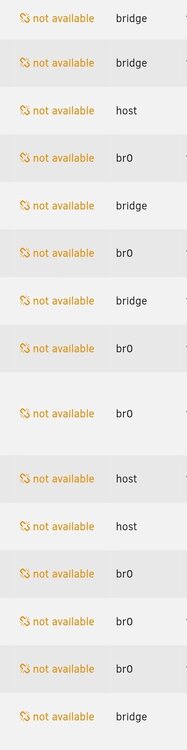
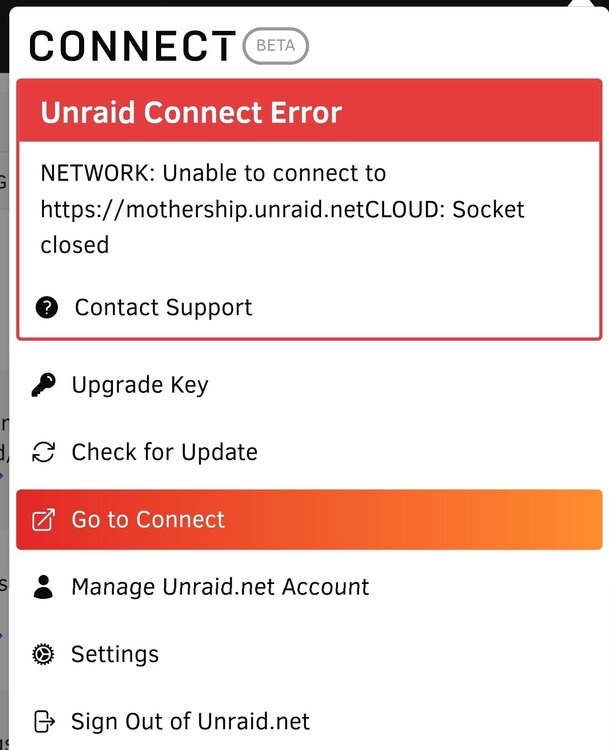
Hi, I have 2 issues and wonder if they are relate : Issues 1 : I have a red error and when I click on it it say : NETWORK: getaddrinfo ENOTFOUND mothership.unraid.netCLOUD: Socket closed Issues 2: All my pluging and docker say "updates not available" I restart the server but same result.
-
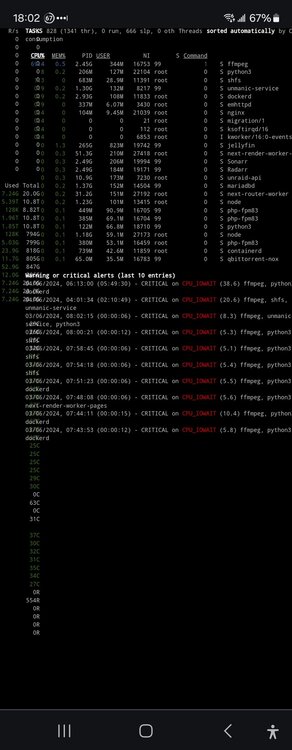
I keep getting this on my unraid server. What they mean? How do I fix this? I try put cash on my nvme and then ram but same result. CPU_IOWAIT?
-
I think I fix it. I add the Intel GPU TOP plugin and set it up in Plex. I also had to delete the CODEC in plex as I was not able to transcode anything 4K on the fly. Seem to be stable now for the last 3 day. Thanks to all.
-
this is what is is currently have : But why the transcoding make it crash every morning? I'm not even using plex at that time ?

-
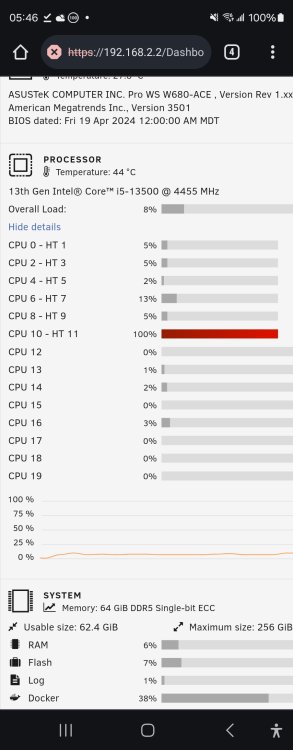
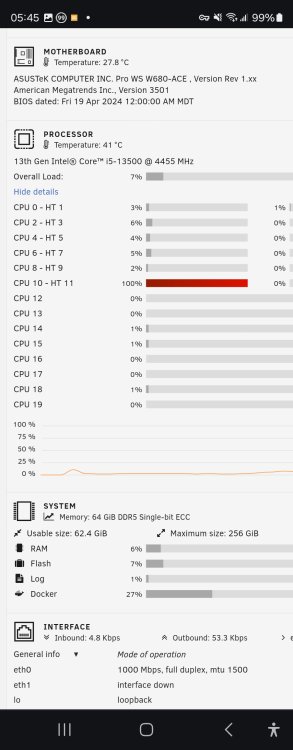
Ok update,. Again one of my core this morning was at 100%. I turn off my docker one by one until it goes to normal and figure out it was plex docker. Now why does it eventualy make my unraid web interface crash and how can I prevent this recurring every morning? When I check the cpu usage In Docker, was only using like 3% wierd, but 100 of one core was use on the main unraid page. server-diagnostics-20240501-0545.zip
-
PERFECT, was actually wondering about that. will see result tomorrow I guess. Weird always in the morning.
-
Hi thanks !!! I did add the overwrite.cli.url before but my error was is was there twice so it cause an error. What about this error ? : I did read the documentation but talk about adding a line in Apache VirtualHost?
-
So this morning, no crash yet, but one of my cou core is stuck at 100%. I attach new diagnostic. On another note, was able to stop all the docker and my cpu came back normal. I may try to turn off docker one by one tomorow if I can to see what docker is causing a problem maybe? server-diagnostics-20240430-0545.zip
-
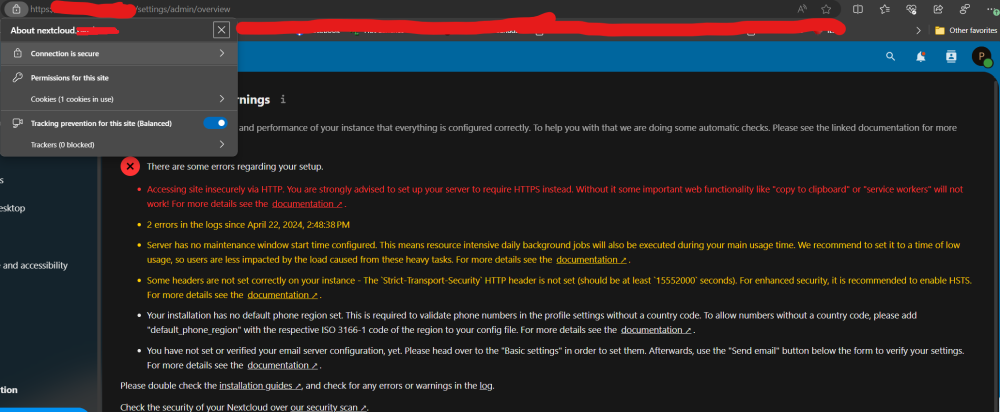
Good a weird one. After like 5 day on trying to make the SSL work, finally did ! I think... So I am connect via HTTPS with my domain and it say secure. When I open the app, I get all those error and one of them say I'm not connected via https. Also have a bunch of other error to take care off lol
-
Good day, Switch to ipvlan and reboot. Will give it 2 day to see if fix and will update on status. Thanks again!
-
Hi, It happened again. The web interface of the server crash again. On another note, all my other service seem to be working at that time. So this just affect the Unraid Web interface. I connect a keyboard without a screen, lol, guess the user and password and type the diagnostic command and Suprise, was able to get a server diagnostic. Hopefully this help, if not, will activate SSH. server-diagnostics-20240429-0725.zip
-
I have a question. Currently have Swag configure so it goes to nextcloud.domaine.net How can I configure SWAG so that domaine.net (the root of the domain) bring me to heimdall (docker) by default?
-
Good day, Got a wierd issue, seem like for 2 morning in a row, I am not able to login to my web interface and the serve need a hard shutdown. I was able to login to the web interface before it crash this morning and notice that 2 cpu core where stuck at 100%. I then try to stop the array but was stuck and not able to stop it. I try to click the reboot button a few time until no longer able to use the web interface. Had to go on the server and force shutdown. Other wierd thing, when the core at 100% and if i run "top" in the command line, noting use my cpu at 100%. What could be the cause of this? How do i get that syslog? And does it reset after a hard restart? Thanks
-
Figure it out. Owncloud Delete me


