





BomB191
Members
-
Joined
-
Last visited
Everything posted by BomB191
-
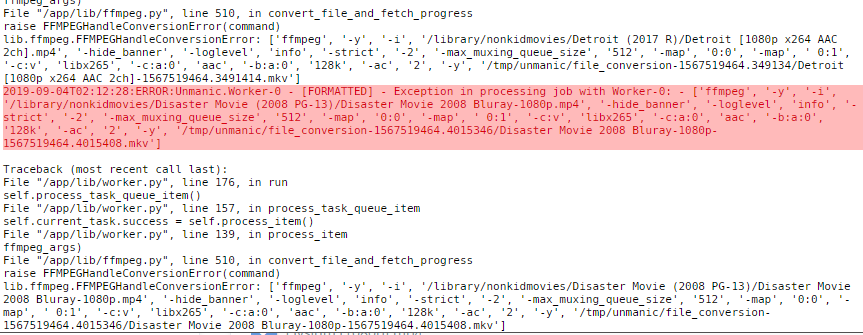
@NLDer you should have it like that (or whatever port your using) https://github .com/Josh5/unmanic/raw/master/webserver/assets/icon-clear_bg.png @Josh.5 so it appears things have shit the bed to say (attached is a snib of the logs) how would you like a proper dump? debugging turned on?

-
@NLDer somewhere in the middle a dump a heap of pictures with each things setting
-
It's kind of the whole point.
-
Yeah that will be a problem until you actually pin cores. --cpu-shares=2 just adjusts priority to using said core.
-
https://github.com/Josh5/unmanic/raw/master/webserver/assets/icon-clear_bg.png in Icon URL:
-
Just in general DON'T use /mnt/Cache or /mnt/Disks use /mnt/user or /mnt/user0 (ignores cache drive) saves any callossal fuckups with shares spread over disks and it's better practice.
-
I only use the pinning to give unraid 1 core and my vm 3 cores. everything else is a docker party of priority. Also @Squid fairly sure it was one of your awesome posts that I got that info from,.
-
@ijuarez and @tayshserve just toss --cpu-shares=2 into Extra Parameters shunts down the priority of the docker giving more ondemand things a higher priority
-
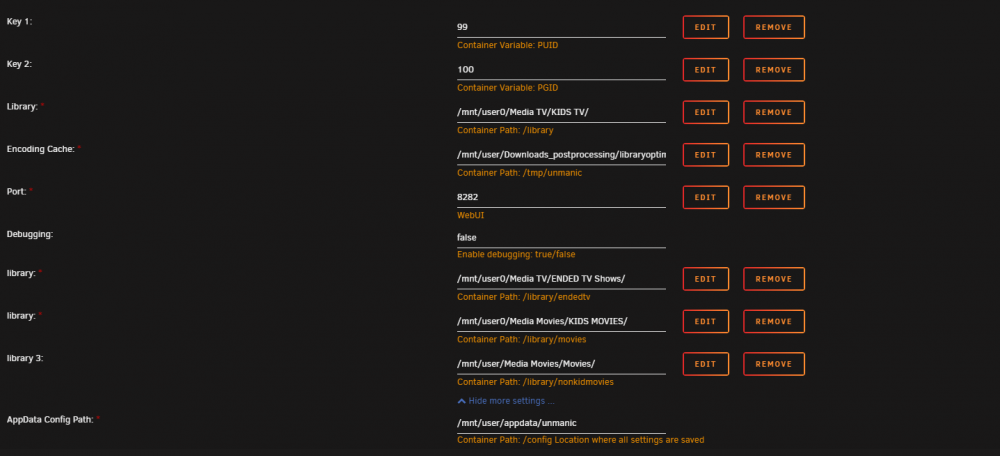
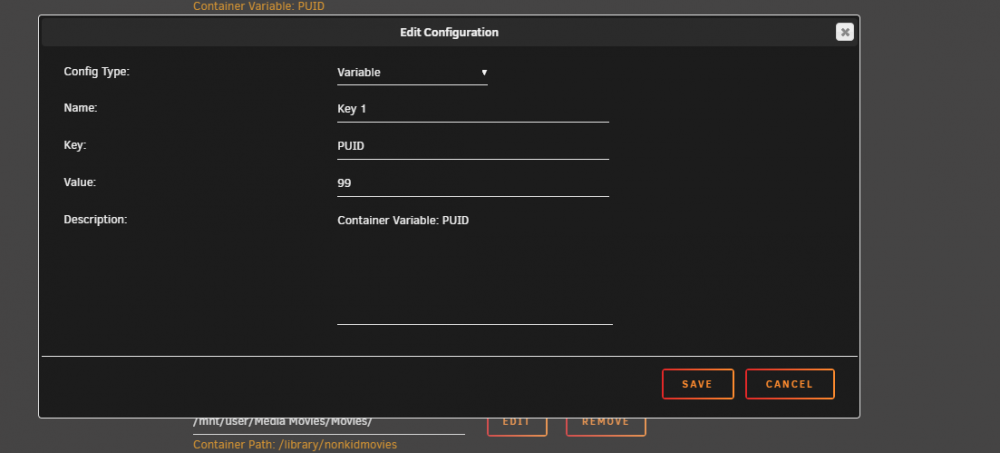
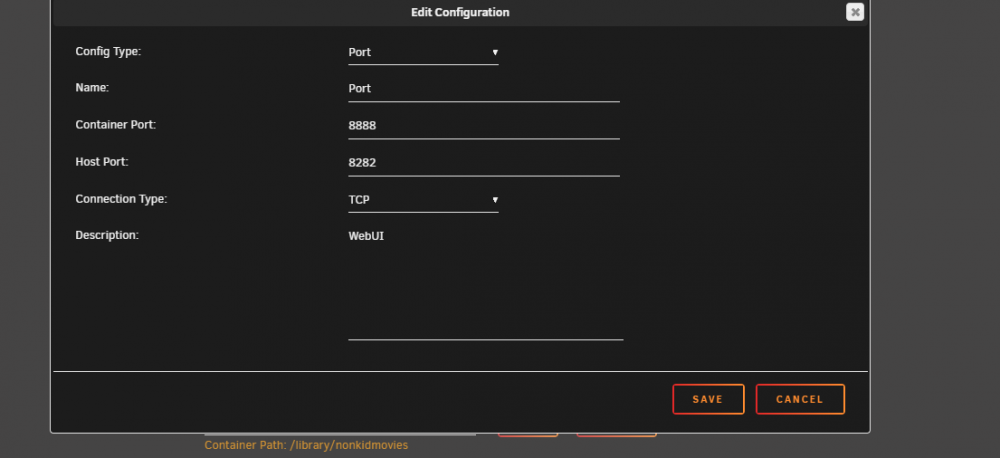
Here is mine. Yours should look roughly the same bar the excessive libraries i have haha --------------------- I just realise how this maybe unhelpful heres whats in some of them Make sure you have advanced view on. 3rd addon to this. the UI (for me atleast) is slow as shit I doubt that's the container and more that my server is almost pegged 247 because I'm not a nice sysadmin. Just give it some time to load things up don't forget this option either
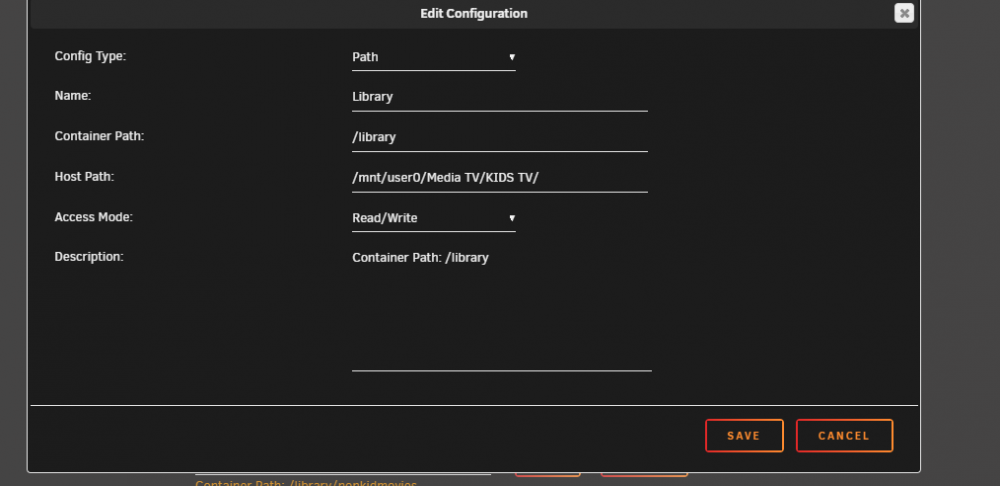
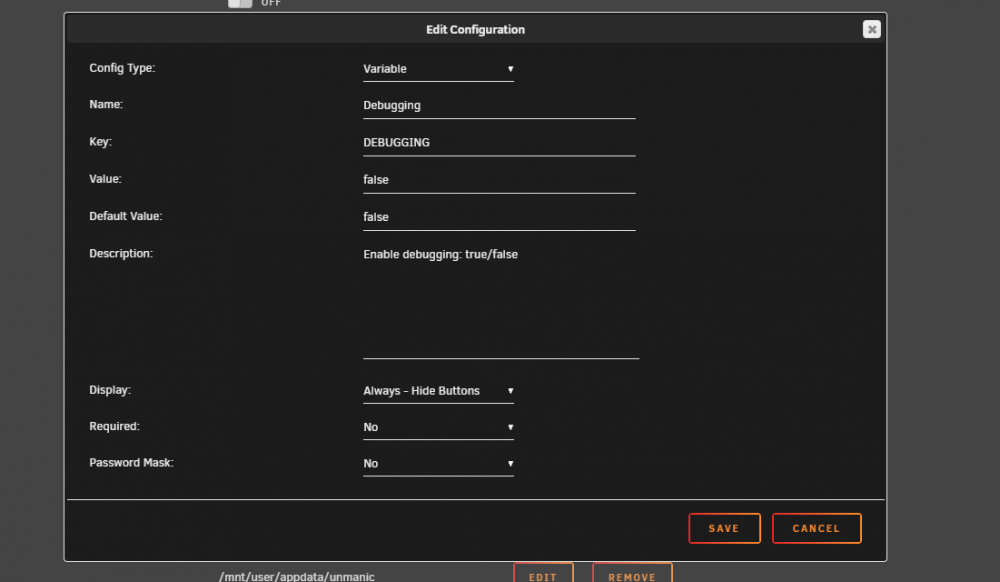

-
oh... https://github.com/Josh5/unmanic/raw/master/webserver/assets/icon-clear_bg.png in the Icon URL with advanced view turned on
-
It still works, and does is fantastically. Don't be overly scared of beta stuff just be a bit more careful
-
I think you can put that stuff on git requests if you really wanted them.
-
@Josh.5 wait.... waitangi day?
-
it will still que it up though, unless it doesn't have 2ch audio I think than it'll mux that and poop it out (at least that's what i get from the info the option give)
-
no. But it's a docker so have a look around at scripts to auto start/stop or just having it cranking all the time with the Processor priority set to the lowest.
-
from my understanding best "direct play" is mp4/h264 and ac3/2 channel audio. MKV will become the new mp4 over the next few years though (atleasts that what I have read)
-
That's the one. I'm not sure on the reason for the log going crazy (only really started as the library was getting more "completed") @Josh.5 Will have to explain that one if he gets a chance.
-
just to update from above I now have this awesome little thing scheduled every day but an update on Kids TV it started at 892GB and is now at a baby size of 414GB with 5k ish episodes.
-
That's what I've been doing too. I'm patiently waiting to be honest this thing is going to save me literally hours and GBs in data. even In its current state (Though I won't let it close to the anime and main TV until I know it'll keep all current subs )
-
I think @Josh.5 is a bit rushed with work ATM, But I've had it running for 2 weeks solid. only "issue" I've seen lately is it seems to get a bit happy with docker logging in the docker img (maybe requiring a purge every few days or so). Other than that it's currently shrunk the kids TV collection from 800GB to 500GB and its still chugging along. Just make sure you go through the settings by default it wants to strip subtitles out.
-
https://github.com/Josh5/unmanic/raw/master/webserver/assets/icon-clear_bg.png
-
happy little update for you @Josh.5 kids TV started at 892GB and after 10ish days were down too 748GB. No idea how far along I am its selection seems rather random. started at thomas the tank engine and now doing adventure time.
-
Yep Problem seems to have been fixed now! thanks you. I'll turn it up back to the entire kids folders and let it go nuts. will report any issues
-
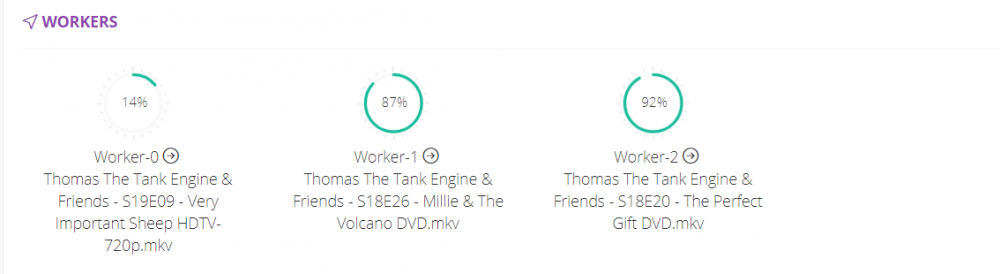
@Josh.5 so the update seemed to be running fine but now its stalled. no weird characters that I can see just. gave up. settings.json

-
have you set up the web ui link?