





Malakai
Members
-
Joined
-
Last visited
Everything posted by Malakai
-
I deleted it and installed this one instead which works for my use with Paperless NGX because I can leave the P-NGX option to use a passwordless connection to Redis.
-
Dedicated boot pool drives should not count towards the total drive count, just like USB boot doesn't. Split boot pool drives being counted though, is fair enough.
-
I have a suggestion. Can you add a column to the right of each script that plainly translates the cron schedule? For example: 0 22 * * 1-5 --> At 22:00 on every day-of-week from Monday through Friday.
-
Feedback time, if we add a remote SMB share it should mount immediately after running through the add wizard. I shouldn't have to troubleshoot for an hour wondering why my rsync command isn't working because I didn't think to CLICK the, MOUNT button.... after already going through the wizard to MOUNT the remote share!!!
-
Follow Ed's recent Paperless series and customize it for your specific needs. https://www.youtube.com/watch?v=KeB-74pPqh8&list=PLv4nZVjyIOj1cyodwaHSVfvQWBC3ZtWDG
-
There's lots actually. https://www.intel.com/content/www/us/en/ark/featurefilter.html?productType=873&1_Filter-Family=595&0_QuickSyncVideo=True
-
Which Xeon? If it supports Quick Sync you can use that. No extra idle and only a couple of watts when it does transcode. At least that's my experience using Quick Sync with Jellyfin on Unraid and an i5 12600.
-
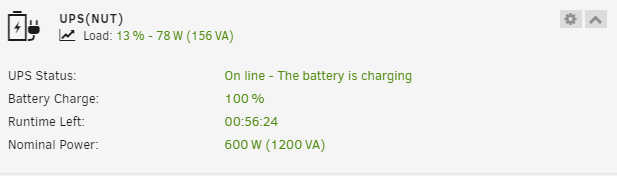
I moved all my USB devices to different ports. I made sure to plug the UPS into a port that is on a different controller. Still my UPS went offline the same as the screenshots I posted previously and then my UNRAID USB boot drive went offline too. After rebooting the whole server everything came back. Today I checked again and my UPS is undetected again. I just removed NUT altogether and turned the built in UNRAID UPS service on and rebooted the whole server. So far so good but I will monitor for a while and see if I have the same problems with USB device disconnections without NUT installed.
-
Yes I think you are right about a connectivity problem. After rebooting the server all various log entries every few seconds are gone. I've used this UPS since March 2023 when I put fresh batteries in it. It never had this problem until changing to the newly recommended NUT for UNRAID v6.12.x Do you think I should try a different Backend Switch?

-
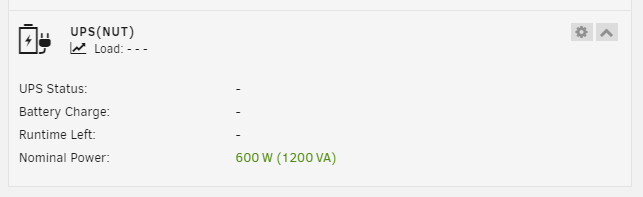
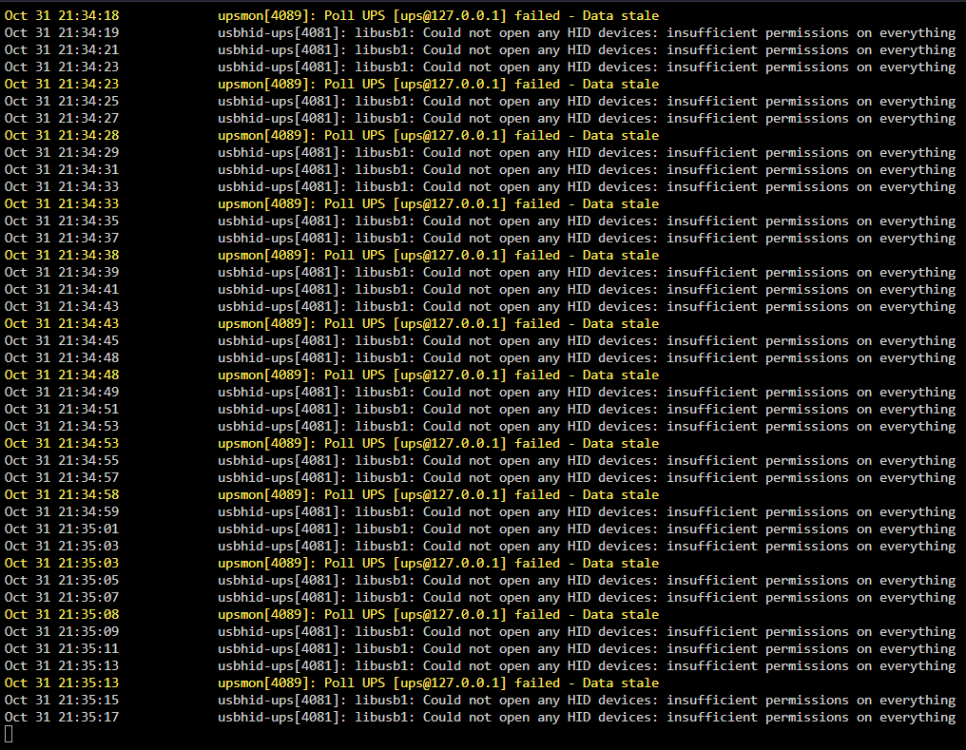
Dashboard panel: Log during the above: After pressing the 'Reload NUT' button: Update NUT then unplug the UPS and plug it back in: Dashboard panel is missing completely now. I hope this is good information.
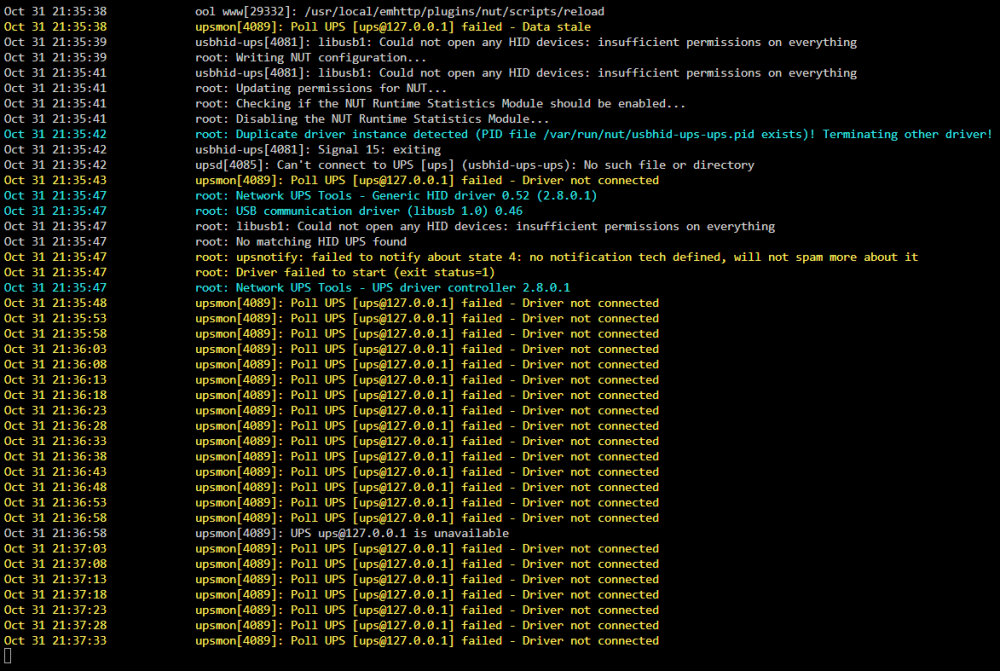
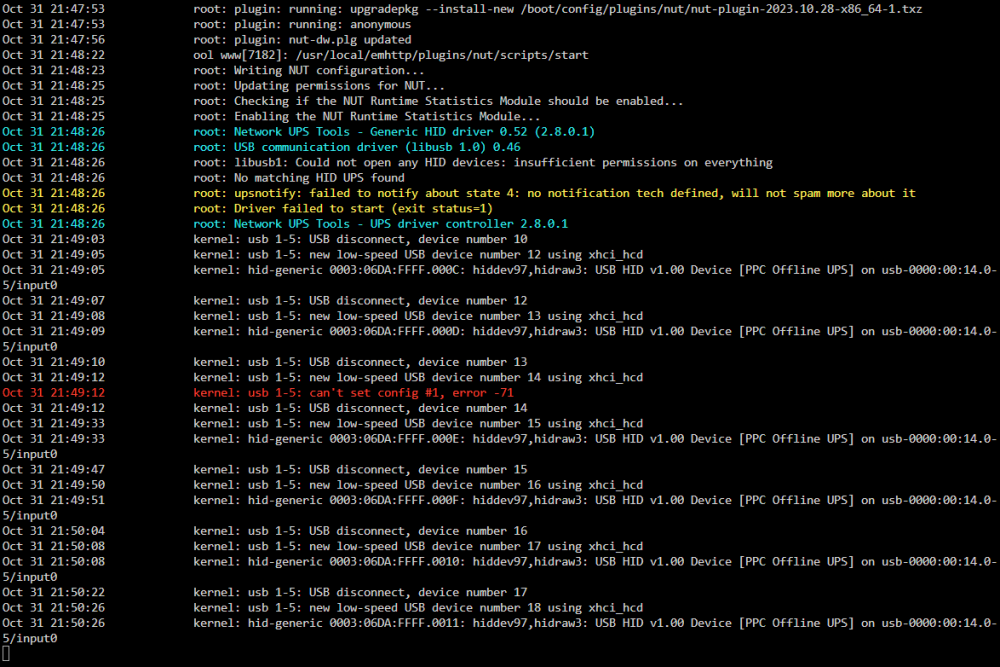
-
Every time I make a backup of my USB drive I use the USB creation tool to write the backup to a new USB so that it is ready to go in the case of an actual failure of the main USB drive. When the day comes I can just plug in the cold spare USB drive and boot the server then swap in a replacement registration key.
-
It seems there is an update to the plugin every day and if I let it update NUT won't work until I restart the whole server. I've decided to ignore updates for NUT from now on instead of having to restart the whole server after every update. Why does Unraid tell me there is an update for NUT seemingly every day?
-
Upon further investigation it seems the log is flooded with this entry: kernel: usb 1-5: input irq status -75 received I searched for that and found this topic discussion that says to "disable the included UPC driver (APC UPS Daemon) and use NUT" I've just done that and I will see how it goes. None of my hardware changed since updating to 6.12.3 except for some larger disks but I guess since the update includes a different kernel version this could explain the appearance of the excess new log entries.
-
I noticed it on the dashboard and now FCP reports "/var/log is getting full (currently 100 % used)". Doesn't seem to cause any issues with functionality of the server. I had a good search on the forums here for a solution but didn't find much except to run the command "du -sh /var/log/" which is shown below. Can anyone tell me more about this and what, if any, problems could pop up if I ignore it? If there's an easy fix then that would be great too.
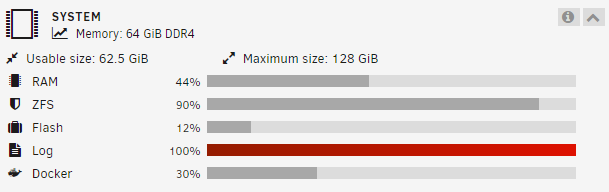
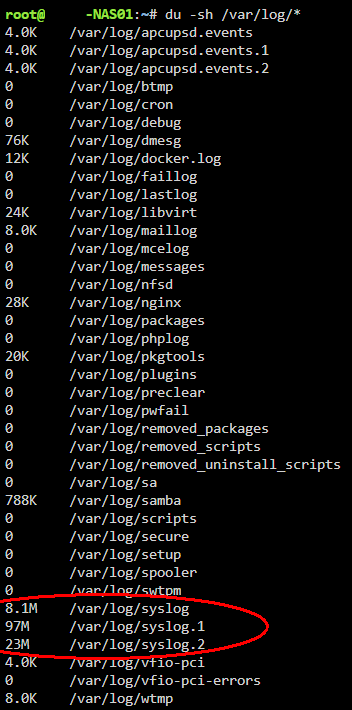
-
Unraid "Array" disks can be formatted as ZFS but they exist as stand alone ZFS disks, they can't be RAIDZ. If you want to benefit from RAIDZ the disks need to be a pool, not part of the Unraid "Array". That means that they won't be protected by the parity disk so if you need protection for drive failure you need to have multiple disk in the pool and select the level of RAIDZ you want. If you format your existing 8TB Unraid data drive to ZFS you will be able to take advantage of replication tasks from a ZFS pool. The existing 8TB drive data will still be protected by the parity disk if it is formatted as ZFS. You should get about 110 MB/s over gigabit using SMB. If the share that you are writing to is set to Array Only instead of Cache Primary and Array Secondary then you will write slower because the data is going straight to the array disk and the server is doing parity calculations at the same time. Depending on the speed of your HDDs; to maximise your network transfer speed you might need a an SSD cache drive and set the share you are writing to as Cache primary then Array secondary. The data will go to the Cache drive first then the Mover task will move the files to the array drive at the end of the day or custom time that you configure it to run. Watch and pay attention to these two videos to get a better understanding of how ZFS works in Unraid: Spaceinvader One - How to Reformat (ZFS) and or Upgrade a Cache Pool in Unraid Spaceinvader One - Array Disk Conversion to ZFS or Other Filesystems - No Data Loss, No Parity Break!
-
You just shut down the server completely, remove the drive that is reported as going bad and replace it with the new drive. Turn the server back on and it will start up with the array not started and you can select the new drive in the spot that the failing drive was before and then start the array and it will rebuild the contents of the removed drive from the parity drive.
-
Thank you, that resolved the issue. I think it has happened to me before and I fixed it the same way but this time I couldn't see the forest for the trees. Thumbs up for 6.12.3 so far.
-
I just updated to 6.12.3 and I think everything works so far except when trying to open any "VM Console (VNC)" for every VM it doesn't work "Failed to connect to server" and I receive the following error in the webterminal syslog.
-
Did you create the USB as UEFI or legacy?
-
B660 only has x16 lanes to the first PCIE slot, x4 PCIE lanes to the first M.2 slot and x4 PCIE lanes to the chipset that everything else that plugs into the board will run through. You need to count up the amount of PCIE lanes all your hardware needs to run at full bandwidth then choose a MB that has enough. Otherwise a lot of things will share bandwidth through the 4 chipset lanes. It will work but...



