





LordShad0w
Members
-
Joined
-
Last visited
Everything posted by LordShad0w
-
It seems it is a share called backup_internal. It was taking up almost 500GB. I am not sure what created it, as the normal backup folder is there from unraid appdata backup which is simply called backup. For now I nuked it and will check to see if it comes back and what is creating it, if possible. big thank you to @itimpi for the command line advice. It immediately helped me find the space hogging share.
-
tower-diagnostics-20250726-1416.zip
-
Would the info still be there after I rebooted?
-
I installed Jellyfin, only for my music dir. and my cache is now at 60% up from 10% used. I removed Jellyfin, but the bloat is all still there. I would like to remove whatever files (almost 690GB) are the cause, but I can not find them anywhere aFter drilling down though each file in the share, it shows nothing to remove. I trie dqdirstat but it does not show the file sizes. Any help sorting this out is appreciated. I thought a reboot may solve it but alas, no joy.
-
I changed what you mentioned and all seems to work now. Thank you so much man, I sincerely appreciate it! As to why it was like that, I honestly don't recall why.
-
If anyone else can have a look at my post, I would greatly appreciate it. Still trying to fix this with no luck. :(
-
Thank you for the response. I will read through the posts you lined above and see if I can figure something out. I honestly don't know how to access the CMD for the USG to add that line. I did swap the DHCP DNS servers to 1.1.1.1 and 8.8.8.8 respectively for DNS 1 and DNS 2. No change. I think it must be something in my uNraid settings that I messed up somewhere along the way years back but never found because everything else worked.
-
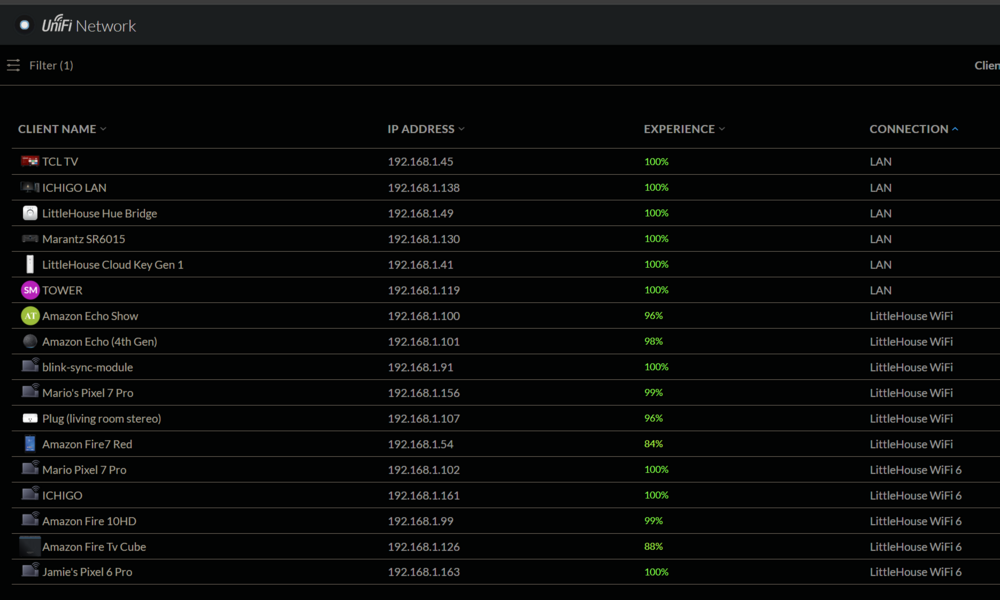
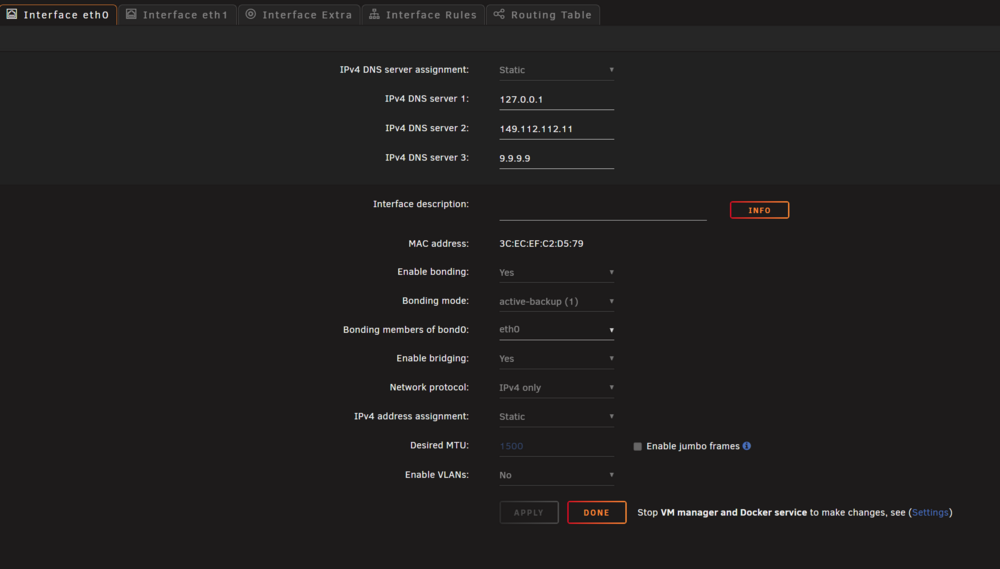
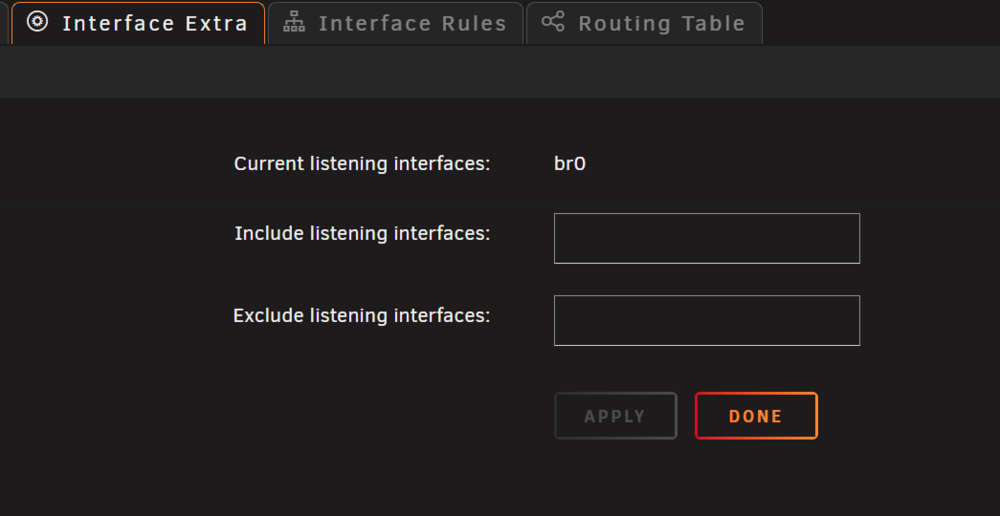
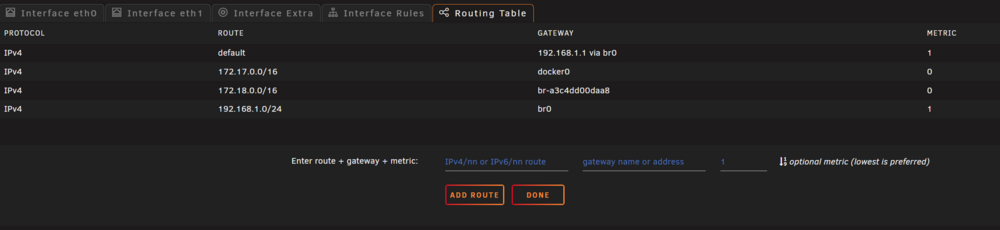
Attached are my network settings and dockers in UNraid as well as my (Tower) network from my router. I can somewhow get DuckDNS working using -- 1.1.1.1. in advanced in the container under extra parameters and same for SWAG but I keep getting werrors and it will just not work. I tried to connect to google using: root@Tower:~# nslookup google.com ;; communications error to 127.0.0.1#53: connection refused ;; communications error to 127.0.0.1#53: connection refused ;; communications error to 127.0.0.1#53: connection refused Server: 149.***.112.11 Address: 149.***.112.11#53 Non-authoritative answer: Name: google.com Address: 172.217.12.110 ;; communications error to 127.0.0.1#53: connection refused ;; communications error to 127.0.0.1#53: connection refused ;; communications error to 127.0.0.1#53: connection refused Name: google.com The above is what I get, so something is definitely broken and apparently has been for a looong time. I am only now figuring this out since I wanted to share my Kavita book library with a friend and was trying to expose that container. I have never exposed anything before so it is my first time trying to set things up, which led to me finding these errors. this is the log for the SWAG container: using keys found in /config/keys Variables set: PUID=99 PGID=100 TZ=America/Los_Angeles URL=kavitalordshad0w.duckdns.org SUBDOMAINS=www, EXTRA_DOMAINS= ONLY_SUBDOMAINS=true VALIDATION=dns CERTPROVIDER= DNSPLUGIN=duckdns EMAIL=perfects STAGING=false the resulting certificate will only cover the main domain due to a limitation of duckdns, ie. subdomain.duckdns.org Different validation parameters entered than what was used before. Revoking and deleting existing certificate, and an updated one will be created Using Let's Encrypt as the cert provider E-mail address entered: perfects Generating new certificate Account registered. Requesting a certificate for kavital.duckdns.org Waiting 30 seconds for DNS changes to propagate Successfully received certificate. Certificate is saved at: /config/etc/letsencrypt/live/kavita.duckdns.org/fullchain.pem Key is saved at: /config/etc/letsencrypt/live/kavita.duckdns.org/privkey.pem This certificate expires on 2025-10-06. These files will be updated when the certificate renews. NEXT STEPS: - The certificate will need to be renewed before it expires. Certbot can automatically renew the certificate in the background, but you may need to take steps to enable that functionality. See https://certbot.org/renewal-setup for instructions. - - - - - - - - - - - - - - - - - - - - - - - - - - - - - - - - - - - - - - - - If you like Certbot, please consider supporting our work by: * Donating to ISRG / Let's Encrypt: https://letsencrypt.org/donate * Donating to EFF: https://eff.org/donate-le - - - - - - - - - - - - - - - - - - - - - - - - - - - - - - - - - - - - - - - - ERROR: Cert does not exist! Please see the validation error above. Make sure you entered correct credentials into the /config/dns-conf/duckdns.ini file. this is my duckdns ini: # Instructions: https://github.com/infinityofspace/certbot_dns_duckdns#credentials-file-or-cli-parameters # Replace with your API token from your duckdns account. dns_duckdns_token=*********-14a8-4c85-8ea3-5f9a24313351
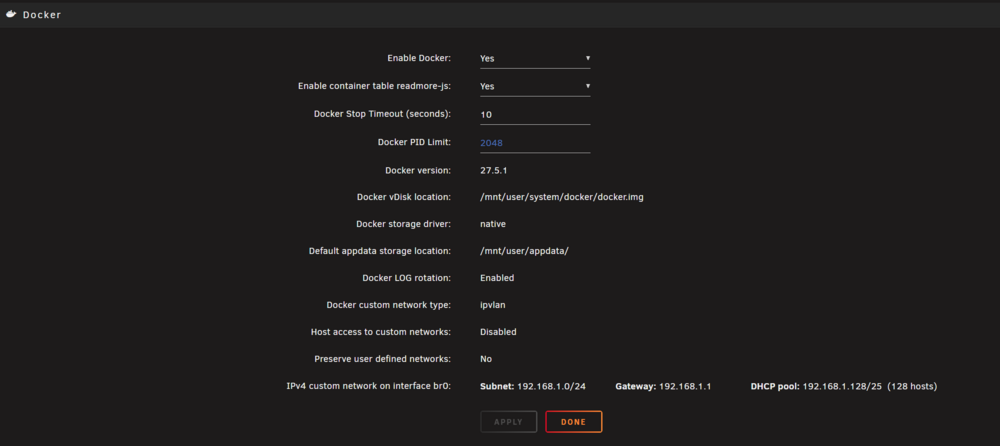
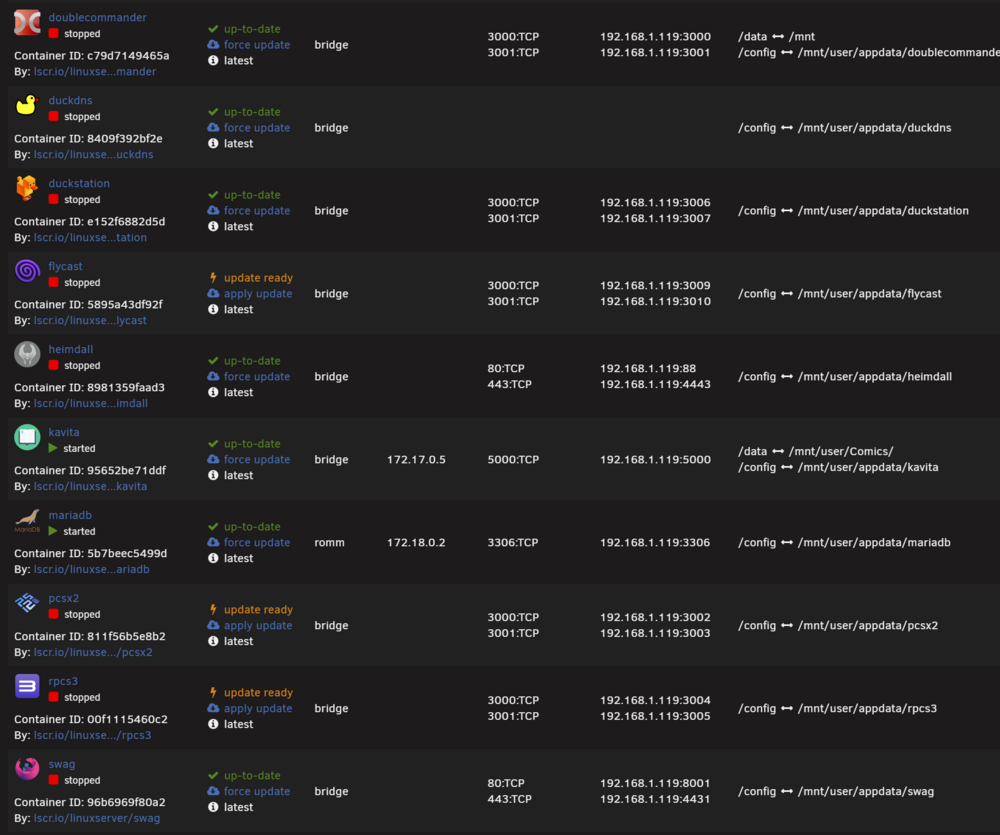
-
LOL There is that as well. I can try reinstalling it at a later point with the altered settings. Either way, I am grateful.
-
Thank You @JorgeB this has been driving me nuts for months! I removed the plugin. Hopefully it can get figured out as it was useful to have.
-
Not sure why they keep filling up but there has to be a better solution than just restarting all the time. Any help is appreciated. Diags attached tower-diagnostics-20250425-2223.zipSo far things seem to be working though i really wish i could know what caused the failure. thank you so much for the assistance.Just out of curiosity, are you able to see the cause so that I can try and mitigate it or stop- it from happening again?Ok thank you. i have now begun the process in maintenance mode and should see if it has worked by tomorrow. i appreciate the help, Thank You again. - MSO uh, I should do a parity sync? Sorry I am a bit confused as to what exactly I should do.tower-diagnostics-20250217-1100.zipI don't know that I can. It wouldn't even shut down properly.Had 2 drives fail overnight. one parity drive and one data drive. i have new drives being shipped out but am really worried about data loss. How do I go about replacing them without losing my data/ thanks in advance. - MTrying to change settings or log in it brings me to the code entry part but google updated and all my code keys are gone. How do I get a new one and set it up so that everything works as it should again? If you can walk me through it like I am 5, I would appreciate it as I haven't messed with this in years. Eagerly awaiting your responses, Thank you - MI just had to do this today as well. In my case it happened after trying to assign some devices for VMs. Very frustrating/scary. Thank You @JorgeBI managed to fix the mac vlan all trace issue as well. thank you both again, I sincerely appreciate the assistance.Ok I will give that a try, thank you both.it says it is at 56% full. The errors show up in Fix Common Problems0 /var/log/pwfail 98M /var/log/unraid-api 0 /var/log/preclear 0 /var/log/swtpm/libvirt/qemu 0 /var/log/swtpm/libvirt 0 /var/log/swtpm 0 /var/log/samba/cores/rpcd_winreg 0 /var/log/samba/cores/rpcd_classic 0 /var/log/samba/cores/rpcd_lsad 0 /var/log/samba/cores/samba-dcerpcd 0 /var/log/samba/cores/winbindd 0 /var/log/samba/cores/smbd 0 /var/log/samba/cores 2.3M /var/log/samba 0 /var/log/plugins 0 /var/log/pkgtools/removed_uninstall_scripts 4.0K /var/log/pkgtools/removed_scripts 24K /var/log/pkgtools/removed_packages 28K /var/log/pkgtools 4.0K /var/log/nginx 0 /var/log/nfsd 0 /var/log/libvirt/qemu 0 /var/log/libvirt/ch 132K /var/log/libvirt 102M /var/log


