





adambeck7
Members
-
Joined
-
Last visited
Everything posted by adambeck7
-
Yea I wasn't sure that'd work. Right above your comment aptalca said to do it this way: Click on open folder, delete everything in the bar and put a forward slash `/` in there, it will let you browser the entire container contents including other mapped folders
-
Have you tried navigating to the directory and using code -r {filename}
-
For me it was only the first time that took extra.
-
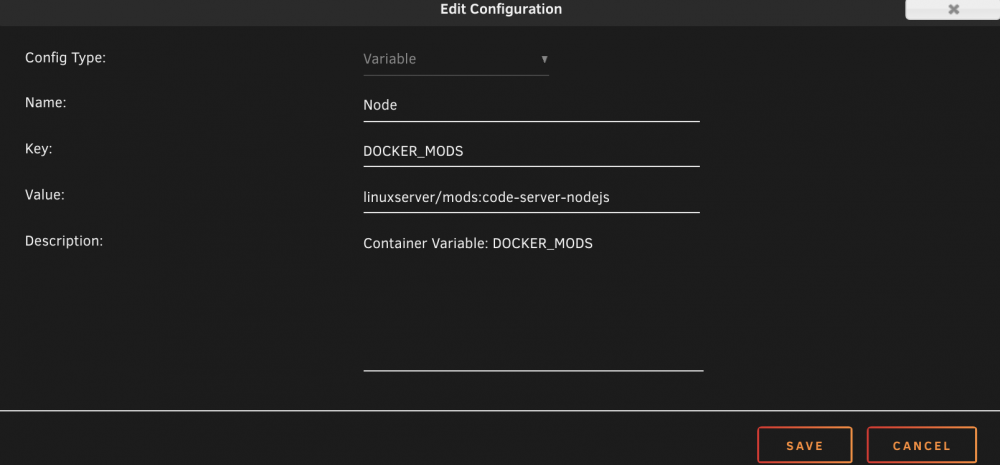
`DOCKER_MODS` needs to be in Key. It should look like this
-
Can you post your config?
-
Error: listen EADDRNOTAVAIL: address not available 192.168.1.200:3001 at Server.setupListenHandle [as _listen2] (net.js:1292:21) at listenInCluster (net.js:1357:12) at doListen (net.js:1496:7) at processTicksAndRejections (internal/process/task_queues.js:85:21) Emitted 'error' event on Server instance at: at emitErrorNT (net.js:1336:8) at processTicksAndRejections (internal/process/task_queues.js:84:21) { code: 'EADDRNOTAVAIL', errno: 'EADDRNOTAVAIL', syscall: 'listen', address: '192.168.1.200', port: 3001 } Not code-server related, but any idea why it would be saying the address isn't available? I tried a few different ports I know are open but it doesn't like any of them so I'm assuming it's having an issue w/ the ip not the port. No matter which IP on my local network it crashes saying the address isn't available. Thanks for all your help!
-
Sorry, not sure exactly what you mean by this second part. Here's what my port mapping looks like.
-
Sorry about that. Yea, code-server container is running on my server, just locally, at http://192.168.1.200:8443/. Inside the code-server terminal I navigate to my workspace folder and run my start script for my web app and it says Server listening on http://localhost:3001 but when I navigate there it's not working. Not sure how exactly to access it.
-
Alright, next stupid question. My project is running on a web server at localhost:port. How do I access that? Could i set up ngrok on unraid somehow?
-
I was connecting from my macbook via smb. I was able to drop them in the code-server folder then move them into the .ssh folder from the terminal. Thanks!
-
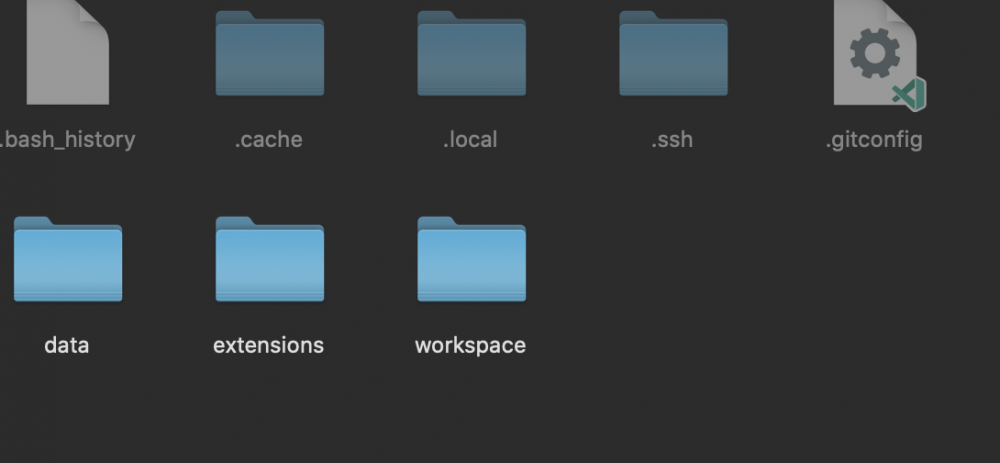
Got this setup but I can't drop my SSH key in the .ssh folder. It's grayed out. When I check permissions it says I have read/write but when I try to drop it in, it just doesn't go. Doesn't say I don't have permissions, just doesn't do anything. Thanks for all your hard work!
-
-
Changing `/boot/config/network.cfg` to `/boot/config/network.cfg.bak` on the flash drive worked for me.
-
I just setup catalina and it worked fine. Getting screwed up video w/ VNC after I upped it to 6 cores though...
-
Thank you! I had the same issue and your fix worked.


