





dmoney517
Members
-
Joined
-
Last visited
Everything posted by dmoney517
-
Parden my ignorance - Does this just mean to stop the array? I dont have any disks mounted that are not part of the array. I have 3 disks in Unassigned Devices that are NOT mounted.
-
I am searching for firmware on the site in your pther post, but all I am seeing is drivers. Sorry, I don't know a ton about SAS controllers. I am searching for this model = LSI SAS2008 PCI-Express Fusion-MPT SAS-2 [Falcon] (rev 03) Is this correct? When I search this on the support page, it only returns drivers.
-
Thanks. I will get the drive back to a normal state then update the firmware. Strange that this is popping up now after running without any issues for 3 years.
-
Of course, as I say this, I just got an email saying one of my parity drives went to disable state. I just put new SAS breakouts in after I had the issue with the last disk. is it the controller? Im now having constant dsbl disks with 2 different sets of cables.
-
Thanks! Rebuild finished succesfully, and I ran an extended smart on the drive and it is coming back clean. Appreciate your input. I will look into updating the firmware as well.
-
Thanks. I rebooted again, and have now restarted the re-build again. This time the rebuild is running well at the expected 130MB/s. And the disk is not in DSBL. Diagnostics attached. maybe the 2nd DSBL on the disk came because the parity rebuild got aborted? I don't know - but hopefully this re-build runs successfully and the disk stays up. I have another new drive coming in the mail tomorrow as well (received a new warning late last night about a different disk failing ((Subject: Warning [NAS] - seek error rate (failing now) is 6619148)), which is what got me moving on fixing this one so I could fix the other once it is needed). nas-diagnostics-20210721-1209.zip
-
Oh wow. I did not realize it was a check. Why would this keep going to dsbl? It is a new disk, on cables that are good. Is there some data on that disk that could be causing this?
-
About a week ago, I had a disk go into DSBL state. My array continued to function. The disk was locked to only hold my security camera footage, and my windows nightly backups. I was not overly worried about either things (really important windows stuff also backs up to OneDrive). So I drug my feet on doing anything about it. I had a backup ready and pre-cleared in unassigned devices, so when i stopped my array this morning, I swapped the disks, and started parity rebuild. 15 minutes in I saw that the parity rebuild was super slow (4TB disk rebuild time was like 30 days). Did some quick searching on the forums, and saw that the answer was to pause, and reboot the entire server. So I paused the rebuild, stopped the array, and did a full server reboot. Server comes up, I restart the parity build, Hooray! 10 hrs to complete. And then, after 30 minutes, the Disk 6, in the middle of parity rebuild, the disk goes back to DSBL again. Not sure what the issue is...New disk, never used, has been in the array unassigned for almost a year after being pre-cleared 3x. Different cables (both disks are still in the array). The rebuild is still running well, 130MB/s, will complete in 7.5 hours. Im hoping that once the parity sync completes, the disk will "fix" itself? I just dont understand what is wrong with this disk assignment that it is back in dsbl again, with a brand new disk on different cables. Not sure if there is an answer, but attached are my diagnostics. If anyone cares to offer advice, it would be appreciated. nas-diagnostics-20210721-1125.zip
-
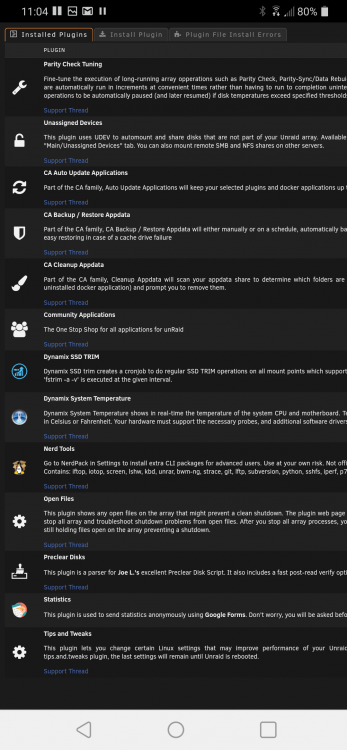
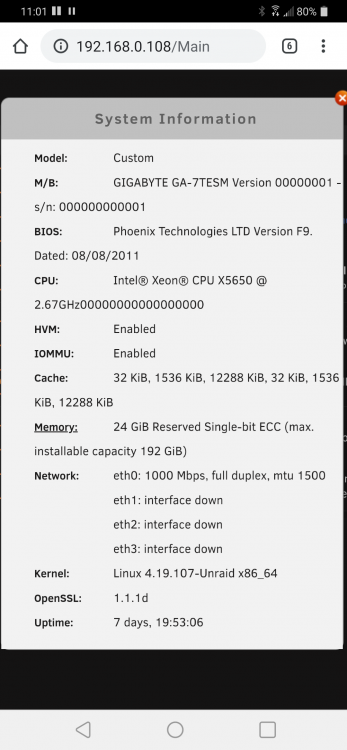
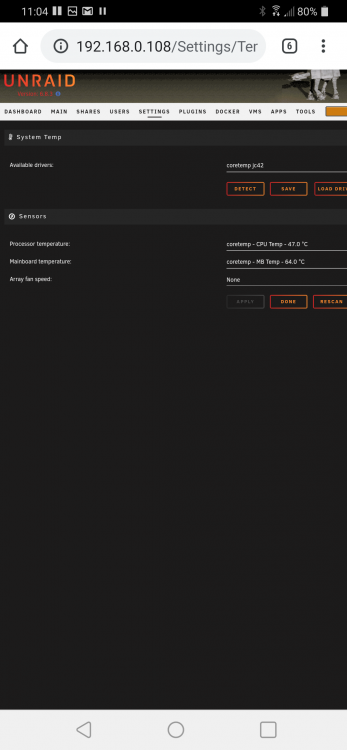
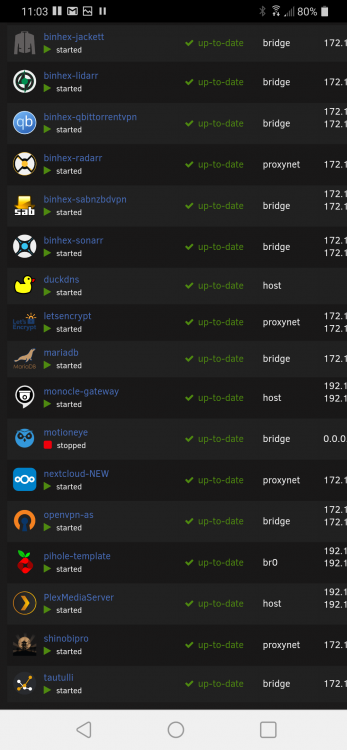
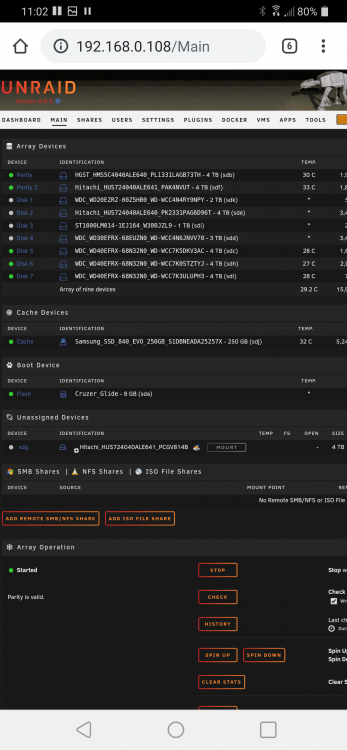
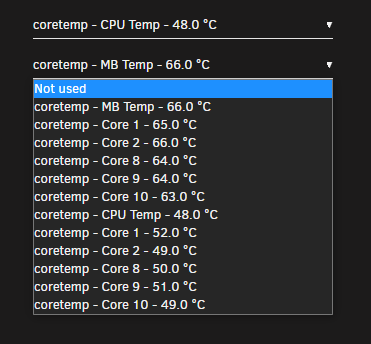
I'm having an issue with my motherboard temps being very high. I originally posted this in the General tab, and it was recommended to post here... My typical idle temps, are 45c CPU, and 57-60c mobo. This by itself feels high. If I have 1 or 2 plex streams running, temps may raise a degree or 2, but nothing that worries me. The issue comes whenever I start a Win10 VM. It is a basic web browsing VM that my wife RDPs to from a chromebook so she can work in a windows ecosystem. It has 4 cores, and 6 GB RAM. Whenever it is running, my temps go up to 60c CPU and 80c mobo, and hold there until I stop the VM, and almost immediately drop back to 50 / 70. I am using the Dynamix System Temp plugin. I used the auto-driver download and it has me on coretemp jc42 drivers. My disk temps mostly idle between 25c-35c. Cache SSD spikes sometimes if I am moving a lot of data and forget to turn off cache. Please see below snapshots for other server / system details. I would really appreciate any feedback on this issue. Its been frustrating me because I.mnot comfortable leaving my VM always on, which i would like to be able to do so my wife doesn't have to tell me when she needs to use it. Case: Rosewill 4u 15 bay - stock fan setup. https://www.rosewill.com/product/rosewill-rsv-l4500-4u-rackmount-server-case-or-chassis-15-internal-bays-8-cooling-fans-included/ I am using the Sensor MB Temp from the available list below.
-
Solved my own issue. needed to update my port fowarding (changed port by mistake when installing new version) and update config.php to accept the DNS address as trusted domain.
-
I had the same versioning issue as most here - Once I was upgraded to 16, everything seemed to work, until i tried to access in my android app. It seems now that my DNS is no longer being recognized. I can connect on my local network with the IP:port, but when i try to connect (local or not) with my DynDNS:port i am getting a "The Server took too long to respond" error. I never made any changes in nextcloud previously to use the DNS. It is configured on my unraid server to use for any traffic (I know it is worked, as my OpenVPN is using it as well and I can connect with no problems.) Is there some issue with Nextcloud and using DDNS, rather than IP? I have tried a few different nextcloud apps, all get the same error. Also does not work from a browser, so there is clearly something wrong with the request being passed through the DDNS to Nextcloud.


