





larrytanjj
Members
-
Joined
-
Last visited
-
I guess I have finally found out the reason why this is happen to me. Fragmentation. I am using Deluge as my torrent client and I am using it heavily to download huge torrent. There is a setting call "Pre-allocate disk space" is left uncheck all these while. This result in those huge single file is not store sequential on the hard disk. This impact the read performance. I have put this hypothesis to the test and the result is promising. I download the torrent twice with "Pre-allocate disk space" enabled and disabled. One first test it is enabled and once the torrent downloaded finish. I remove the job from the client ensure that nothing is accessing the file. I was able to achieve a read speed of 200+MB/s for the while transfer of 50GB. I delete everything and move on to the second test. I disable the "Pre-allocate disk space" and download the same torrent once again. This time round my read speed hovering at 100+MB/s. In another word, the option "Pre-allocate disk space" does help to ensure that data is written in sequential manner.
-
I am still facing the issue where read speed from the server is weird. These 2 file is located in the same share same disk (disk6). Docker and VM is disabled to ensure nothing is affect the result. both transfer is a single large file. I repeated this test and keep getting this result. How does data from the same drive same share transfer at different speed over the network? Transferring 20+GB file to my workstation desktop which is on NVME Transferring 40+GB file to my workstation desktop which is on NVME tower-diagnostics-20230831-0016.zip
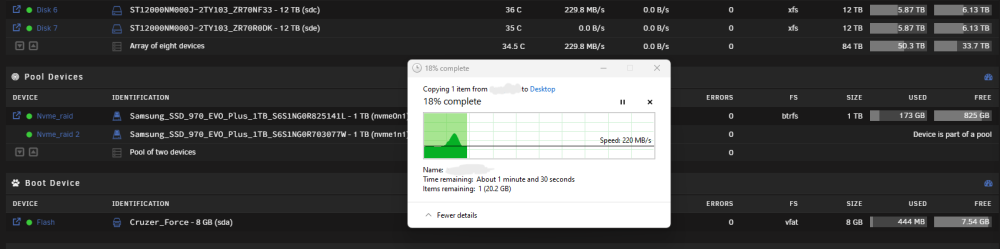
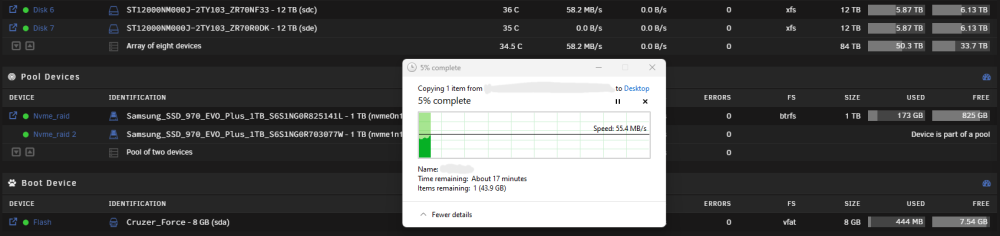
-
Thanks for the suggestion but apparently that is not the issue I am facing. Before this happen everything was working as expected. The read speed which I am most concern was fine at 200MB/s. After installing LSI® SAS 9207-8i (IT mode) to add 2 more additional disk and this start to happen. Really appreciate anyone could help me as the server has been down for 4 days. With no docker running I manage to get 30MB/s via SMB. With docker running, SMB is pretty much unusable at 1-5MB/s.
-
I wish I know what is wrong with my system but apparently I do not use mover. My protected cache pool is only for system, docker and vms.
-
This is what happen when I copy a couple of large file over a 10G network. It has this sudden burst and drop all the way down to ~30. This does not happen on my server all these while. I was able to copy from this same share at a much higher speed as mention in my first post.
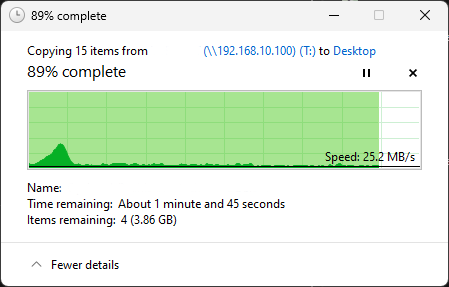
 This is the speed when I copy from user share from array disk to a user share which I store my VM which is on NVME.
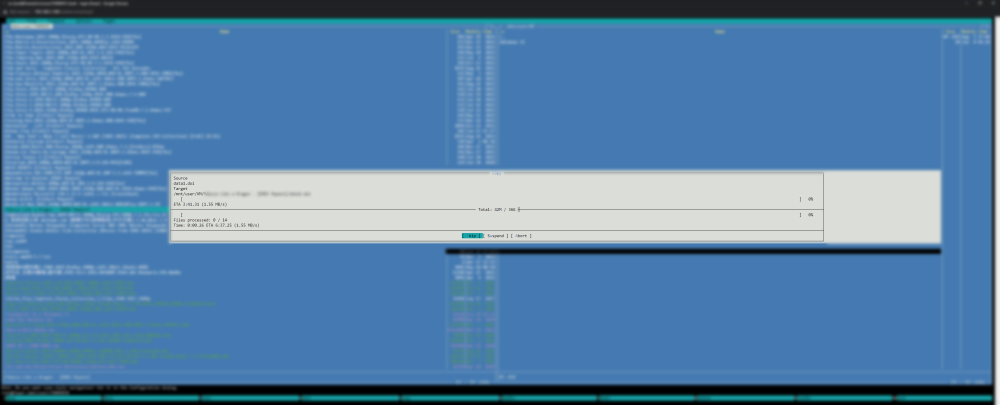 Apologize for the mismatch in the diags. Could be I have be troubleshooting everything I can and got confuse. However I do remember with or without the turbo write should be way fast than 30+ I did a copy from 1 user share to another user share. Both share is using different array disk. This is to prevent reading and writing to the same array diskAttach is a screenshot that I transfer file between 2 disks using MC. The speed is at 30+
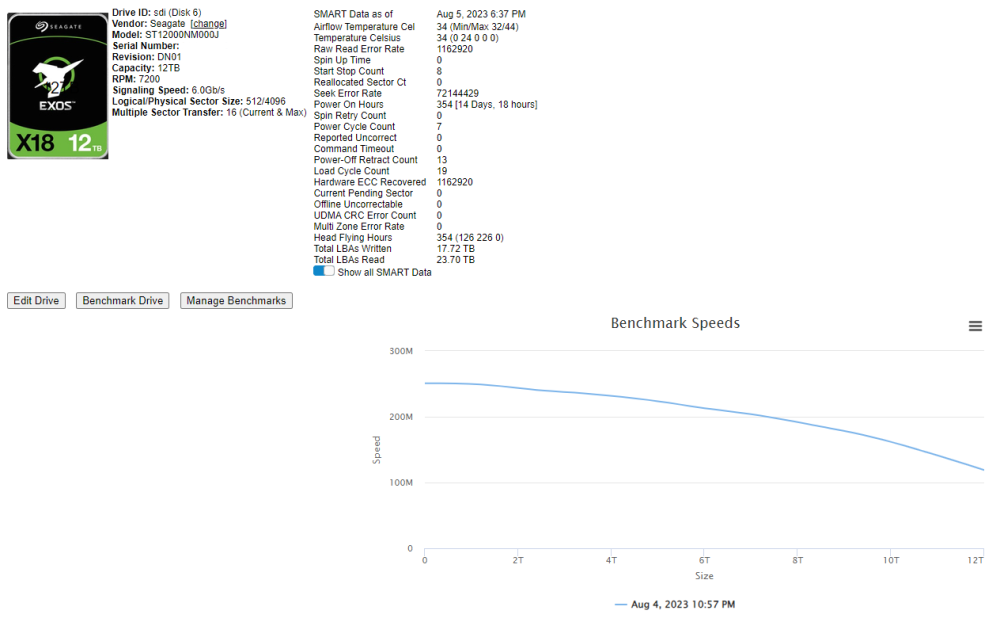
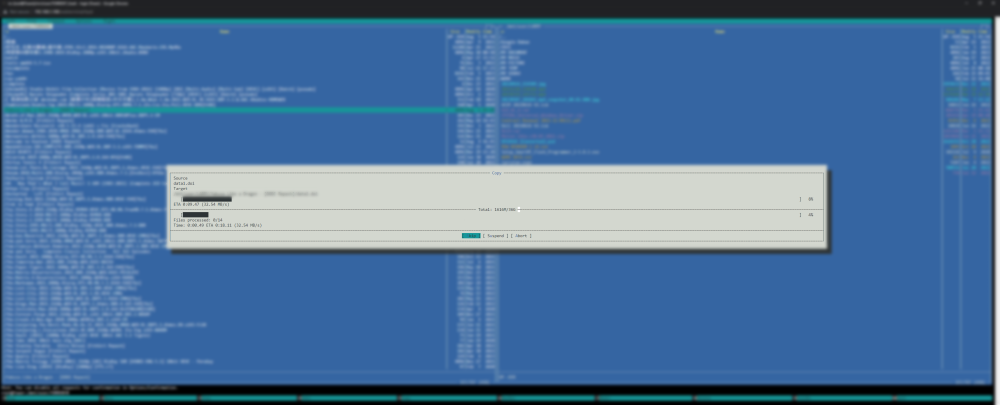 Yup I am using the turbo write. However I am more concern about the read speed. It went from 200+ consistent when copy a single 50+gb or even larger to down to below 100 and inconsistent and occasionally drop to 0. This happen regardless which share I copy from to my workstation. I personally believe some to do with the software as most of the hardware test suggest that it is working fine.My server use to be able to read and write at about 180-200. Only this few days I notice that when I am copying file from a share to my local workstation, the speed is very inconsistence. Most of the time is about 70-40 and occasionally it will drop to 0. The last hardware modification was to install an HBA card and 2 addition 12TB hard disk. I did some file transfer internally using unbalance to fill up the 2 new hard disk. I have did the following checks and tests but still not able to find out the reason why it is behaving like this. Really appreciate anyone can look into my diagnostics and figure out why this is happening. Run parity check with an avg speed of 183 Test it against 2 different workstation Swap hard disk between onboard SATA controller or SAS breakout iperf in both direction with both workstation and its perfect with 0 retry. SMART Test on all drive and report healthy Stop all docker and VMs Reboot and Shutdown the server Run disk speed and the graph start at 250 and end at 150 tower-diagnostics-20230805-0114.ziplarrytanjj changed their profile photoDo bear with me a little as I explain how I eventually get to this state where FCP show warning that I assigned 2 nics to the same network. "Multiple NICs on the same IPv4 network" I started off with only 1 nic and everything was working fine. I am able to connect to all my dockers and VMs(RDP) as long as it under the same network. My only concern at that time was the read speed in my 2.5g network setup. I have a nvme cache and I create a share which use only nvme cache. I am able reach a write speed of 280MB/s~ however the read speed is cap at 140MB/s~. I did an iperf3 test on both direction between both the server and client and the result is exactly what I explain above. I have a docker running LibreSpeed Speedtest and I am able to reach 2400Mb/s~ both upload and download. After some research, I manage to solve it by turning off the Bridge Mode for eth0. Now I am able to get the blazing fast 280MB/s~ read write from my nvme cache share. This is where the problem come, I will need to reconfig all my dockers to use Custom:br0 and assign back their individual IP I set previously. All dockers runs fine. However my VMs wont start as it state that br0 is not longer available and I have to use virbr0 for all my VMs. This result in my VMs will be in different network. I will not be able to RDP to my VMs on my computer which I need. At this moment I grab a USB C network adapter lying on my desk to test some concept. I was trying to use this second eth1 and enable Bridge Mode which give me br1 to assign to my VMs. Now I am able to maintain that 280MB/s read write from my nvme cache share and still able to access my VMs from any machine within the same network. So I am not to sure if I should ignore the warning or there is a better way of achieving what I need?Hi, I have purchase the basic version for quite sometime back (2 years?). Now when I decided to use back and realize the drive has been use for other purpose which end up I have to reinstall the UnRAID image. However, I lost the email that was send me to during the purchase. May I know where I can retrieve my key? I have been searching in the account page but was unable to locate any purchase history.


