





Putz.Jimmy
Members
-
Joined
-
Last visited
Everything posted by Putz.Jimmy
-
Works like a charm, thx!
-
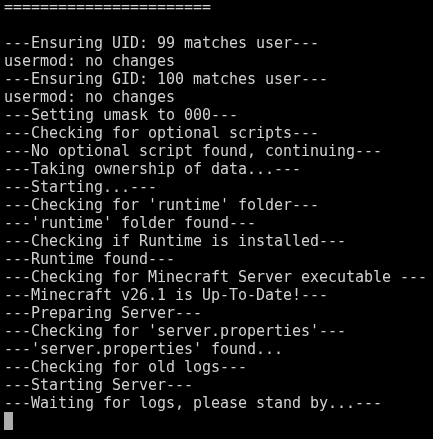
Hi. The MinecraftBasicServer no longer starts after Minecraft 26.1 release. Just spits out that and boot loops
-
Hi. Was gonna spin up Minecraft Bedrock but cant find the template for it anymore. Unraid 7.1.4 Community Applications 2025.06.04a Thanks
-
I changed this and put the password in there too and now it shows in enshrouded_server.json 👌
-
Hi. I cant get the password to stick, I did leave SERVERPASS: empty to get the one I enter in the enshrouded_server.json to work but every time I start the server it writes over the password in enshrouded_server.json and leaves the server without a password. Name stays in there tho
-
Nope it starts just fine as vanilla
-
Same thing happens for me with a fresh pull from app store
-
7dtd Works like normal now, thx @ich777 . A heads up for others, big maps "rwg" have problems with generation atm so I would stay away from anything bigger then 10k for now
-
That worked for me too but you loose the configs each time it starts
-
Mine did get the update (fresh install) cause i got the new config file but it wont start up. Logs look like this: https://0bin.net/paste/ryrzI0eC#ymMUh88fR06FBrFIDWUZfwe94Nmw9ZKMOCnk8jA52LC
-
Working fine now Thx for your great work on your dockers!
-
I was just about to write about this myself here is some more info on the problem. Using GAME_V latest wont upgrade and using custom with the 1.18 jar (fresh install) i just get this looping: https://0bin.net/paste/lVM+xjGz#mgkHNH4MZj9QdeICC19s6H6SCBpVKC1nfeMWfk84qxV

