theDrell
Members
-
Joined
-
Last visited
-
Anyone that wants to try this, I ported this to the new version of UNRAID 7.3.2 that I have. It shows all my old snapshots and allows me to action on them. I have not tested a restore etc yet. plugin install https://raw.githubusercontent.com/dlang123/ZFS-Master-Unraid/main/zfs.master.plg I will post it up to Community Apps after the holiday weekend if it all still looks good.
-
I just upgraded to 7.2.3 and my network dropped too. On initial boot its fine, but it just disappears.. upgraded from a totally stable 7.2.0 directly to 7.2.3. I had pushed my rack back slightly after the update, so I just reseated the 10gb fiber connection to see how that works. Ethernet controller: Mellanox Technologies MT26448 [ConnectX EN 10GigE, PCIe 2.0 5GT/s] (rev b0)
-
So. What I ended up doing is here, for anyone else that maybe has a similar issue. What I did was download this. https://www.hirensbootcd.org/ Then booted to it. Installed the Intel Management engine inside it once it was booted. I had already downloaded the Asus firmware with it and put it on the usb stick, and then used that to upgrade the Intel ME. It seems to be running much better now. Also the new bios said to upgrade the Intel ME "Before BIOS update, please download the Intel ME update tool from the ASUS support site and update the ME firmware to Version 16.1.30.2307 to ensure optimized system settings." But that doesn't seem to imply that it has to be done.
-
What I did was download this. https://www.hirensbootcd.org/ Then booted to it. Installed the Intel Management engine inside it once it was booted. I had already downloaded the Asus firmware with it and put it on the usb stick, and then used that to upgrade the Intel ME. It seems to be running much better now. Also the new bios said to upgrade the Intel ME "Before BIOS update, please download the Intel ME update tool from the ASUS support site and update the ME firmware to Version 16.1.30.2307 to ensure optimized system settings." But that doesn't seem to imply that it has to be done.
-
Yeah I actually setup syslog and there wasn't much there and did a support thread. Its 14900k. I had upgraded the bios due to the lockups and it got worse. Then I booted to winpe and upgraded the intel management engine, which should have 0 to do with anything really, and now it seems to be stable.. Has been up for a week and I am running another parity check to see. Before I upgraded the Intel ME engine parity checks had been a given to freeze it.
-
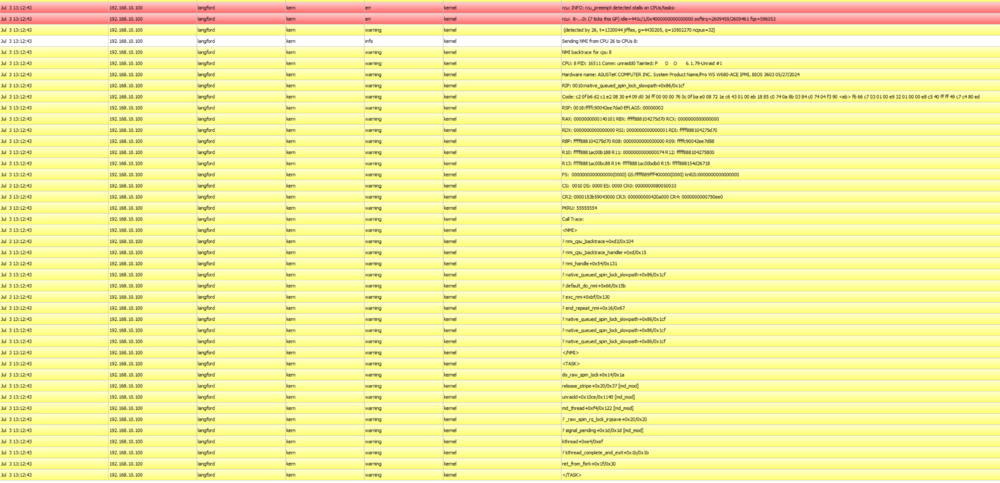
It still crashes doing Parity checks only with the Array started in safe mode. Not sure where to start looking into this, since all the hardware is mostly new. Update: Actually using IPMI this time, it doesn't appear to be fully locked up. Interesting.. I can switch between pages but the dashboard is toast for sure. syslog
-
It froze last night, so I assume its the last syslog message received at 2:54:24
-
Built a new server a while back and noticed it seemed to lock up every few weeks, as part of building it I upgraded to the newest 6.12.10 version. Now it locks up within hours of starting. Have memscanned it and it all comes up clean. I can get to the GUI but after some number of hours the GUI locks up and the server is inaccessible. I have attached diagnostics and syslog. Any help would be appreciated. The diagnostics was started in clean gui mode after a lock up. If I need to start it up in regular mode let me know, I just wanted to see if it kept freezing up if it was in clean mode. langford-diagnostics-20240703-0746.zip syslog
-
Has anyone had an issue with Unraid freezing up after some number of days? Haven't pinpointed exactly what is causing it yet. It will work fine and then freeze and I can use IPMI to see the UNRAID login screen but can't actually enter any text in it via ipmi.. requires a hard reboot? I am on 6.12.10
-
Disk turned out to be 9 years old. Yikes.. several of them were bought around the same time, probably time to replace a few.
-
Disk did not come back up. I went ahead and replaced it and letting it rebuild now.
-
Diagnostics as requested. I have been having Unraid hang lately after several days as well. diagnostics-20240616-0513.zip
-
Noticed during today's parity check that I have a failed disk. Should I stop parity check or let it run? Looking for documentation and I can't seem to find it. I have dual parity.
-
I have that disabled even now. Initially I had it set to the 90, but I would see it hit 100 sometimes. Now the cooler has 50% more cooling headroom but it’s still hot. I had always planned to undervolt a little. I just went i9 cause I wanted a few more cores and maybe swap it with my i7 desktop if needed. But dang it’s hot.
-
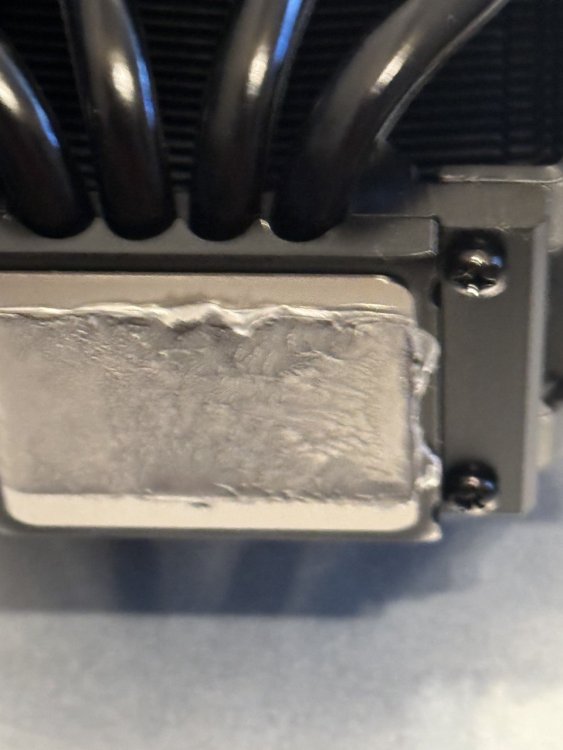
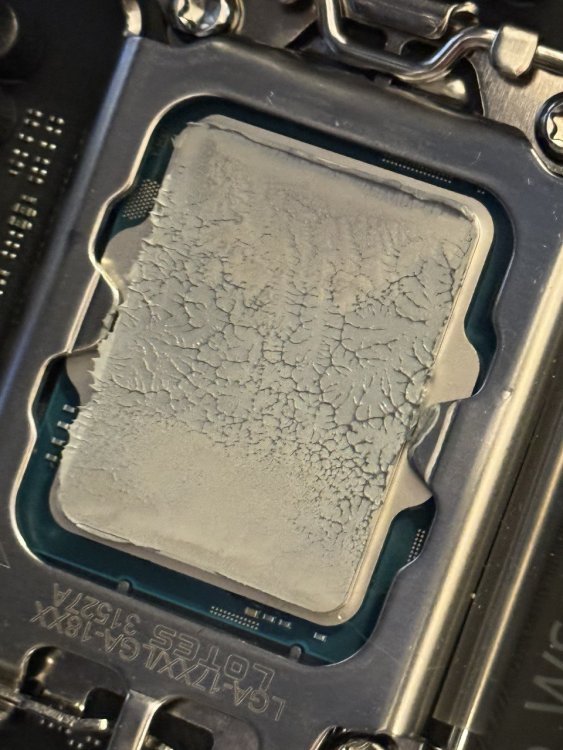
It wasn't my worst paste job, wasn't my best. Injury keeps me from really putting effort in right now. I just swapped it to the NH-D12L and about to update some settings to see if the cooling is any better. It is better, but reading some, the ASUS boards really just let whatever power into these 14900k as they can. Manually setting power limits on it and decreasing the CPU current is keeping the processor temps down better. I would like to underclock a hair as well. Setting Pl1=PL2=125 and current to 307 which is what the current is specd to is maxing out at about 80 now with lots of cores running. Going to keep an eye on it and try and figure out where exactly on this mobo to undervolt.