





WhiteNoseThunderPants
Members
-
Joined
-
Last visited
-
@clowrym, ok, gotcha, thanks for the reply.
-
@clowrym, what is different about your MineOS-Node container from Hexparrots?
-
It is not related to the 6.3.5 update because I have not updated to that version but I am receiving the same error with nzbgetvpn.
-
clowrym, Thanks for letting me know I'm not alone! I can't see how this is ideal. I've resorted to installing the MineOS Turnkey distro in a VM. I just use Filezilla to transfer files via SSH so I don't have to worry about permissions issues.
-
Some further information. While making the files and directories world writable works initially, any newly created files by the server are not world writable, so I'm back to the initial problem. I have to imagine someone else updates plugins, mods or world files on their servers, right? How do you do it?
-
Ok, so it appears I just thought I made the world directories world writable and did not actually do it. Once I did that, I can now copy over them. I would still like to hear from others that are using MineOS-Node to see if this is the way to do it or if I am missing something.
-
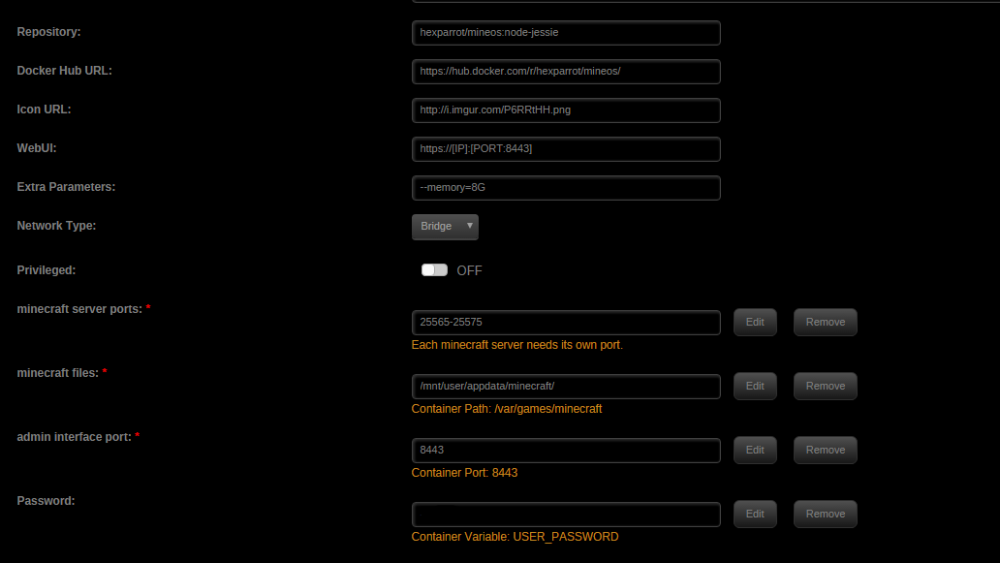
First, I want to say thank you for your time on setting up MineOS-node so that it is super easy to get running on unRaid. I have a pretty big issue, however. I have MineOS running and I am able to download profiles and install and use servers. I'm trying to make it easy for my kids to add plugins and mods to the servers, but since MineOS uses system accounts to restrict access to the servers, I can't use SMB for them to copy the files to the appdata share as it is exported with nobody rights. What are you guys doing to get around this problem? I can chmod directories and files to world writable, but I'm not able to overwrite existing files. Is it safe to change the file owners and MineOS still operate properly? Not sure if the attached screenshot is necessary, but thought I would post it anyway. I'm also not sure what other information would be helpful at this time. All help is appreciated!
-
Is anyone else having any issues loading the NerdPack plugin? I get the attached screenshot and have all day. Multiple different browsers and I rebooted the server. I'm able to download the packages from the github, but I'm not very familiar with Slackware and I am unable to manually install the screen package. The NerdPack plugin worked for me a few days ago and I was able to install Perl from within it. I also tried removing and reinstalling the plugin multiple times, but that did not help either. Are there any logs that I can look at it to see what is going on? EDIT: It is now working. Not sure what happened, but it is loading quickly now!


