





Mlatx
Members
-
Joined
-
Last visited
Everything posted by Mlatx
-
So here I am again back in the same situation. This seems to happen every 6-8 weeks. Yesterday I had errors show up on the same parity disk and data disk. The parity has already been reconstructed, and the data disk is in progress. Here is the diagnostics report after the errors showed up. Is there anything here that is suspicious? server-diagnostics-20210727-0741.zip
-
Thanks Constructor. No I've rebuilt disks before. Thanks for helping out. If it happens again, I'll make sure to download diagnostics before restarting.
-
Yes, I rebooted from the webUI. Should I reboot a different way?
-
That error happened after the reboot. Here are the diagnostics. Fix common problems extended scan seems to freeze. server-diagnostics-20210606-1800.zip
-
Hi All, My parity and disk 1 are disabled for some reason. Parity check ran on 6/1 with zero errors. Fix common problems says check the main tab. The SMART shows no errors. The unraid log shows no errors. I've tried rebooting it, and it temporarily fixed the issue before going back to being disabled. I'd love some help on what I should do to test it. I'm running a Ryzen 2700 with ECC memory. I know Ryzens can have some issues as I have every once in a while where all disks report errors. But a reboot solves that. I'm running a fix common problems extended test. What else should I do?

-
Would it be beneficial to use another database say mariadb as I already have it for nextcloud? Or should I just stick with the mysql that is part of zoneminder?
-
Thanks. I have a backup of appdata where the database resides in the zoneminder install. I'll try to restore that and see what happens.
-
Ok thanks.
-
Last night I had to stop Zoneminder, and when I restarted it, it didn't come back up. I'm getting these errors in the log: Starting ZoneMinder: DBI connect('database=zm;host=localhost','zmuser',...) failed: Can't connect to local MySQL server through socket '/var/run/mysqld/mysqld.sock' (111) at /usr/share/perl5/ZoneMinder/Database.pm line 110. DBI connect('database=zm;host=localhost','zmuser',...) failed: Can't connect to local MySQL server through socket '/var/run/mysqld/mysqld.sock' (111) at /usr/share/perl5/ZoneMinder/Database.pm line 110. May 23 14:09:45 18d28a2717c6 zmpkg[1040]: ERR [Error reconnecting to db: errstr:Can't connect to local MySQL server through socket '/var/run/mysqld/mysqld.sock' (111) error val:] DBI connect('database=zm;host=localhost','zmuser',...) failed: Can't connect to local MySQL server through socket '/var/run/mysqld/mysqld.sock' (111) at /usr/share/perl5/ZoneMinder/Database.pm line 110. Can't call method "prepare_cached" on an undefined value at /usr/share/perl5/ZoneMinder/Config.pm line 96. BEGIN failed--compilation aborted at /usr/share/perl5/ZoneMinder/Config.pm line 147. Compilation failed in require at /usr/share/perl5/ZoneMinder.pm line 33. BEGIN failed--compilation aborted at /usr/share/perl5/ZoneMinder.pm line 33. Compilation failed in require at /usr/bin/zmpkg.pl line 34. BEGIN failed--compilation aborted at /usr/bin/zmpkg.pl line 34. May 23 14:09:45 18d28a2717c6 zmpkg[1040]: ERR [Error reconnecting to db: errstr:Can't connect to local MySQL server through socket '/var/run/mysqld/mysqld.sock' (111) error val:] ZoneMinder failed to start *** /etc/my_init.d/40_firstrun.sh failed with status 255 *** Killing all processes... May 23 14:09:45 18d28a2717c6 syslog-ng[41]: syslog-ng shutting down; version='3.25.1' I've found a post with a DBI Connect error and was able to start zoneminder with the a custom variable and start mysqld in safe mode. Then it produced an error log with this error: InnoDB: Your database may be corrupt or you may have copied the InnoDB tablespace but not the InnoDB log files. What can I do to correct this?
-
I have Nextcloud 3.03 running on Win10. I'm getting the 413 request entity too large error. I have the max client body size set to 100M on the various *.conf files. I'm running Unraid 6.9 beta 35. Those changes did nothing. I've uninstalled and reinstalled the client on Windows. Has anyone had this problem and fixed it on version 3?
-
The only other thing worth trying would be to delete the container and reinstall it. All your app settings will be there. Unless someone else can chime in on another solution.
-
Any errors I had with the install occurred within the terminal window. Usually a google search copying the error found a solution. If you are having trouble starting the nextcloud container or getting the error upon restart, make sure you have the https port set to 444 otherwise it won't start with 443 (unraid uses that). That's about as much as I can help on this one.
-
The new installation sees everything as it was. I wish I could have started from scratch but didn’t want to deal with a potentially bigger headace. Version 13 sounds about right. You can’t jump from 13 to the current 16. It’s too many versions out (at least that was the error I got) so have to go to 14 first. It’s really not that difficult to follow those steps. It would have been a lot easier had I not had the password error.
-
I just resolved this issue today and spent a few hours. I'm going to try and help you not spend that much time. You'll need to upgrade Nextcloud itself (not done via the docker update in unraid). There is a link on the first page that takes you to the instruction on how to do this. After trial and error, this is what worked for me. I used this modified set of instructions to upgrade to version 14. Hopefully that works for you. All other version I tried (12, 13, 15, and 16 failed). Here was the initial process. ##Open terminal from unraid gui header (top right corner) docker exec -it nextcloud bash ##Turn on maintenance mode sudo -u abc php7 /config/www/nextcloud/occ maintenance:mode --on ##Backup current nextcloud install mv /config/www/nextcloud /config/www/nextcloud-backup ##Grab newest nextcloud release and unpack it (I had to do version 14 as I couldn’t go further without errors. You can update from nextcloud gui to other versions once this is completed) wget https://download.nextcloud.com/server/releases/latest-14.tar.bz2 tar -xvf latest-14.tar.bz2 -C /config/www ##Copy across old config.php from backup cp /config/www/nextcloud-backup/config/config.php /config/www/nextcloud/config/config.php ##Now Restart docker container exit docker restart nextcloud ##Open terminal (should already be open just wait for the docker to restart) docker exec -it nextcloud bash ##Perform upgrade sudo -u abc php7 /config/www/nextcloud/occ upgrade ##Turn off maintenance mode sudo -u abc php7 /config/www/nextcloud/occ maintenance:mode --off after you confirm all is working, do this ##remove backup folder rm -rf /config/www/nextcloud-backup ##Remove Nextcloud tar file rm latest-14.tar.bz2 I had an issue with the first installation completing saying the password was invalid. I found this https://github.com/nextcloud/server/issues/12750. So I followed the link on that page to the php file (well it's not a file but code) and copied all of the text into TextMate on my Mac (Notepad ++ on Windows). I saved the file in the name listed. I copied it to a director on one of my shares. Then you'll need to go into Krusader to copy this file into the directory listed on that website if you can't do it from your computer. I couldn't from my mac as the directory was inaccessible. It's a pain in the ass I know so hopefully you don't have this issue. If you do, you'll need to go through this update process again replacing version 14 with 15. I had to because the php file I created had some violation issue. But it at least got me back into Nextcloud. Good luck.
-
Issue: The reverse proxy header configuration is incorrect, or you are accessing Nextcloud from a trusted proxy. If not, this is a security issue and can allow an attacker to spoof their IP address as visible to the Nextcloud. Further information can be found in the documentation. I have tried all the suggestions on page 86 Nothing has worked. I've used the letsencrypt IP address and port number (both ports 1443 and another line for 180). I still get the error. What am I missing?
-
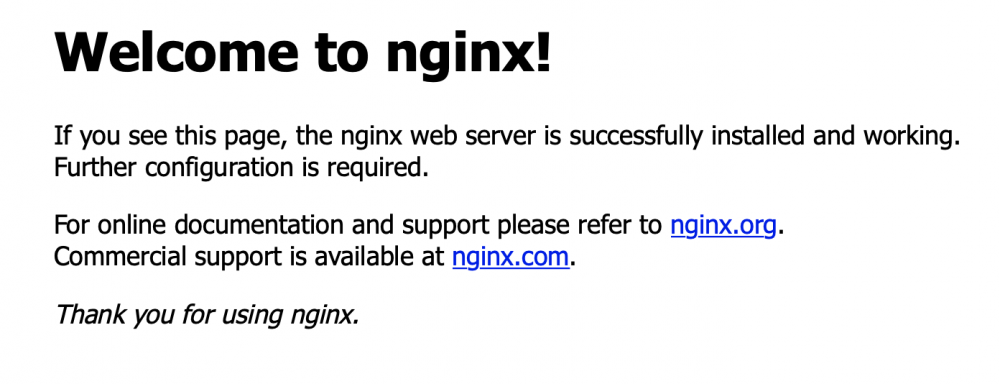
After a bit more research, I figured out my issue. Chrome seems to resolve the /zm folder. Whereas other browsers don't. So when I type zoneminder.mydomain.com in a browser other than Chrome I get the nginx page. When I type zoneminder.mydomain.com/zm it works. Is there any way to configure zoneminders so that when I type just zoneminder.mydomain.com it goes to the root folder?
-
There may be an issue somewhere. The thing I don't get is that I can see the events and feeds from zm ninja app, which uses my reverse proxy. Also I can see the feeds through Chrome but not the events. Every other browser shows that error.
-
I have a couple issues going on right now with the latest version. First, I setup a reverse proxy using letsencrypt. I am able to login through Chrome and the zmninja ios app. I cannot login through Firefox, Safari, or IE. I setup my proxy.conf file according to my last post https://forums.unraid.net/?app=core&module=system&controller=content&do=find&content_class=forums_Topic&content_id=56632&content_commentid=724628. I've attached the screenshot I get from Safari and IE, and Firefox say the connection was reset. The other strange thing going on is I am was able to see my events in Chrome, and now I see a white screen with no controls. This is a video I was able to see 2 days ago. When I try to download the video using the video link it says not video found. Then I click it again, and it shows my download options. However, when I try to access the video there is no content. Does anyone know how to fix this?
-
Thanks. I did some more research and got a working zoneminder.subdomain.conf file (I am using my own subdomain). I have the following: server { listen 443 ssl; listen [::]:443 ssl; server_name zoneminder.*; include /config/nginx/ssl.conf; client_max_body_size 0; location /zm { include /config/nginx/proxy.conf; proxy_pass https://IPADDRESSOFYOURSERVER:8443/zm; } }
-
Someone has posted about setting up zoneminder through a reverse proxy but left no explanation on how. How would I do that? I have letsencrypt running for nextcloud. Another post mentions you cannot use letsencrypt because zoneminder runs on apache and not nginx.
-
Thanks. All working now.
-
That's good to know. So would I have to reconfigure zoneminder and all of the settings? Or if I just download the new zm template from CA it will pickup the existing settings from appdata?
-
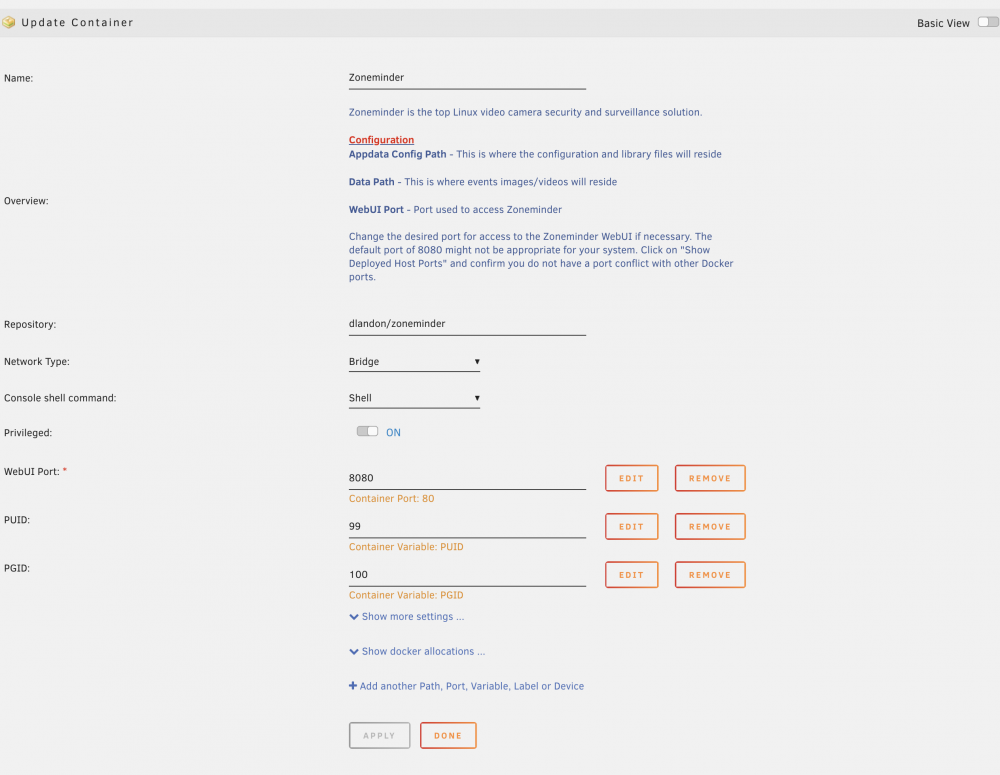
Hi All, I'm having a problem getting into the webui of zoneminder, actually getting it working. It has been working great all along until unraid 6.6.6 update. I'm getting a site cannot be reached. Well I noticed that my unassigned devices were unmounted after the unraid update. So I mounted the disk thinking that would fix it. No luck with that. I still can't access it. Any idea what can be going on? I've attached my configuration.
-
When couchdb updates, I lose my admin account and have to create a new one. How do I prevent this from happening?
-
Hi All, I successfully have offense running as a vm on unraid. I just need to get a cheap backup device. I’m having issues connecting to https with internal sites and through let’s encrypt. I other words, I can’t connect and no message to proceed with caution. I have nextcloud setup according to spaceinvader’s video. It’s running under my own domain and proxynet. With my old isp router, port forwarding worked, and I was able to connect. Now with offense, I cannot. I don’t get any errors within let’s encrypt’s logs. I can’t connect to my OpenVPN server either. I put in the rule for private domain equals unraid.net in DNS resolver. What could I be missing here? I’ll continue to search but found nothing yet.



