





Quiks
Members
-
Joined
-
Last visited
Everything posted by Quiks
-
Hi, I recently changed the security on my windows shares. Previously everyone had read/write/etc access and I was able to mount my shares in unraid without issue using this plugin I've created a single user that has write access to these shares now. domain\user I cannot mount my share using the following info IP/Host: 192.168.1.60 Username: domain\user Password : password Share: R I ran into a similar issue using cifs in ubuntu and I had to specify domain=domain in the command or credentials file. Is there a way to do a domain=xxx in this plugin without using the command line? clicking mount on the R share refreshes the page, but yields the same results logs: Jun 1 10:29:23 Tower unassigned.devices: Mount of '//192.168.1.60/R' failed. Error message: mount error(13): Permission denied Refer to the mount.cifs(8) manual page (e.g. man mount.cifs) Jun 1 10:34:40 Tower unassigned.devices: Mount SMB share '//192.168.1.60/R' using SMB1 protocol. Thanks!

-
I ended up migrating rutorrent off of my unraid box onto a hyper-v docker server I have. No issues there with a nice low 0-2% CPU usage. It might have been an unraid issue. I noticed VM performance increase after upgrading to 6.4. Did you upgrade to the latest version to see if your docker container's performance also increased? Sorry I can't be of help since I ditched the platform in this case :(.
-
Can you reach nextcloud on https://192.168.1.1:444/ right now?
-
try adding another app into it and see if you can get that working. post your conf file and I'll eyeball it, but I'm by no means an nginx expert.
-
You just have to wait for a fix, or for letsencrypt to accept ports other than 80/443 =P. I'm betting this container will be fixed before that though.
-
Maybe try restarting nextcloud? can you access it locally (not through nginx)? is it only nextcloud having an issue?
-
Are you accessing it the same way? What do you see instead of your nextcloud page? My only issue was getting my certificate pushed. After that, everything worked per normal. you should be able to go to your public ipaddress:port instead of the domain and have it work as well (albeit without the pretty "secure" icon) assuming you have this allowed in your conf.
-
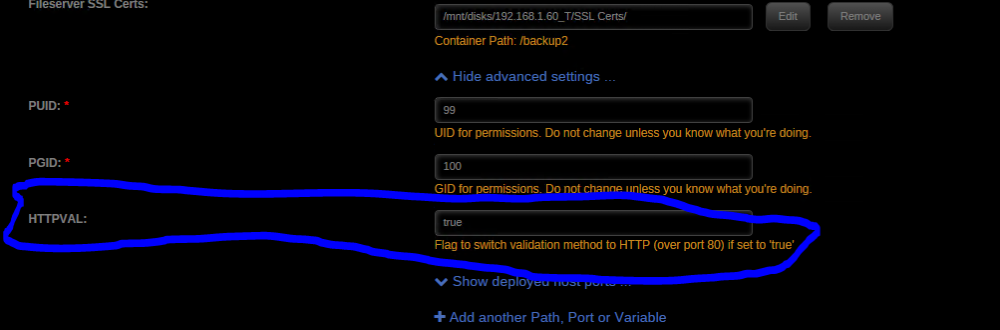
Just tried HTTPVAL = true, forwarded port 80 to my exposed http port 90 > 80 and it did the trick. Hopefully they fix this so i can close back up port 80. edit: for anyone else that needs to know where to edit this, it's under advanced settings
-
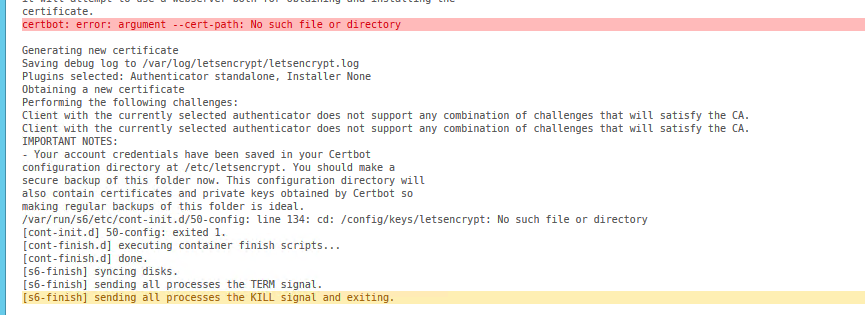
Like others I'm also getting the challenge error as well as the no such file or directory problem firstly, it's complaining about /config/keys/letsencrypt. This is a symlink that goes to /etc/letsencrypt/live/domain.com I can't verify if this is correctly linked inside the container because the container immediately stops once started, no time to docker exec in and see what's wrong. Has anyone come to a conclusion on what's going on this this file error? I haven't tried the HTTPVAL fix yet as I'm dealing with the directory problem first. I also would prefer to not have to forward port 80.
-
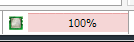
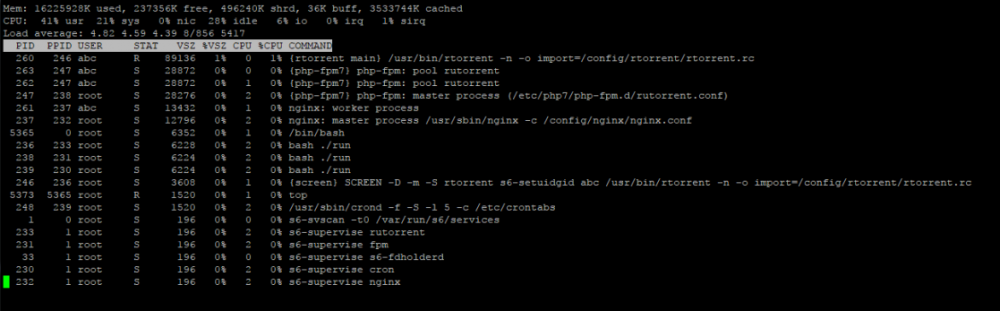
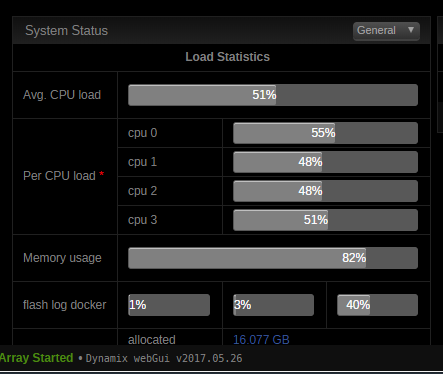
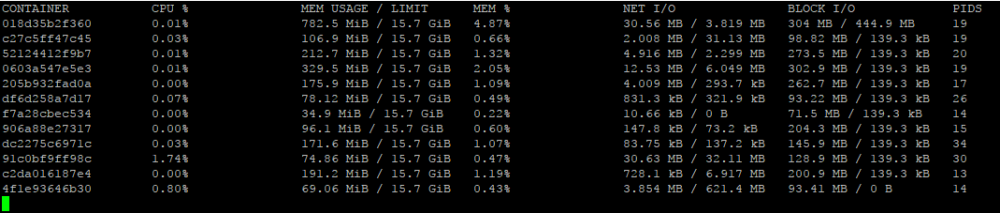
New question. The CPU indicator is showing 100% usage, but my processor is running at ~50%. I docker exec'd into the container and it doesn't seem to be showing high usage either. Is this indicator not accurate or is there some underlying problem that needs to be addressed. Docker stats doesn't show too much either Any help is greatly appreciated Thanks!
-
Hi, I find that when I restart the container, any labels I have assigned torrents are removed. Is there something I'm missing? Does it only save data like this every so often? edit: it looks like the above isn't saved instantly. I'm unsure of the interval, but when I left it alone for a few minutes and restarted, the labels, ratio, etc, saved. Another, separate problem, likely not the problem of this container. When downloading a torrent with only 1 file, it gets dumped into the main download folder. Is it possible to have every torrent created with a folder of its torrent name in the save path? The reason I ask, is I'd like to automate the removal of torrents past a certain number of days with the ratio group set to "remove data (all)". The reason I want to use "remove data (all)" is so that it deletes unrarred contents as well. Thanks in advance!
-
Good to know. I didn't even know apps existed for this. Neat
-
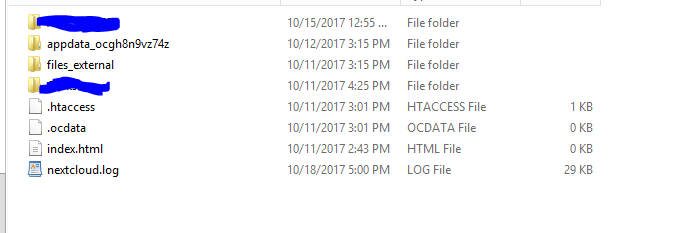
you don't mount things that way. container /music isn't going to be used for anything because it mounts your files in your user's directory. to better explain, /data is where all the files will get mapped in the below structure The 2 blocked out folders are usernames in nextcloud Inside each of those you'll find Inside files is where all of that user's files are stored. To my knowledge, you can't mount things the way you are thinking. They have to be placed in the specified user's folder. You could create a symlink from the files directory to /music if you wanted I guess, but it seem counter intuitive unless you need that share on multiple users in nextcloud.

-
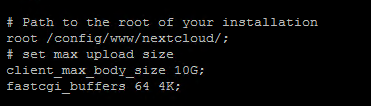
I did read it, but I think I may have missed some settings. I was successfully able to upload the 3.5 GB file that failed on my android client, so the back end of nextcloud is working fine. I probably need to change some nginx settings. edit: changing a few settings allowed me to upload >2gb files via the webui. php.ini I mapped the tmp directory to /config/www/nextcloud/data/upload-tmp with a chown abc:abc on it max_execution_time = 7200 max_input_time = 7200 post_max_size = 16400M upload_max_filesize = 16000M memory_limit = 1024M I'm having issues using the letsencrypt container in conjunction with this one. When i upload a file to the local webui (this container), I see the temp file created immediately as it's uploading When I used the remote link (letsencrypt nginx pointing to nextcloud's nginx), I didn't see any tmp file created until the upload completes. to fix this, set your letsencrypt config file to something similar to below location / { proxy_pass_header Authorization; proxy_pass https://192.168.1.185; proxy_set_header Host $host; proxy_set_header X-Real-IP $remote_addr; proxy_set_header X-Forwarded-For $proxy_add_x_forwarded_for; proxy_http_version 1.1; proxy_set_header Connection ""; proxy_buffering off; proxy_request_buffering off; client_max_body_size 0; proxy_read_timeout 36000s; proxy_redirect off; proxy_ssl_session_reuse off; }
-
Hi, does anyone have any issues uploading files >2gb. I don't get any error messages I've been having issues and thought it was the webui causing it (maybe nginx?), but the file uploads successfully to wherever it goes (tmp folder?). After it uploads through the interface, it pieces the file together in a .part file. The webui displays a 100% full bar displaying "a few seconds" while it pieces together this .part file to the resulting finished file. This is where the file has problems. gets stuck around 2.2 GB every time for a 3.3 GB file. The exact byte size it gets stuck at isn't the same each time either. When I tried a 1.3 GB file, it did everything above except it actually completed and stopped being a .part file So my issue seems to stem from it being denied the ability to allocate >2gb of space to a single file. Everything I read regarding 2gb and nextcloud mentions 32 bit. I assume that since my unraid install is "Linux 4.9.30-unRAID x86_64", that shouldn't be an issue, right? From some searching, I made some changes below, but I think they are in vain since it seems to upload the file itself just fine, it just can't build the file from the tmp cache afterward. default php.ini .user.ini (this got changed when I set the webui max filesize to 20gb) The docker log has nothing in it. php log nginx error log has nothing in it. I heard someone talking about having container related issues when it comes to nextcloud as well relating to the tmp folder getting filled, but I don't think that's an issue either. my docker image is like 2gb /20 gb. Of all the research I've done, it doesn't seem like people are having issues at the part where the file is being created from chunks after upload like I am. Is there anything I can provide to help figure out what may be causing this? Thanks in advance!



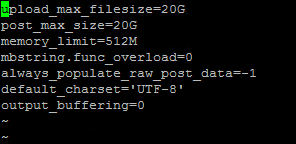
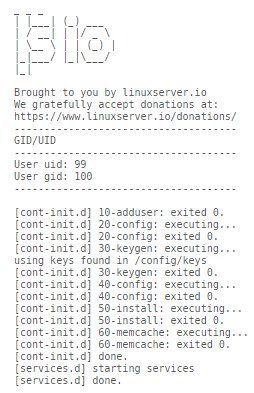
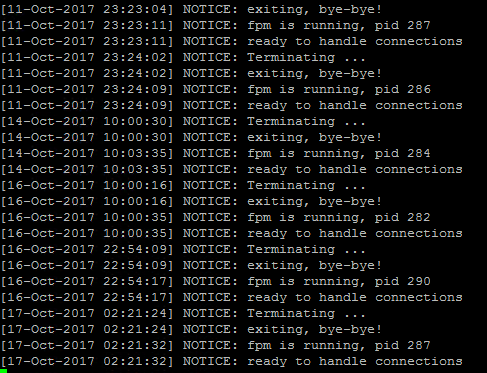
-
Hi again. I found when transferring my config from my nginx vm to here that I was getting the following message nginx: [emerg] socket() [::]:443 failed (97: Address family not supported by protocol) Does this imply that ipv6 is not supported? or is there something I'm missing/need to change Thanks in advance!
-
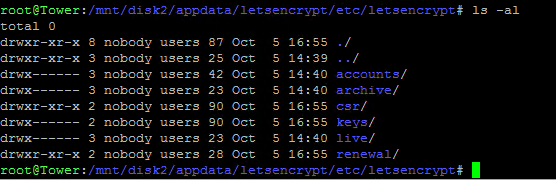
[s6-init] making user provided files available at /var/run/s6/etc...exited 0. [s6-init] ensuring user provided files have correct perms...exited 0. [fix-attrs.d] applying ownership & permissions fixes... [fix-attrs.d] done. [cont-init.d] executing container initialization scripts... [cont-init.d] 10-adduser: executing... ------------------------------------- _ _ _ | |___| (_) ___ | / __| | |/ _ \ | \__ \ | | (_) | |_|___/ |_|\___/ |_| Brought to you by linuxserver.io We gratefully accept donations at: https://www.linuxserver.io/donations/ ------------------------------------- GID/UID ------------------------------------- User uid: 99 User gid: 100 ------------------------------------- [cont-init.d] 10-adduser: exited 0. [cont-init.d] 20-config: executing... [cont-init.d] 20-config: exited 0. [cont-init.d] 30-keygen: executing... using keys found in /config/keys [cont-init.d] 30-keygen: exited 0. [cont-init.d] 50-config: executing... 4096 bit DH parameters present SUBDOMAINS entered, processing Sub-domains processed are: -d subnet1 -d subnet2 -d subnet3 E-mail address entered: email Generating new certificate Saving debug log to /var/log/letsencrypt/letsencrypt.log Renewing an existing certificate Performing the following challenges: tls-sni-01 challenge for domain tls-sni-01 challenge for subnet1 tls-sni-01 challenge for subnet2 tls-sni-01 challenge for subnet3 Waiting for verification... Cleaning up challenges IMPORTANT NOTES: - Congratulations! Your certificate and chain have been saved at /etc/letsencrypt/live/domain/fullchain.pem. Your cert will expire on 2018-01-03. To obtain a new or tweaked version of this certificate in the future, simply run certbot again. To non-interactively renew *all* of your certificates, run "certbot - If you like Certbot, please consider supporting our work by: Donating to ISRG / Let's Encrypt: https://letsencrypt.org/donate Donating to EFF: https://eff.org/donate-le /var/run/s6/etc/cont-init.d/50-config: line 127: cd: /config/keys/letsencrypt: No such file or directory [cont-init.d] 50-config: exited 1. [cont-finish.d] executing container finish scripts... [cont-finish.d] done. [s6-finish] syncing disks. [s6-finish] sending all processes the TERM signal. [s6-finish] sending all processes the KILL signal and exiting. edit: I think I found the issue. This might be a problem on certbot's end. (not sure? maybe you can confirm?) I typed my domain with a leading capital in the container's settings. The symlink is pointing to a folder where the first letter in my domain is capital. The folder that exists has no capitals. so, the folder created for the cert was created differently than the symlink's destination path. /mnt/disk2/appdata/letsencrypt/etc/letsencrypt/keys/live/Domain.com/ vs /mnt/disk2/appdata/letsencrypt/etc/letsencrypt/keys/live/domain.com/ I did a mv domain.com Domain.com and it now seems to be working. I guess I should go into the container settings and change to lower case and let it re-run Thanks for pointing me in the correct direction with the broken symlink.
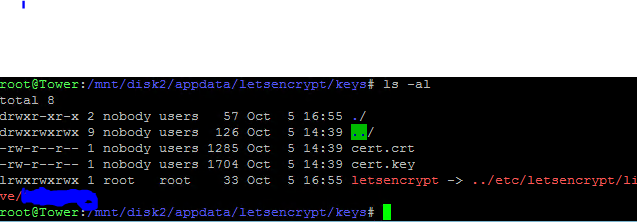

-
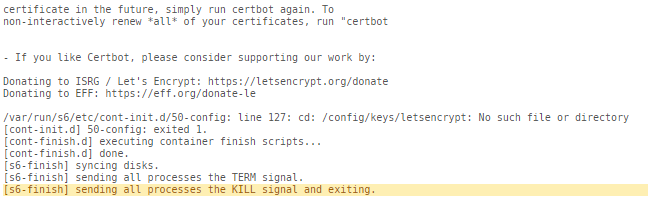
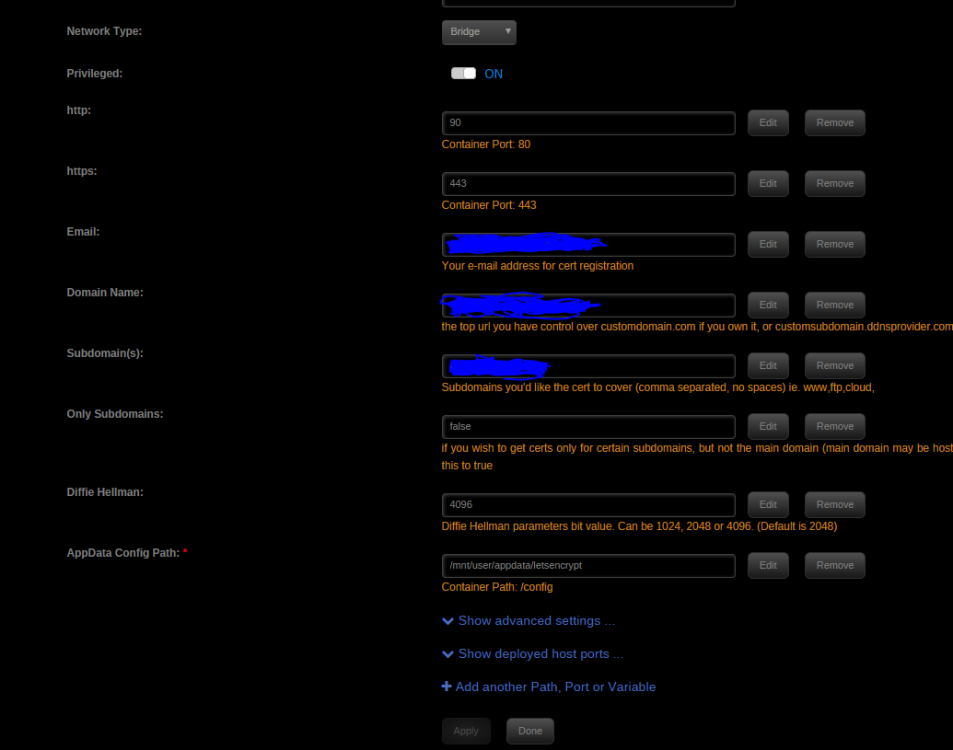
Hi, Thanks for the response. I changed it to /mnt/disk2/appdata/letsencrypt/, but am still having the same issue. Should I delete anything after changing this? to add, the /config/keys/letsencrypt directory does exist.

-
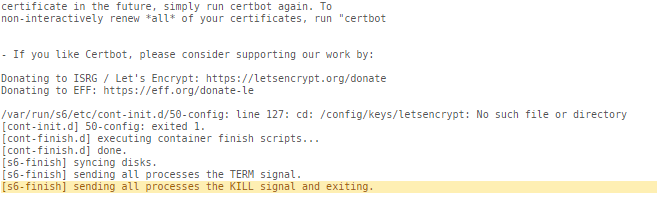
Hi, I'm finding that my container is exiting after successfully creating the cert The log shown below after successfully making the cert Starting the container again yields it going through the process of creating a cert again ending with the same log above.
-
@llwhite https://raw.githubusercontent.com/linuxserver/docker-templates/master/linuxserver.io/img/plexpy-icon.png
-
If I'm understanding correctly, the WEBUI_PORT thing was something specifically added to this container. The main docker page is what led me down the clues to figuring it out. I could be wrong though.
-
Weird. I can't reproduce that, so I don't think I'll be of help on that one. I did have the exact same symptoms you did (where it works correctly in incognito), and I specifically had to unblock pop-ups on that site before it started working normally. manually "typing it in" working doesn't really make much sense. It's just passing the URL. Try manually editing the URL to what you're typing in on the advanced view and see if it starts working. It does have some PORT:8080 type of syntax by default
-
Are you changing it in the Qbt WEBUI settings or the container? Edit: I found I had the same issue as you, but was able to figure it out. With the base settings, any time you change the port in the QBT interface, it will reset to 8080 when rebooting the docker. To fix this, you need 2 changes from the default config. Remove the original 8080:8080 port map create a new one 6666:6666 (whatever your new port is) add a new variable Key: WEBUI_PORT Value: 6666 (again, whatever your new port is) apply this and your UI should now work on the new port. However, clicking WEBUI on your docker in the UnRaid UI will yield a webpage opening with :8080 which won't load. I'm still trying to figure out how to change the default webpage since it seems hardcoded to 8080. Hopefully this helps you or anyone else trying to change their port! edit: I figured out that I had the view on basic. Switched it to advanced, and I can change the default launch URL as well. That should fix all the issues for everyone. Woot!
-
I figured this out. Allow popups on the site in your browser and it will load the interface. I'm not sure how it loads as a popup, but it's working lol




