





mkyb14
Members
-
Joined
-
Last visited
Everything posted by mkyb14
-
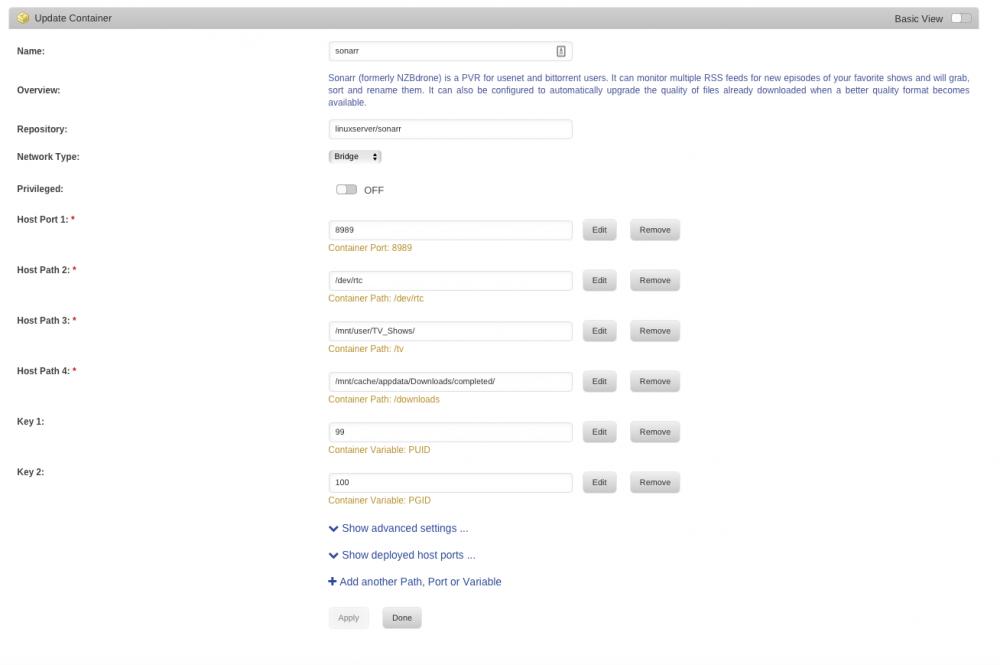
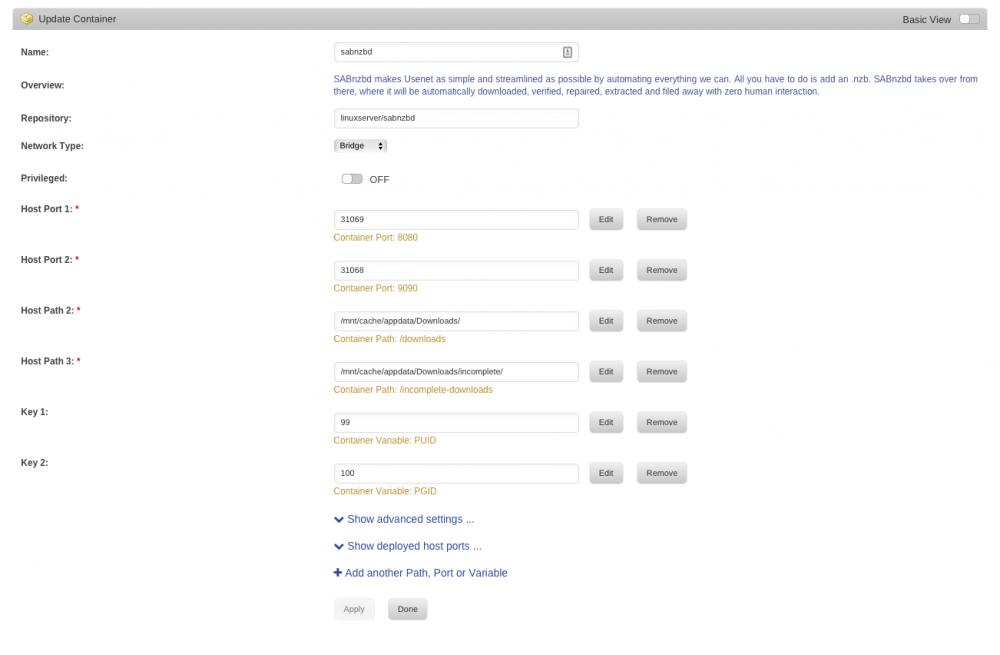
Trying to figure out why a shared folder, mapped outside the containers is not allowing files to be moved by Sonarr? Sabnzbd pulls the file, sorts it to redo obfuscation and sonarr and sabnzbd are both pointing at the same directory... Sonarr just shows it as downloaded (purple bar) and never moves the file.

-
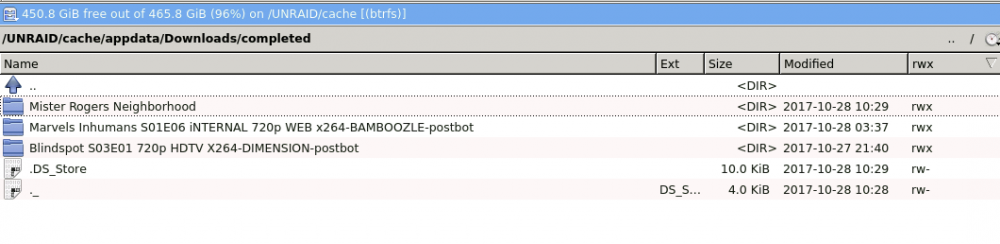
so no after changing the paths, deluge will not open...it starts and quits 1 second later with nothing listed in the logs. Anything I can post that might help figure out why changing the docker setting path for downloads, would potentially stop this?I guess let me re-think/say this. Where should one make the directories for a shared download path, using applications like sonarr/radarr in conjunction with torrents/usenet? I'm trying to differentiate between /mnt/cache/ or /mnt/user/ I'm assuming one is the ssd cache drive location and the other is the combination of all the movie folders auto spread across the drives?so is /data a symlink of sorts to /mnt/cache/deluge? right now, I've got sabnzbd and deluge that I need to point to the same /Downloads location, that way if one or the other download service uses the same folder for sonarr to read. That's why I was looking at /mnt/cache/appdata/Downloads/ as the main path. so going back to your second paragraph, knowing I have deluge and sabnzbd running, /data/incomplete is not sandboxed to deluge only? I'm new to docker, been using VM's for years, so wrapping my head around this.Making sure I have this clear. you have an SSD cache, and you setup your docker's to reside on that for speed. /mnt/cache/appdata/ you need a folder to share similar download paths for all your clients. /mnt/cache/appdata/Downloads/ You point deluge which takes completed torrents and point it within the docker settings to /mnt/cache/appdata/Downloads/ and then within the gui, you point it to /mnt/cache/appdata/Downloads/ for finished files and Downloads/incomplete until they are finished and moved back one directory to /Downloads. Within Sonarr you point the docker path for downloads to /mnt/cache/appdata/Downloads/ - allowing it to handle any files within /mnt/cache/appdata/Downloads/ I was getting mixed up not realizing each app was creating it's own /appdata/deluge/completed/ folder etc and I had created a folder under /mnt/user/Downloads/ and wondering why I kept downloading files, sonarr telling me they were 100% completed, but no files showing under the sonarr gui etc. I've since moved all the files using krusader from the appdata/deluge/downloads/completed/ folder to the /mnt/appdata/Downloads/ to see if sonarr will pick up the files and move them appropriately.
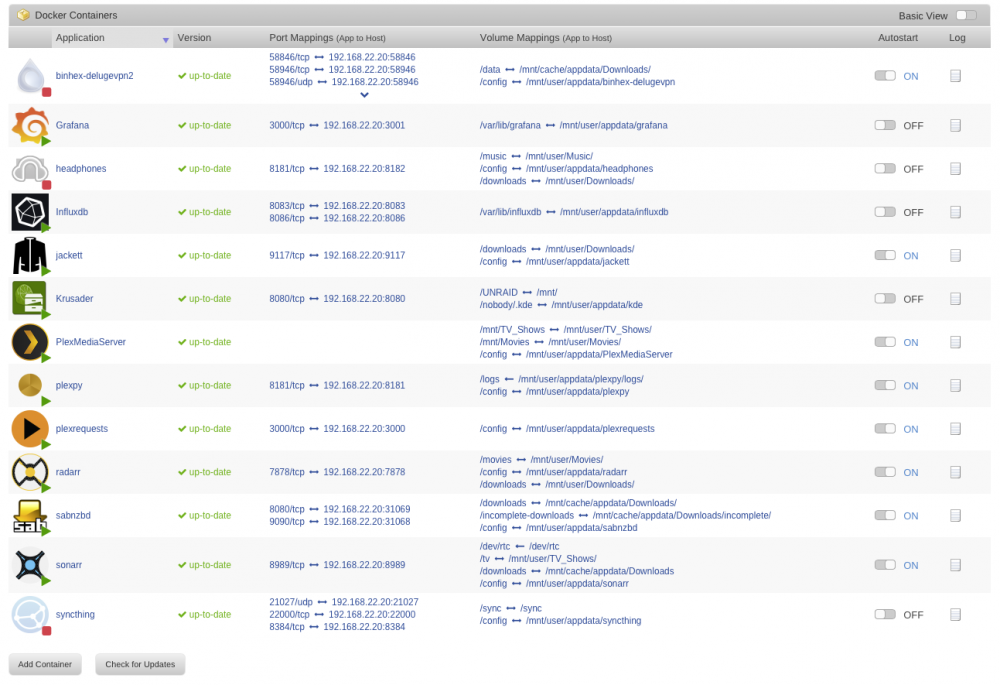 @binhex love the build, been looking for something like UnRaid + docker image to automate torrents. Shot you a couple beers via PayPal. Think I can't seem to get working, is integration with Sonarr + delugeVPN to move the completed files when they are done. Seeding set low so they will auto stop, but delugevpn for some reason with the label 'tv-sonarr' can't seem to move the files. Is there something I can check to understand why between the docker images they might not be able to move completed torrents? Side note, sabnzbd + sonarr, I can get the files to be handled by sonarr and moved into the /tv_shows folder. Did a quick search and didn't see anyone having this question, so if this is a duplicate I apologize in advance.


