





Reynald
Members
-
Joined
-
Last visited
Everything posted by Reynald
-
Hi all, I'm back After my move, I had to rethink my system because I've broke the motherboard (AIO leak) and for some reason, I've been on Truenas scale for a couple of months just to learn and see to see how it works with ZFS (well.. better IMHO, unraid lacks backup and replication integrated tools, but yeah, we can integrate some scripts or plugins blabla bla). 7.0.0 beta 3 changelog made me come back (the tailscale integration) Sorry if I were away for too long. I'm going to catch my backlog and restart maintenance and updates of this plugin next week
-
Thanks for your answer. It appears that I have disk stats: And shares are working: What is missing is then mount dependant functions: pool usage pool information and operations (scrub, etc...) ... It was working with this configuration right after I set up the subpool with cli, and until rebooting . The culprit is at mounting during emhttp startup. I will live with that.

-
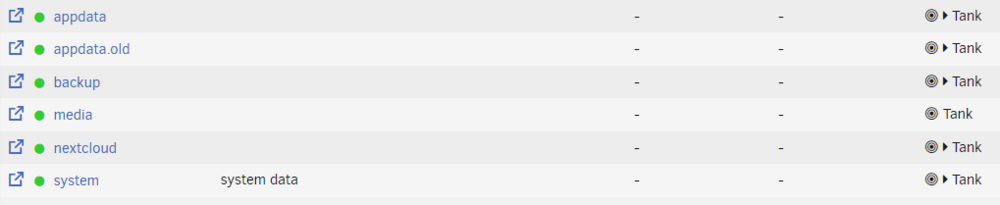
Hi, I have this specific configuration: (buffer will sool retire, that's a temporary storage and a test pool, hence the indirect-2 thing). As you can see, logs, cache, and special are from partition from 2 SSD's. This seems not supported by the gui and wont mount Issue is partly solved if I manuallyI import the pool this way: /usr/sbin/zpool import -f -m -N -o autoexpand=on -d /dev/sdj1 -d /dev/sdf1 -d /dev/sde1 -d /dev/sdh1 -d /dev/sdi1 -d /dev/nvme0n1p1 -d /dev/nvme1n1p1 -d /dev/nvme0n1p2 -d /dev/nvme1n1p2 -d /dev/nvme0n1p3 -d /dev/nvme1n1p3 9470125657551839798 tank This command is from emhttp but with ssd partitions added. GUI still report unmountable, but ZFS master plugin show correctly the datasets mounted, and my containers/vm work. 2 questions please: Are logs and cache partitions necessary for importing? (I think so) Can I manually edit tank~{subpool}.cfg files so the pool mount automatically without error? Thank you, Reynald
-
In the log you've shown mover plugin says it will prime your cache up to the threshold. Can you please show several logs of it moving back and forth? I've not extensively tested with age not set. I prefer to use it with 'automatic age' (plugin is extensively tested with this option)
-
The logs shall tell you why. In example:
-
@JohnnyGrey I confirm Alturismo advise. If "error" are thrown by the plugin, it is because the cfg file exists in /boot/config/shares and the associated folder does not exist. Please create the (empty) folder on cache or delete cfg file. You can also ignore this warning, this one is harmless.
-
/mnt/cache/media/downloads /mnt/cache/media/incomplete
-
Script configuration in your case is like this: #!/bin/bash shareName=media /usr/local/emhttp/plugins/ca.mover.tuning/share_mover {$shareName} >> /var/log/syslog & (There was a typo in my previous proposal, you've nicely seen it 😊) You can run it from terminal and check for any error. You can check syslog (from UnRaid webui) to see if mover is running and get feeback
-
You're certainly right but... What is not working with ignore files & folder list?
-
I'm still working on Synchronization to allow breaking hardkinks and also better cleanup. In the meantime you can sync everything (remove filter), there is no extra used space as you have the counterparts of each links on both array and cache in your use case (plus, in case of SSD failure, you can still finish downloads and seedings)
-
Oh, I understand now! The point is that synchronization does not completly work has it does not want to break hardlinks (which is not really as it shall be a copy). I'm going to work on that
-
Almost: per share options will be honoured After testing and checking: no it won't
-
Hi, It is not natively supported by the plugin, but you could create a user script (with user script plugin), like this one (untested but it's similar to how the share "move now" button works): #!/bin/bash sharename=yourshare /usr/local/emhttp/plugins/ca.mover.tuning/share_mover {$shareName} >> /var/log/syslog & and add the schedule. If you need several to move several shares, duplicate the script but set different custom schedule so execution don't overlap, else you'll get "mover already running" message and second instance won't move anything. Maybe others have better ideas
-
2024.09.05.0222 Fix find not finding hidden files Thanks to solidno8 from forums. (R3yn4ld)
-
In fact, if it doesn't work it's because you spotted a bug... Hidden Files are handled here (if the option is set to yes, then hidden files are excluded): https://github.com/R3yn4ld/ca.mover.tuning/blob/471734ae898962c0449f51f8876554188539d601/source/ca.mover.tuning/usr/local/emhttp/plugins/ca.mover.tuning/age_mover#L619 #Add Ignore Hidden Files to find string if ([ -z "$OMOVERTHRESH" ] || [ $POOLPCTUSED -le $OMOVERTHRESH ]) && ([ "$SHAREUSECACHE" = "prefer" ] || [ "$SHAREUSECACHE" = "yes" ]) && [ "$HIDDENFILES" == "yes" ]; then mvlogger "Skipping Hidden Files. File size are taken into account in the calculation of the threshold" FINDSTR+=" -not -path '*/\.*'" HIDDENFILES_RESERVED_SPACE=$(find "/mnt/$PRIMARYSTORAGENAME/$SHARENAME" -type f -path '*/\.*' -print0 | xargs -0 du -sh | awk '{ sum += $1 } END { print sum }') echo "$PRIMARYSTORAGENAME|$PRIMARYSTORAGENAME|$SHARENAME|skipped|9999999999|$PRIMARYSIZETHRESH|$SKIPPED_PATH_RESERVED_SPACE|0|0|0|/mnt/$PRIMARYSTORAGENAME/$SHARENAME hidden files" >>$FILTERED_FILELIST mvlogger " Hidden files are using $(bytes_to_human $SKIPPED_PATH_RESERVED_SPACE)" fi But... I broke the bash globbing pattern option while adding nullglob: added back dotglob, it's working: testing with ignoring hidden files yes and pushing the update With ignore hidden files options set to yes, their total size is computed and they are not listed: Publishing update in a couple of minutes, thank you @solidno8 for the head up !


-
2024.09.05 Add compatibility with unraid 7.x for share_mover ([R3yn4ld](https://github.com/R3yn4ld)) Fix "integer expression expected" Thanks to: [RonaldJerez] (don't know his member screenname here) and "0: command not found" bugs [R3yn4ld]
-
I see but... I don't see the point of having the same file with 2 different names/paths on 2 different storages. Moving just the primary file to secondary storage won't save any space on primary storage, so better to keep the hardlinked files on the same place. However, if I understand your use case correctly you can keep a file on both the cache and the array by using this option: I'd like feedback on this feature from those who use it, regarding deletion in particular.

-
Nice investigation and fix proposal! Unfortunatly piping to mover will execute mover.php that will launch share_mover that will probably pipe again to mover which will execute mover.php that will launch share_mover... Or the loop won't be continued thanks to the pidfile. I have not updated share_mover yet (which is exactly how it was when hugenbdd maintained this plugin and it's not ready for Unraid 7.x yet. I'm working on it tonight Edit: The fact is that move executable for unraid 7 is located elsewhere. Line 96 (you spotted the right place ;)) now looks like: FINDSTR+=" | $([ -f /usr/libexec/unraid/move ] && echo /usr/libexec/unraid/move || which move) -d $LOGLEVEL" Which will use the unraid 7 /usr/libexec/unraid/move binary or look in /usr/local/sbin:/usr/sbin:/sbin:/usr/local/bin:/usr/bin:/bin to cover previous unraid versions.
-
This is from the old plugin as the newest age_mover version does not use move binary anymore.
-
Test mode will not move any files, that's a "dry run". You can check from log if action intended are what you want, and then proceed without test mode. Here is a good explanation:
-
Hi all, I'm back online, a coolant leak from my AIO ruined my motherboard and thus I've been with no server, no dev machine, and so on, plus fiber internet took some time to come, but back on business now, I'm going to catch the backlog from everyone's messages
-
Once in appdata, you have to 'chmod +x /mnt/appdata/bothscripts.sh'
-
Interesting, thanks for the report. The case where the storage is zfs but not the share is not handled by the plugin script (yet). I'll add that plus a warning in the log, in a next version. Speaking of next version, I won't be able to develop for a couple of days, as I'm moving right now from Paris to Lyon (France)
-
Great, how? It's in /tmp/ca.mover.tuning, but thanks to @fk_muck1 I got what I need to debug, and I'm going to push a new version in a couple of hours. The 'integer expected', 'unary operator expected', and 'warning: no action for:' are safe to ignore when seen together The reason is that I optimized memory and cpu thread usage for moving loop, and there can be a "shoot to blank" loop for certain shares without files to move.
-
Hi, We're going to sort this out First I'm curious: So you are emptying your Primary storage when threshold is 75%? Why not let data on cache? Can you try in terminal: zfs list -Hpo used cache/appdata This is the command used to get share usage on cache. It seems there is a problem with the zfs dataset It seems that there are malformed lines in Mover_action_{date}.list Here the script complain that NBLINKS and FILEPATH are empty. I'd be interested to see those lines (you can PM me the Mover_action_concerned.list if mp4 filenames of Data contain sensitive or personal information like kids names etc... 😇)




