





Reynald
Members
-
Joined
-
Last visited
Everything posted by Reynald
-
I second that question! I have 500 Internal error on time to time so have to do a host reset, which lead on a parity check after restart...
-
Same, plus somethimes I have to delete data. Issue opened here: https://github.com/home-assistant/core/issues/25747
-
Clear Statistics did the trick. Thank you @Squid and @trurl
-
Yes, I bought some fans, need a temp controller or to make some custom wiring.. Anyway, Fix Common Problems still report the read errors even after the above acknowledgement...
-
Ohhh... Perfect, thanks ! (temp are high, parity is running)
-
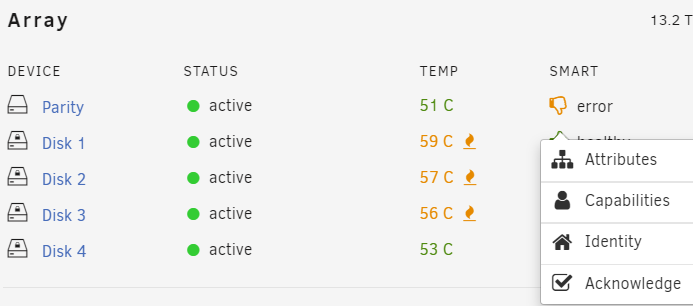
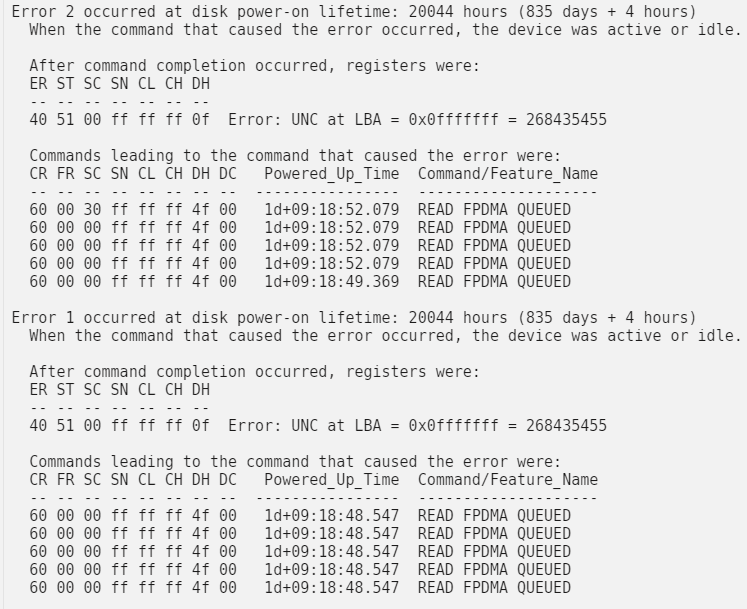
@trurl I checked 2 Reported uncorrect on parity disks while disk rack was hot after a parity check after reboot. No pending sector or reallocated. I ran parity check and it hasn't reproduced. Now I'd like to ack/reset the error in FCP without ignoring it. Is it possible?
-
Hello all, I had a smart reported issue on a drive, that has been nicely reported, but now, I'd like to acknowledge it instead of ignoring it so if the error triggers again it will show: Any tips please? Thank you

-
I probably misconfigured something, because it not seems to work:

-
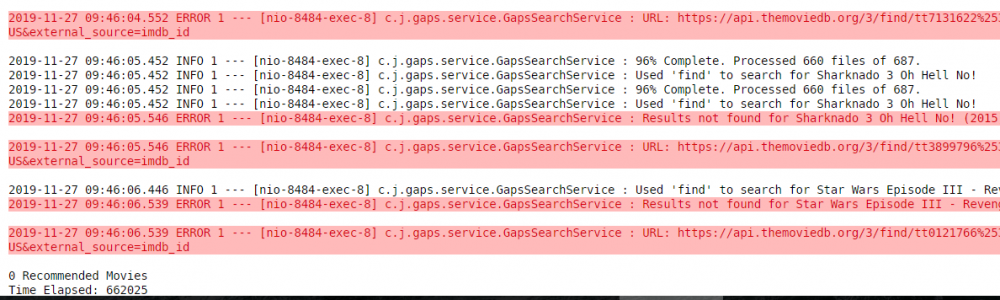
Hello all, I'm just trying it Very simple to use! Scanning in progress. I think @NLS remark about host mount point may allow a feature: storing TMDB API key and Plex Token. Anyway, that tool isn't meant to be used very frequently in my opinion, not as frequent as radarr suggestions in example. I will come back with the result of my test I started the scan of 687 movies accros 4 libraries At the moment, log is full of "Result not fount"
-
Hello all, I just set a similar thing up, but unraid is slave of a "keyserver" that is a pi on my network. Here is the script used on the pi. It can be called every minute by a cron task: #!/bin/bash server_adress="192.168.1.234" server_mac="00:A1:B2:3C:4D:EF" ssh_key="/root/.ssh/id_rsa" decryption_key="/root/.ssh/keyfile" decrypted_testfile="/mnt/disk4/.decrypted" boot_time="140s" echo "" echo "Checking connectivity:" if ping -c1 $server_adress >/dev/null; then echo "- Server online" else echo "- Oups, server offline" echo "- Waking up server on lan" wakeonlan -i $server_adress $server_mac echo "- Waiting $boot_time for server to start" sleep $boot_time fi echo"" if ssh -q -i $ssh_key root@$server_adress [[ -f $decrypted_testfile ]]; then echo "- Decrypted" if ssh -q -i $ssh_key root@$server_adress [[ -f /root/keyfile ]]; then echo "- Deleting decryption key" ssh -i $ssh_key root@$server_adress 'rm /root/keyfile' fi else echo "- Encrypted" echo "- Sending decryption key.." scp -i $ssh_key $decryption_key root@$server_adress:/root/keyfile echo "- Starting emhttp.." echo "- Waiting for array.." ssh -i $ssh_key root@$server_adress '/usr/local/sbin/emhttp &' while ! ssh -q -i $ssh_key root@$server_adress [[ -f $decrypted_testfile ]]; do sleep 5 done echo "- Array mounted and decrypted" echo "- Deleting decryption key" ssh -i $ssh_key root@$server_adress 'rm /root/keyfile' echo "" echo "All done!" fi echo "" note: to be adapted according to your need. server.local to be replaced by unraid IP if not resolved. If you have any comment/question, please tell/ask
-
Thank you! I was facing the same issue


