





Zoba
Members
-
Joined
-
Last visited
-
Okay, swapped everything. It was the CPU. Fucking hell..
-
No it was very unstable, only got the flash backup and swapped sticks. This diag is after the switch but even this takes multiple reboots and luck for it to stay on. Will replace the psu later and use the onboard sata from the new Mainboard instead of the pcie sata controller to do a minimal test. I'll probably even start without the drives first to check if that is stable.
-
Here's the latest diagnostics. The boot is still very unstable. I've ordered a new PSU to also make sure that isn't the root cause. If that fails too, i'll get a new sas controller. nas-safemode-diagnostics-20260114-1921.zip
-
After switching the Mainboard I still ran into the reboots. I then tried to restart with all the hdds disconnected (my cache ssds were still connected) and got greeted with this: Replacing the flash drive did not yield in betterment but i can boot and run the nas for ages without the drives. Therefore i expect either the sata controller or the hot swap bay of my case to be shot.

-
I've ordered a new Mainboard and got a 3800G lying around. Will test it once it arrives.
-
It did not fix the issue. Still crashed in less than 10 minutes
-
Hey, sorry the memtest was on all sticks. Running the test on a single stick on the last slot returned no errors. I read the link but as I said, the system ran exactly like this for years. I updated to the latest bios version now and will run things with a single dimm. If this works, I'll try the rest of the ram.
-
True, but it feels like this issue is connected to VMs. I'm running home assistant in a VM and had the array running for half an hour. As soon as I start the VM service back up, the connection stops.
-
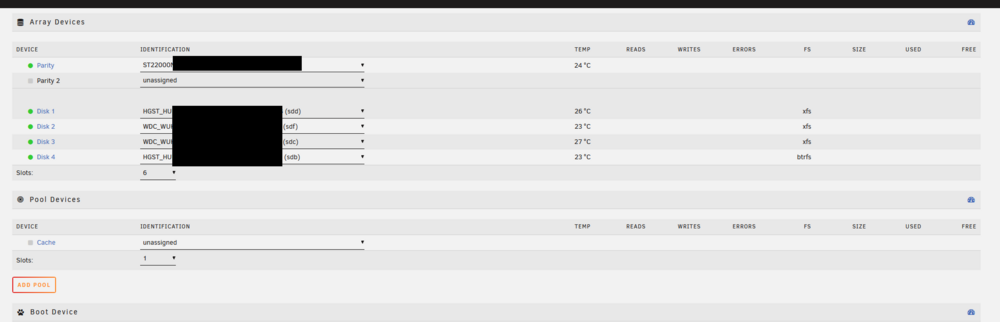
Hi guys, I'm having trouble with my Unraid install. It seems to be in a boot loop ever since i've replaced a broken drive and installed a new parity. It ran fine for over 6 years now. It sometimes boots (and crashes after a minute) and sometimes it boots to bios while starting unraid. Here's what i tried so far. Mem-Test failed, but running it with one stick (tried multiple in multiple slots) does not fix the issue removing XMP Switching USB drives did not fix it Updating to the latest minor version Removing all plugins from the plugins folder Sometimes it starts up just fine, but as soon as i click anything it stops again and reboots. Sometimes it boots and loses my 2 cache drives - i can reassign it and start up the array, but something still is off. Anyone got a clue what i could try? I was able to get diagnostics just now! tower-diagnostics-20260111-1758.zip
-
I've installed paperless and run into a problem, that my files are stuck in consume. They're being added to the queue but not all of them are being processed, when i add them all at once. Adding PAPERLESS_CONSUMER_POLLING and PAPERLESS_CONSUMER_POLLING_DELAY with 10 seconds each, seems to help a bit but no entirely so. Some files are stuck forever in the consume folder and nothing happens to them. Has anyone else encountered this behaviour? [2024-04-03 23:14:24,083] [INFO] [paperless.management.consumer] Polling directory for changes: /usr/src/paperless/consume [2024-04-03 23:14:44,087] [DEBUG] [paperless.management.consumer] Waiting for file /usr/src/paperless/consume/Bestätigung der Vertragsbeendigung.pdf to remain unmodified [2024-04-03 23:14:49,094] [INFO] [paperless.management.consumer] Adding /usr/src/paperless/consume/Bestätigung der Vertragsbeendigung.pdf to the task queue.
-
-
https://unraid.net/beta-testing
-
Did you ever got to a solution?
-
@HBoardman did you run into any more issues? EDIT: Also what hardware do you use? An amd iGPU like me?
-
If so, it also affects Jellyfin. Disabling Transcoding but leaving on tone mapping still fails.


