





gerhard911
Members
-
Joined
-
Last visited
Everything posted by gerhard911
-
Alright, first I want to sincerely thank everyone for your responses. I was very worried I had an unrecoverable situation with inevitable data loss. Your advice helped put me at ease and encouraged me to push forward. I was most concerned that a power off from the state my server was in would leave me with an unusable parity disk. Thankfully, I now have a disk rebuild running that looks promising :-) Currently at 270GB with 14TB to rebuild it's estimated to be 4 days (old hardware) so I will return with the results then. Thanks again !
-
OK, as indicated above I have tried to get diagnostics but I don't know how much will be in the file. I will check the USB drive and also retry after I get the server running again. I have already tried a CLI REBOOT and a console SHUTDOWN, neither of which worked. I will force a power down and see where that leaves me. I was about halfway through converting this servers' 15 drives to xfs. Disk9 had just been cleared to an xfs disk in preparation for its own conversion to xfs. However, using the MOVE function of the Web Interface stopped actually moving files after just a few GB. It did keep on copying so all files remaining on it are duplicates. I had tried to use the Web Interface to DELETE them but that failed as did trying to do it from an SMB share. So I agree, it's file system is hosed and I was just going to let the reformat take care of it. Hopefully back shortly with diagnostics.
-
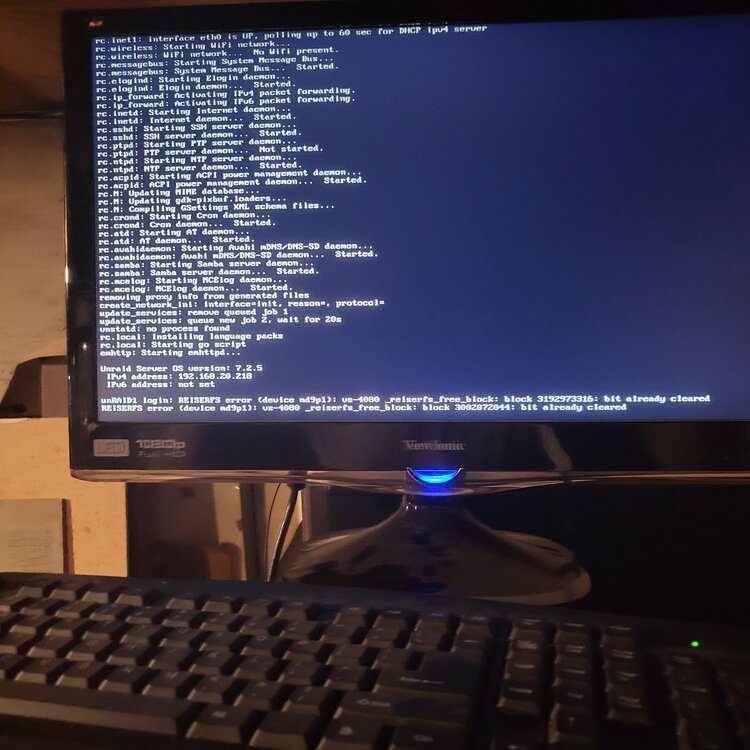
Another console pic.
-
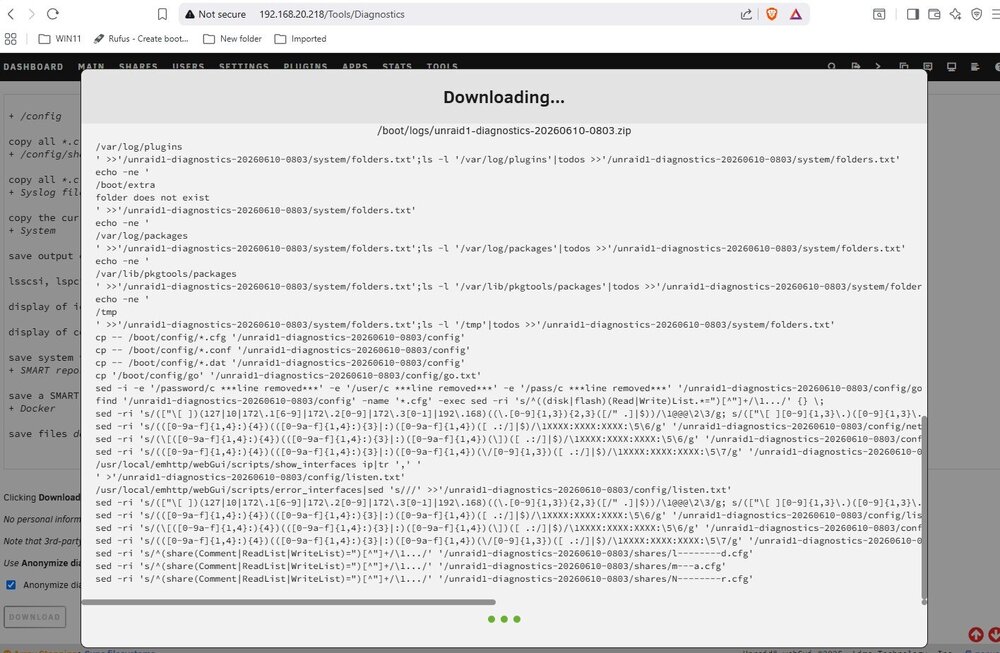
My attempt to get diagnostics hung.
-
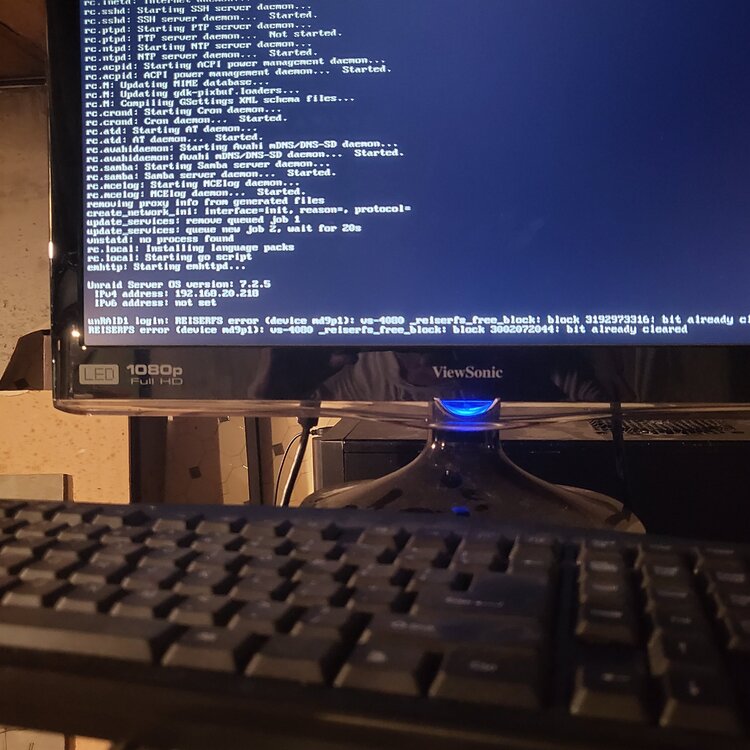
I hooked up a monitor to my server and this what it shows.
-
I have a 7.2.5 UNRAID system that had just started a drive rebuild. I noticed that the Parity drive was generating a ton of read errors so I was going to Stop, Reboot the array and restart the rebuild. After issuing the Stop it has been in the "Array Stopping - Sync filesystems" status for a couple of hours. No disk activity is indicated but it shows very high CPU usage on all four cores. Any recommendations on what to do next ? Reboot, Shutdown, power off ? I suspect I am screwed no matter what but any advice on how to recover from this would be greatly appreciated.
-
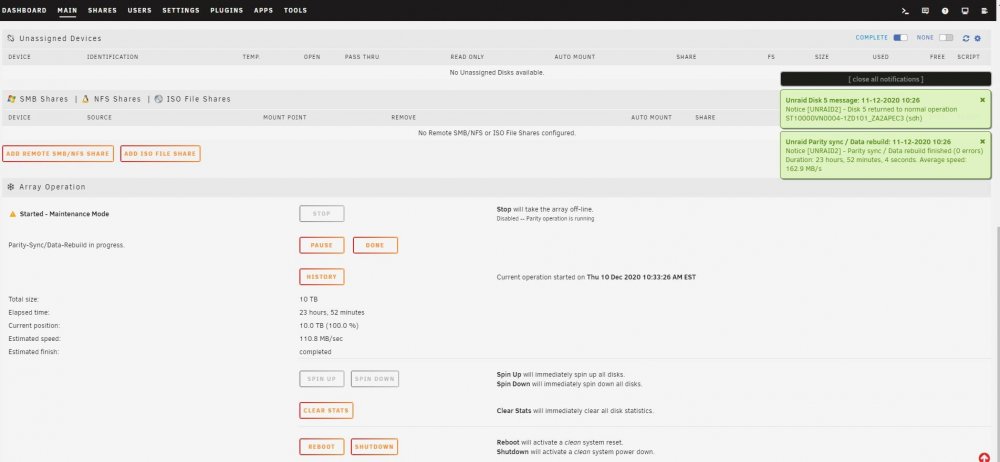
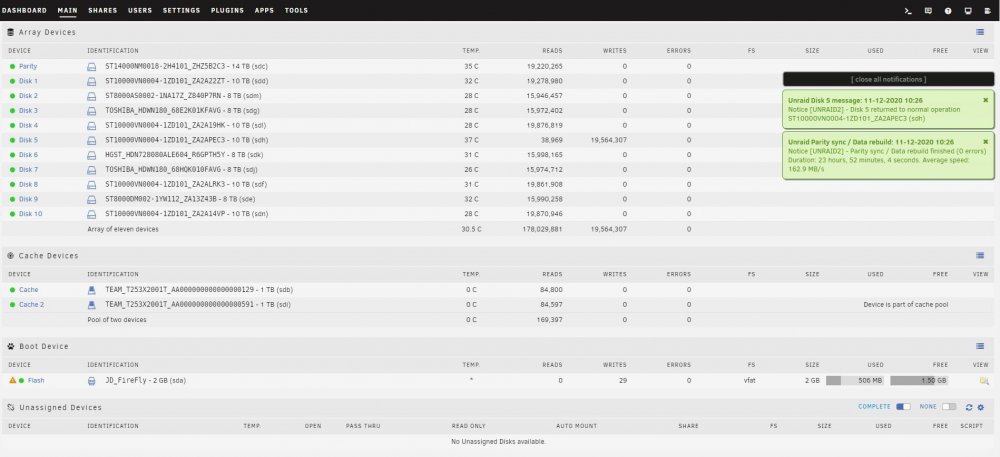
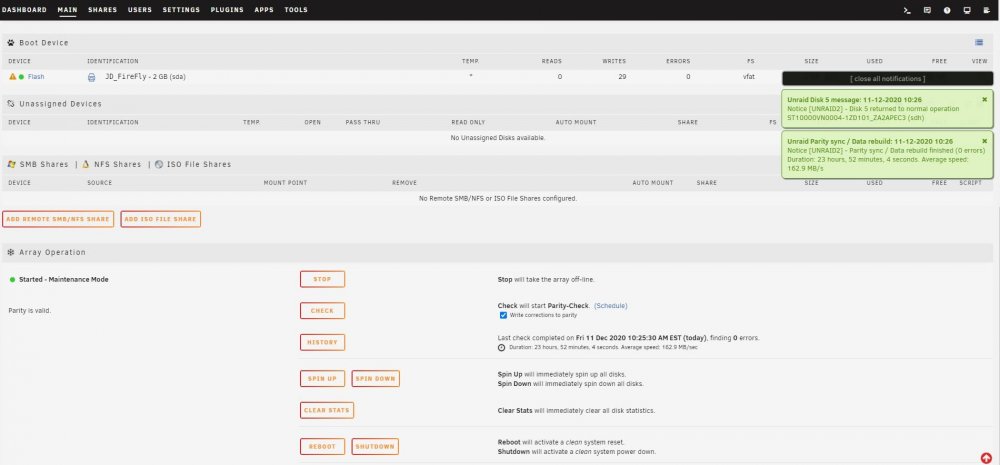
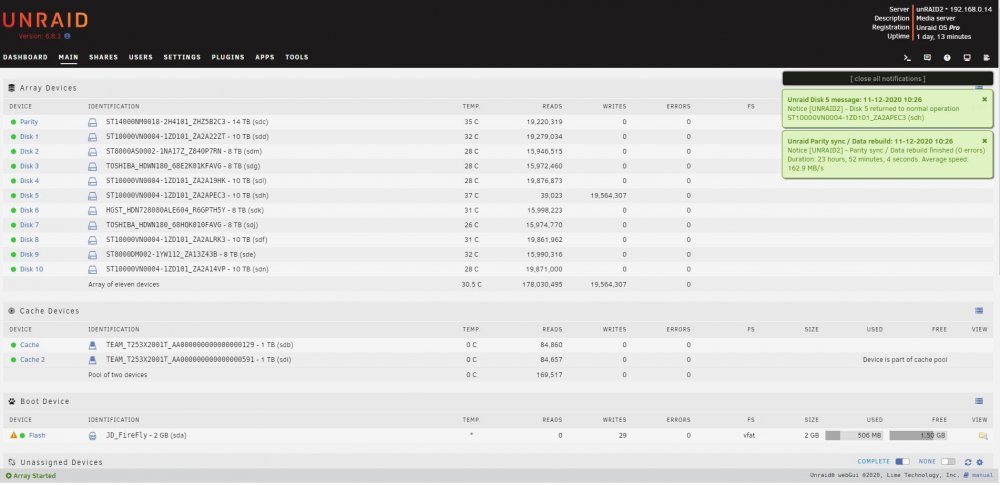
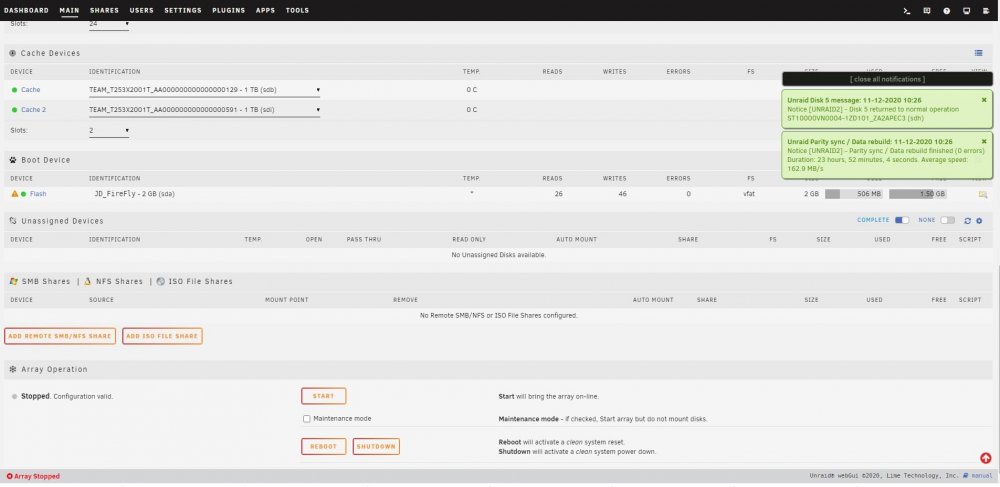
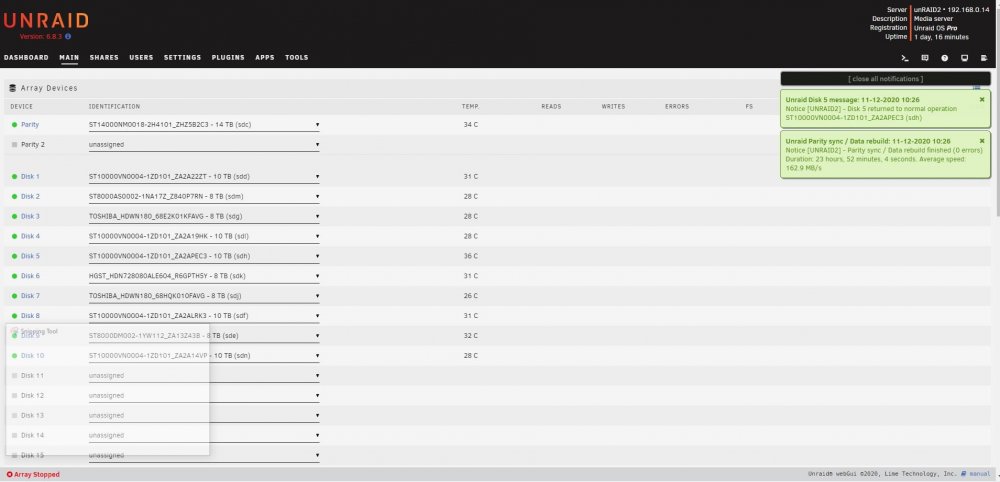
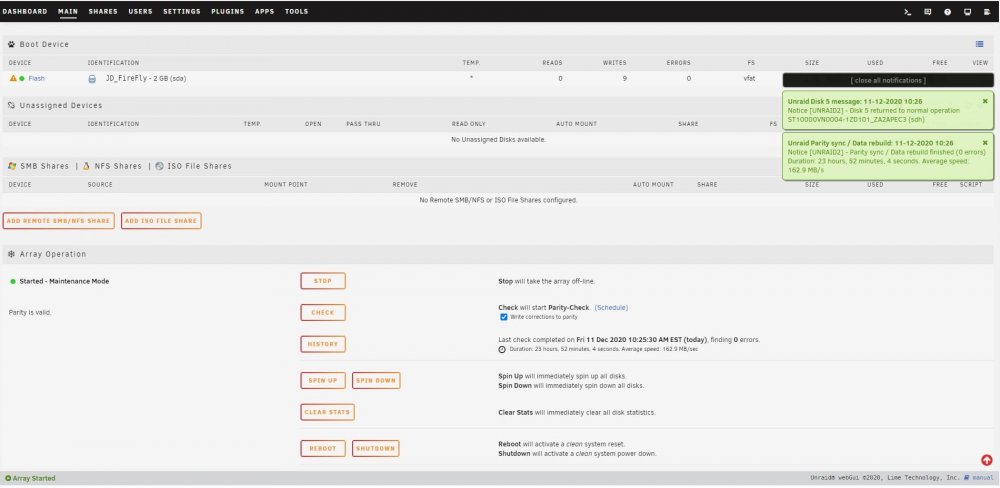
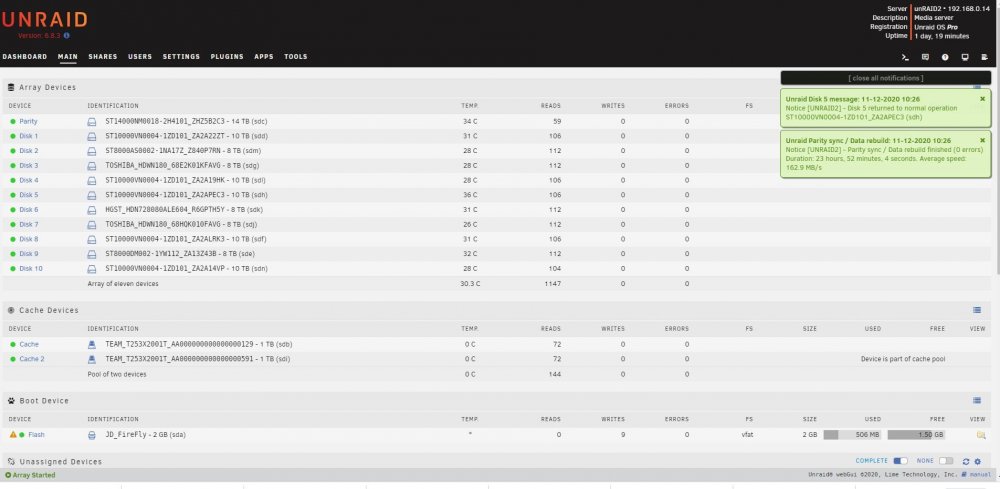
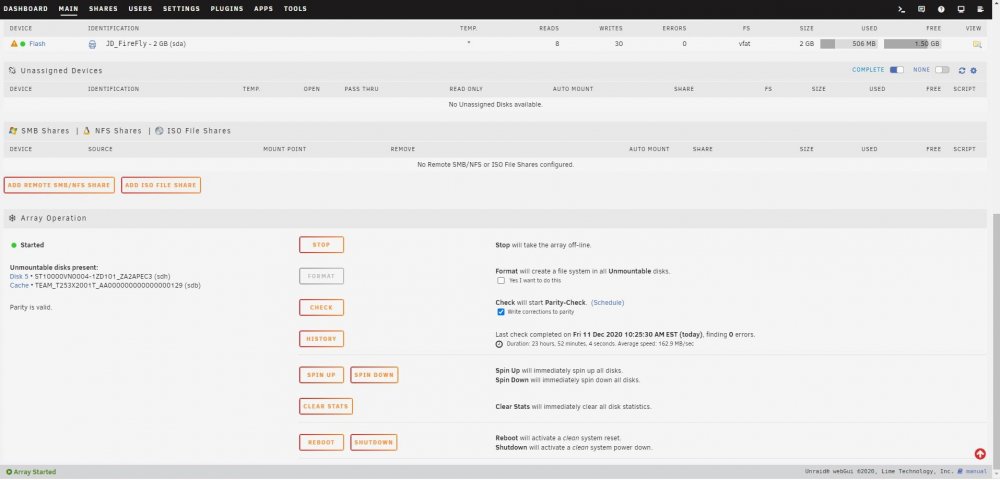
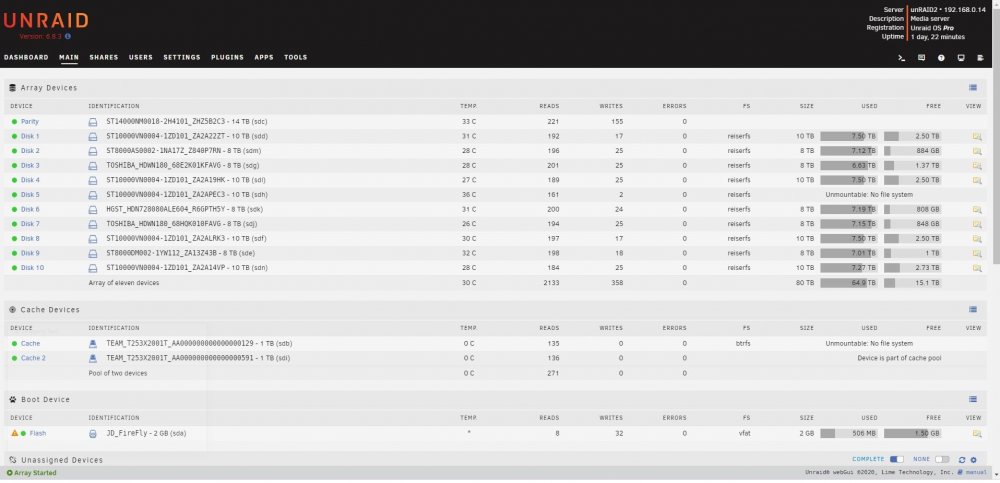
I have replaced / rebuilt a data disk three times now and after each parity sync which appears to run successfully I end up with a message after starting the array that the disk is unmountable with no file system. This all started with data disk5 showing a lot of read errors. It was an older 8TB HGST drive so I swapped in a newer Segate 8TB and synched parity. That rebuild worked fine but the new drive also experienced read errors. Having planned to increase this server's capacity anyway, I purchased a pair of Segate 14TB drives and replaced the 10TB parity drive with a 14TB drive and rebuilt parity. That appeared to run without issues so I swapped out the Seagate 8TB disk5 for the previous parity 10TB drive and rebuilt data. That resulted in my first unmountable disk. I stopped the array, unassigned the 10TB disk and moved it to a previously unused SATA port. Restart the server, assign the 10TB disk to disk5 and rebuild data. Again, after appearing to rebuild successfully I end up with an unmountable drive. So I swap the SATA port & cable between disk5 and a cache pool drive and rebuild a third time. Same result with disk5 (unmountable) but now the cache drive is also unmountable. I downloaded diagnostics after each step and am attaching those .zip files. I also took screen captures of the Main page after each step in the parity sync / restart process and will attach those .jpg files. I realize now I should have probably saved the original 10TB parity drive intact and rebuilt disk5 on the other new 14TB. I am concerned that the unmountable disk issue is due to something happening with the 14TB parity drive swap. So I am tempted to rebuild parity with the original 8TB drive but need to know if I can trust the original 8TB disk5's data. Is there a way I can check that drive to see if it's data is intact? I have the Unassigned Devices plugin but don't know if / how it can be used to do this. Many thanks for any advice or assistance. unraid2-diagnostics-Parity sync done.zip unraid2-diagnostics-Parity sync stopped.zip unraid2-diagnostics-Post parity sync unmountable.zip
-
A tip on your tip. type adapters.txt |more And it will pause when the screen fills. Press ENTER to display the next line, or SPACEBAR to scroll on to the next screen full. Hopefully my M1015 flash will go as smoothly as everyone else's.
-
Thanks for the quick response and explanation. That drive was in a SansDigital 4 disk port multiplier box attached to a SiL3132 controller. I had successfully precleared 2 other disks in that box but will remove this one and try on a motherboard port. If that works I will suspect the HDD slot in the SansDigital and do some testing on it.
-
Ran preclear (used the -A option) and there were no apparent reallocations but I got this failure. What is it telling me is wrong with my drive? WDC WD10WACS-00ZJB0 WD-(drive serial # here) Disk /dev/sdc has NOT been precleared successfully skip=121200 count=200 bs=8225280 returned 41849 instead of 00000 No SMART attributes are failing now Thanks in advance for any insight.


