





BBLV
Members
-
Joined
-
Last visited
Everything posted by BBLV
-
Glad it was something so simple. Every time I hit a snag I learn something new!
-
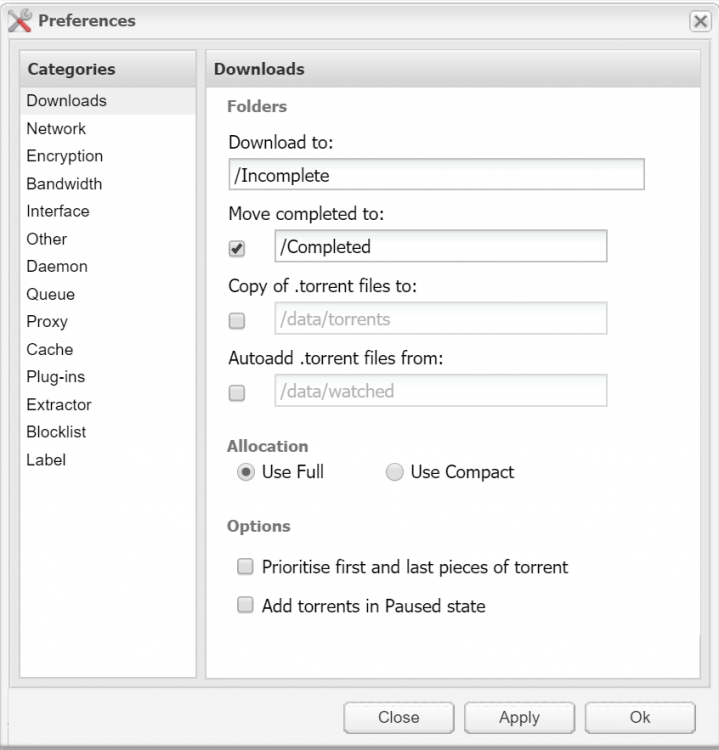
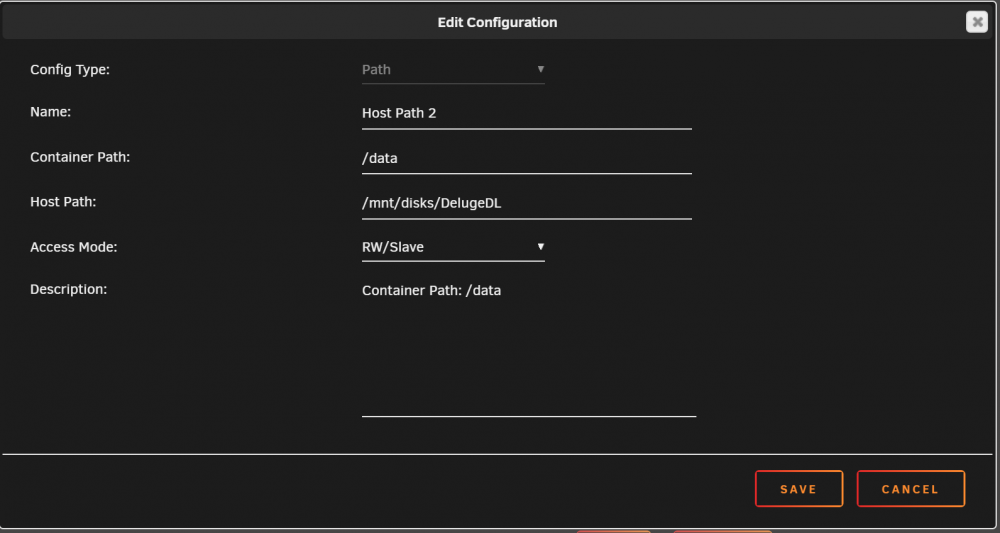
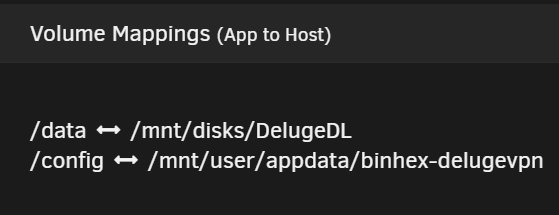
I just migrated my DelugeVPN folder from cache to an Unassigned Device. I got the existing files to seed, but I can't download to the new UD drive (I get an Error with 0 data downloading). Here's my volume mapping and preferences - something I'm missing?
-
Alright, I'm an idiot... I had the Host and Container paths reversed!!! Working fine now.
-
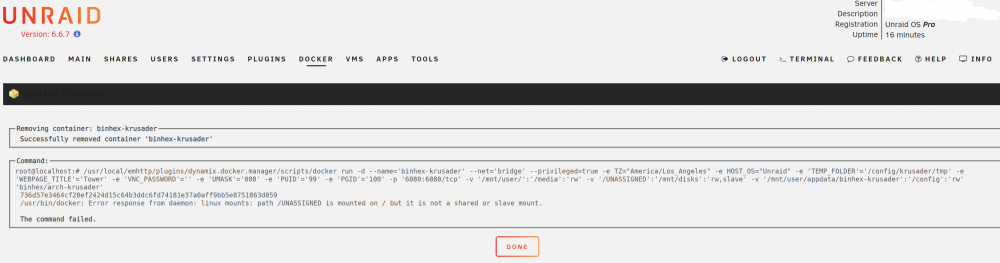
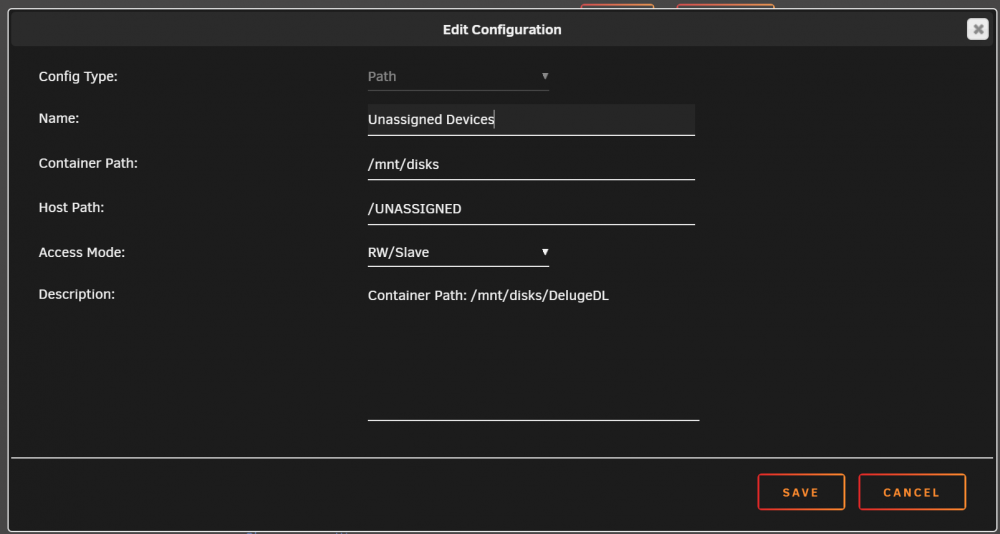
So I got the volume mapping dialed and can now see the UD disk, but I can't see any files/folders within the disk from Krusader. I did some more searching and learned that I need to change the UD path's "Access Mode" to RW/Slave or RW/Shared. Both result in a command failure when applying the docker changes and as a result the docker won't start (throws an execution error). See screenshots. Can't figure this one out.
-
Krusader.... I think you're right. I just reversed the folder move and deleted the Krusader-created phantom share. How do I move the folder/files from my cache drive to the new UD drive if it cannot be done via Krusader? There's a about 1TB of data to move.
-
Ok. That's odd, as I DO see a share on the Shares tab that matches the UD disk name... I used Krusader to move several folders from my cache drive to this new UD drive and ran Mover. The folders moved, but the drives on the Main tab don't show that any data has moved. I guess that's why I'm "stuck" on the Shares tab and how to allocate the proper disks/cache to the UD disk/share.
-
New to UD and have a likely simple question regarding setting up a dedicated UD drive for use as a Deluge download drive. I setup the drive in UD (precleared, formatted xfs, mounted) and changed the name of the mounting point/share to DelugeDL via UD on the main page. However, when I go to the shares page to configure the UD share, the only disks available to include are the array drives... I only want this UD disk included in this share for downloading and seeding purposes. Probably something obvious I'm missing. Any guidance?
-
Update on my library not updating consistently. I updated the container to the latest version (per binhex's post earlier today) and found that the library scanning options are all unchecked by default. Checked the appropriate boxes in my Plex WebUI settings, forced a library scan, and voila! Back to normal!
-
Mine's been spotty since 6.6.7. Some pull, some don't. Not sure what's broken and not sophisticated enough to even begin looking.
-
Thanks for the link. I'll look into that tonight. Is there a way to setup DelugeVPN so that upon completion of a torrent it moves it to the array and continues to seed? That's where I'm hitting the cache capacity wall, because I want to continue to seed, but the smaller cache ssd drives make that an impossibility.
-
Turns out there's an error in the way the dashboard reports the free/used space for a cache pool. Even though it shows that I have ~500GB free, because one of my SSD cache drives is 512GB and the other is 1TB, the total available space is only ~1TB even though the dashboard shows ~1.5TB.... I believe this has been causing me a HUGE headache on all of my dockers!!! Tempted to just buy a single 2TB NVME drive and call it a day.
-
I have DelugeVPN working mostly as expected, but occasionally I'll get a torrent showing a red "Error" bar in the Progress column (this morning it was 4 different torrents). I force a recheck and it usually fixes itself, but the last few times it has bounced right back to error. Any known solution for this? I just rebuilt my docker image file after it was somehow corrupted. Memory issue, cache pool issue, ??
-
Again, thanks for the help binhex. Rebuilding the docker image fixed my issues. In hindsight, I did add a second cache drive and created a cache pool around the same time the problems started occurring. Maybe something got corrupted during that process...
-
It has fully pulled the last layer, then gave me that "failed to register layer" error that I posted about earlier, and since then it has gotten stuck at 68% and then at 64% this morning. I just have to powerdown the server so half the cores aren't running maxed after this happens. Docker is then inaccessible, as is Community Apps, so I've given up troubleshooting as I'm stuck at this point. Flash log docker's 3 columns read: 3% 1% 19%
-
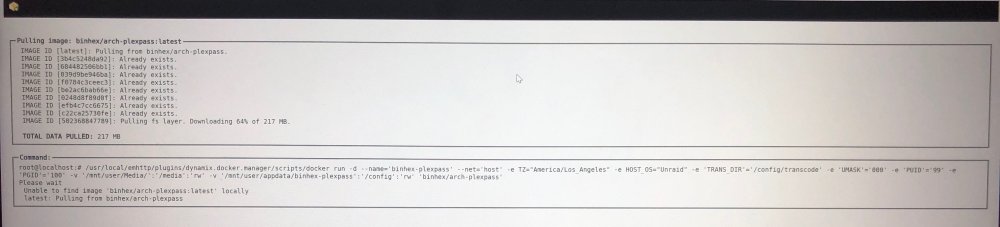
My flash log docker is showing 3% utilization. Here is where Docker gets stuck when I try to add the PlexPass app back (and my other dockers won't start up - I only have 3 others, binhex DelugeVPN, binhex Krusader & MakeMKV).. And while this is happening, I have several CPU cores maxed at 100%....
-
I still haven't been able to get my Plex docker back up and running. Tried removing it again and re-adding, but now it doesn't even finish the download and gives me this error: "Error: failed to register layer: ApplyLayer exit status 1 stdout: stderr: archive/tar: invalid tar header". In addition, my binhex DelugeVPN docker won't start up now. Something must be related, but I have no idea where to start. I'm getting so frustrated at the constant problems with this unRAID setup.... PLEASE HELP
-
I just started getting an odd error when trying to start playing a new video, happening on both AppleTV (transcoding) and Nvidia Shield (direct play): "Playback was terminated by the server. Not enough disk space to convert this item." Any thoughts? I tried restarting the docker and it just hung on me. Had to restart the server to get the spinning green arrows to clear to a red square. There's an update for my PlexPass Docker available, but that's also hanging on install right now...
-
That did it. Thanks!
-
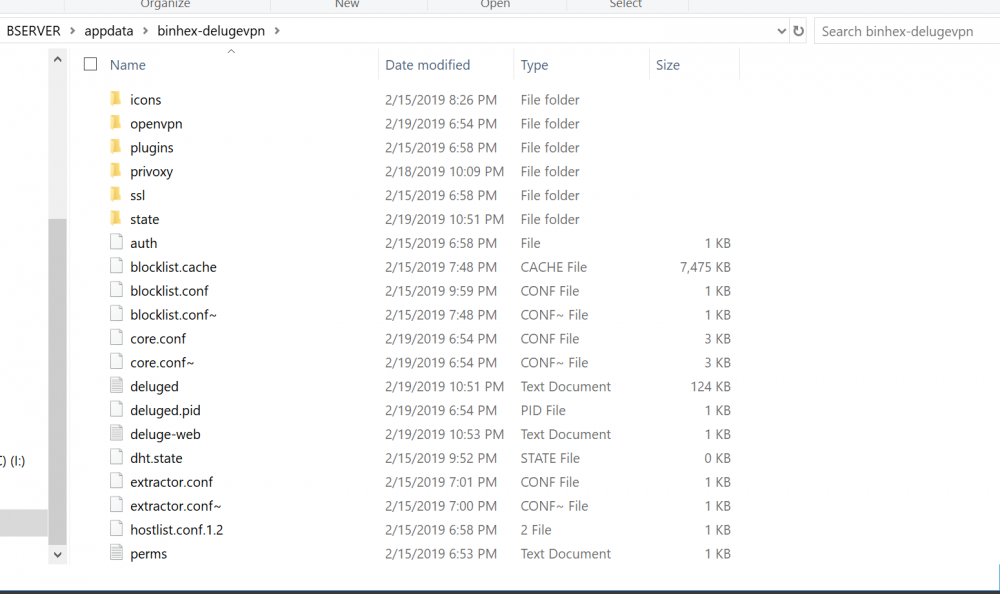
Here's my core.cong and a screenshot of my delugevpn folder (directory and duplicate files normal?). core.conf
-
Here's my supervisord log file. FYI I switched back to the non-static ip OpenVPN config that previously worked - no longer working and kicking back that same "address already in use" error in the log. Something must be jammed up somewhere indicating that the container is already running and therefore the 8112 port is blocked/in use. Looking forward to your feedback. supervisord.log
-
I'll perform this when I get home this evening. One thing I was thinking about is that it worked just fine (I just wasn't connectable) until I added the new Windscribe Static IP OpenVPN config file. Nothing else changed. Would that have anything to do with the internal app port being buggered?
-
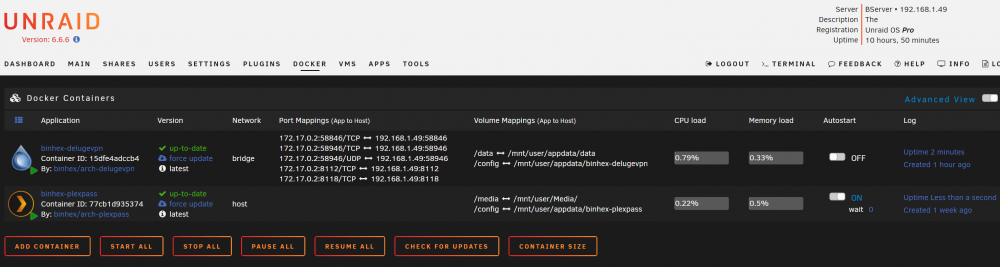
That was with the docker running. As soon as I stop the docker and run the same command line, it returns nothing. Here is the screenshot - first line is without the docker running, second line is WITH the docker running. I also included a screenshot of my docker page for reference. Maybe something funky is going on (this is my first dive into unRAID and I'm just figuring out all of its quirks and nuances, but have watched an insane amount of YT videos and spent hours upon hours in the forums researching). Thanks for all the help binhex, donation coming your way!

-
Here's the result

-
The only other docker I have is your PlexPass docker (port 32400, WebGUI works just fine) and I'm still getting the "Address already in use error". I've cleared cache, reinstalled the docker, restarted my router, restarted my server, can't figure it out. Any way to clear all docker/port data and start fresh - do I just uninstall and delete the appdata folder for delugevpn?
-
I had the GUI running fine for 2 days, but I added a static ip OpenVPN config file, restarted my unRAID server, and now can't load the GUI. Log just shows this error: twisted.internet.error.CannotListenError: Couldn't listen on 0.0.0.0:8112: [Errno 98] Address already in use. I tried removing the Docker and reinstalling, but getting the same error. Any tips? And no, I'm not running another instance of the docker AFAIK.


