






GuildDarts
Members
-
Joined
-
Last visited
Everything posted by GuildDarts
-
I think this screenshot was taken before label tab was a thing so there is no option for preview style. will add a option to change the style Will see what i can do to fix thix Try and edit /boot/config/plugins/docker.folder/folders.json then find the tools folder and under children remove the one thats not showing. you could also remake the folder. The bug that makes this happen should be fixed so should not happen again a small heads up it might be a bit before i can fix the two issues as my laptop is currently broken so i cant really edit the plugin
-
i have tried to reproduce this but with no luck would you happen to have a folder with no containers/dockers inside it, if so then try to remove that folder
-
Added a config option for row and column count

-
i don't believe it does, i have a user script that runs the pip3 install command at array start
-
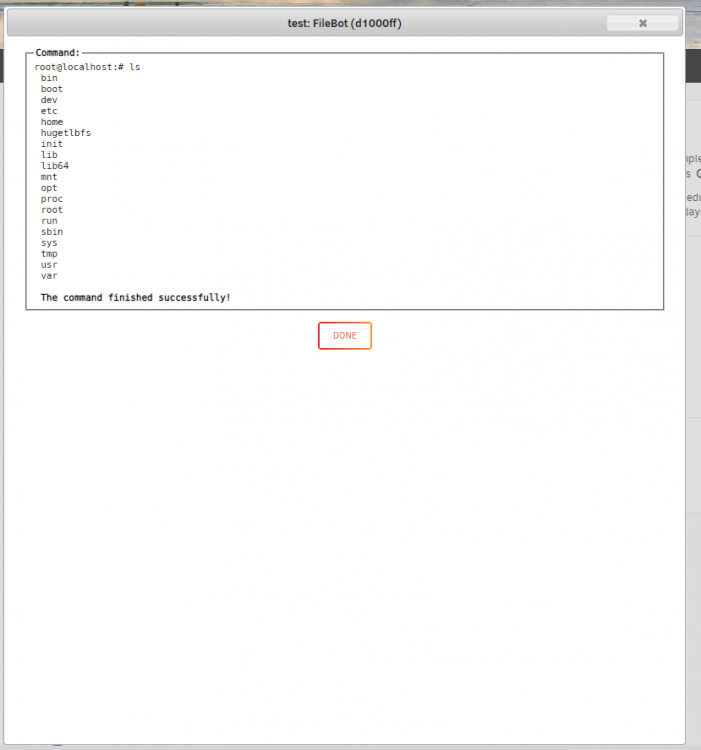
Okay so looks like a permission issue or something. Here is a github issue about it https://github.com/docker/compose/issues/1135 Now to fixing it 1. uninstall docker-compose 'rm /usr/local/bin/docker-compose' 2. install nerdpack if you dont have it 3. in nerdpack install python3, python-pip, python-setuptools 4. run pip3 install docker-compose Doing this fixed the error for me hope it works for you. Why installing docker-compose with curl does not work with the bash action is again beyond me
-
i think its only running the cd command not the docker-compose command. Played a bit and got it to work without ";" at the end. cd /mnt/user/appdata/mailcow/mailcow-dockerized; docker-compose down Why it breaks with ";" at the end is beyond me as it works if you do e.g ls; instead of docker-compose;
-
dang Does the window pop up when you press the button? And if i does pop up is it blank or does i show the command failing?
-
@muwahhid the bash action should be fixed now
-
@muwahhid just tried the bash action on the latest version and its not working, will fix this. Guess this means that you're on the latest version which brings up the question of why the 3/3 thing happened Could you try and remove a container from a folder and see if it happens again?
-
Hello just tried to reproduce this but everything worked. This has been a bug in the past so maybe you're on a older version of the plugin? To fix the folder with 3/3 you can edit "/boot/config/plugins/docker.folder/folders.json" and remove it from the "children" if i keeps happening please check browser console for any errors
-
Update Change: Make preview no-icon fixed height @CorneliousJD Hope this cures your OCD Fixed: editFolder switch not showing state Fixed: dashboard start expanded Fixed: loadlist shifting expanded folders on dashboard
-
Update Fixed: Align preview no-icon text with only one container Fixed: folderId showing instead of folderName Change: Use "Containers" not "Dockers" @CorneliousJD man yours looks sleek
-
Yeah you're right, think i even fought myself about it but just decided that docker was the more friendly thing. Will change it
-
you only need to rm the folders.json but can do both. there are 0 folders in the json ;( did you have any folders or did you just have the plugin installed? asking because Moose_Flunky only had it installed with no folders so that might be linked
-
Well dang, your the second person the report this which makes me kinda worried In any case just a bit up the thread Moose_Flunky is reporting the same thing. You can try and goto "/boot/config/plugins/docker.folder" there is folders.json and folders.backup.json. if you dont mind could you attach both of them in a post so i might be able to see why its failing. If i can't figure out why you can just rm folder.json and remake your folders, not ideal but should fix the error
-
When editing a folder in the top right enable "advanced view" then you should get more options on of them being "Docker preview" I'm a bit unsure what you mean, but there is an option called "Start expanded on docker/dashboard" that will make the folder start expanded when you load the page. If that's not what you mean then please clarify
-
The ones create by the plugin
-
Yeah i mean uninstalling and reinstalling the plugin There is not really a risk you will just lose your folders, and will have to remake them which is kind of a drag again sorry for the inconvenience
-
I have seen this happen a few times before. It happens when the script fails to migrate, it then keeps trying 5 times then errors out. Nothing springs to mind as to why its failing. You can either uninstall and remake your folders, or if your feeling adventurous goto "/boot/config/plugins/docker.folder" there should be a folder.json. I know one guy fixed theres after it also got currupted Sorry about it happening, hope this somewhat helps you
-
sorry about that sort of recently i added VM support and it looks like if VMs are not enabled the dashboard does not work. Might be what causing it for you, try enabling VMs and see if that fixes it also check browser console for errors in any case will fix that as it is an issue but might not be yours Edit: Just pushed an update that should fix the dashboard not working with VMs disabled. Hope this was your issue if not check your browser console for any errors
-
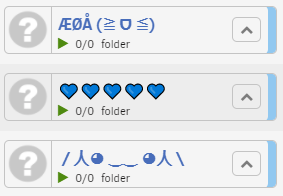
Update Change: Allow more characters for folder names This should fix stuff like punctuations messing things up and allow for some fun with emojis 🙃 Fixed: Prevent multiple scripts from editing folders simultaneously This could sometimes corrupt folders.json ups Fixed: Folder order shifting Added: Button help info
-
Yes you can. The config type "Docker Action" applies to all dockers in a folder
-
Just pushed an update with this
-
Just git clone inside /mnt/user/appdata you dont have to install it in /opt
-
Sadly i'm no longer running mailcow (my new isp blocks port 25 ) Bellow is what i did to install cd /mnt/user/appdata git clone https://github.com/mailcow/mailcow-dockerized cd mailcow-dockerized ./generate_config.sh The only thing i changed in mailcow.conf was the http/https ports to 7080 and 7443. i also disabled ipv6 Hope you get it working i do remember having issues with getting letsencrypt certs but got it working after some tinkering. Might have just been my setup




