






GuildDarts
Members
-
Joined
-
Last visited
Everything posted by GuildDarts
-
for some reason userprefs.cfg gets deleted when you sort by name, dont know if this is default unraid or a bug with docker folder. as a tmp fix just reorder any folder that will recreate userprefs.cfg edit: some old code if forgot to remove was trying to read userprefs.cfg. Will push an update later today
-
update should fix any action on a docker removing it from its folder e.g start/stop/restart (yeah i know big ups ) also some issues with dropdowns
-
Update removing a docker should now also remove it from folder editing a folder should also not reset its position there is also a update status for folders now (did not add the "for X Dockers" cloud not get it to look right) @Nowjon thanks for the screenshot it made it super clear what you wanted
-
This is something i would love to do but there are a few things i would need to figure out. Right now a folder is just a docker container that i paint over to look like a folder, i cant really do this for vms (at least i dont think) Also i dont know if it should be a separate plugin, or i should just add it here. If i add it here its not really in the name "docker folder", but if i make another plugin then i feel its kinda wasted, as there are now two plugins for whats kinda the same. Will look into it but might be a bit. Right now there is a button for updating all the dockers in a folder, its under "config type Docker_Default" (tho it might not be what you desire) About the notification, right now i get the small green ones telling me about updates per docker is this kinda what you're thinking of? Sorry about the inconvenience this has caused. I found this once but was just a wee bit lazy that day
-
@tjb_altf4 should be fixed now
-
found the issue i think. Behind the scenes a folder is just a small container that is always stopped. So when you load the dashboard with "Started only" it hides all the stopped container including the folder. will try and fix this
-
Update you can now sort folders import/export of folders is also a thing now (there might be a few bugs lurking so watch out ) url can now open in new tab yeahhh (its a new type not just a switch button )
-
sure will do funny enough just finished that feature last night (was also bothering me ). Will push an update later today with that and target="_blank" yeah that does seem like a bit of an annoyance could you make a gif/short video clip of loading the docker page, so that i can get a better understanding
-
Issue should now be fixed, it was an issue with folders not saving on firefox thanks for the patience NitroNine
-
@NitroNine the issue should be fixed now (console spam should also be fixed) would recommend that you reinstall rather than just updated if you didnt already remove the plugin
-
just tested a bit myself and got it to break forgot to test fresh install will tag you when i have a fix if thats okay again sorry for the inconvenience
-
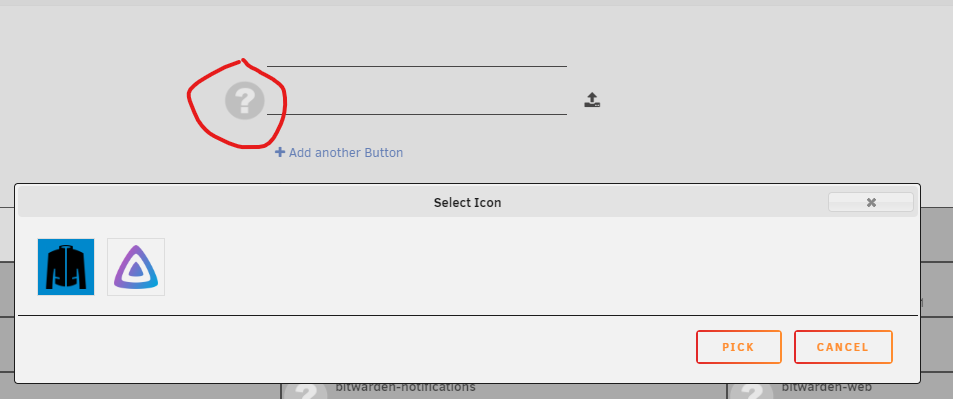
The icons selection is only of the dockers in the current folder (hope that makes sense) if you would not mind could you try and create a folder with just a name, if that works try and add a docker, then icon etc.... until something breaks/does not save
-
i see will still try and find out why that might be happening
-
Just as a tmp fix remove the docker in the picture you send, then try and create it again. unsure what you mean by "dragged out of the webpage" but you can get a selection of images by clicking the icon DANG and i really tried not to screw that up. (should only run once) in the folders.json whats the "foldersVersion" value?
-
That usually happens when it fails to save the folder to folders.json The icon did you upload it? also are the dockers that you added to the folder displaying in the docker tab or are they hidden sorry for the inconvenience
-
dang nice catch will try and fix that Edit: This should now be fixed, thanks for the catch
-
This should be fixed now. Looks like preclear.disk was including the same function so i forgot to add it
-
thats a great idea on the addfolder page is the "Add another Button" button gone or does it not add the button after you press "add" inside the popup. If its the ladder do you get any errors in console when you press "add"?
-
oh thats awesome kinda worried about why it was happening hmm will work on a easier way to import/export folders in the future
-
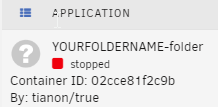
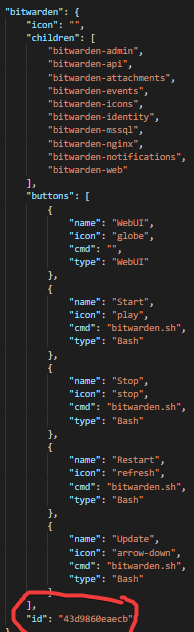
i think i know whats going on. replace YOURFOLDERNAME with your folder name and run docker create --name='YOURFOLDERNAME-folder' --net='none' 'tianon/true:latest' then go to your docker tab and you should see something like copy the "Container ID" and replace the id in folders.json with it try it with one first to see if it works (I hope it does)
-
Did you reinstall and is the docker tab loading for you now? if not can you check your browser console for errors to me this just looks like a theme, i might be wrong tho.
-
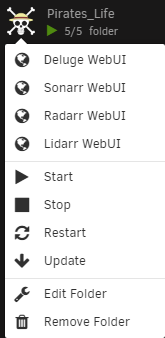
Update change the way buttons work, you can now have as many or as few buttons as you want. example A folder can now also start expanted (hope this is kinda what you wanted @poniz )
-
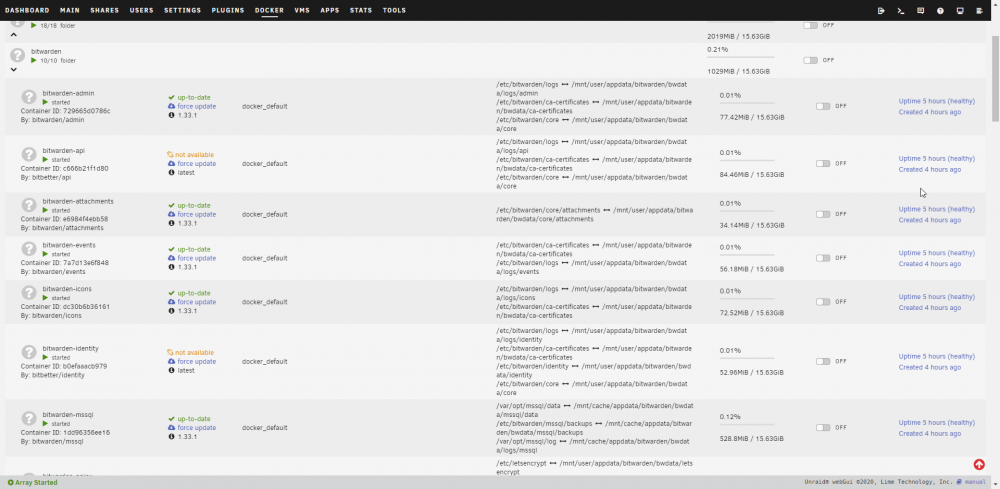
@poniz Just so i dont misunderstand You mean on the docker tab, start expanded?
-
Update tianon/true should no longer show up you can now also upload an icon instead of using a link While testing had the same issue jonathanm experienced, dont know if i fixed what caused it for them but think i fixed what caused it for me.
-
Understandable, let me know if you have the issue next time



