





diehard2k9
Members
-
Joined
-
Last visited
Everything posted by diehard2k9
-
Having problem, with plex. it stop seeing my server for no reason last night and then I upgraded to the new unraid 7.3.1 but nothing. tell me cant connect. This site can’t be reachedlocal IP refused to connect. on a website that i can load i get this for my storages SERVER is currently unavailable Verify you have a network connection and that the server is online, or see our tips for further assistance. it says it's online but nothing . here is the log 2026-09-10 03:53:41.797012 [info] UMASK defined as '000' 2026-09-10 03:53:41.900375 [info] Permissions file '/config/perms.txt' exists, skipping setting ownership and permissions on '/config' and '/data' 2026-09-10 03:53:42.062251 [info] Deleting files in /tmp (non recursive)... 2026-09-10 03:53:42.172752 [info] TRANS_DIR defined as '/config/transcode' 2026-09-10 03:53:42.296449 [info] Starting Supervisor... 2026-09-10 03:53:43,108 INFO Included extra file "/etc/supervisor/conf.d/plexmediaserver.conf" during parsing 2026-09-10 03:53:43,109 INFO Set uid to user 0 succeeded 2026-09-10 03:53:43,126 INFO RPC interface 'supervisor' initialized 2026-09-10 03:53:43,126 INFO supervisord started with pid 7 2026-09-10 03:53:44,135 INFO spawned: 'claim-script' with pid 69 2026-09-10 03:53:44,147 INFO spawned: 'start-script' with pid 70 2026-09-10 03:53:44,181 DEBG 'claim-script' stdout output: [info] Env var 'PLEX_CLAIM' value not set and/or 'CLAIM_SERVER' not set to 'yes', skipping claim process. 2026-09-10 03:53:44,182 INFO success: claim-script entered RUNNING state, process has stayed up for > than 0 seconds (startsecs) 2026-09-10 03:53:44,183 DEBG fd 11 closed, stopped monitoring <POutputDispatcher at 23388189415760 for <Subprocess at 23388190801072 with name claim-script in state RUNNING> (stderr)> 2026-09-10 03:53:44,187 DEBG fd 9 closed, stopped monitoring <POutputDispatcher at 23388189513376 for <Subprocess at 23388190801072 with name claim-script in state RUNNING> (stdout)> 2026-09-10 03:53:44,187 INFO exited: claim-script (exit status 0; expected) 2026-09-10 03:53:44,188 DEBG received SIGCHLD indicating a child quit 2026-09-10 03:53:44,217 DEBG 'start-script' stdout output: [info] Env var 'PLEX_CLAIM' value not set and/or 'CLAIM_SERVER' not set to 'yes', skipping edit of Preferences.xml for claim process. 2026-09-10 03:53:44,218 DEBG 'start-script' stdout output: [info] Starting Plex Media Server... 2026-09-10 03:53:44,860 DEBG 'start-script' stderr output: Plex Media Server is already running. Will not start... 2026-09-10 03:53:44,875 DEBG 'start-script' stdout output: [info] Plex Media Server stopped 2026-09-10 03:53:44,875 DEBG fd 16 closed, stopped monitoring <POutputDispatcher at 23388189385408 for <Subprocess at 23388189410640 with name start-script in state STARTING> (stderr)> 2026-09-10 03:53:44,876 DEBG fd 12 closed, stopped monitoring <POutputDispatcher at 23388189416720 for <Subprocess at 23388189410640 with name start-script in state STARTING> (stdout)> 2026-09-10 03:53:45,877 INFO success: start-script entered RUNNING state, process has stayed up for > than 1 seconds (startsecs) 2026-09-10 03:53:45,877 INFO exited: start-script (exit status 0; expected) 2026-09-10 03:53:45,878 DEBG received SIGCHLD indicating a child quit 2026-09-10 13:25:51,143 WARN received SIGTERM indicating exit request Created by... ___. .__ .__ \_ |__ |__| ____ | |__ ____ ___ ___ | __ \| |/ \| | \_/ __ \\ \/ / | \_\ \ | | \ Y \ ___/ > < |___ /__|___| /___| /\___ >__/\_ \ \/ \/ \/ \/ \/ https://hub.docker.com/u/binhex/ 2026-09-10 13:26:48.904142 [info] Host is running unRAID 2026-09-10 13:26:48.990555 [info] System information: Linux KRAKEN 6.18.38-Unraid #1 SMP PREEMPT_DYNAMIC Mon Jul 6 15:22:03 PDT 2026 x86_64 GNU/Linux 2026-09-10 13:26:49.071247 [info] Image architecture: 'amd64' 2026-09-10 13:26:49.151768 [info] Application name: 'plexpass' 2026-09-10 13:26:49.232235 [info] Base image release tag: '2026072801' 2026-09-10 13:26:49.312572 [info] Application image release tag: '1.43.4.10903-1-01' 2026-09-10 13:26:49.408444 [info] PUID defined as '99' 2026-09-10 13:26:49.494578 [info] User 'nobody' already has UID '99', skipping usermod 2026-09-10 13:26:49.590907 [info] PGID defined as '100' 2026-09-10 13:26:49.686594 [info] Group 'users' already has GID '100', skipping groupmod 2026-09-10 13:26:49.767304 [info] UMASK defined as '000' 2026-09-10 13:26:49.859189 [info] Permissions file '/config/perms.txt' exists, skipping setting ownership and permissions on '/config' and '/data' 2026-09-10 13:26:49.962432 [info] Deleting files in /tmp (non recursive)... 2026-09-10 13:26:50.068643 [info] TRANS_DIR defined as '/config/transcode' 2026-09-10 13:26:50.173267 [info] Starting Supervisor... 2026-09-10 13:26:50,526 INFO Included extra file "/etc/supervisor/conf.d/plexmediaserver.conf" during parsing 2026-09-10 13:26:50,526 INFO Set uid to user 0 succeeded 2026-09-10 13:26:50,536 INFO RPC interface 'supervisor' initialized 2026-09-10 13:26:50,536 INFO supervisord started with pid 7 2026-09-10 13:26:51,545 INFO spawned: 'claim-script' with pid 69 2026-09-10 13:26:51,557 INFO spawned: 'start-script' with pid 70 2026-09-10 13:26:51,595 DEBG 'claim-script' stdout output: [info] Env var 'PLEX_CLAIM' value not set and/or 'CLAIM_SERVER' not set to 'yes', skipping claim process. 2026-09-10 13:26:51,595 DEBG fd 11 closed, stopped monitoring <POutputDispatcher at 23094167214416 for <Subprocess at 23094168583344 with name claim-script in state STARTING> (stderr)> 2026-09-10 13:26:51,596 INFO success: claim-script entered RUNNING state, process has stayed up for > than 0 seconds (startsecs) 2026-09-10 13:26:51,596 DEBG fd 9 closed, stopped monitoring <POutputDispatcher at 23094167312032 for <Subprocess at 23094168583344 with name claim-script in state RUNNING> (stdout)> 2026-09-10 13:26:51,596 INFO exited: claim-script (exit status 0; expected) 2026-09-10 13:26:51,596 DEBG received SIGCHLD indicating a child quit 2026-09-10 13:26:51,615 DEBG 'start-script' stdout output: [info] Env var 'PLEX_CLAIM' value not set and/or 'CLAIM_SERVER' not set to 'yes', skipping edit of Preferences.xml for claim process. [info] Starting Plex Media Server... 2026-09-10 13:26:51,677 DEBG 'start-script' stderr output: Plex Media Server is already running. Will not start... 2026-09-10 13:26:51,719 DEBG 'start-script' stdout output: [info] Plex Media Server stopped 2026-09-10 13:26:51,721 DEBG fd 16 closed, stopped monitoring <POutputDispatcher at 23094167184064 for <Subprocess at 23094167209296 with name start-script in state STARTING> (stderr)> 2026-09-10 13:26:51,721 DEBG fd 12 closed, stopped monitoring <POutputDispatcher at 23094167215376 for <Subprocess at 23094167209296 with name start-script in state STARTING> (stdout)> 2026-09-10 13:26:52,723 INFO success: start-script entered RUNNING state, process has stayed up for > than 1 seconds (startsecs) 2026-09-10 13:26:52,723 INFO exited: start-script (exit status 0; expected) 2026-09-10 13:26:52,723 DEBG received SIGCHLD indicating a child quit
-
I'm using binhex Krusader, which i've been using for years but last year the menu was over lap with the browser and I couldnt access the menus. It has now move to folders that i cant see. I tried the builtin file manager but they were too slow and didnt display any progress to know when it was complete and it took too long for something of 500MB.
-
I would do that but it looks like it's missing or broken! Still having the problem.

-
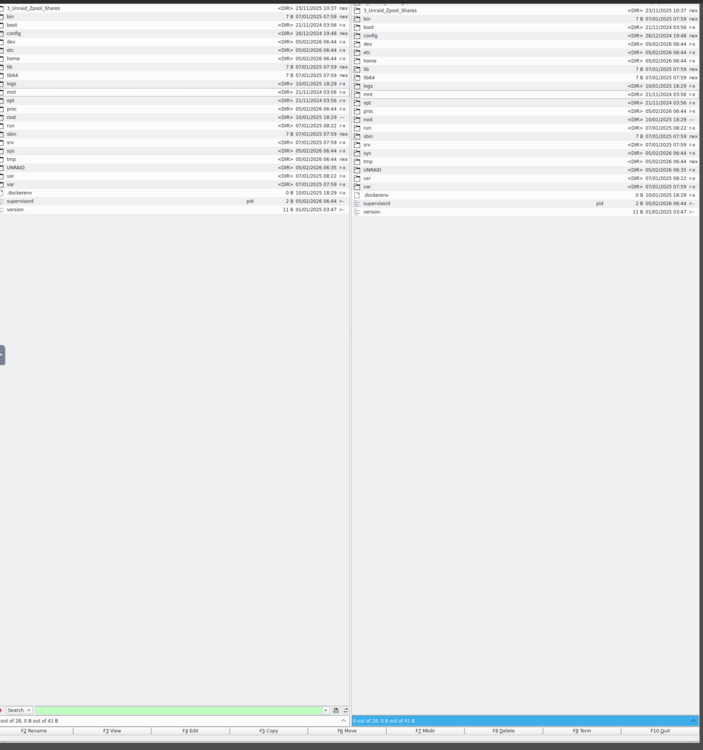
Hello, I have been having problems with Krusader display not aligning to my window . I dont know how to fix the aligmant. when I press the ALT and left click it moves the whole browser not the panels. or when I try the other key it just move it let to right not un or down or refit the panel.
-
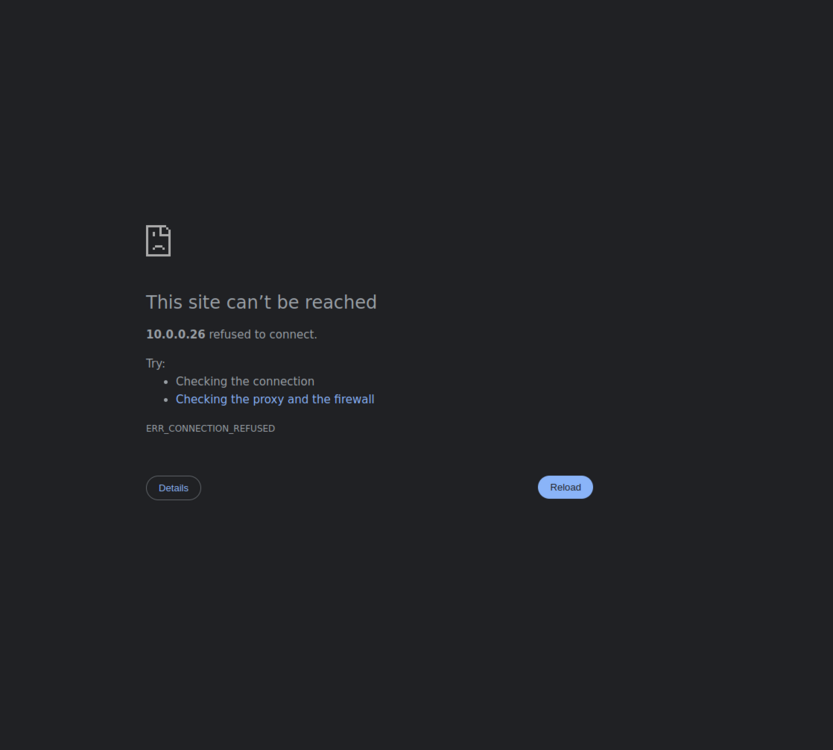
I didnt make any changes but I have urned it on and it runs but I cant connect to it.
-
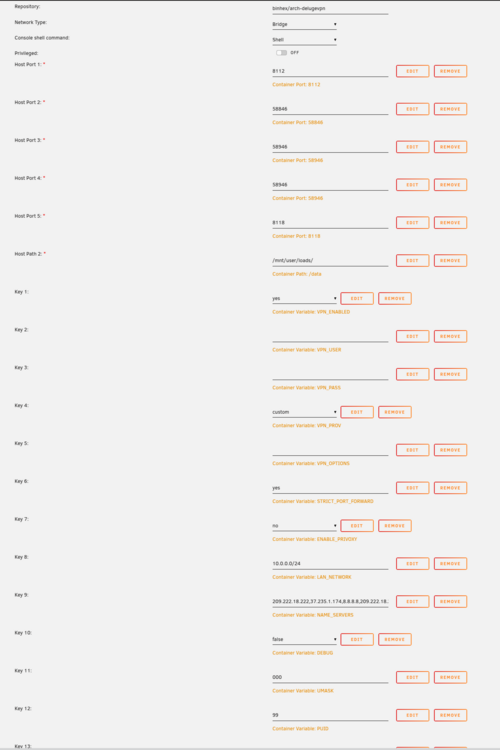
ok, last line key 13 is 100 not sure why it wont start. Thank for the help in advance.
-
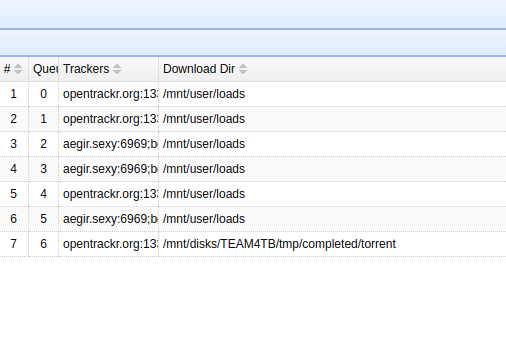
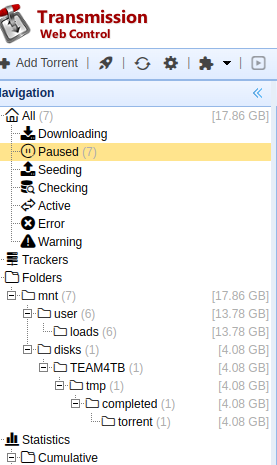
Hello, I'm having a problem with transmissionvpn. What i going on is that I changed the original download folder to a new name and now I cant find any of the new downloaded files. I even set it to the new folder but there is no files in the folder. I can see the files in the app but cant see the files in the folder on the hard drive. what am I missing?
-
Hello, I'm unable to get deluge started. I select it to start and then it still doesnt run. log post somethen about needing root access. how can i fix? 2024-12-29 09:57:03.630478 [info] Host is running unRAID 2024-12-29 09:57:03.665275 [info] System information: Linux f0e1f52cdfa8 6.1.106-Unraid #1 SMP PREEMPT_DYNAMIC Wed Aug 21 23:36:07 PDT 2024 x86_64 GNU/Linux 2024-12-29 09:57:03.704186 [info] Image tags: BASE_RELEASE_TAG=2024122301,INT_RELEASE_TAG=2024122301,IMAGE_RELEASE_TAG=2.1.1-8-03 2024-12-29 09:57:03.748600 [info] PUID defined as '99' 2024-12-29 09:57:03.851624 [info] PGID defined as '100' 2024-12-29 09:57:03.979097 [info] UMASK defined as '000' 2024-12-29 09:57:04.019746 [info] Permissions already set for '/config' 2024-12-29 09:57:04.072243 [info] Deleting files in /tmp (non recursive)... 2024-12-29 09:57:04.132440 [info] VPN_ENABLED defined as 'yes' 2024-12-29 09:57:04.177262 [warn] VPN_CLIENT not defined (via -e VPN_CLIENT), defaulting to 'openvpn' 2024-12-29 09:57:04.223295 [info] VPN_PROV defined as 'custom' 2024-12-29 09:57:04.283710 [info] OpenVPN config file (ovpn extension) is located at /config/openvpn/ca1465.nordvpn.com.udp.ovpn 2024-12-29 09:57:04.399649 [info] VPN remote server(s) defined as '37.19.213.142,' 2024-12-29 09:57:04.438394 [info] VPN remote port(s) defined as '1194,' 2024-12-29 09:57:04.478018 [info] VPN remote protcol(s) defined as 'udp,' 2024-12-29 09:57:04.521848 [info] VPN_DEVICE_TYPE defined as 'tun0' 2024-12-29 09:57:04.566743 [info] VPN_OPTIONS not defined (via -e VPN_OPTIONS) 2024-12-29 09:57:04.608373 [info] NAME_SERVERS defined as '209.222.18.222,37.235.1.174,8.8.8.8,209.222.18.218,37.235.1.177,8.8.4.4' iptables v1.8.10 (legacy): can't initialize iptables table `filter': Permission denied (you must be root) Perhaps iptables or your kernel needs to be upgraded. 2024-12-29 09:57:04.656396 [crit] iptables default policies not available, exiting script...
-
I found the problem! it was one of the network setting that i canged, MTU from auto to 9000. changing it back to auto and rebooting did the trick.
-
no it a stand alone server.
-
ok will try there, what about changing the unraid IP from dhcp to static? maybe it's just that ip and if unraid had a new one it would connect? I can reinstall mint on this machince i have caxche data that I might need for something important and if i reinstall then those cache data will be loss and my data cant be verify.
-
Like I said the only connection I can make from the linux mint is using the plex client I am able to play all the media there, when pinging that IP , I am able to ping it. file browser and web connect doesnt work. I dont know what it could be cuase it was running fine before linux mint crashed and reboot. that when the problem started. linux runs fine connects to everything I was using before but unraid. So i dont know what to do to fix it.
-
ok let me know if this is it? kraken-diagnostics-20241201-1412.zip
-
I just open it with a txt editor and there was data in it but i will try again KRAKEN_Diagnostics
-
yes i have access to the unraid ui from my phone and laptop. I this it's only this machine that i cant connect to it wih
-
ok got the daig from unraid KRAKEN_Diagnostics
-
rebooted both the linux computer and unraid and still can get to the login
-
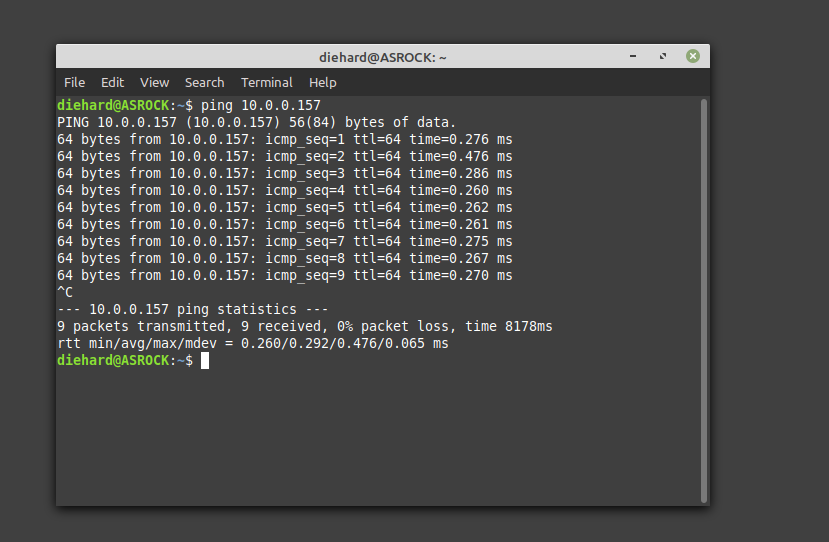
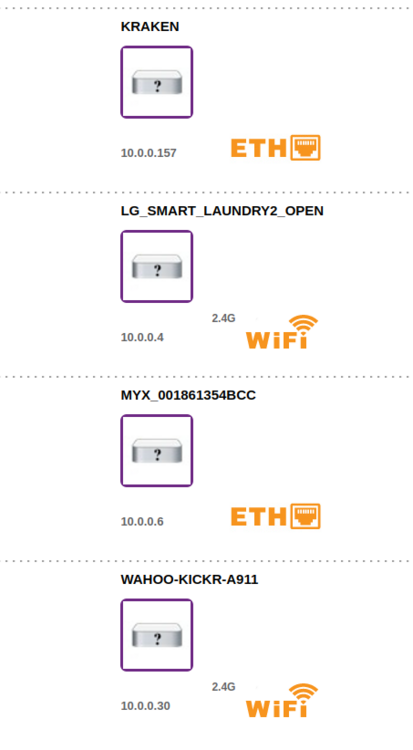
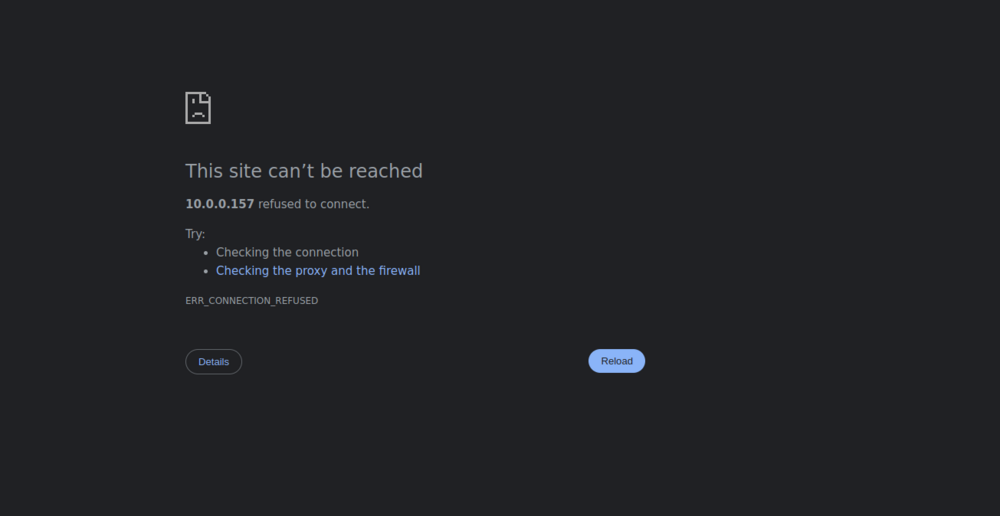
I have not cycled unraid, it seems like it's only the one this computer. after the crash it wont connect to unraid. I rand both address and no luck. router says the ip is what i posted and no it's not static IP. As for the diag I will post from the other computer it seem to connect no problem.
-
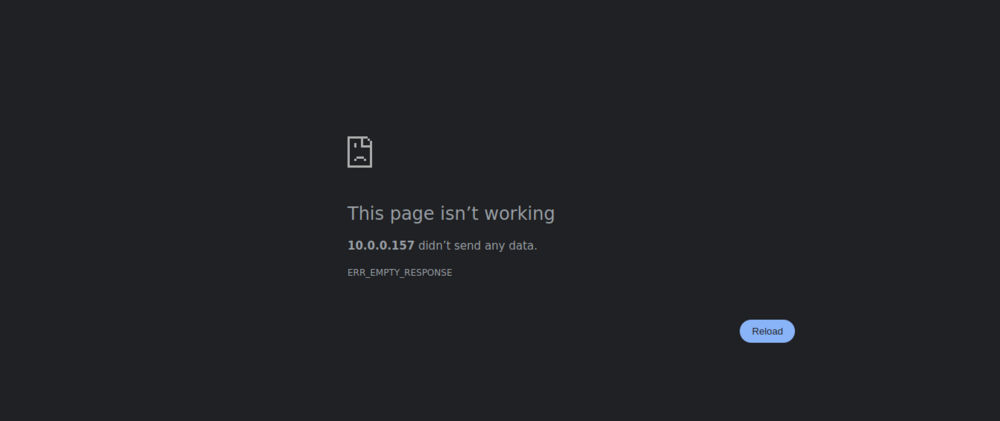
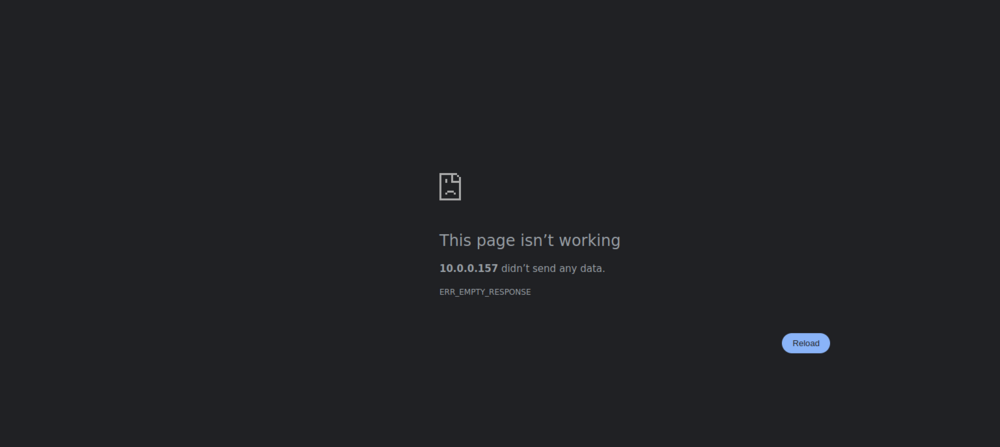
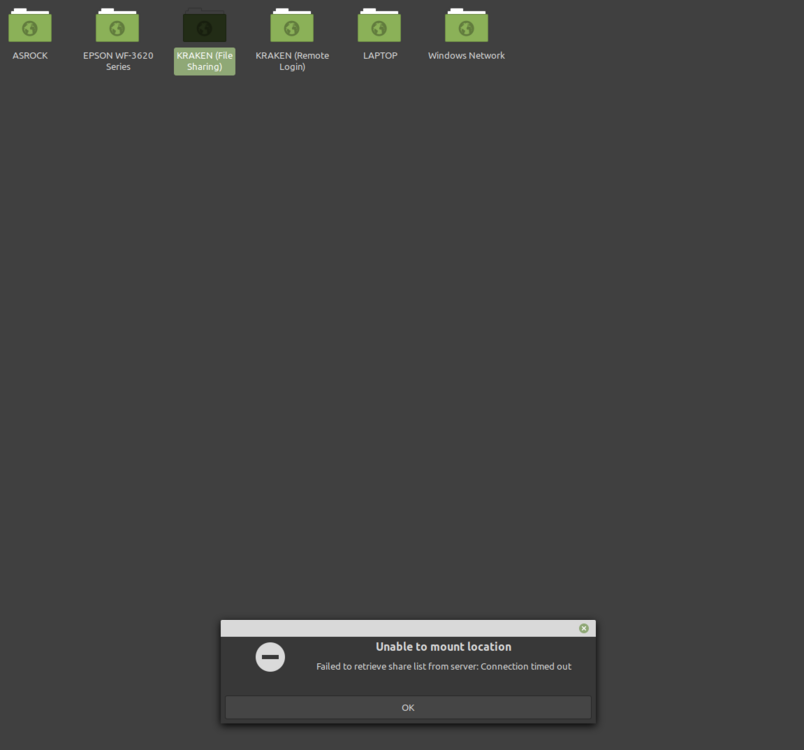
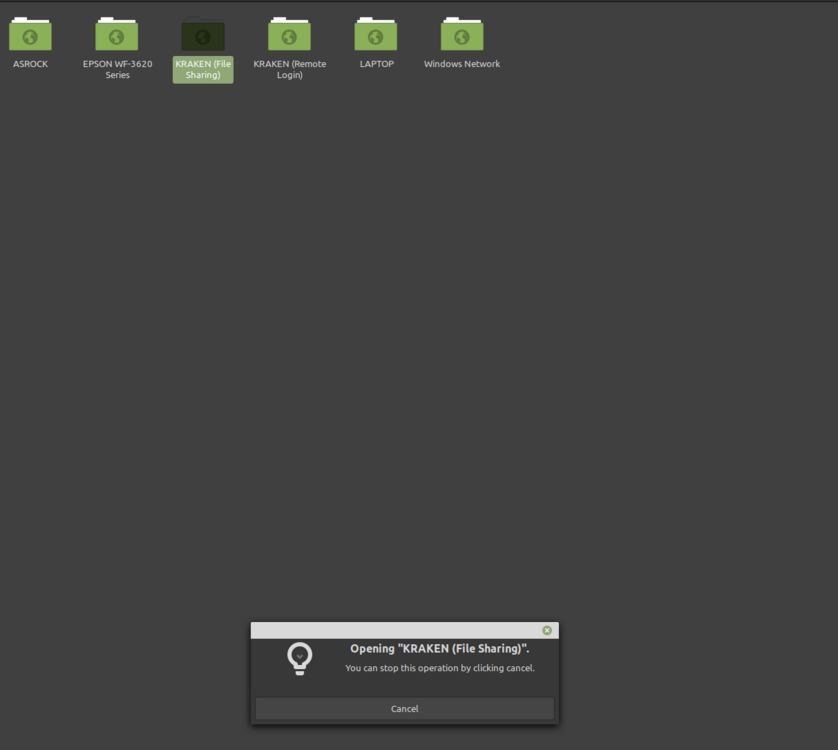
Hello, sorry to be baack but I have another problem. My linux mint machine had what I can say is BSOD. they system crashed why running a bunch of stuff. When it reboot back I was no longer able to connect to my unraid with the file explorer or the website. all browser tab that were open not longer have a connection, plex, krusader, torrent. unraid is still up and running, my linux machine just cant connect to it. the plex client on the linux machine does still work. everything on my linux machine still works i got internet, I can connect to my router. i just cant connect to unraid. I did make a bunch of changes to the network setting on unraid, added some new hardware, i'm still completing the upgrade but it was finish. I just needed to close the case and put the GPU back in. the upgrade was a new NVME 2TB cache drive. I connected my phone to unraid and it sees everything. times out when i try the webpage and when usging file manger it times out also. So any help you be great
-
oh, i didnt forget but thank you very much!
-
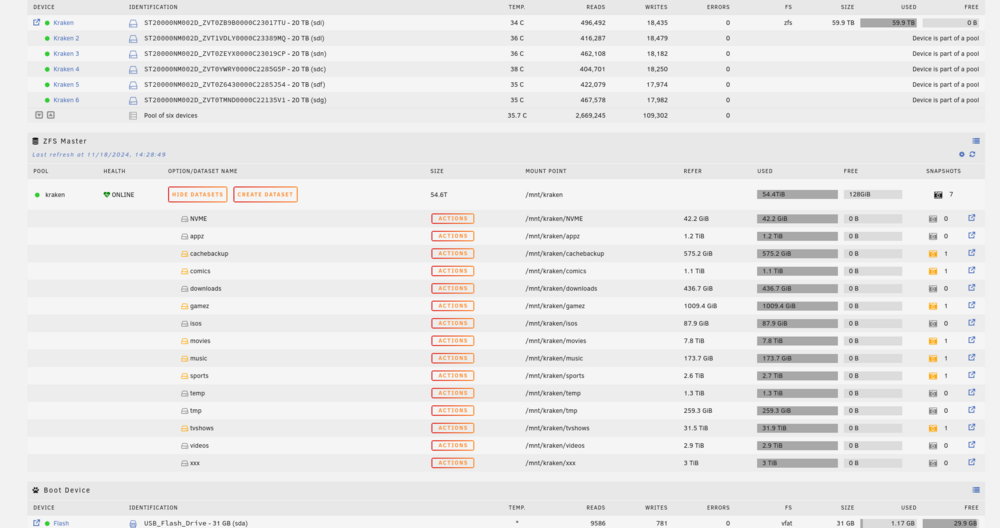
okay array start and I can see the zfs pool from unraid, I cant seem to connect to them from my other computer like i did before. the scrub button and the zfs master button are nothere ? do I have to create new link shares ?
-
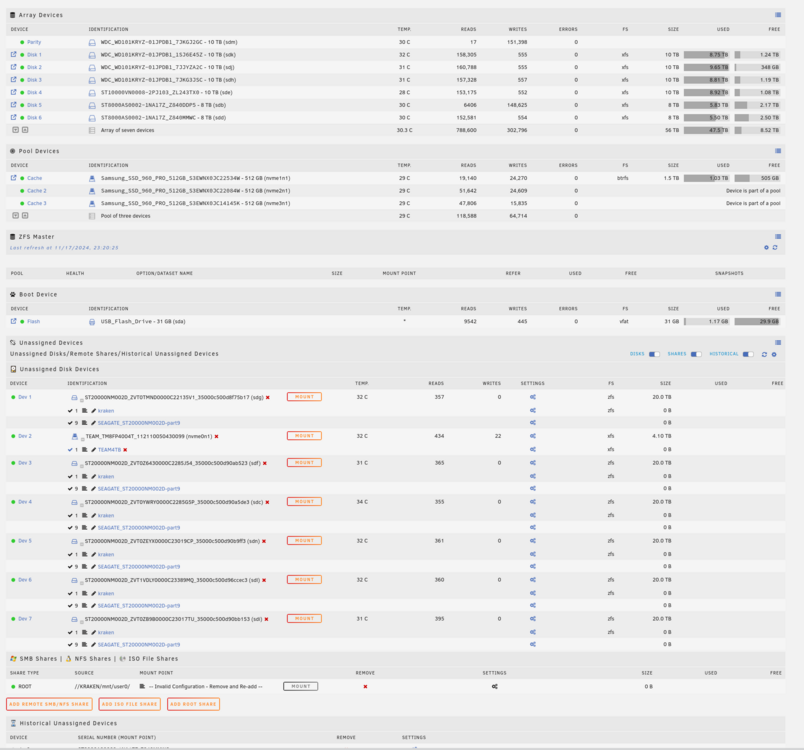
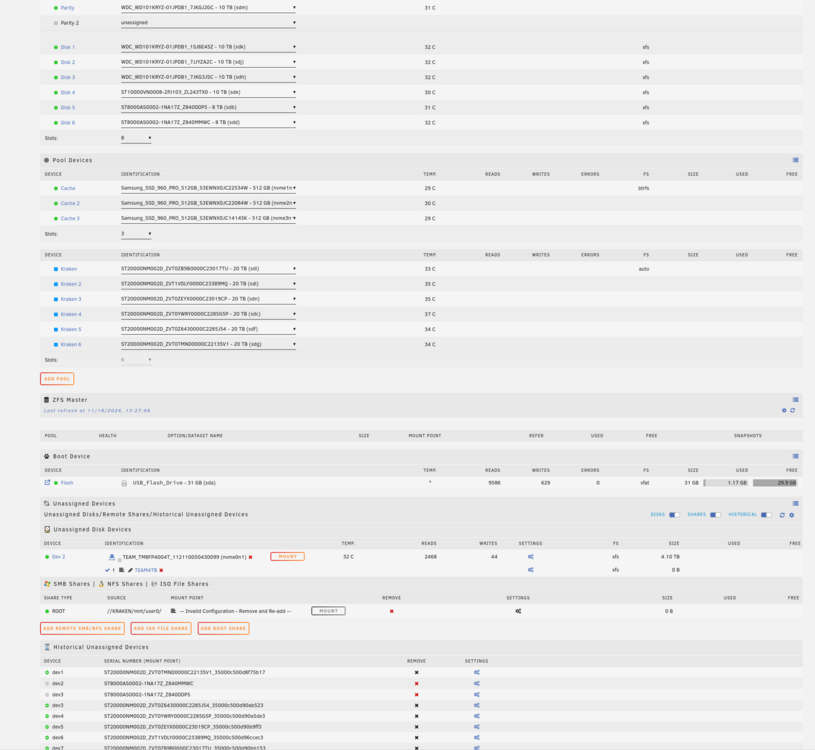
ok, well they removed the drives from unassign. all I do it start the array and the zfs mirros that I had should show up? the add pool button was not under zfs manager but will add my zfs mirrors and i wont lose my data? before and after let me know if this is correct and I should start the array to get my zfs pool going?
-
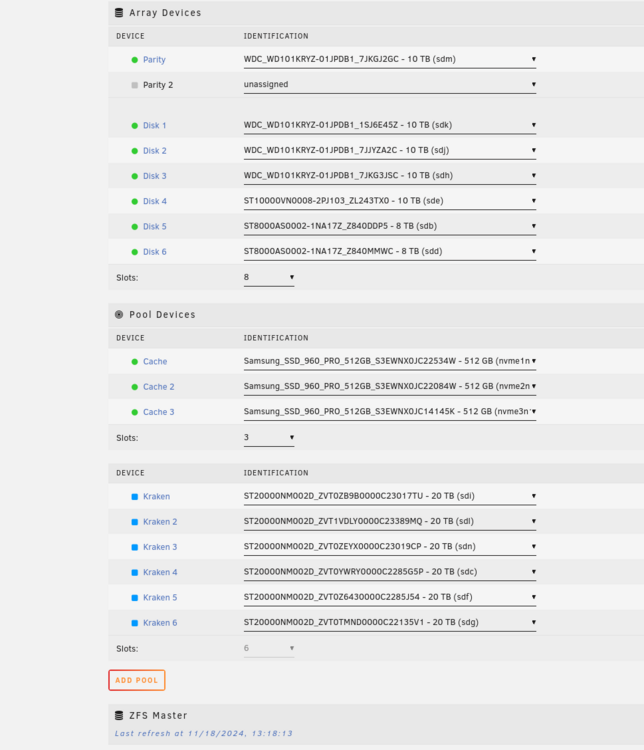
How do I do that order when all i see are the disk? or is this the correct order?
-
how do I know what are to put then in, I used 3 sets of mirror. Also im waiting on the move to finih before stopping the array. whn I ad the 6 drive do i ad then : kraken ONLINE mirror-0 ONLINE scsi-35000c500d90bb153 ONLINE : disk1 scsi-35000c500d96ccec3 ONLINE: disk2 mirror-1 ONLINE scsi-35000c500d90b9ff3 ONLINE : disk 3 scsi-35000c500d90a5de3 ONLINE: disk 4 mirror-2 ONLINE scsi-35000c500d90ab523 ONLINE disk 5 scsi-35000c500d8f75b17 ONLINE disk 6? or I just put them in any order and the pool will auto detect the order?
-
root@KRAKEN:~# zpool status -LP pool: kraken state: ONLINE scan: scrub in progress since Sat Nov 16 00:19:01 2024 319G scanned at 12.7G/s, 12K issued at 491B/s, 54.4T total 0B repaired, 0.00% done, no estimated completion time config: NAME STATE READ WRITE CKSUM kraken ONLINE 0 0 0 mirror-0 ONLINE 0 0 0 /dev/sdi1 ONLINE 0 0 0 /dev/sdl1 ONLINE 0 0 0 mirror-1 ONLINE 0 0 0 /dev/sdn1 ONLINE 0 0 0 /dev/sdc1 ONLINE 0 0 0 mirror-2 ONLINE 0 0 0 /dev/sdf1 ONLINE 0 0 0 /dev/sdg1 ONLINE 0 0 0





