





charlieny100
Members
-
Joined
-
Last visited
Everything posted by charlieny100
-
Thanks, that worked.
-
I purchased a basic license during the sale but have too many devices to use the activation code. I thought I could apply it and then buy the upgrade. What can I do?
-
Yesterday I got a notification that my SabVPN docker was automatically updated. Could that have something to do with why it started to work for some?
-
I'm glad I found your post. This morning is the first I've noticed the spinning icon and figured the update process was stuck running. Rebooted and figured I had an issue.
-
I love these videos. My situation is a little different. Besides dockers I have another server running a self hosted web server. Is there a way to get the reverse proxy to go to the other server when someone enters "self.mydomain.com"?
-
Here has been my experience. I was a happy usenetserver customer for years using Windows. I switched to Ubuntu/docker and I could not get it to work with NZBGet and UNS via SSL. I tried different machines, different versions of Ubuntu - same results. I discovered Unraid and started using SAB/VPN and other than it being a little slower, it is flawless. The ticket I opened with UNS didn't get resolved but I found something that works. Not a solution, just a "I feel your pain" post.
-
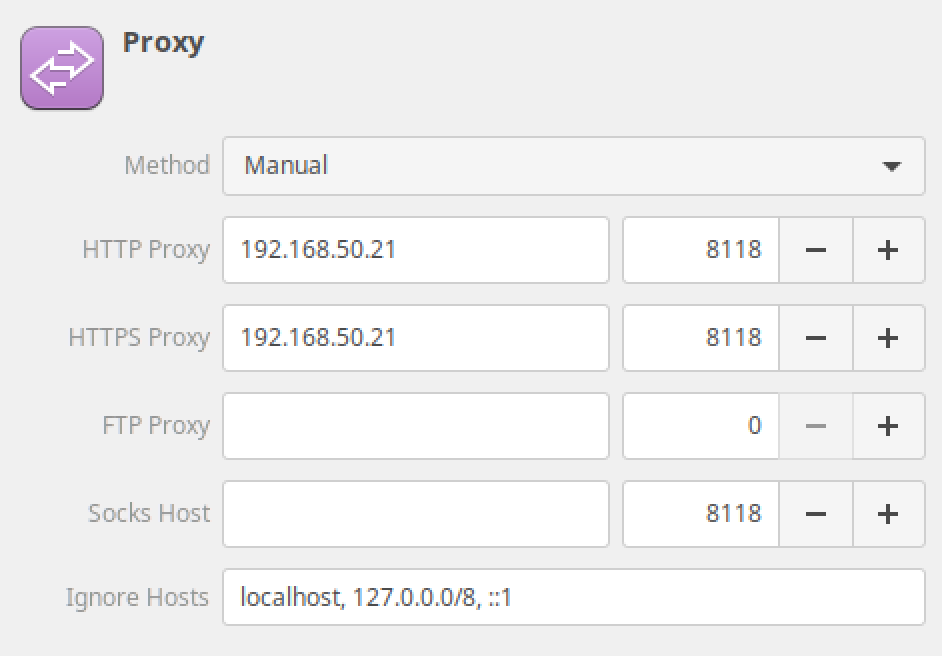
I attached a screenshot from my Mint network setup.
-
I had to add http for the proxy so both https and http point to my unraid server. So that covers my browsers. If I were to use a torrent client (which I don't) I'd have to configure it to use the proxy too, correct?
-
I noticed when using the proxy my local IP can be seen by some websites. When I go to whatismyip.com it shows the ip of VPN. When I go to speediest.net it shows the IP of my ISP. Isn't that a problem?

