





gberg
Members
-
Joined
-
Last visited
-
Yeah, every datahorders worst nightmare.
-
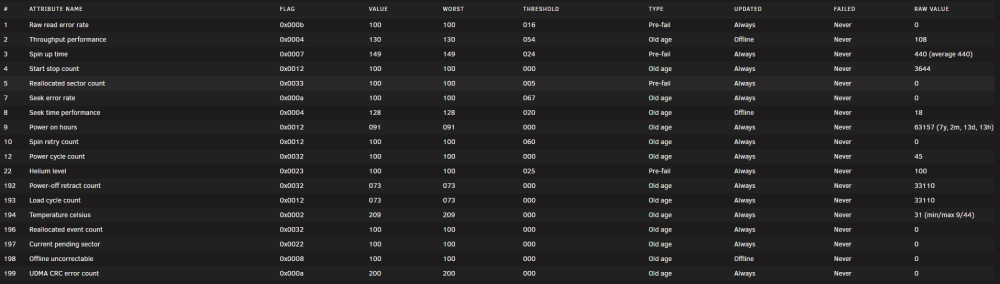
I still have the same 7 chucked WD Mybook 10TB white drives running, and the four oldest ones are now a bit more than 7 years old, and I've had no issues with a sigle one of them. Here is the parity drive which is one of the first four I installed. I've been looking for a while for additional drives, but they are so expensinve nowadays. Maybe I have to start deleting suff...
-
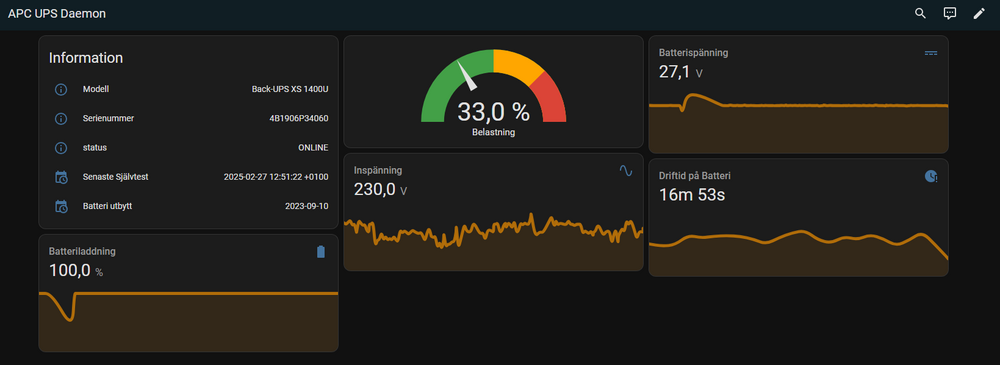
Just want to say that I found the APCUPSD integration for Homeassistant, and that is pretty much what I wanted. Here is my setup.
-
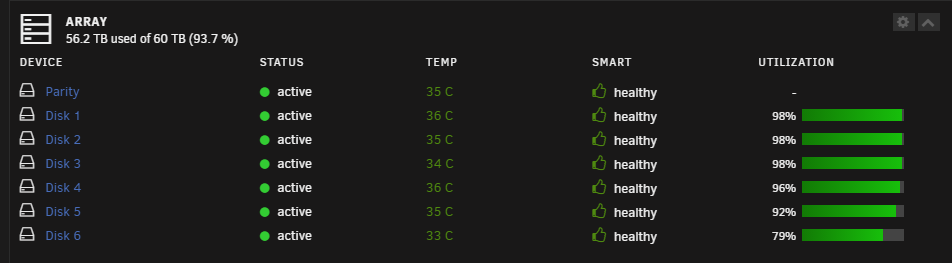
I've tested this now, to free upp some more space on the disk and once I get more than 150GB free on my 10TB disks it goes to 98% full and the utization warnings goes away.

-
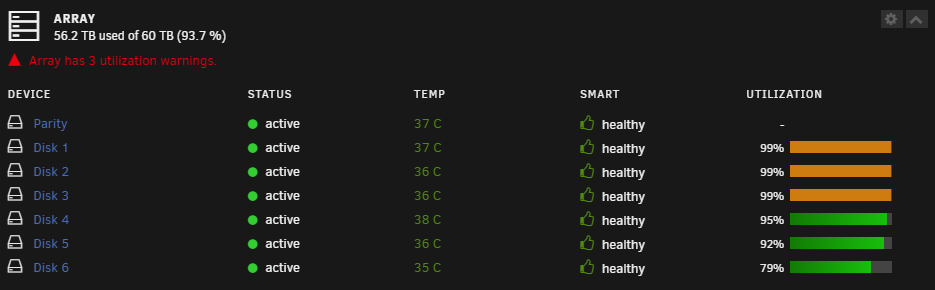
I got this issue since upgrading from unraid version 6.10.3 to version 6.12.6 that I get array utilization warnings. I get the warning on tree disks, and I have set the "Default warning disk utilization threshold (%):" to 99%, and the tree disks getting the warning are 10TB with 9.88TB of used disk space which means there is more than 1% free space. But still it says the disks are using 99% at the dashboard? Does this mean I need to have more than 150GB free space for the utilization not to be rounded to 99% ? I think it would be nice if it was possible chose to set the utilization thesholds in GB rather then percentage, what do you think?

-
I just upgraded to version 6.12.6 and everything seems to have gone alright.
-
I haven't updated my unraid in a while and currenty I'm running 6.10.3. I read in the 6.12.6 release notes the issue with Out of date plugins, an I have three plugins that I can't update because I'm running to low unraid version, and the out of date plugins are: Community Applications (2023.02.17), SNMP (2021.05.21) and Unassigned Devices (2023.02.20) Do you think this will cause any issues?
-
It would be rally nice if it was possible to get the APC UPS Daemon dashboard widget to show a historic graph of the UPS load, and also the average load. Maybe it 's possible to set that up somehow?
-
No ideas, it's not a very powerful CPU, but should it be this bad?
-
Hi, Is it normal to have really high CPU utilization when copying files from one share to another? I'm on a Windows computer on the network and copy files from one share to another on my Unraid NAS, and thins is what the CPU utilizaton looks like:
-
Well, you can run pfSense without AES-NI, but AES-NI sure will help, specially if you're running VPN:s
-
No, AES-NI is a imoproved version of AES, NI stands for New Instructions
-
I would also like to see this, perhaps there is a plugin that can do this?
-
Ok, Thanks!
-
I'm planing to ad a new larger parity drive to my array. Today I have all 10TB drives one parity drive and six data drives, and I plan to add a new 18TB parity to be able to swap my existing data drives to larger ones in the future, and after the pari check is don I'll add the old parity drive as a data drive. My question is how will the parity check work when the th parity drive is 18TB, will it do a 18TB parity check taking almost twice the time as previous even thoght the data drives are only 10TB, or will it do a 10TB parity check untill I actually add a larger data drive?


