





DJ-BrianC
Members
-
Joined
-
Last visited
-
There's a conflict in directions. In one place it says 2 letter and in a other it says 3. Not sure what the correct answer is.
-
I was having that problem for the longest time and nobody could give me a straight answer. What I eventually did was add the remux plugin and I've yet to see that happen unless which is fairly rare the file has some kind of corruption.I was having that problem for the longest time and nobody could give me a straight answer. What I eventually did was add the remux plugin and I've yet to see that happen unless which is fairly rare the file has some kind of corruption.
-
Has anyone gotten notifications to work with email? I can't for the life of me receive any of the notifications.
-
A 2 second startup is better than a 10 second startup right? I just figured RAM is a hell of a lot quicker than the drive even if it's not spun down you can still save considerable amount of time
-
My drives are rarely spun down there's usually activity going on. Do you recommend I change this value?
-
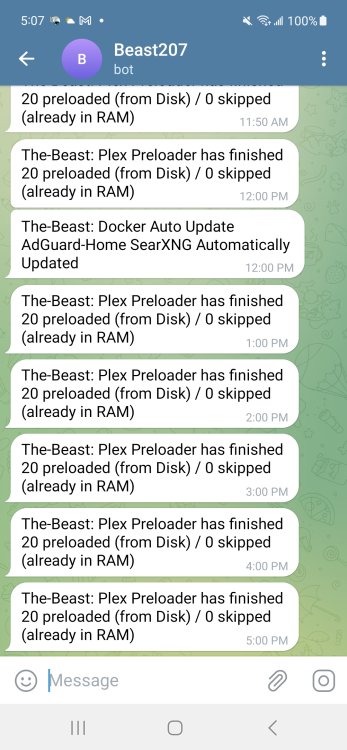
Just installed version 1.4 and as you can see from the attachment it still doesn't work. It says they are loaded but then on the next run it loads them all over again with zero skipped. If they're already loaded they should have been skipped right? Also assuming this ever works correctly how does it decide which video to preload? Is it random newly added? What is the thought process here.
-
Where do I find them?
-
I've been playing around with this to optimize my library and I've noticed it will re-add some of the same movies that it already optimized the next time it scans the library. Any clues why?
-
I don't know but I'd provided all the screenshots from the last bunch of tests back in April. What else do you need me to provide In addition to what was sent in April? I'd love to see this work but for whatever reason it doesn't seem to.
-
It doesn't work. You can see by all my previous posts which have never been addressed. The script needs some serious work before it can be released to the general public.
-
Still no answer why it doesn't work?
-
Any updates since my last post? Why is nothing loaded?
-
total used free shared buff/cache available Mem: 31Gi 9.8Gi 9.0Gi 1.2Gi 12Gi 20Gi Swap: 0B 0B 0B vm.dirty_background_bytes = 0 vm.dirty_background_ratio = 10 vm.dirty_bytes = 0 vm.dirty_expire_centisecs = 3000 vm.dirty_ratio = 20 vm.dirty_writeback_centisecs = 500 vm.dirtytime_expire_seconds = 43200
-
total used free shared buff/cache available Mem: 31Gi 9.7Gi 6.7Gi 1.2Gi 14Gi 20Gi Swap: 0B 0B 0B
-
like i said it goes thru the motions. movie titles do indeed echo to the screen and logfile. the last script you shared shows every folder on the drive.
