SudoPacman
Members
-
Joined
-
Last visited
-
Thanks! Just came looking since noticed my geoip database was last updated in 2021! I generated a new API key in Maxmind, since they have changed format, and changed my user id to the account id, and the new key is now showing as having been used. Of course my work VPN IP is still showing as US rather than UK, but that's another issue I guess. Cheers
-
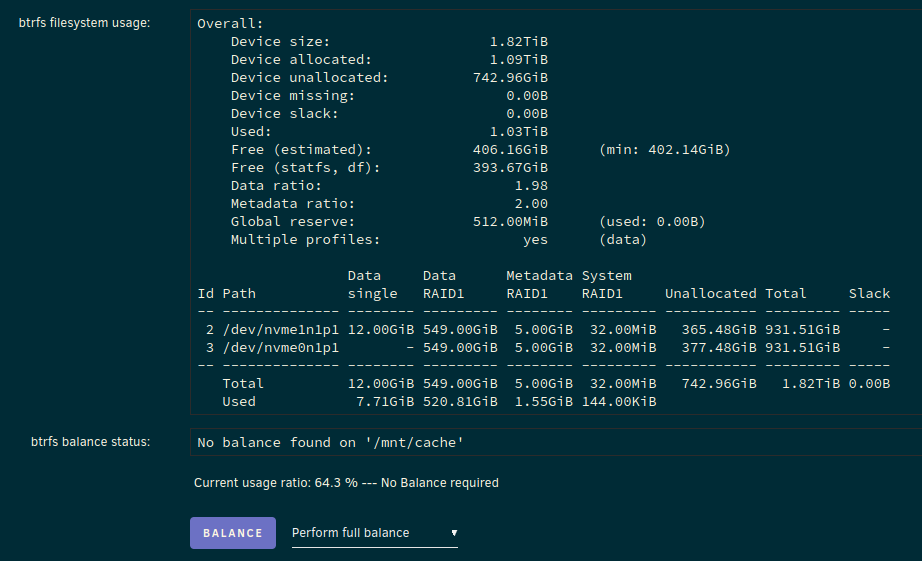
Hmm, is this not in RAID1 anymore?
-
Okay, removed the pool, and re-created it. Little bit nervy since wasn't sure if was going to wipe it, but seems to have come back up okay... Now have a warning: Event: Unraid Cache disk message Subject: Warning [MONTY] - pool BTRFS too many profiles (You can ignore this warning when a pool balance operation is in progress) Description: WD_BLACK_SN850X_1000GB_23230X803108 (nvme0n1) Importance: warning Do I need to do a rebalance or something?
-
Ahh, clicked on cache and have managed to remove the pool. I'll try and re-add it now.
-
If I remove both but do snot start the array I can mount them both... Interestingly, one shows up as Pool...

-
If I try and stop the array and switch one drive for the other it shows the one that failed as disabled.
-
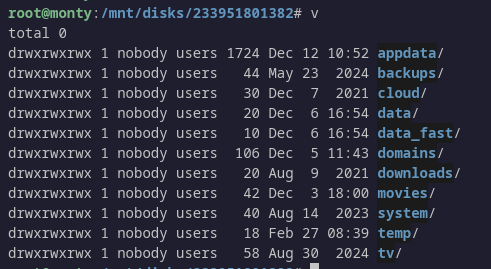
Interestingly, if I mount the supposedly failed drive in unassigned devices I can access it and it seems ok...

-
@JorgeB Okay, removed the second drive and changed slots back to 1. Output from btrfs fi show gives: Label: none uuid: 057dcd04-fb86-434a-be64-ee1d0bf433eb Total devices 1 FS bytes used 416.00KiB devid 1 size 1.00GiB used 126.38MiB path /dev/loop2 Label: none uuid: ebee1354-a882-4fbd-8b63-3d6a56422b17 Total devices 2 FS bytes used 530.13GiB devid 2 size 931.51GiB used 561.03GiB path /dev/nvme0n1p1 devid 3 size 931.51GiB used 527.03GiB path /dev/nvme1n1p1
-
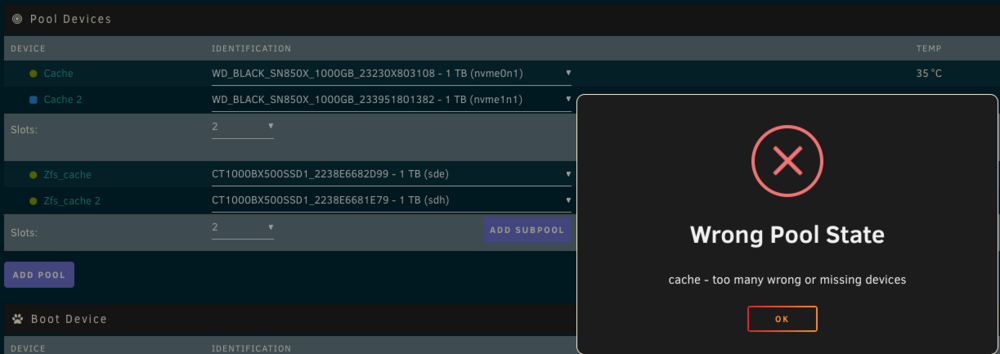
@JorgeB Okay power cycled and the old drive has appeared in unassigned devices, so that's good. However, the other cache drive, that is part of a RAID1, is now showing as unmountable! I do have a backup, but would rather avoid having to restore if possible! When I stop the array the cache shows as a single slot. If I change to 2 slots and add the drive in it will not let me start the array. I get the following: What's my next step please? Cheers!
-
Started the array, and everything is running. Think my drive might be hosed though, since not showing in unassigned devices. Pool looks like this:

-
Ah. Rebooted and the drive is not there so the array has not started... I guess I change the pool to a single drive and start it and then stop and see if re-appears?
-
Thanks, I'll try. Will the disabled drive be re-enabled automatically or do I need to do something?
-
Hi guys, So, I have a dual NVMe SSD btrfs cache pool that has been running fine for at least a couple of years now. Well... it was, until earlier this morning (although only just got a mail for it). Now, with a drive failure I know can remove it and re-add it if think it's cables or something. What can I try with an NVMe drive? Reboot? Stop/start array? Is it toast and RMA time? I have this message in the logs that could be a clue? May 20 05:36:11 monty kernel: nvme nvme0: controller is down; will reset: CSTS=0xffffffff, PCI_STATUS=0xffff May 20 05:36:11 monty kernel: nvme nvme0: Does your device have a faulty power saving mode enabled? May 20 05:36:11 monty kernel: nvme nvme0: Try "nvme_core.default_ps_max_latency_us=0 pcie_aspm=off pcie_port_pm=off" and report a bug Not sure how to check the power profile when it's disabled though. Appreciate any help! Cheers, Pacman monty-diagnostics-20250520-1315.zip
-
Well, that's another annoying change by the Plex powers that be... For others interested, I added this to my nginx proxy config to redirect to /web/. # Redirect root to /web location = / { return 302 /web/; } location / { # Normal config here... I tried having another location for /web/ but couldn't get it working.
-
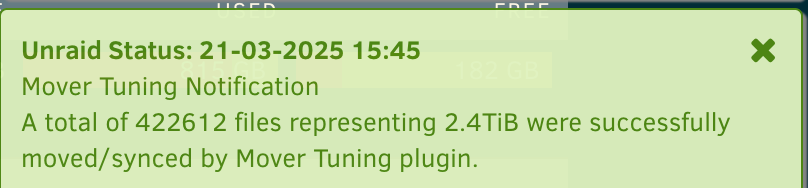
Hmm, I disabled the filename validation, but just got spammed to death again! Edit: Ahh, it' s still running from this morning still! On a side note, I have noticed some very weird notifications from the plugin, where says it moved hundreds of thousands of files, and more terabytes than are possible from the cache. Bit odd. Edit2: Just finished. Here: My cache is a pool consisting of two 1TB NVMe drives, with 1TB of storage, so what gives here?