






yayitazale
Members
-
Joined
-
Last visited
Everything posted by yayitazale
-
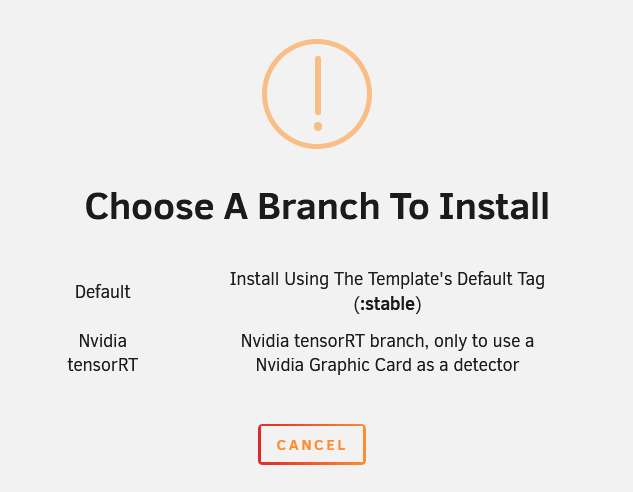
Yes, you can select it when you launch the container from CA store:
-
Please read again the description of the branches before the installation. You are using the default branch witch only uses GPU for Hardware Acceleration. If you want to use GPU for object detection there is another branch.
-
M.2 is much cheaper with same capabilities. USB is just plug & play and M.2 requires driver to be install. USB has a builtin heatsink while M.2 doesn't, so it is a good idea to add one to keep temperatures under control.
-
Seems like you might have a faulty unit (not the first one reporting this kind of behavior). I suggest you, if you can, to test it with the examples of corals web https://coral.ai/examples/#code-examples and if it fails, you should execute the warranty. In any case, the only thing I miss for your tests is, are you using the original USB cable that comes with the coral? Some people had problems with the cable. I'm my case, I have the USB coral and I have had it running 24/7 for more than 4 years with no single issue, 8 cameras, so trust me that investing in a Coral is worthy.
-
Please can you open a issue in github?
-
I don't know if you are using MSE or WebRTC so check this, I cannot help you much more as this issues are so specific to each camera and configuration: https://docs.frigate.video/configuration/live/#live-view-technologies
-
As the name implies, you have set the restream at the top. Restream means that go2rtc is going to take the feed of the original stream from your camera and restream it, as a new stream, with the codec you specify (for example, changing the audio codec as you want to do). Therefore, in the configuration of the cameras, if you keep using the original feed of the camera, it is useless that you have configured restream. To use the restream, you must use the url with the form that is indicated in the documentation that I pass you with the base rtsp://127.0.0.1:8554/name_your_rtsp_cam Please try to read some more documentation and try it yourself, as there are thousands of frigate users and I can't dedicate my life to help everyone.
-
I cannot help you without your config, but you should use built-in Got2rtc restream to change the audio codec: https://docs.frigate.video/configuration/restream
-
https://docs.frigate.video/configuration/live
-
I cannot help you, I don't have reolink cameras. I suppose that yes.
-
You have specific docs regarding Reolink camera configuration: https://docs.frigate.video/configuration/camera_specific/#reolink-cameras The HA Addon if you want to deploy it like that: https://docs.frigate.video/frigate/installation#home-assistant-addon And the HA integration if you deploy it as a Stand Alone docker: https://docs.frigate.video/integrations/home-assistant
-
It is built in
-
@ich777 can you help? I don't know much about m.2 tpus.
-
How many cameras do you have? I don't know your settings and config but seem normal, this app is quite demanding.
-
As I told you, please open a Issue in github. I'm not the developer of the project, I only maintain the unraid template and this is out of my knowledge.
-
Did you test only with the last camera? Anyway, is not possible to me to know your server capabilities, the usable resources...
-
Ok so open a issue in github this is not related to unraid template: https://github.com/blakeblackshear/frigate/issues
-
Did you change the codec to h265? Change it back to h264
-
I chat them via aliexpress
-
I had same issue with a fresh new server. Make sure that you see the correct time in unraid under setting -> date and time, reboot the entire host and it should work correctly. I suggest you using NTP if you are not using it yet, you have free ones https://www.ntppool.org
-
Hi, just posting if anyone has same issue, I talked with CWWK and they sent me a new bios image that corrects the issue.
-
Please give us updates if you find a root cause.
-
Hi, you can read the docs instead of posting here for basic questions. https://docs.frigate.video/configuration/authentication#onboarding
-
Not sure, please open a issue in github issues page. https://github.com/blakeblackshear/frigate/issues
-
You should define the size of the cameras. You can see in the example config of the docs: https://docs.frigate.video/configuration/


