






yayitazale
Members
-
Joined
-
Last visited
Everything posted by yayitazale
-
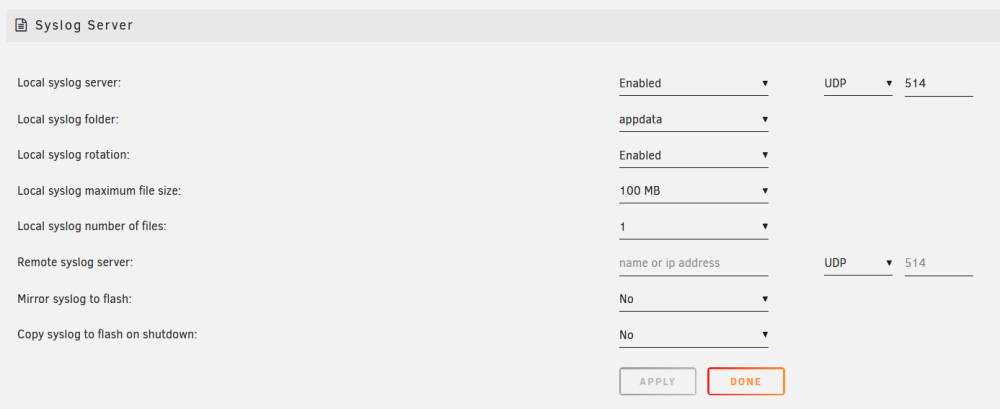
I have updated to ipvlan and from then, I only had one hard lock. I have activated syslog so let's see if the problem is solved or not.
-
Not your fault, it is a known issue: https://github.com/blakeblackshear/frigate/issues/8470 I'm having the exact same problems.
-
So then you should use rstp as you are using. Yes the docs are complex among other things because of its wide compatibility with many different systems. It is not a product, it is a free software project and believe me they have made and continue to make a great effort to simplify things. In any case, you can always contribute your grain of sand proposing improvements or changes in the documentation.
-
Thanks
-
I have activated: But there is no file in appdata.
-
Not sure but looks like normal for me, I sometimes have some stability issues for the streams.
-
You should check https://docs.frigate.video/configuration/camera_specific/#reolink-cameras
-
No idea, maybe you can ask on github
-
It should but you should open the communication between the 2 networks.
-
Did you check the compatibility of your card? Did you restart the server after installing the nvidia driver? Can you post the screenshot of how are you filling the template and the config file?
-
It happened again, now with syslog server activated. There you have the diagnostics file attached. tower-diagnostics-20240314-0915.zip
-
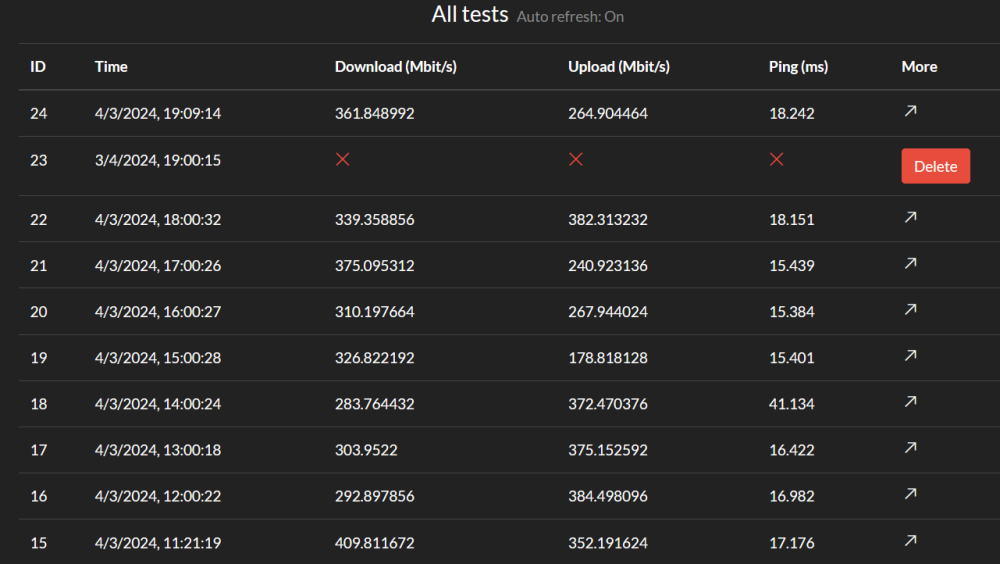
Hi, I changed to ipvlan and I'm having again the same unresponsiveness issue. I have attached the diagnostics file downloaded just after a hard (button) restart of the server. I have a speedtest running every hour and I can see that tit was running flawlessly until the one at 19:00 when the server was unresponsive. This means it is a network error as the proceses and dockers were still alive. This errors stared with v6.12.3 What can I do? I'm going to be 1 month in the abroad and I will no have any way to restart the server with the button and I'm pretty sure it will no last responsive for that long.... tower-diagnostics-20240304-1905.zip
-
Thank you.
-
Hi: I'm want to migrate from MACVLAN to IPVLAN but I can't select it from the drop-down menu. The option is not clickable. I don't see anything in the docs related to the required changes prior to switching from MACVLAN to IPVLAN, neither any manual or guide about how to perform this change. Can you help me please? Thanks.
-
https://docs.frigate.video/configuration/reference Default for snapshots is 10 days.
-
This is out of scope of this forum. I only maintain the unraid template. You should open a issue on github.
-
You should recreate the nvidia models inside the frigate container (you have the info in the docs). The Cuda version is not the same so the models can't be used. Pd: I suggest you to delete and create a new container of frigate too, the template has been updated to accommodate the new environmental arguments needed to create the models directly inside frigate container instead using tensorrt containers.
-
This is up to you. The dual TPU has some fire harzard as they get quite hot. It's is a good idea to put a heatsink and a fan to keep the temp low and stable. The USB it is the most versatile and that's why I bought it back in the day but then when I installed frigate I didn't unplug it from the PC for 4 years....
-
As I told you, I have been using a USB Coral device for more than 4 year with none stop and it never give me any single problem. You have been unlucky, like some others here also with PCIe versions. But yes you are right, QC of this products are a bit shameful.
-
I also have a Zigbee dongle and it doesn't affect at all.
-
You can test the coral with any of the examples here using another computer: https://coral.ai/examples/ If the card is still unresponsive or gives you only some time-to-time responses you should return it. If everything is OK, a usb coral must be almost plug&play in unraid frigate using the usb pass through (remember to test also with privileged mode).
-
Can you test any of the examples using another computer? https://coral.ai/examples/ It is the best way to see if you have a faulty device.
-
I have a USB coral since since more than 4 years ago and I'm so happy with it. You have to know than some coral devices are defective from the factory, but this applies to both USB and PCIe versions. We will help you to find out if this is your case.
-
This sometimes happens in unraid...
-
There is a quite big button in the docker tab, below all the containers with the name "CHECK FOR UPDATES", if there is any update of any image of any docker, it will appear a message in that container "update". You can also hit "UPDATE ALL" button close to "CHECK FOR UPDATES" once it finished looking for updates of the containers. If you dind't change anything in the community app settings, the update search must work automatically too.




