n3ro365
Members
-
Joined
-
Last visited
Everything posted by n3ro365
-
First of all, I have no idea how to use the console. Something I'm doing wrong. If I delete / move the file from the share, it will be recreated immediately. root@Unraid:~# sudo touch /var/log/nextcloud.log root@Unraid:~# sudo chown abc /var/log/nextcloud.log chown: invalid user: ‘abc’ root@Unraid:~#
-
Hello. Nextcloud write the nextcloud.log in my data share. So the hard drive won't spin down. Is there a way to move the log file into the app data folder of nextcloud on the cache drive?
-
Ok thanks I will try this.
-
Any news? Could you solve this problem?
-
Yes that's true. Is there already a solution?
-
I have the same problem with the nextcloud.log. Every 15 minutes does nextcloud write to this file and the hard drive can not spin down.
-
Thanks, yes its also ok for me.
-
Hi. does anybody have this worked with the emby server over the https port? It worked for me with the http port but not over the https port. The Public HTTPS port number in emby is 8920 and Secure connection mode is managed by reverse proxy. i have 502 bad gateway issue https://abload.de/img/3moj7w.png
-
Yes, you were right. 8008 is the http port. I have changed the Scheme to http and now the access works. Thank you for your help.
-
Thanks i changed this. Now i have the message 502 Bad Gateway.
-
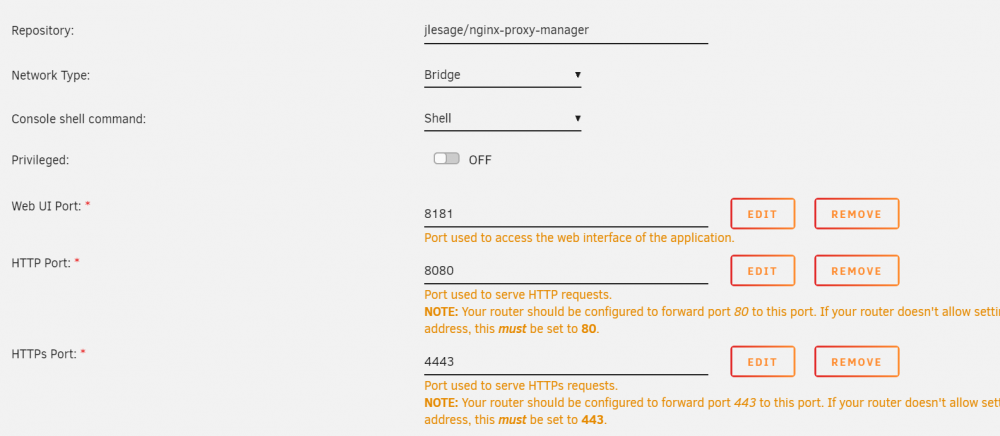
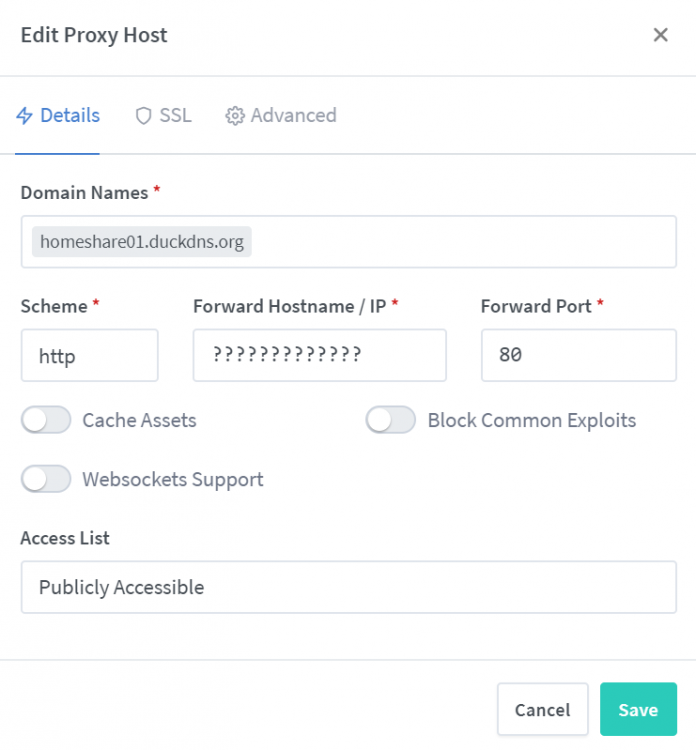
Hello I am new here and uses Unraid for the first time. I would like to test the proxy manager and forward it to the Unraid GUI. If everything works, then Nextcloud, etc. I put the Unraid GUI on port 8008. The ports for the proxy manager are set as in the picture. In the router (FritzBox) I forwarded the ports 80 and 443 to the ports of the proxy manager. 80 -> 8080/443 -> 4443 In duckdns I have created a subdomain. What should I specify in the proxy manager? Which IP? The ones from Unraid or from the router? Would be nice if someone could help me there. Many Thanks.