






falcor
Members
-
Joined
-
Last visited
-
Awesome it copied now - thank you!
-
Yes, .pm -rw-rw-rw- 1 nobody users 2760 Mar 30 01:59 Xiaomi.pm
-
Just started using this, and I have my control script in my zoneminder appdata control directory, permissioned well, and it won't seem to copy to the perl area on container startup. Any advice?
-
I migrated several services (such as mailcow) to unRAID after committing to them for years. I was able to spin everything up using docker-compose but now there's some issue with updating the containers. I'm a bit confused since updating these containers with this was never an issue: https://github.com/v2tec/watchtower I guess I could just install watchtower, but it would be nice if unRAID was just natively compatible with this.
-
OK cool I'll wait for 6.7 and check back in. Thanks!
-
I'd like at least a current power reading on the Dashboard, and preferably a little history graph. At least people with Supermicro gear (yourself included) should be able to use it, and I think Dell might support it too..
-
Thanks for letting me know - I set the color back to automatic so now it should be fixed. People use modes other than dark!?! 😨
-
OK This was due to CONTEXT_PATH being set in the docker configuration. -e CONTEXT_PATH=<URL_BASE> For setting url-base in reverse proxy setups. I've now removed it completely from my container settings, and after starting back up it's now serving on the root like it used to. Thanks again for the help.
-
That was it!!! Thanks! I don't believe it used to have a URL path like that, so some update must have changed it. There should really be a 302 or 301 redirect on the root because a blank 404 is extremely unhelpful. I appreciate the help!
-
Yes, and I've also tried through the previously working reverse proxy. How do I crank up debug on this thing?
-
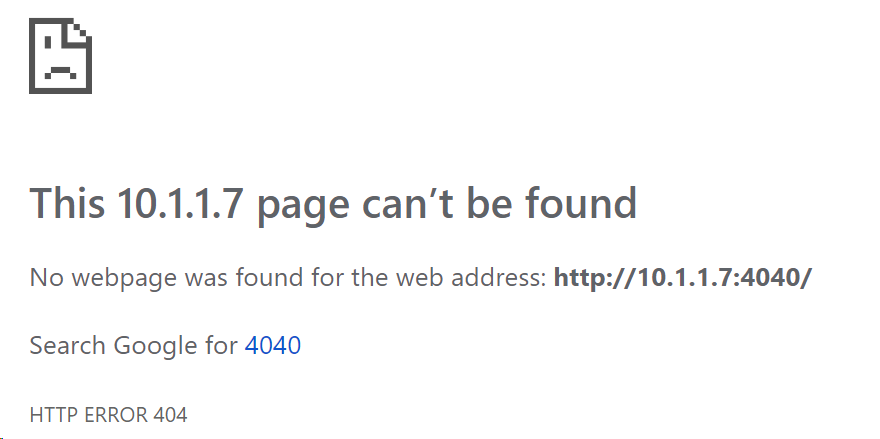
http://myserver:4040/
-
Just a whole lot of repetition of what's in this post: No java errors for weeks, and those were broken pipes from when I shut down the server with active clients connected.
-
It appears to just run /init # docker inspect -f "{{.Name}} {{.Config}}" 261c3c6b814c /Airsonic {261c3c6b814c false false false map[4040/tcp:{}] false false false [CONTEXT_PATH=airsonic JAVA_OPTS=-Xms512m -Xmx1024m TZ=America/New_York HOST_OS=Unraid PGID=100 PUID=99 PATH=/usr/local/sbin:/usr/local/bin:/usr/sbin:/usr/bin:/sbin:/bin HOME=/root LANGUAGE=en_US.UTF-8 LANG=C.UTF-8 TERM=xterm AIRSONIC_HOME=/app/airsonic AIRSONIC_SETTINGS=/config] [] <nil> true linuxserver/airsonic:latest map[/playlists:{} /podcasts:{} /config:{} /media:{} /music:{}] [/init] false [] map[build_version:Linuxserver.io version:- v10.1.2-ls3 Build-date:- 2019-02-12T14:51:50+00:00 maintainer:sparklyballs] <nil> []} Run command: root@localhost:# /usr/local/emhttp/plugins/dynamix.docker.manager/scripts/docker run -d --name='Airsonic' --net='bridge' -e TZ="America/New_York" -e HOST_OS="Unraid" -e 'PGID'='100' -e 'PUID'='99' -e 'TZ'='America/New_York' -e 'CONTEXT_PATH'='airsonic' -e 'JAVA_OPTS'='-Xms512m -Xmx1024m' -p '4040:4040/tcp' -v '/mnt/user/music/':'/music':'rw' -v '/mnt/user/music/Playlists/':'/playlists':'rw' -v '/mnt/cache/appdata/airsonic':'/config':'rw' 'linuxserver/airsonic:latest' f07ae587943255711163ed8fd7c089a110fad70a0f1ed97023335cc21a4926f2
-
Hi - I have unRAID on a SuperMicro server and on the console I can do this: # ipmi-dcmi --get-system-power-statistics Current Power : 256 Watts Minimum Power over sampling duration : 110 watts Maximum Power over sampling duration : 404 watts Average Power over sampling duration : 235 watts Time Stamp : 02/15/2019 - 06:46:10 Statistics reporting time period : 1181958000 milliseconds Power Measurement : Active I took a quick look at the code and I think I'd be able to hack in support for display of this (ideally it'd be a historical graph backed by a database, but we can start small). I'm mostly interested in the current power reading. How should I go about adding this? Thanks!
-
I'm having a hard time getting the web interface to return me anything but a 404 now. It was working fine until a couple weeks ago. Any help debugging would be appreciated: 2019-02-15 01:03:23.120 INFO --- org.airsonic.player.Application : Starting Application v10.1.2-RELEASE on 261c3c6b814c with PID 211 (/app/airsonic/airsonic.war started by abc in /app/airsonic) 2019-02-15 01:03:23.125 INFO --- org.airsonic.player.Application : The following profiles are active: legacy 2019-02-15 01:03:27.005 INFO --- o.a.p.service.SettingsService : Java: 1.8.0_191, OS: Linux 2019-02-15 01:03:40.504 INFO --- liquibase : Successfully acquired change log lock 2019-02-15 01:03:42.170 INFO --- liquibase : Reading from DATABASECHANGELOG 2019-02-15 01:03:42.343 INFO --- liquibase : Successfully released change log lock 2019-02-15 01:03:42.348 INFO --- liquibase : Successfully acquired change log lock 2019-02-15 01:03:42.358 INFO --- liquibase : Reading from DATABASECHANGELOG 2019-02-15 01:03:42.431 INFO --- liquibase : Successfully released change log lock 2019-02-15 01:03:42.828 INFO --- o.a.p.service.PodcastService : Automatic Podcast update scheduled to run every 24 hour(s), starting at Fri Feb 15 01:08:42 EST 2019 2019-02-15 01:03:42.923 INFO --- o.a.p.s.MediaScannerService : Automatic media library scanning scheduled to run every 1 day(s), starting at Fri Feb 15 03:00:00 EST 2019 2019-02-15 01:03:47.084 INFO --- org.airsonic.player.Application : Started Application in 29.728 seconds (JVM running for 30.749) When I go to the port (4040) that's mapped on the server, I get a 404. HTTP/1.1 404 Content-Length: 0 Date: Fri, 15 Feb 2019 06:09:30 GMT

