






MothyTim
Members
-
Joined
-
Last visited
Everything posted by MothyTim
-
@NoRaid99 Thanks for the info. I'll check through it all and post back!
-
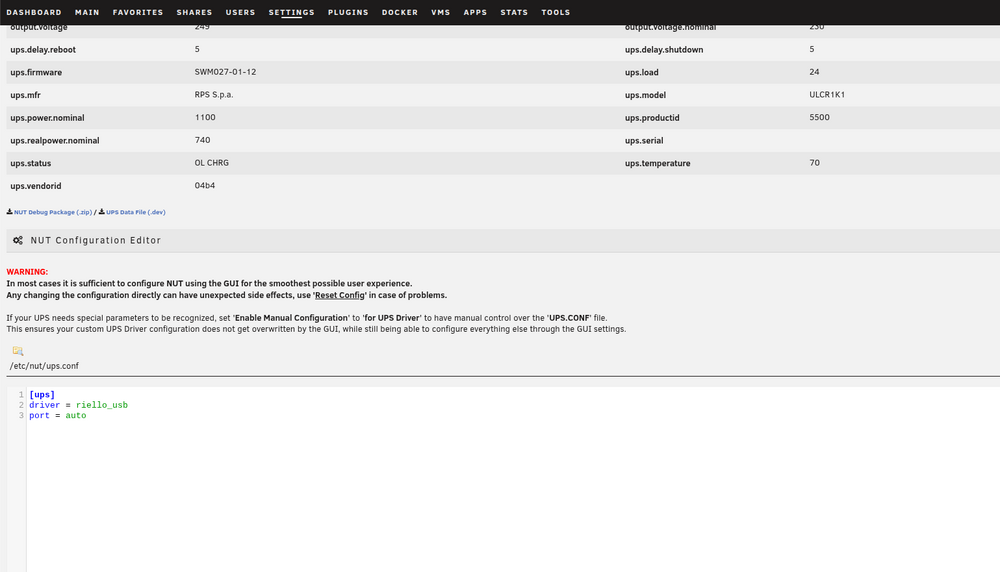
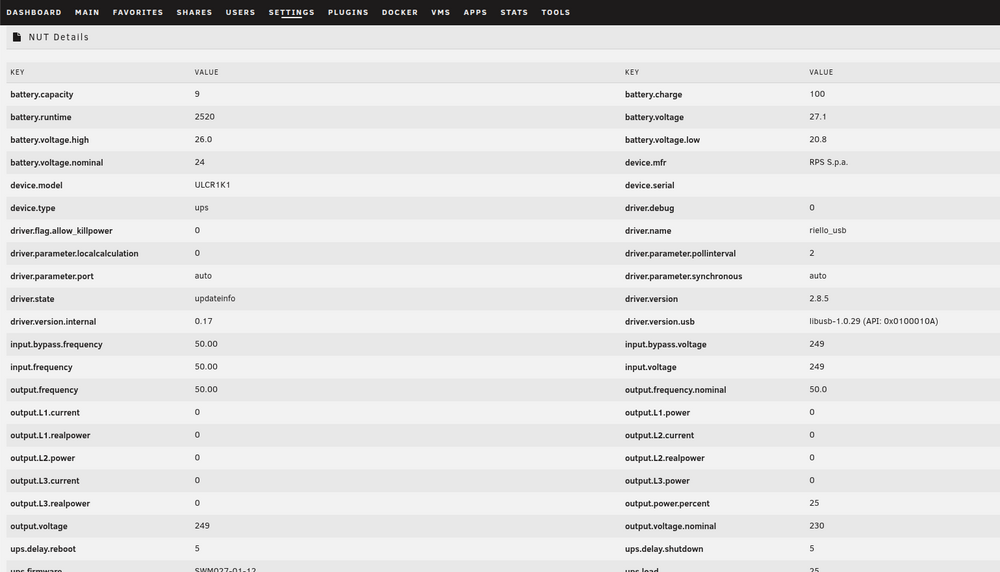
I noticed this flag is set to 0 could this be why the UPS doesn't switch off? If so shouldn't the GUI change the flag setting? driver.flag.allow_killpower 0
-
Hi, I have reported this issue on github, and thought I'd also post here in case anyone else has the same problem? I noticed that someone else reported a similar problem, but that issue is closed. Every time I reboot unRAID, I get this error: 2026-05-02 01:30:02: Sending backup failed. Error code 2. Full output: Host key verification failed. 2026-05-02 01:30:02: Host key verification failed. 2026-05-02 01:30:02: CRITICAL ERROR: ssh connection echo test failed for [email protected] with exit code 255 To fix it, I discovered that I need to re-paste my buddy's SSH key! Then it connects OK! Hoping you could look at this? Thanks, Tim
-
Yes, in the manual, it of course refers to Powershute for Windows!
-
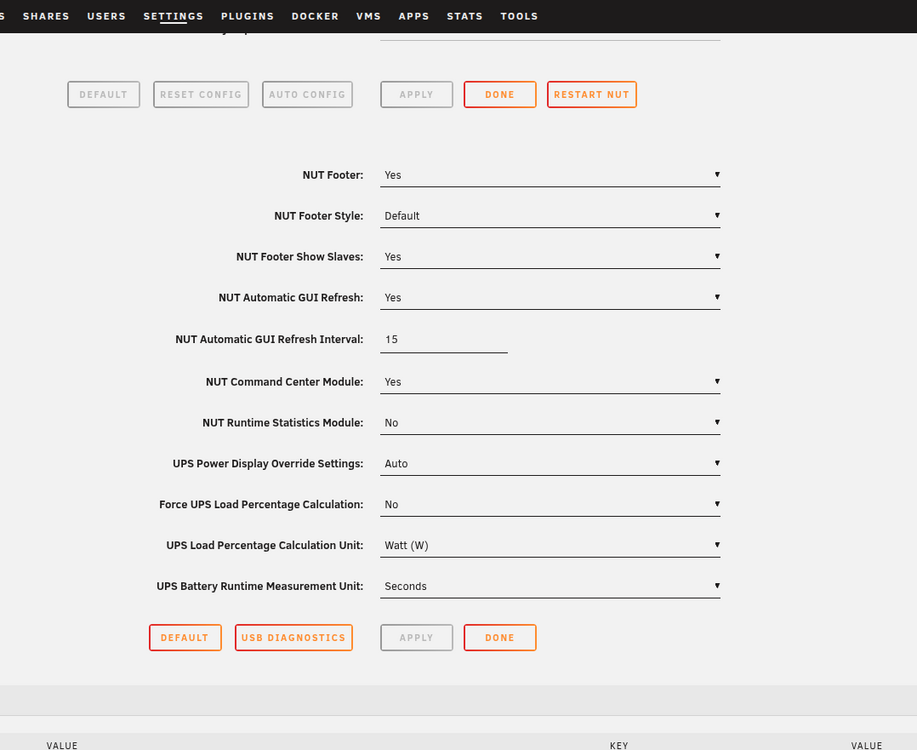
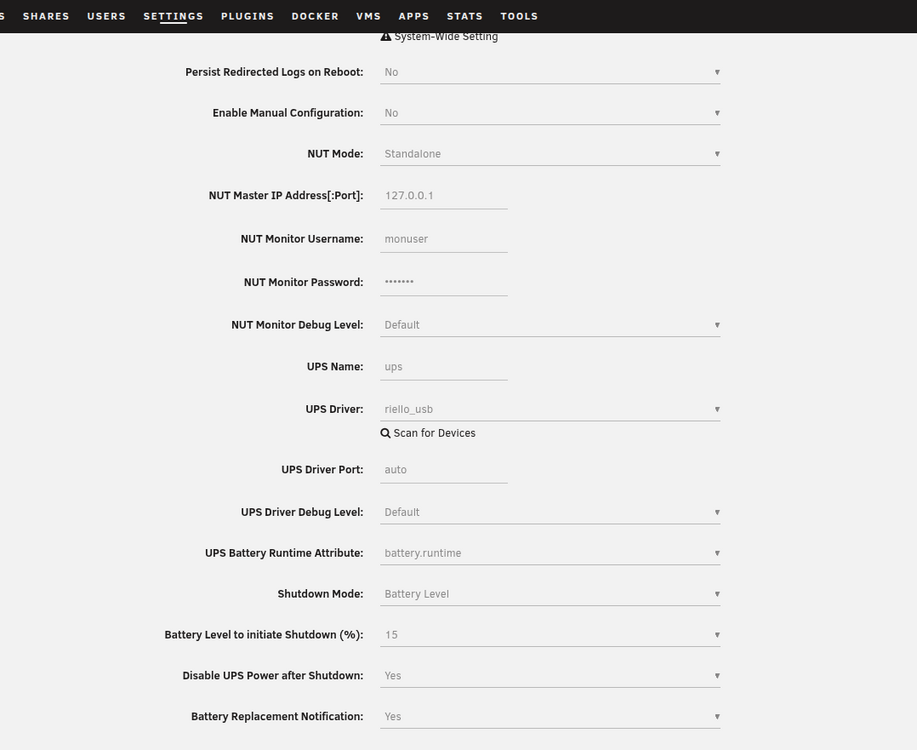
Hi, I've been using the NUT plugin for a while and have noticed that the UPS doesn't turn off after the server shuts down! It's set to do so. Have I missed something? Screenshots attached. Thanks, Tim
-
Thanks, that was it! 😊
-
Hi, I knew I should have waited! These things always go wrong for me! It boots fine using internal boot, but the data pool came up as btrfs, so I changed it to ZFS, and now it refuses to format!! Do I just wipe the whole cache drive and start again? Thanks, Tim tower-diagnostics-20260518-1341.zip
-
Hi, I'm trying to set up an Ubuntu Server VM and want it on a specific VLAN. When I select the VLAN, the VM has no network! I did the macvlan workaround back on version 6.12.4. Is this still necessary, as the vhost option has disappeared on the VMs? I'm wondering if I missed something in the release notes. The only VLAN option I have is eth0.7. The VLAN works fine in Docker containers! Cheers, Tim tower-diagnostics-20260221-1154.zip
-
Ok, I'll leave it alone then! 😊 Thanks again for you help!
-
Ok, done that and it's now re-building data! Do I let this happen? Or will it just put the corupted data back and cause same issue?
-
Ok that's worked, I did it before your answer and set the filesystem to zfs but it seems to have imported ok! disk3 is doing a data rebuild, how do I erase it and put it back to zfs? Thanks, Tim
-
Ok, so the array has started! disk3 is the backups disk, so if necessary can be deleted and the backup recreated! It's my TimeMachine and appdata backups! Re-adding pools and will let you know! Thanks, Tim
-
Ok, so I removed both pools and had already removed disk3, but still the same problem!? syslog.txt
-
Ok, strange! So I've just started the array and crashed system, I was able to copy syslog using keyboard and screen connected to server and it's attached. Array started at around 10:59 Thanks, Tim syslog.txt
-
Ok, there is both in the first diagnostics, but here is another in case it missed it somehow! :)tower-diagnostics-20250709-1817.zip
-
syslog server is enabled and set to save to flash drive. So should be in diagnostics?
-
As soon as error happens system crashes, so you can't do anything?
-
Also disk3 is my zfs disk in the array, having disabled it, I can't add it back without erasing it!!!!
-
Ok, syslog attached syslog.txt
-
Hi, having thought I was past these issues with Unraid all of a sudden it's crashed and crashes on mounting array with error PANIC: zfs: adding existent segment to range tree (offset=1a74e203000 size=20000) I don't know how to fix this! Really wish I'd never changed to zfs, it's been more trouble than it's worth!! Hoping someone knows whats going on here? Thanks, Tim tower-diagnostics-20250709-1424.zip
-
Since installing the new RAM a few months ago, there have been no more crashes! Thanks for your help on this; I'm marking it as solved! Cheers, Tim
-
Ok thanks, I'll give it a go then! 😊
-
Hi, I've been using spaceinvaderone's scripts with the Sanoid plugin, do I remove this plugin to use yours? I don't want any conflicts! Thanks, Tim
-
I have the same problem, fans are all spinning at full speed since updating to 7.0 and hoping for a fix soon?
-
One stick was bad, so I will replace it. The server is back up and running, only one stick but it's 32GB so should be ok until I can sort a replacement, so now we'll see if it's really sorted!! 😊 Thanks, for your help! 😊 Tim


