





Spoonsy1480
Members
-
Joined
-
Last visited
Everything posted by Spoonsy1480
-
You have to do this on the Plex web page settings/remote access you may need to keep trying until it finally goes green Sent from my iPhone using Tapatalk
-
No one get into shares and next cloud has a passcode Sent from my iPhone using Tapatalk
-
Radarr, sonarr have username and passwords you can set not sure about nextcloud Sent from my iPhone using Tapatalk
-
It’s working now I left it for an hour then it was working, I changed it in the template Sent from my iPhone using Tapatalk
-
Hi, im trying to set this up, I have sabnzbd setup on port 8080. so I can not use port 8080 and I have tried to change the port to 8083 and it keeps reading port 8080. how can I overcome this?
-
Thanks spaceinvader one mine is working now Sent from my iPhone using Tapatalk
-
Was trying to Goto the admin page again, It’s working now but how do I connect with my unRAID GUI Sent from my iPhone using Tapatalk
-
Where from? Sent from my iPhone using Tapatalk
-
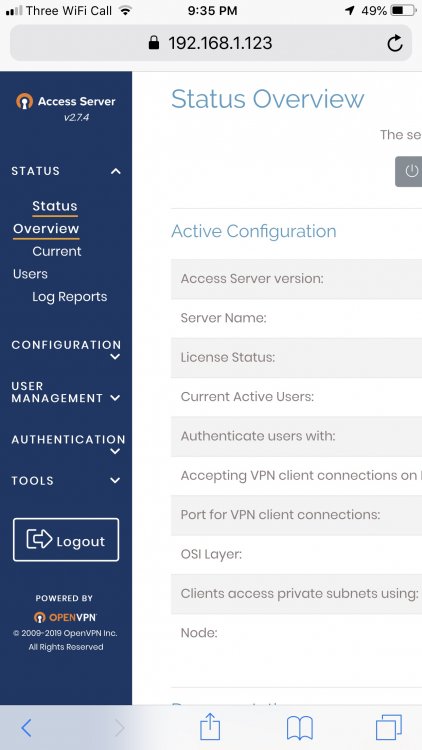
I cannot find the ovpn file to download Sent from my iPhone using Tapatalk
-
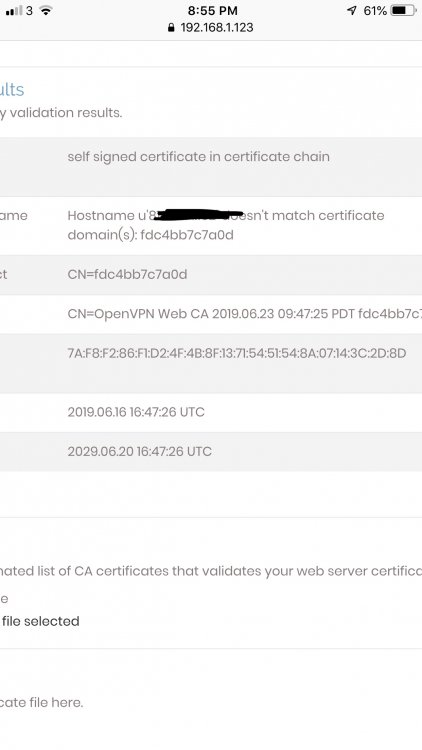
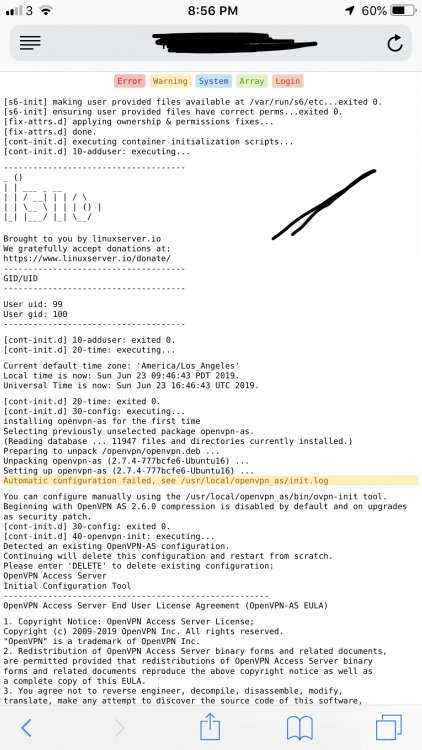
I’m having trouble setting this up I get this I cannot find the OpenVPN file to download for my client set up? Sent from my iPhone using Tapatalk
-
I can access my apps internally as well as remotely my isp is bt and I have the smart hub Sent from my iPhone using Tapatalk
-
I got mine working by using the guide above and this guide https://github.com/PGBlitz/PGBlitz.com/wiki/CloudFlare I use my own domain I deleted the wildcard and added a page rule, forced update on let’s Encrypt and it now works Sent from my iPhone using Tapatalk
-
I have the opposite to you port 80 is closed but 443 is open Sent from my iPhone using Tapatalk
-
I have v6 I had to add HTTP and HTTPS but only 80 shows closed Sent from my iPhone using Tapatalk
-
If I knew that I would open it Maybe I will try resetting back to factory settings Sent from my iPhone using Tapatalk
-
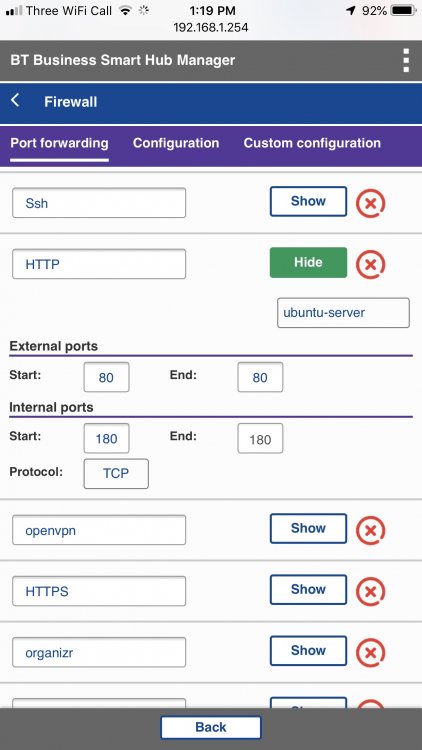
The problem I have is a BT smart hub, I can not open Port 80 trying to find a solution Sent from my iPhone using Tapatalk
-
Yes I read you post went back through the thread an all I could find was that it didn’t matter as far as I could find out. yesterday I go to radarr.mydomain.com and today I cannot access any of them that is the only error I see. so I am stumped
-
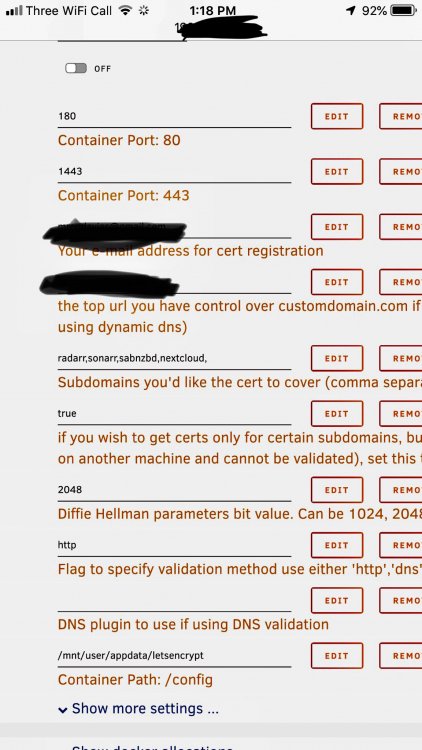
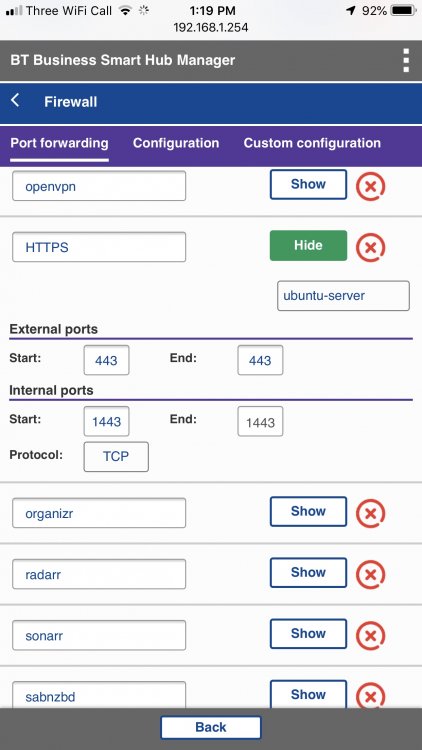
If this that wasn’t the problem I am really confused these are my settings It was working but now it isn’t any help would be grateful Sent from my iPhone using Tapatalk
-
http validation is selected Certificate exists; parameters unchanged; starting nginx [cont-init.d] 50-config: exited 0. [cont-init.d] 99-custom-files: executing... [custom-init] no custom files found exiting... [cont-init.d] 99-custom-files: exited 0. [cont-init.d] done. [services.d] starting services [services.d] done. nginx: [alert] detected a LuaJIT version which is not OpenResty's; many optimizations will be disabled and performance will be compromised (see https://github.com/openresty/luajit2 for OpenResty's LuaJIT or, even better, consider using the OpenResty releases from https://openresty.org/en/download.html) nginx: [error] lua_load_resty_core failed to load the resty.core module from https://github.com/openresty/lua-resty-core; ensure you are using an OpenResty release from https://openresty.org/en/download.html (rc: 2, reason: module 'resty.core' not found: no field package.preload['resty.core'] no file './resty/core.lua' no file '/usr/share/luajit-2.1.0-beta3/resty/core.lua' no file '/usr/local/share/lua/5.1/resty/core.lua' no file '/usr/local/share/lua/5.1/resty/core/init.lua' no file '/usr/share/lua/5.1/resty/core.lua' no file '/usr/share/lua/5.1/resty/core/init.lua' no file '/usr/share/lua/common/resty/core.lua' no file '/usr/share/lua/common/resty/core/init.lua' no file './resty/core.so' no file '/usr/local/lib/lua/5.1/resty/core.so' no file '/usr/lib/lua/5.1/resty/core.so' no file '/usr/local/lib/lua/5.1/loadall.so' no file './resty.so' no file '/usr/local/lib/lua/5.1/resty.so' no file '/usr/lib/lua/5.1/resty.so' no file '/usr/local/lib/lua/5.1/loadall.so') Server ready this is what i get how do i fix this, i have absolutely no idea what this means
-
#!/bin/bash #---------------------------------------------------------------------------- #first section makes the folders for the mount in the /mnt/disks folder so docker containers can have access #there are 4 entries below as in the video i had 4 remotes amazon,dropbox, google and secure #you only need as many as what you need to mount for dockers or a network share mkdir -p /mnt/disks/tdrive mkdir -p /mnt/disks/gdrive #This section mounts the various cloud storage into the folders that were created above. rclone mount --max-read-ahead 1024k --allow-other tdrive: /mnt/disks/tdrive & rclone mount --max-read-ahead 1024k --allow-other gdrive: /mnt/disks/gdrive & I have modified the script from spaceinvader one to this and now it works thanks for your help
-
gdrive] type = drive client_id = xxxxxxxxxxxxxx client_secret = xxxxxxxxxxx scope = drive token = {"access_token":"xxxxxxxx [tdrive] type = drive client_id = xxxxxxxxx client_secret = xxxxxxxxx scope = drive token = {"access_token xxxxxxxx team_drive = xxxxx
-
How do I direct mount it all my data is already on my tdrive, not worried about uploading as I have hetzner cloud server for that as my upload speed is poor. my tdrive already has folders on it, I would just like plex to play them from unRAID server
-
Hi, im trying to setup rclone with gdrive and tdrive without it being encrypted how do I do this as I don’t need gdrive_media_vfs and tdrive_media_vfs and without them your script does not work





