





hkinks
Members
-
Joined
-
Last visited
-
Had also the same issues with installing RSA. Looks like in `/usr/local/emhttp/plugins/openvpnserver/scripts/rc.openvpnserver` line 376 it tries to get the easy-rsa zip url, but something must have changed and it fails to parse it out correctly: EASYRSA_DL_VERSION=$(curl --fail --silent https://github. com/OpenVPN/easy-rsa/ | grep zip | grep archive | cut - d\" -f16 | cut -d\" -f1 | sed 's#^#https://github.com#g' | grep -v "sig") For a quick dirty fix I just hardcoded the package url there.
-
Thanks, not specifying the WORDPRESS_DB_HOST was basically what I was looking for. I was somehow under assumption these env vars are obligatory. Without it I was presented with Wordpress installer's own database credentials view and could specify the database name there like you said. Personally I just prefer to manage databases from one dbms instance, better overview and easier to remember what is going on.
-
Thanks for answering! I would simply like to name the database differently than the default 'wordpress' since I can have multiple wordpress sites using the same MariaDB server. Would be really convenient to set it as a docker env var when running it, e.g. WORDPRESS_DB_NAME. Maybe if I explain my setup workflow it is better understood or maybe I am overlooking some easier solution. I want to set up a wordpress site for a blog let's say. I create database 'wp_blog' and user 'wp_blog' with access rights to that db. I configure the Wordpress docker, however I can only specify database host, user and a password at this point. When I start the container and visit the site I would get message "Error establishing a database connection". The reason is that it expects database name to be 'wordpress'. So what I do in this case is 1) go to mapped volume /mnt/user/appdata/wp_blog/wp-config.php 2) modify the line define( 'DB_NAME', 'wordpress'); to use 'wp_blog' instead. after that everything works as expected and can continue installing WordPress.
-
Is there any way of giving the wordpress database name as an environment variable? Right now I can only modify wp-config.php manually if I have the database with different name.
-
Received mine and looks good! Thanks a lot!
.thumb.jpg.7d6578cccc1aa81657465d8958a36ac9.jpg)
-
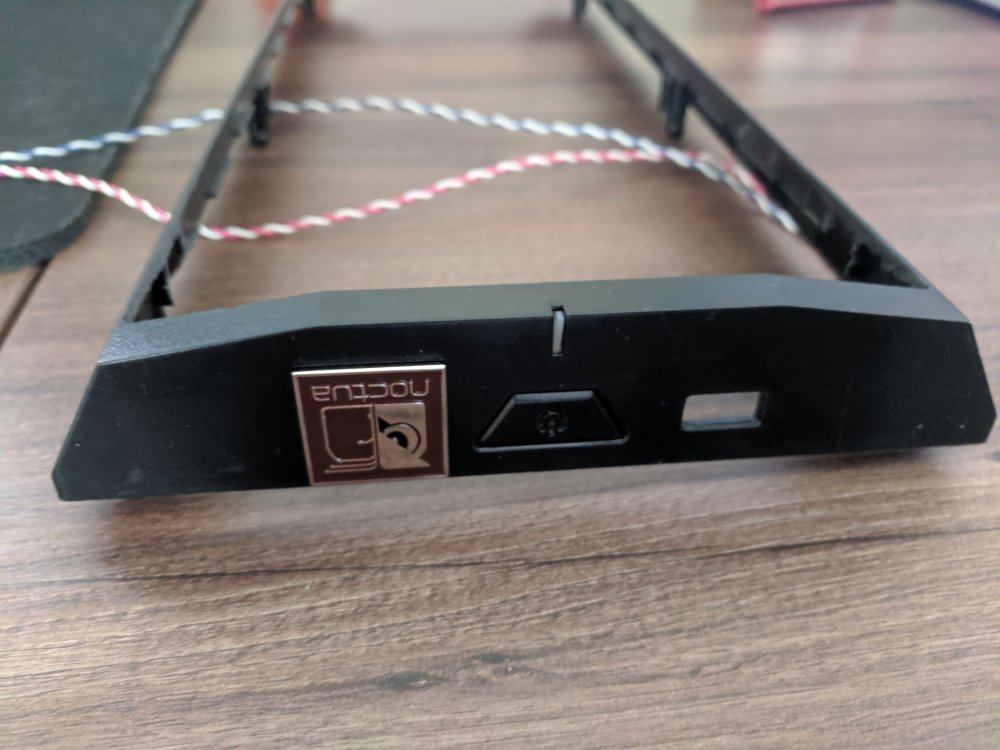
Been using Unraid for couple of years now and loving it. Planning to extend it and found a really cool case modification solution in this thread by Nilsen. It's going great so far, however due to the modifications there will be ugly looking USB holes left. I thought the Unraid badge would fit ideally to cover it 😀 Happy birthday and keep on going !
.jpg.8b6dd97afa118e3e2d20a4ea3c7d2bbb.jpg)

