





manderso
Members
-
Joined
-
Last visited
Everything posted by manderso
-
Did you get anywhere with this? What did you end up doing?
-
Understood. Thanks for the help.
-
I deleted and re-created the docker.img file. Then re-installed all the apps. They all worked, until I added a second port to the VPN_INPUT_PORTs on my binhex-qbittorrentvpn container. I'm trying to allow multiple apps to use the qbittorrent vpn network. Once I added that second port, the container restarts fine, but then the docker UI is inaccessible again. Is there anything I can do to resolve this, other than re-do the docker.img again?
-
Can anyone suggest anything to try here?
-
What's odd is that while I can't click anything when I'm on the docker tab, the docker panel on my dashboard is accessible and can be used.
-
here's a diag w/ docker actually started... tower-diagnostics-20260513-1312.zip
-
I updated a container, adding a port to qbittorrent config. After that, I can see the docker UI, but the "thinking" graphic stays on the screen, and the mouse won't click anything, also in the "thinking' graphic. I can click back and go to other pages in Unraid fine, but anytime I hit the docker page, can't get past the thinking graphic. I've restarted, disabled and re-enabled docker. Changed docker network settings from macvlan to ipvlan and restarted again. No change. I've had docker started, and stopped each container from the command line, and the ui shows that the containers are stopped, but still it's not accessible w/ the thinking graphic. I'm on 7.2.6 since yesterday. tower-diagnostics-20260513-1305.zip
-
Thank you!
-
I swapped out motherboard and CPU on my unraid server, and since then, the sabnzbd UI won't load. I've attached the logs as per the help instructions. Any help would be greatly appreciated. Thank you sabnzbd_container_out.txt sabnzbd_supervisord.txt
-
https://www.facebook.com/share/d6cPaWimnfeF7tQM/?mibextid=79PoIi sonnet tempo sata e4p pi47042-2p3b wondering if this will be supported in unraid. Thanks.
-
Random question, and I don't think it's been asked yet. I'm monitoring qBittorrent/data/logs/qbittorrent.log from a splunk universal forwarder container. The log is getting saved as 600, so the splunk user from the other container cannot read it. How would I go about changing the permissions for that file (without having to do it manually) to be readable to others? Thank you
-
Yep. Thought I had copied over the new file, guess I didn't. Sorry to bother you. Thanks for the help.
-
I'm still getting "the remote line is referencing PIA legacy network which is now shutdown" error, even though I've downloaded the newest openvpn.zip file from PIA, and am using the latest (and tried the test) branch of binhex-delugevpn. I've also tried another ovpn file (usually using CA\ Montreal.ovpn, tried CA\ Toronto.ovpn), and get the same error. What am I doing wrong? 2020-12-17 11:34:30.164925 [info] PUID defined as '99' 2020-12-17 11:34:30.189888 [info] PGID defined as '100' 2020-12-17 11:34:30.871321 [info] UMASK defined as '000' 2020-12-17 11:34:30.894360 [info] Permissions already set for volume mappings 2020-12-17 11:34:30.918113 [info] Deleting files in /tmp (non recursive)... 2020-12-17 11:34:30.945285 [info] VPN_ENABLED defined as 'yes' 2020-12-17 11:34:30.969321 [warn] VPN_CLIENT not defined (via -e VPN_CLIENT), defaulting to 'openvpn' 2020-12-17 11:34:30.992415 [info] VPN_PROV defined as 'pia' 2020-12-17 11:34:31.608775 [info] OpenVPN config file (ovpn extension) is located at /config/openvpn/CA Toronto.ovpn 2020-12-17 11:34:31.646677 [crit] VPN configuration file '/config/openvpn/CA Toronto.ovpn' 'remote' line is referencing PIA legacy network which is now shutdown, see Q19. from the following link on how to switch to PIA 'next-gen':- https://github.com/binhex/documentation/blob/master/docker/faq/vpn.md exiting script... client dev tun proto udp remote ca-montreal.privateinternetaccess.com 1198 resolv-retry infinite nobind persist-key persist-tun cipher aes-128-cbc auth sha1 tls-client remote-cert-tls server auth-user-pass compress verb 1 reneg-sec 0 <crl-verify> -----BEGIN X509 CRL----- ... -----END X509 CRL----- </crl-verify> <ca> -----BEGIN CERTIFICATE----- ... -----END CERTIFICATE----- </ca> manderso@Tower:/mnt/user/appdata/binhex-delugevpn$ ls -al openvpn/ total 16 drwxrwxr-x 1 nobody users 124 Dec 17 11:34 ./ drwxrwxr-x 1 nobody users 486 Nov 8 14:40 ../ -rwxrwxr-x 1 nobody users 3180 Dec 17 11:34 CA\ Toronto.ovpn* -rwxrwxr-x 1 nobody users 2025 Dec 17 11:03 ca.rsa.2048.crt* -rwxrwxr-x 1 nobody users 20 Nov 11 08:26 credentials.conf* -rwxrwxr-x 1 nobody users 869 Dec 17 11:03 crl.rsa.2048.pem* Thanks for your help.
-
Are you saying you were able to get your fusionio drive working in unraid using the steps above? Are you using it as a cache drive, and is it working as expected? Thanks
-
Finally figured this out by looking in the letsencrypt.log file in /config. Was seeing this: and i'm not sure how I solved it, but that the account in the mentioned directory was not there. I originally had 2 sub domains set to get a cert, and stopped using one of them and deleted it in the settings, then hit apply, which brought the image down again and for some reason, added a new account to the directory. Letsencrypt saw it and allowed the cert to renew.
-
Looking at page information, on the security tab in firefox, for my nextcloud page, I see Verified by: Let's Encrypt, Expires on: December 28, 2019.
-
That came from nextcloud that said my cert had expired. And I haven't changed any settings, including networking. I had followed spaceinvaders guide for setting up nextcloud behind a letsencrypt cert, and that's using a proxynet network I setup for this purpose.
-
I've had this container running for some time, and until recently it's been fine. However, my certs now aren't being renewed. I'm being told that the cert I have assigned to my nextcloud instance has expired. I'm getting the following logs in my letsencrypt container: nginx: [emerg] still could not bind() nginx: [alert] detected a LuaJIT version which is not OpenResty's; many optimizations will be disabled and performance will be compromised (see https://github.com/openresty/luajit2 for OpenResty's LuaJIT or, even better, consider using the OpenResty releases from https://openresty.org/en/download.html) nginx: [error] lua_load_resty_core failed to load the resty.core module from https://github.com/openresty/lua-resty-core; ensure you are using an OpenResty release from https://openresty.org/en/download.html (rc: 2, reason: module 'resty.core' not found: no field package.preload['resty.core'] no file './resty/core.lua' no file '/usr/share/luajit-2.1.0-beta3/resty/core.lua' no file '/usr/local/share/lua/5.1/resty/core.lua' no file '/usr/local/share/lua/5.1/resty/core/init.lua' no file '/usr/share/lua/5.1/resty/core.lua' no file '/usr/share/lua/5.1/resty/core/init.lua' no file '/usr/share/lua/common/resty/core.lua' no file '/usr/share/lua/common/resty/core/init.lua' no file './resty/core.so' no file '/usr/local/lib/lua/5.1/resty/core.so' no file '/usr/lib/lua/5.1/resty/core.so' no file '/usr/local/lib/lua/5.1/loadall.so' no file './resty.so' no file '/usr/local/lib/lua/5.1/resty.so' no file '/usr/lib/lua/5.1/resty.so' no file '/usr/local/lib/lua/5.1/loadall.so') nginx: [emerg] bind() to 0.0.0.0:80 failed (98: Address in use) nginx: [emerg] bind() to [::]:80 failed (98: Address in use) nginx: [emerg] bind() to 0.0.0.0:443 failed (98: Address in use) nginx: [emerg] bind() to [::]:443 failed (98: Address in use) nginx: [emerg] bind() to 0.0.0.0:80 failed (98: Address in use) nginx: [emerg] bind() to [::]:80 failed (98: Address in use) nginx: [emerg] bind() to 0.0.0.0:443 failed (98: Address in use) nginx: [emerg] bind() to [::]:443 failed (98: Address in use) nginx: [emerg] bind() to 0.0.0.0:80 failed (98: Address in use) nginx: [emerg] bind() to [::]:80 failed (98: Address in use) nginx: [emerg] bind() to 0.0.0.0:443 failed (98: Address in use) nginx: [emerg] bind() to [::]:443 failed (98: Address in use) I hope someone can help with this. I'm not sure what to do. There are no other apps that are using 180/1443 on the unraid server.
-
And now I'm stuck again. The files are being seen, and start to download. And then at the end of the download, it starts over again. I have debug on but I don't see in the log why it would start downloading again. Can you see anything that I'm missing? davos.log
-
Makes sense. I had the download directory set incorrectly at first, and this queue was made to download before I changed the directory setting. After clearing the list of files it's started downloading. Thank you!
-
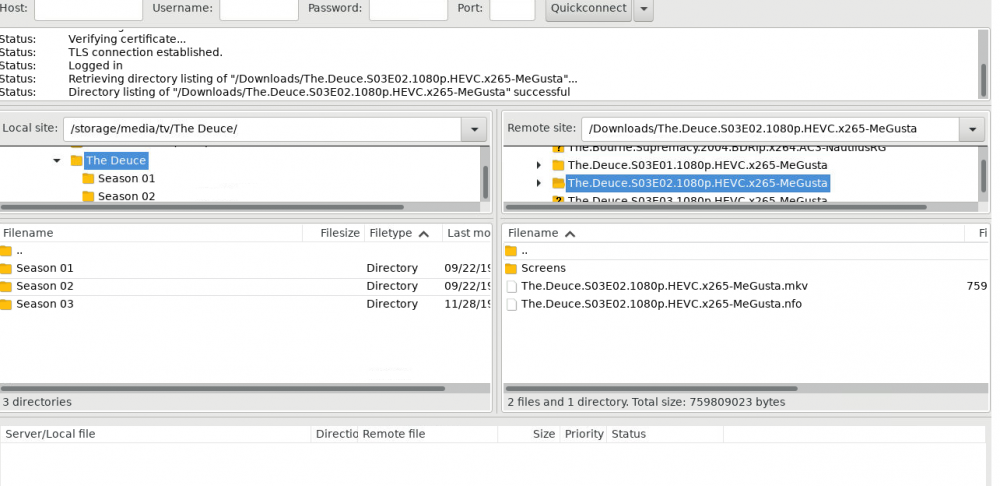
Great app, but I can't make a filter work. I'm trying to download "The.Deuce*" files from my seedbox, and I have setup two schedules, 1 for "*Deuce*" and 1 for "The.Deuce*", and both say that there are no files that match that filter, and move on. I'm attaching my davos.log, and I hope that will help you help me. Thanks very much. davos.log
-
and life is good. Needed to replace the sata cable for the cache drive. Don't know why I didn't see that earlier. thanks for your patience.
-
I'm no longer seeing my cache drive, I just noticed this. I'm not sure if it's been gone since this occurred. I've shut down the machine, reseated the cache drive and powered back on. Still not seeing it. I've stopped the array, and am unable to find the ssd that was my parity drive. I'll try another disk as cache and see what happens then.
-
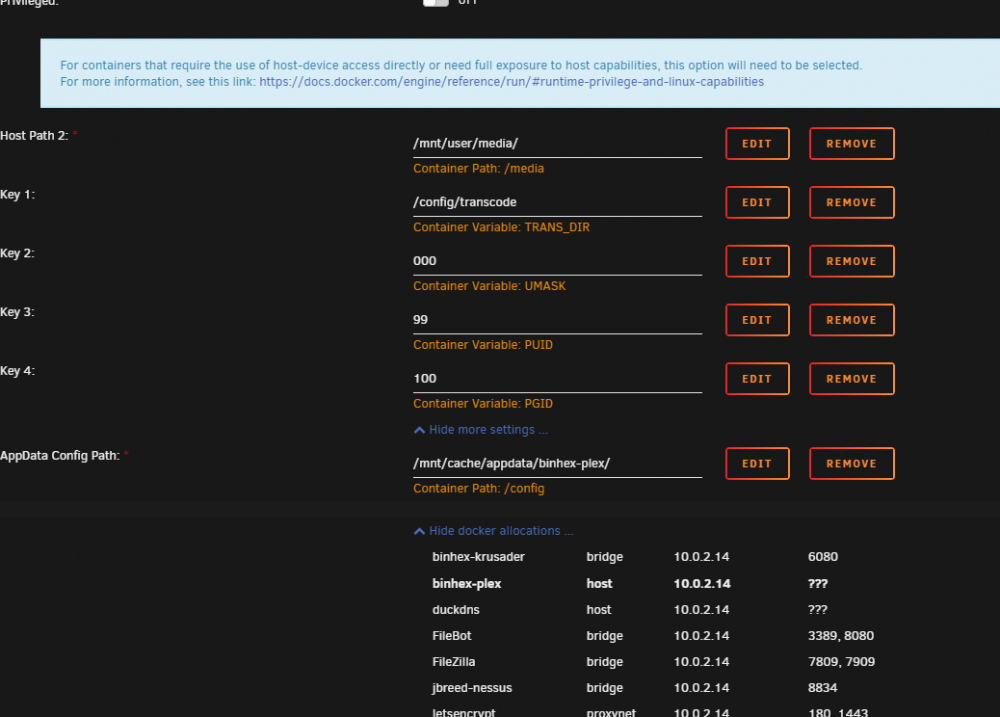
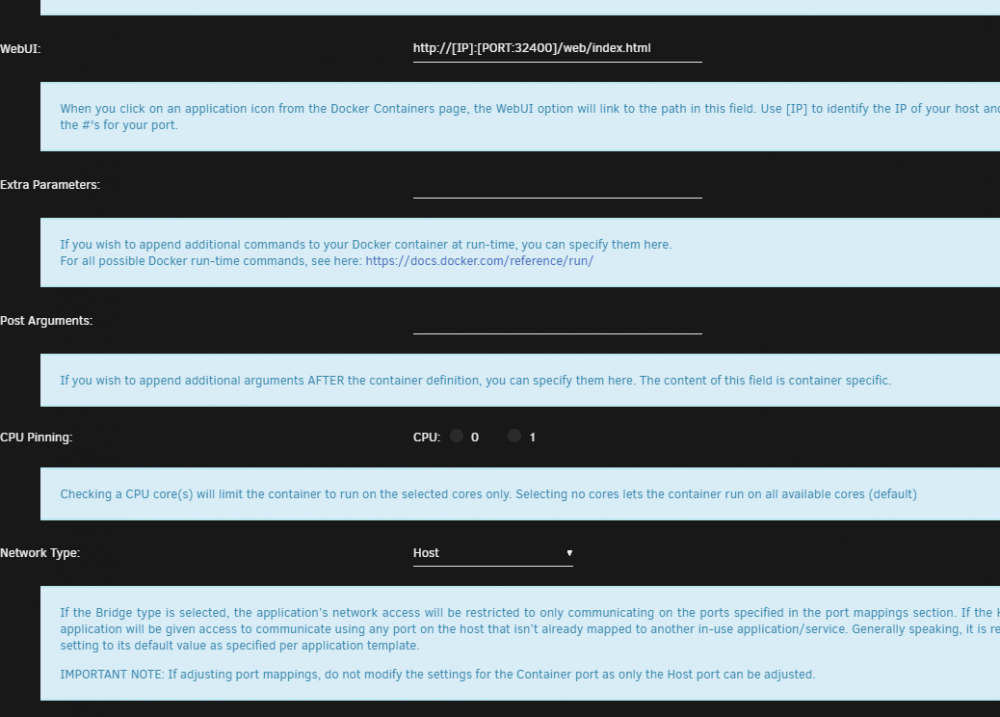
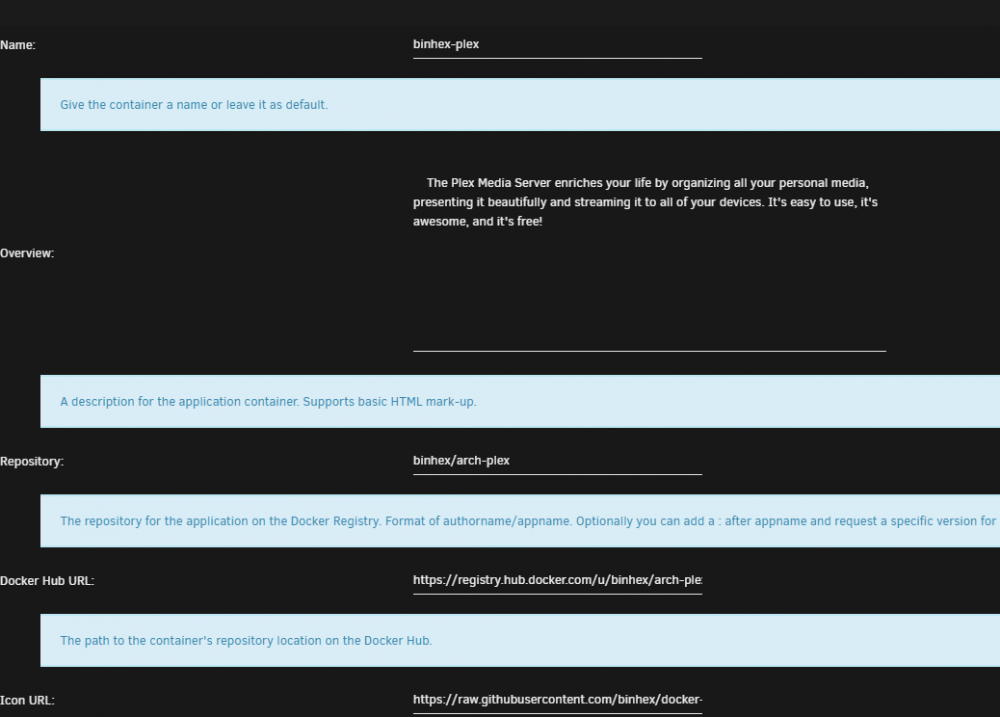
Yeah, thanks for looking. Attached are those screenshots.
-
I had an issue where my parity disk disabled. The fix was to restart, stop the array, unassign the disk, restart the array with the disk unassigned, stop again, reassign the disk and start. Once I did that, the array started building. Since the parity drive was lost, all of my Docker containers lost their settings. The appdata is still there, but Plex (nor any other docker container) doesn't find the settings. The linked thread shows what I mean. Please let me know what other details might help resolve this. I've stopped and restarted Docker, I've adjusted the network from host to bridge back to host, and still Plex doesn't see the server.


