faulty_lamp
Members
-
Joined
-
Last visited
Everything posted by faulty_lamp
-
I haven't been able to access the ui for the past few days. I am seeing the following warning in the logs. WARNING: file 'credentials.conf' is group or others accessible I've verified my credentials are correct and my PIA account is active. Any idea what could cause this?
-
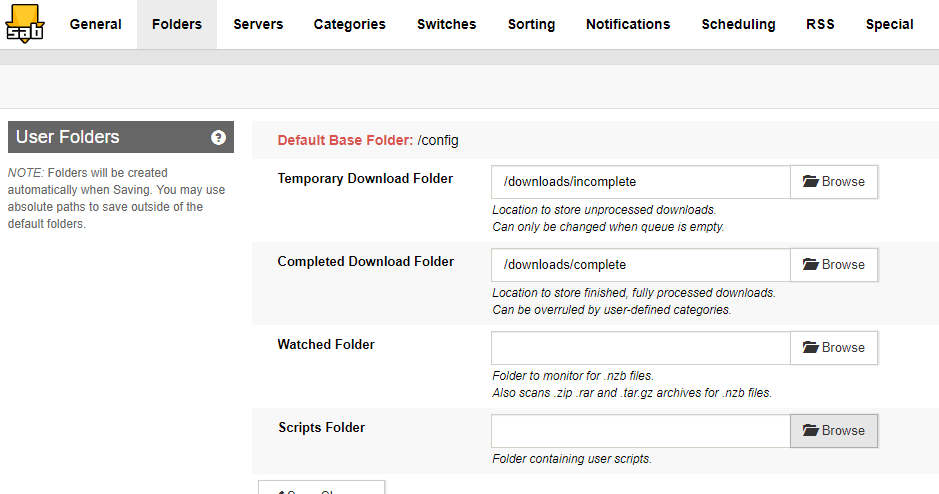
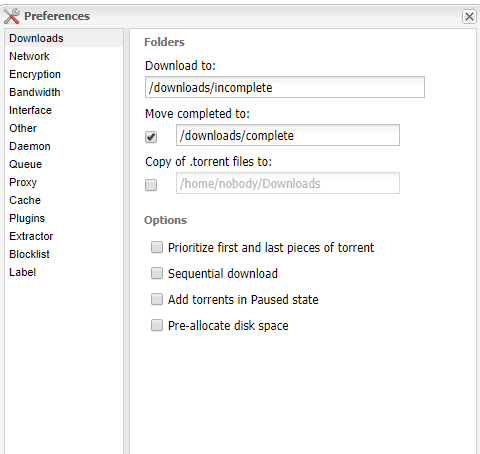
I believe that is how I have everything set up. SABnzbd Deluge Am I missing something?

-
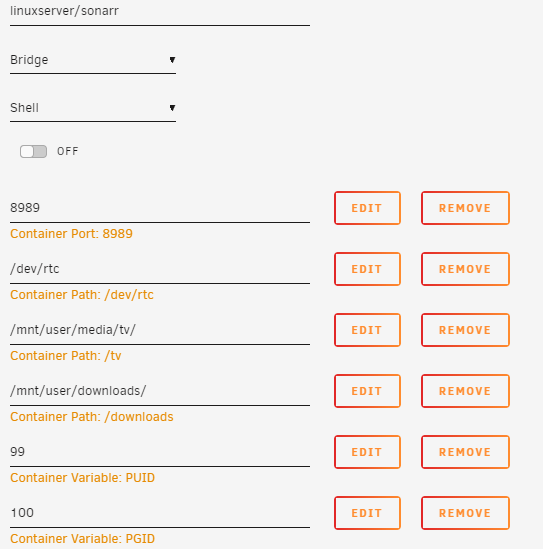
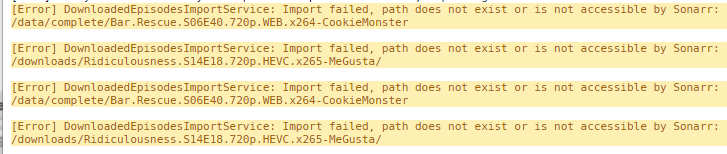
I've just moved Sonarr over to Unraid and am having trouble finding and moving files after they complete downloading. I have a user share for downloads. Inside the downloads folder I have a complete and incomplete folder. I've been able to successfully download into the complete folder using both Deluge and SABnzbd from Sonarr. No matter how long I wait thought Sonarr doesn't see the complete files and doesn't move them. Here are the logs from Sonarr And here is the docker config Any thoughts as to what I am doing wrong?