





aurevo
Members
-
Joined
-
Last visited
Everything posted by aurevo
-
Hello, unfortunately I made the mistake of not asking about the correct procedure for creating a separate network for a test environment. I created a new network with the following commands via the CLI and then stopped and started the VM manager: virsh net-define /path/to/nat-network.xml virsh net-autostart nat-net virsh net-start nat-net Now I get the above error message. Can I restore the original state? I have a complete CA backup including VM data, if needed, as of yesterday. tower-diagnostics-20240917-1314.zip
-
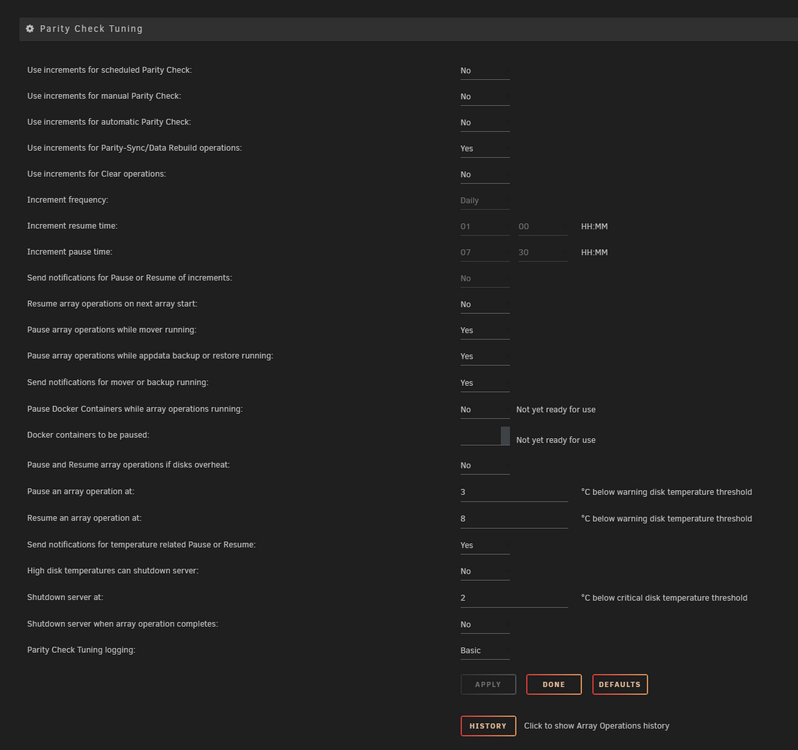
Absolutely did not think about that page. Should I turn of the increment rebuild?
-
Hello, I have exchanged an 8TB hard disk for a 16TB hard disk to get more storage space. The data rebuild started normally, but was then paused the next day. I was able to start it again, but it was paused again the next day. When I clicked on resume again, the process started all over again. Am I missing something? Attached is the diagnostics file. tower-diagnostics-20240913-1241.zip
-
Any way to get it back to system as the "old drive". With the Toshiba hard disk and if it is not defective and disk 1 would be recognized again, the parity would be valid and I only have to rebuild the second parity instead of rebuilding one parity and one data disk which is actually the same as before. I powered of the system, changed power cord and unplugged and replugged the sata data cable and now the HDD is back again. Looking forward if some errors appear again. At the moment I use 3 power cords from one PSU to the HDDs, some of them with splitter, some without. backup-diagnostics-20240220-1918.zip
-
I ran a Lubuntu Live Disk from USB stick for the last approx. 36 hours without any crash or something. After restarting the above mentioned disk is missing. Disk 1 is also missing, but should be HGST_HUS726060ALE614_W2503880 (maybe wrong drive letter or something after switching cables or so) backup-diagnostics-20240220-1727.zip
-
Yes, restarted the server more than one time after hanging and after restart without doing anything else it freezes again. Interesting is, that in the meantime of the memtest nothing everything was okay. But maybe that was coincidence. syslog-10.10.10.21.log
-
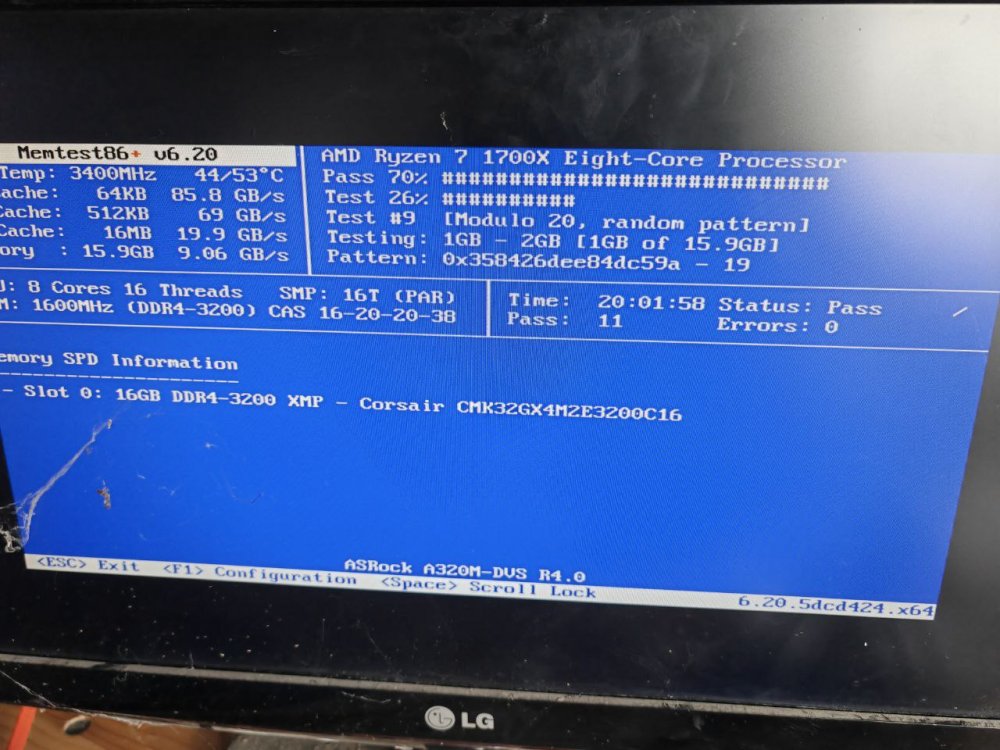
Yes, image attached was the third run. Did the automatic starting run twice and than choose every test that was possible to choose and let it run. Image is from yesterday. It run longer until now and still no errors.
-
Are there any hints in the logs as to what could be causing the crash or the system hang? The server ran for months without any problems or dropouts, I just installed the same components in a new case and replaced the hard disks. In the course of this I only updated UnRAID to the latest version, but at least I had no problems with this on my other system.
-
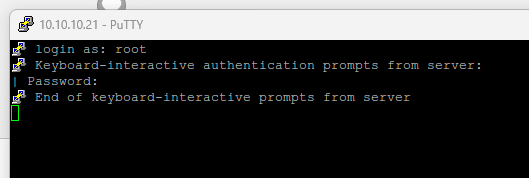
Changed SATA cable to one from crossflashed adapter and used another power cable too. SMART check was on 20% as system got partially unavailable again. Webinterface is unavailable, ping is possible but no connection possible via SSH, stuck at prompt. syslog-10.10.10.21.log
-
Tried it several times. Same error each time. Feb 14 17:14:18 Backup kernel: ata1: link is slow to respond, please be patient (ready=0) Feb 14 17:14:22 Backup kernel: ata1: softreset failed (device not ready) Feb 14 17:14:23 Backup kernel: ata1: SATA link up 6.0 Gbps (SStatus 133 SControl 300) Feb 14 17:14:23 Backup kernel: ata1.00: configured for UDMA/133 Also after a reboot, array stopped and disk not in slot.
-
A few seconds after starting SMART check I got: Interrupted (host reset) syslog-10.10.10.21.log
-
Changed power cable to another string from PSU and changed SATA cable from D2607 to onboard controller. Some time after starting extended SMART test, the system hang and became unavailable. Does it looks like defect HDD or still cable or power? An what could be the reason for the whole system to hang? backup-diagnostics-20240213-1813.zip syslog syslog-previous
-
I changed the adapter to a crossflashed D2607-A21. After a few hours one of the parity disks had a red cross for defect/missing so I changed it today against a new HDD. I started parity rebuild, but some moments ago Disk 1 had the same red X, so I shutdown device to look forward what to do next. It's so annoying. backup-diagnostics-20240212-1704.zip
-
The errors like Feb 4 15:00:14 Backup kernel: ata12.02: mean it is device [12:0:0:0]disk ATA HGST HUS726060AL WD05 /dev/sdi 6.00TB under system devices, correct? So only one HDD throughs this error messages at the moment right?
-
So I actually changed all SATA data cables to new ones and started a parity rebuild to dual parity folowing you tips. The rebuild was successful but this night system got unreachable and I hat to restart it unclean. As for now I see several errors in system log. Can you check if this could be a connection problem or are there some possible hardware failures. For now I don't know what I should do next. Maybe change an HDD or change SATA adapter or something else. And I don't know why the system froze or was unresponsible this night/morning. backup-diagnostics-20240204-1443.zip syslog
-
So for check and double check: My plan would be to assign all drives as before, changing Disk 3 (the empty new one) against the old one with data on it and changing from single parity to dual parity. Would this be an option?
-
Since I have to restore parity in this case in any case, would it be possible to go directly to dual parity with two new 8TB hard disks or is there something in the way of this option?
-
I changed Disk 3 to a new, empty one because I thought it was defect. But some posts ago I tried to mount the "old previous disk" via Unassigned Devides and that worked. So I think I can assign it back and will have access to the data, correct?
-
I have a screenshot of the old configuration, so I know the old disk assignment. The only thing I changed was Disk 3 against a new HDD, because I thought it was defect. So I invalidated parity. What would be the correct procedure to get the system up and running again? Assign the hard disks as before and then start the array?
-
I changed the SATA cable and connected the HDD to the onboard controller instead of the other one. Does this looks better in logs or still errors? Should this errors appear in system log or another one? backup-diagnostics-20240129-1443.zip
-
I just bought a whole set of new SATA data and power cables and will install them tomorrow to rule out the cables as the cause.
-
As I have unfortunately just discovered, no.
-
Only on one specific disk or on more than one? I did not had any other problems with this controller constellation. Also running such an controller in my main UnRAID build without problems. I currently think the problems elsewhere. But I only think so.
-
Hi, I am sorry to write back this late. Ordered a new case and assambled everything in the new case today. The disk configuration is still lost. Checked usb device, looks good, is read-and writable from within Windows and UnRAID itself. New diagnostics attached. Hope to recover all my data or get the system running. backup-diagnostics-20240129-1243.zip
-
I am able to mount the "defect" disk with Unattended Devices Plugin without starting the array. I will run an extended SMART check, maybe it is not faulty. I think I will order new cables and splitters or change SATA adapter card. After starting the server a few minutes ago I now have an empty disk configuration. For my luck I created a screenshot of the config. Would it be the way to assign the drives as before to restart the rebuild or is there anything else I have to care of?


