Jeramie
Members
-
Joined
-
Last visited
-
Bonding won't be an issue for me, but thanks for the heads up. The QNAP QNA-UC5G1T arrived this morning and I can confirm it is plug and play woot!
-
Perfect, works for me, i've got one on order. Thanks again for your help SimonF!
-
Oh I See, are you aware of any 2.5Gbps+ usb adapters that would have drivers in stock unraid? Thanks so much for the info!
-
I am trying to add a USB C 3.0 2.5Gbps Ugreen Ethernet Dongle and was hoping it would simply be plug and play. Unfortunately, I'm not that lucky. I get link lights at 2.5gbps from the connected dongle to my 2.5gbps unmanaged switch. Unraid seems to detect that something was plugged in but i don't see it in the webui networking settings section. I have 2 1gbps nics built into my motherboard and those continue to be seen by Unraid just fine. Syslog: Aug 23 10:32:21 TheDarkTower kernel: usb 2-2: new SuperSpeed USB device number 4 using xhci_hcd Nothing further about it in dmesg or syslog I'm running Unraid 6.10.3 Any guidance would be much appreciated thedarktower-diagnostics-20220823-1139.zip
-
Updated from 6.10.0 rc3, so far so good.
-
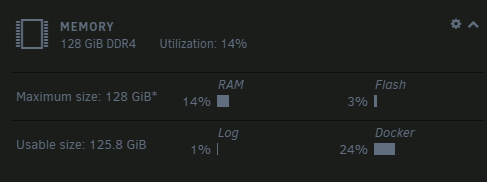
128gb, the more i become comfortable with Unraid the more VM's i'll have running.
-
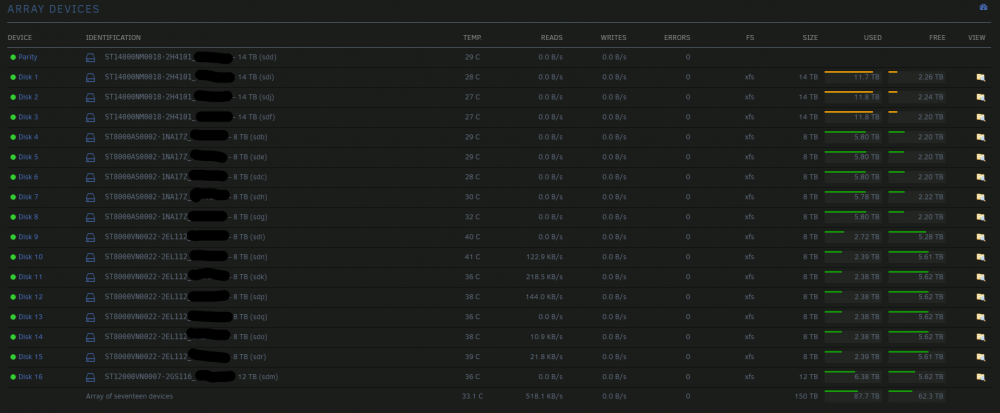
150TB plus 14tb parity although i'm slowly replacing all the 8tb drives.