





Mustangf22
Members
-
Joined
-
Last visited
Everything posted by Mustangf22
-
So anyone able to help me? any ideas?
-
One more thing. mariadb log seems strange to me. I don't know what it suppose to look like but it just keep repeating this: ------------------------------------- _ () | | ___ _ __ | | / __| | | / \ | | \__ \ | | | () | |_| |___/ |_| \__/ Brought to you by linuxserver.io ------------------------------------- To support LSIO projects visit: https://www.linuxserver.io/donate/ ------------------------------------- GID/UID ------------------------------------- User uid: 99 User gid: 100 ------------------------------------- [cont-init.d] 10-adduser: exited 0. [cont-init.d] 30-config: executing... [cont-init.d] 30-config: exited 0. [cont-init.d] 40-initialise-db: executing... [cont-init.d] 40-initialise-db: exited 0. [cont-init.d] 99-custom-scripts: executing... [custom-init] no custom files found exiting... [cont-init.d] 99-custom-scripts: exited 0. [cont-init.d] done. [services.d] starting services [services.d] done. 201108 12:59:47 mysqld_safe Logging to syslog. 201108 12:59:47 mysqld_safe Starting mysqld daemon with databases from /config/databases 201108 12:59:49 mysqld_safe Logging to syslog. 201108 12:59:49 mysqld_safe Starting mysqld daemon with databases from /config/databases 201108 12:59:51 mysqld_safe Logging to syslog. 201108 12:59:51 mysqld_safe Starting mysqld daemon with databases from /config/databases 201108 12:59:54 mysqld_safe Logging to syslog. 201108 12:59:54 mysqld_safe Starting mysqld daemon with databases from /config/databases 201108 12:59:54 mysqld_safe Logging to syslog. 201108 12:59:54 mysqld_safe Starting mysqld daemon with databases from /config/databases 201108 12:59:56 mysqld_safe Logging to syslog. 201108 12:59:56 mysqld_safe Starting mysqld daemon with databases from /config/databases..... This keeps going forever FYI if you are just arriving here my problem in short is that my nextcloud broke shortly after migrating to SWAG from Letsencrypt. It worked initially and not i get an error when trying to access it locally or remotely.
-
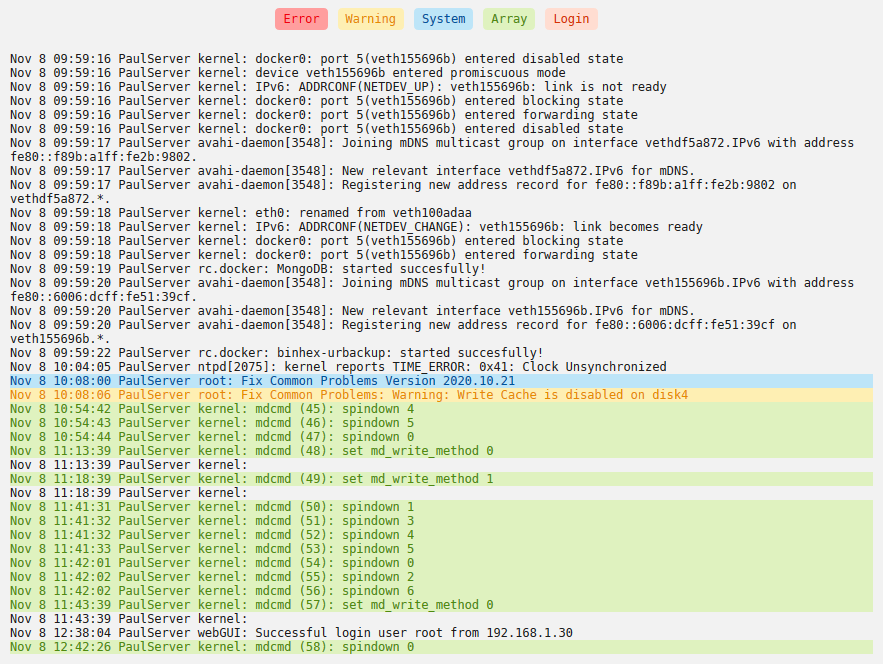
I don't know if this is related to my nextcloud not working in any way but I think my logs for unraid look a little fishy. I don't know enough about them though...
-
------------------------------------- _ () | | ___ _ __ | | / __| | | / \ | | \__ \ | | | () | |_| |___/ |_| \__/ Brought to you by linuxserver.io ------------------------------------- To support the app dev(s) visit: Certbot: https://supporters.eff.org/donate/support-work-on-certbot To support LSIO projects visit: https://www.linuxserver.io/donate/ ------------------------------------- GID/UID ------------------------------------- User uid: 99 User gid: 100 ------------------------------------- [cont-init.d] 10-adduser: exited 0. [cont-init.d] 20-config: executing... [cont-init.d] 20-config: exited 0. [cont-init.d] 30-keygen: executing... using keys found in /config/keys [cont-init.d] 30-keygen: exited 0. [cont-init.d] 50-config: executing... Variables set: PUID=99 PGID=100 TZ=America/Los_Angeles URL=duckdns.org SUBDOMAINS=MY DOMAINS... EXTRA_DOMAINS= ONLY_SUBDOMAINS=true VALIDATION=http DNSPLUGIN= EMAIL=MY EMAIL STAGING=false SUBDOMAINS entered, processing SUBDOMAINS entered, processing Only subdomains, no URL in cert Sub-domains processed are: -d MY domains.... E-mail address entered: MY EMAIL http validation is selected Certificate exists; parameters unchanged; starting nginx Starting 2019/12/30, GeoIP2 databases require personal license key to download. Please retrieve a free license key from MaxMind, and add a new env variable "MAXMINDDB_LICENSE_KEY", set to your license key. [cont-init.d] 50-config: exited 0. [cont-init.d] 60-renew: executing... The cert does not expire within the next day. Letting the cron script handle the renewal attempts overnight (2:08am). [cont-init.d] 60-renew: exited 0. [cont-init.d] 99-custom-files: executing... [custom-init] no custom files found exiting... [cont-init.d] 99-custom-files: exited 0. [cont-init.d] done. [services.d] starting services [services.d] done. nginx: [alert] detected a LuaJIT version which is not OpenResty's; many optimizations will be disabled and performance will be compromised (see https://github.com/openresty/luajit2 for OpenResty's LuaJIT or, even better, consider using the OpenResty releases from https://openresty.org/en/download.html) nginx: [warn] conflicting server name "A DOMAIN I DON't HAVE ANYTHING ON (not related to next cloud).*" on 0.0.0.0:443, ignored Server ready ^^ there is my log file for SWAG. I cannot find any glaring issues.
-
server { listen 443 ssl; listen [::]:443 ssl; server_name blakenextcloud.*; include /config/nginx/ssl.conf; client_max_body_size 0; location / { include /config/nginx/proxy.conf; resolver 127.0.0.11 valid=30s; set $upstream_app nextcloud; set $upstream_port 443; set $upstream_proto https; proxy_pass $upstream_proto://$upstream_app:$upstream_port; proxy_max_temp_file_size 2048m; } }
-
I watched space invader one's video on how to migrate to SWAG. He also said to do that. My problem was that in my config I was missing the entire line and nextcloud was working so I did not bother with it. 'trusted_proxies' => array ( 0 => 'letsencrypt', ), I did go ahead and add the line ('swag' not 'letsencrypt; of course) when my nextcloud quit working to see if that would help... no dice. Here is my current config.php: (Keep in mind that it did not have the above code when i initially went in to edit it during the migration to swap) <?php $CONFIG = array ( 'memcache.local' => '\\OC\\Memcache\\APCu', 'datadirectory' => '/data', 'instanceid' => 'ocg50mupnvc1', 'passwordsalt' => '3lxyweQb0OdlOJMmGVTA4opNSMQVVW', 'secret' => 'Ews0pvpjLKopo+GtOiOXMpRLVPenOpsJ5t/07b0+F3QJeMde', 'trusted_domains' => array ( 0 => '192.168.1.9:444', 1 => 'mydomain edited out', ), 'dbtype' => 'mysql', 'version' => '18.0.3.0', 'trusted_proxies' => array ( 0 => 'swag', ), 'overwrite.cli.url' => edited out', 'overwritehost' => 'editied out', 'overwriteprotocol' => 'https', 'dbname' => 'nextcloud', 'dbhost' => '192.168.1.9:3306', 'dbport' => '', 'dbtableprefix' => 'oc_', 'mysql.utf8mb4' => true, 'dbuser' => 'nextcloud', 'dbpassword' => '......', 'installed' => true, 'has_rebuilt_cache' => true, 'maintenance' => false, 'theme' => '', 'loglevel' => 2, );
-
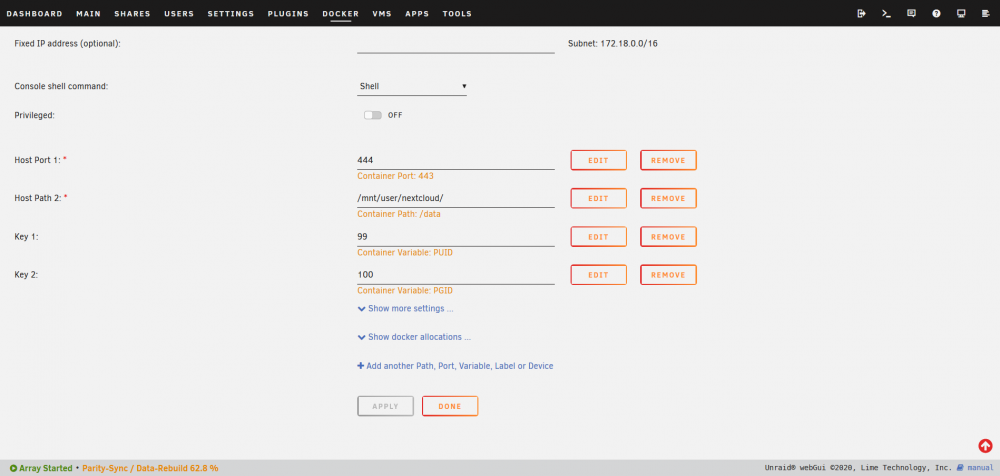
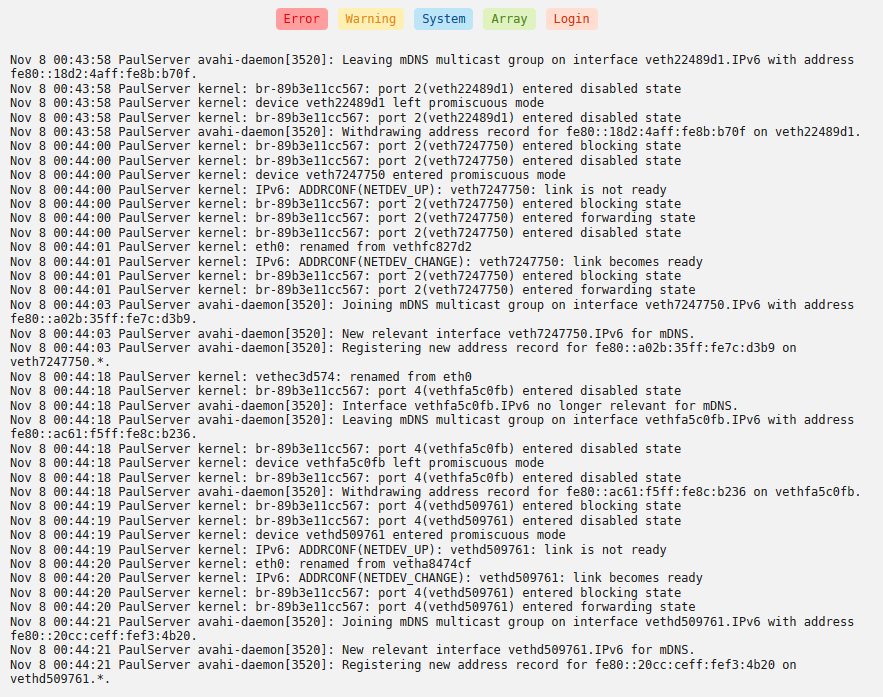
Hi all, I am having trouble reaching my Nextcloud after migrating to Swag from Letsencrypt. i cannot figure out what the problem is. i have attached some screen shots of some log files and the error i get as well as my settings for Nextcloud and Swag. Any insight would be much appreciated. I have access to my other services like Bitwarden and Calibre so I believe swag is working just fine, but i do not have access to Nextcloud. Also it might be worthy of noting that it was working initially after switching to SWAG, but broke shortly after it seemed. Not sure when. Also I am in the process of rebuilding a drive that i replaced because i thought one might be failing. the rebuild should be done by tomorrow. I seem to have access to everything including all my shares during the rebuild except Nextcloud. So I did not think that this rebuild is causing the issue, but I will check in the morning when it is done to see if it solves my issue. FYI I have over 30TB of storage and an 8tb drive that had 3TBs on it is being rebuilt.
.thumb.png.6b1b7ae0d04a7d2ce9a1f9c77c531b3b.png)

-
32gb
-
Did you ever figure this out? I think I have the same problem
-
Well thanks for the info. That is a bit of a bummer. Hopefully a fix comes soon....
-
So I think this is my issue. It is more unRaid than mac related. Is there a fix for AMD cards that have this problem? Can I maybe run Mac OS as i440fx rather than Q35?
-
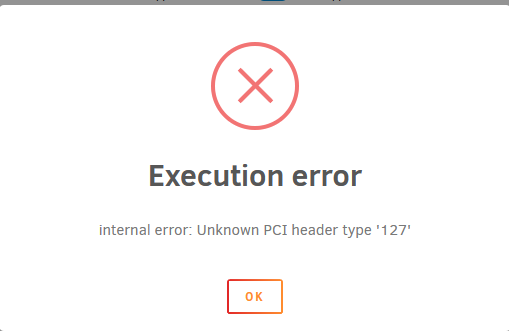
I have Catalina installed and it works well with VNC. Yet when I go to pass through my AMD 580 I get "internal error: Unknown PCI header type '127'" I have edited the XML file after pass though with only the variables in the video in thier respective places in the file. Like I said it works fine for VNC. Edit: I guess some of the code i posted was against some rule...
-
So is this the only fix to the problem to install? A new linux VM with i440fx? I really like my install and i don't want to have to set it all up again. (takes a long time with Linux) And it sounds like suRe is having problems running on i44fx with getting the latest drivers... Any information would be much appreciated

.png.fd55762a43e75250da0a86036145e46b.png)


