





peterg23
Members
-
Joined
-
Last visited
-
April 2026. ColdFusion explores how surging demand for AI infrastructure is causing a global shortage of random access memory. This scarcity threatens to raise prices and delay releases for laptops, smartphones, hard drives and gaming consoles as manufacturers pivot toward profitable data center contracts.
-
Oct 27, 2026. Alex and Ed sit down to talk about what is next for the Unraid channel and recap their trip to the 45Drives Creator Summit in Wilmington, North Carolina. They share highlights from the X4 launch event, a Street Fighter 6 tournament, and a few sneak peeks at Unraid 8. Ed also shares how he uses local AI on his Unraid server, from generating video and music to cloning voices and running models larger than his GPU memory. Plus, hear about a gaming failover demo and an AI that knows its Star Wars history.
-
Alex is now bringing his experience across open source, developer education, networking, enterprise, and technical media back to Unraid as the Head of Product Marketing . Welcome Alex. 😉
-
https://www.youtube.com/watch?v=YokafZ9WVeI Eli (Director of Product) and Alex (Head of Product Marketing) work through your top questions from Reddit. We discuss licensing, the move to Fedora, plugins, Docker Compose, security, and when you can try it.
-
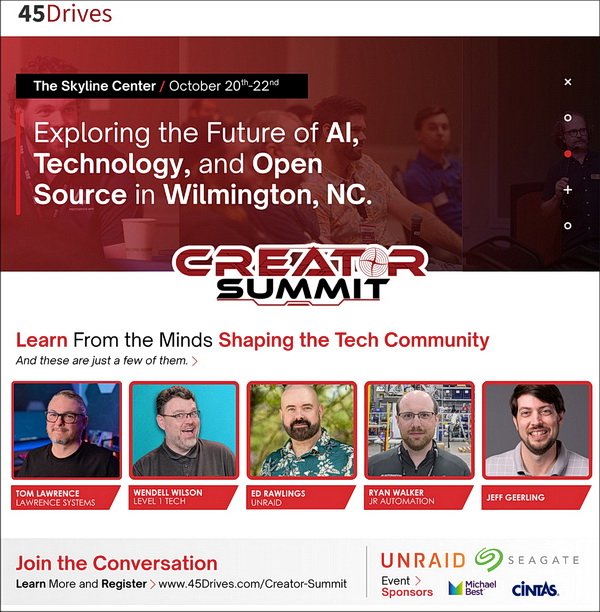
https://www.45drives.com/creator-summit/ The 45Drives Creator Summit brings together technology leaders, industry experts, innovators, and creators for a dynamic experience focused on collaboration, learning, and innovation. Through keynote presentations, panel discussions, networking opportunities, live streams, and hands-on demonstrations, attendees will explore the technologies, strategies, and infrastructure driving the future of local AI. This year's summit focuses on the growing impact of on-premises artificial intelligence, data sovereignty, and private AI deployments across enterprise technology, software, infrastructure, and creative industries. Attendees will gain practical insights into how organizations are leveraging local AI to improve operations, accelerate innovation, maintain control of their data, and unlock new opportunities in both business and creative environments.
-
As announced in the Unraid August digest Alex is now on the Unraid team. Alex’s Unraid journey started more than a decade ago, when he became an active Unraid community contributor experimenting with virtualization, GPU passthrough, Docker, and more. He later co-founded LinuxServer.io, helping make self-hosting and complex technology easier to understand. Now, Alex is bringing his experience across open source, developer education, networking, enterprise, and technical media back to Unraid. His focus: making Unraid the best-in-class for power users while making self-hosting simpler and more approachable to all.
-
https://www.youtube.com/watch?v=1orfWpekkqw Also see: https://docs.unraid.net/unraid-os/using-unraid-to/manage-storage/array/replacing-disks-in-array/
-
https://www.youtube.com/watch?v=PX6q0qCKOVM What's next: a move to a Fedora base (built on Universal Blue's uCore) for faster security updates and far better hardware support out of the box; native Docker Compose; a built-in backup solution — to the cloud, an S3 bucket, or another Unraid server, with snapshots and full restores; a plugin permission system so you can see exactly what each plugin can touch before you install it; and a cleaner, more consistent interface across the OS, your account, and Community Apps — all without taking anything away from the power users who go deep.
-
https://unraid.net/blog/unraid-7-4-beta.1
-
The BitFlip Show, is a new podcast about self-hosting, Linux, homelabs, and open source technology. Host Alex (formerly of the Self-Hosted podcast and now at Tailscale) is joined by Adam Morales from Lime Technology (Unraid), Stephen (an MSP operator running real-world infrastructure), and Geoff, a lawyer-by-day and passionate Linux homelabber. https://www.youtube.com/@BitFlipShowThe founders of Unraid and 45Drives reveal what it really takes to build a homelab — and a business — that puts you back in control of your data.This video is well worth watching and maybe has some relevance to Unraid's journey.Ed from the Uncast show explains this well here:



