





mattybeens
Members
-
Joined
-
Last visited
Everything posted by mattybeens
-
The download button worked and everything is working now.
-
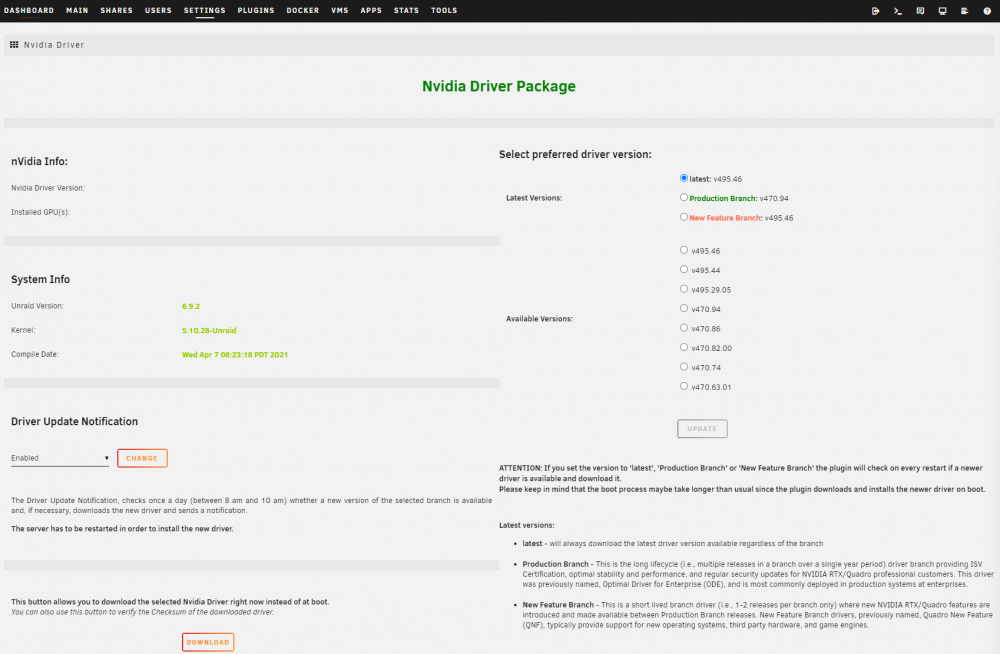
I have tried to install more than once but the initial install froze at the same stage (Installing Nvidia Driver Package v470.94). this message was at the install plugin screen, the same one that says dont click the "X". the install never finishes, i sat at this window for hours during the initial install and finally clicked the x. It appears that it gets halfway installed because in settings>userutilities i see the "nvidia driver" listed.
-
unraid-nas-diagnostics-20220108-0930.zip
-
My install gets stuck here...... i have a quadro p1000 plugin: installing: https://github.com/ich777/unraid-nvidia-driver/raw/master/nvidia-driver.plg plugin: downloading https://github.com/ich777/unraid-nvidia-driver/raw/master/nvidia-driver.plg plugin: downloading: https://github.com/ich777/unraid-nvidia-driver/raw/master/nvidia-driver.plg ... done +============================================================================== | Skipping package nvidia-driver-2021.09.17 (already installed) +============================================================================== --------------------Nvidia driver v470.94 found locally--------------------- -----------------Installing Nvidia Driver Package v470.94-------------------
-
It seems if you use an SMB share, any download files from google drive do not have read permissions after they have been downloaded.

