-
[Support] spaceinvaderone - Shinobi Pro
-
[Support] spaceinvaderone - Shinobi Pro
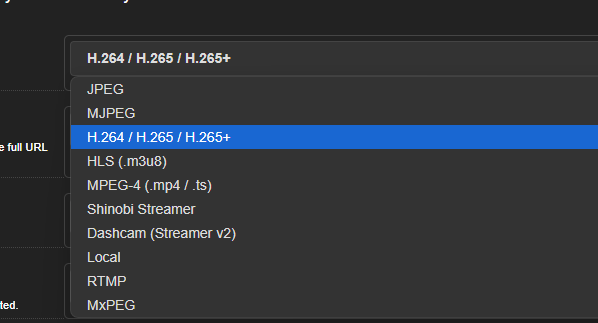
So I put my network stream link into VLC and it plays fine. Paste it into Shinobi, nothing plays. Any ideas?
-
[Support] binhex - Flaresolverr
Never mind the above. Re-installed the docker and it works now.
-
[Support] binhex - Flaresolverr
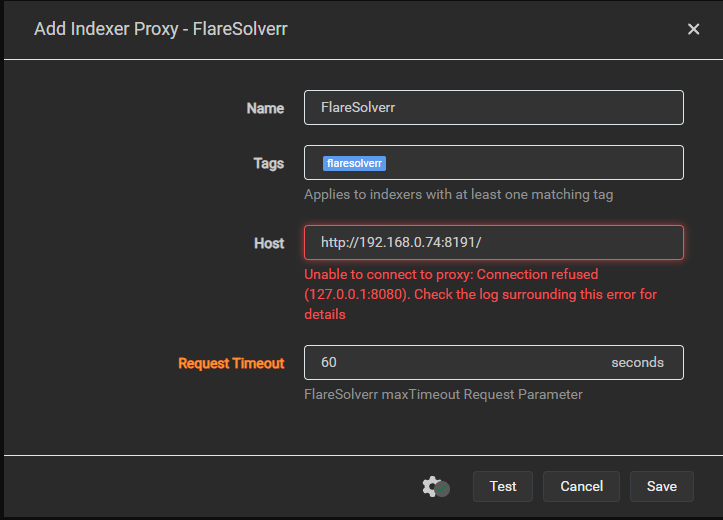
Having an issues with all my indexers (torrents) and Flaresolverr. Any ideas what to do? Unable to connect to indexer, please check your DNS settings and ensure IPv6 is working or disabled. Connection refused (127.0.0.1:8080)
-
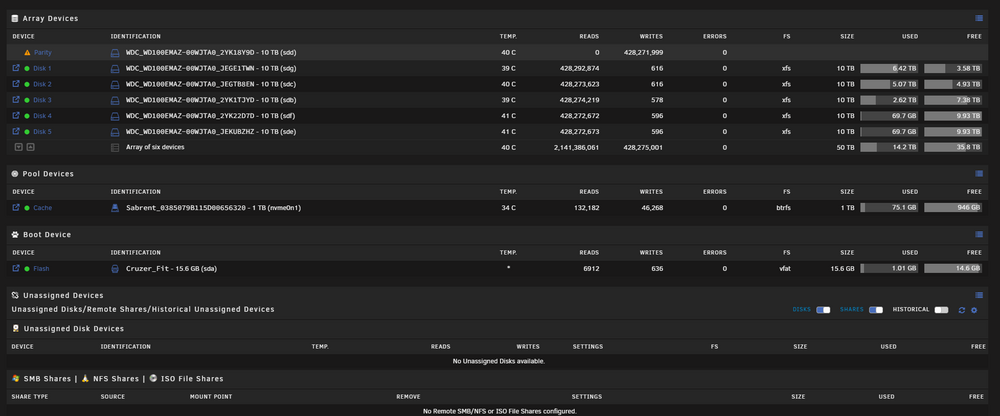
Array won't start. 2 out of 6 disks found.
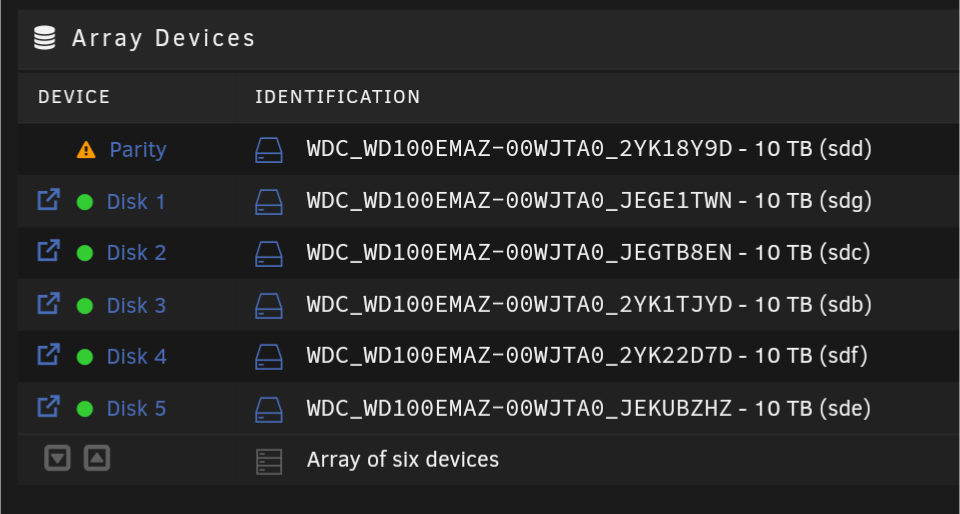
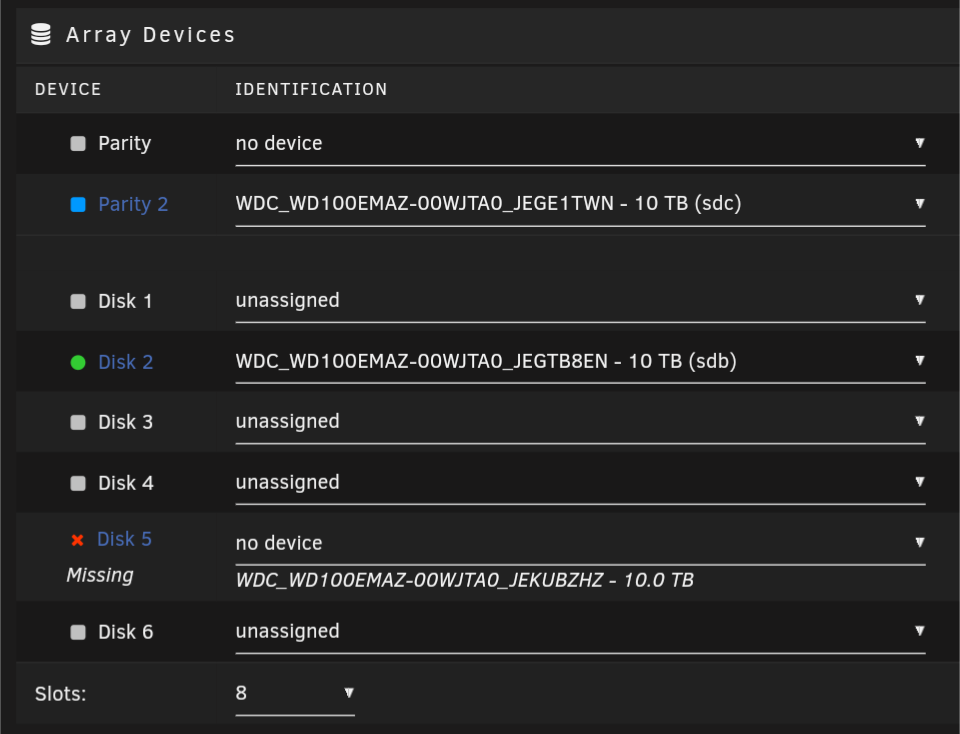
I think I got it worked out. I looked at the drive names / position they were previously and it's rebuilding the Parity now. Not 100% sure if I fucked up my data but I don't think so. I re-added the drive names to the same Disk as before.
-
Array won't start. 2 out of 6 disks found.
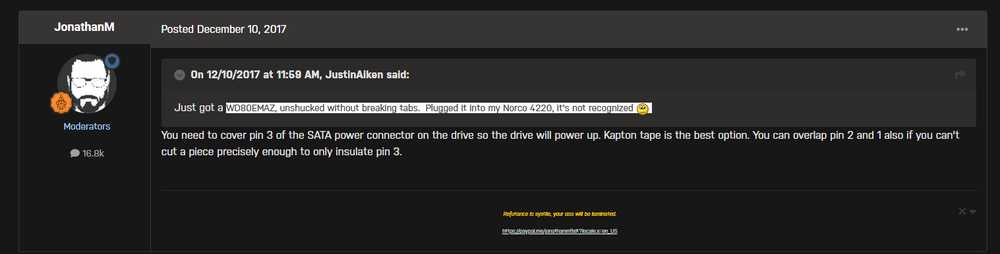
You know what.. I think this is the issue... I just had totally forgotten about this as these are 10TB shucked drives and have a 3.3V issue. "You can also use a Molex to SATA power plug. These will contain no 3.3V only 12V and 5V connections. "
-
Array won't start. 2 out of 6 disks found.
I assume so but will ask. I replaced all power and data cables with new ones and no luck. Still won't detect the HDD's. So have to figure out the non-Unraid issues now "These cables are specifically designed to work with our power supplies using the Type 4 pinout including our SF Series™ power supplies." Should I try to figure out which two disks these are and still save all my data? And format the other ones?
-
Array won't start. 2 out of 6 disks found.
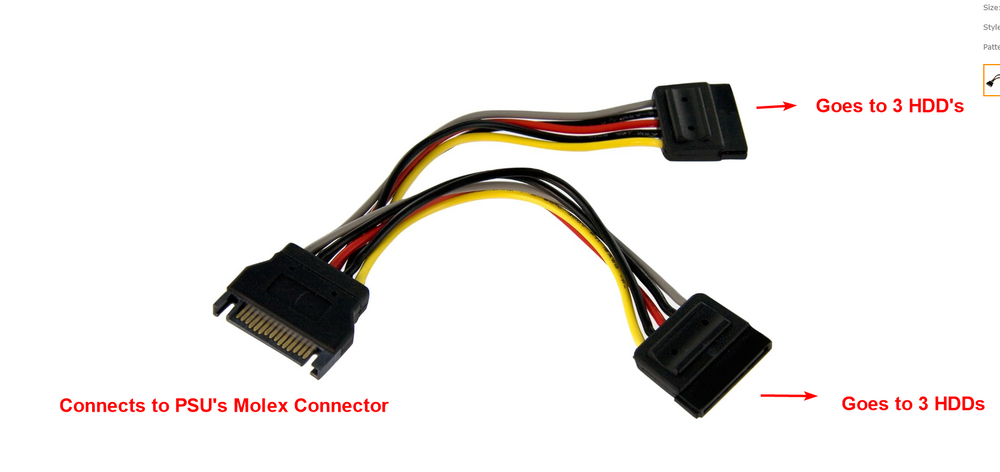
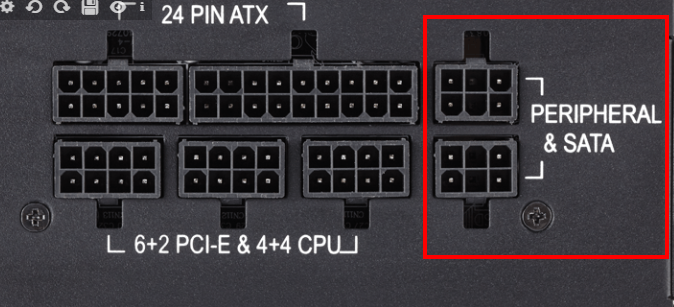
Yeah this weekend I will end up swapping out all the power/data cables to see what's up. Will use 2x of these from PSU to SATA power. https://www.amazon.com/dp/B01N6G22IU?ref=ppx_yo2ov_dt_b_fed_asin_title Then Just 6 individual sata cables as I have 6 ports on my motherboard. Currently I have a single PSU sata port being used that is spliced into a molex connector which goes from molex to 2 sata, form the 2 sata to the 6 drives...
-
Array won't start. 2 out of 6 disks found.
-
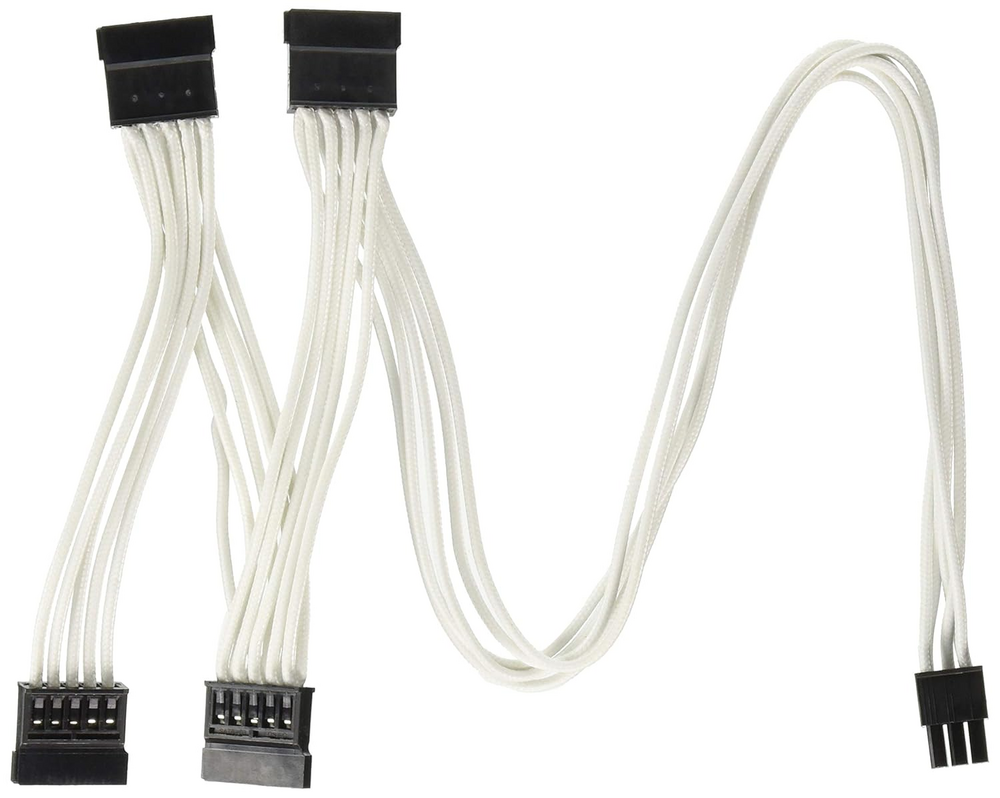
Corsair SF450 users -- How are you powering your HDD's?
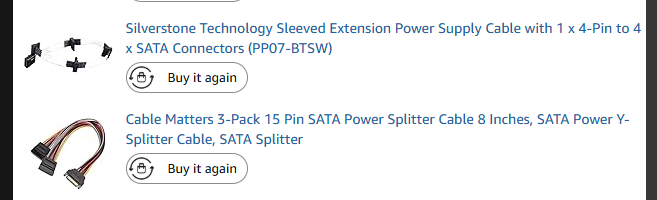
I have 6 HDD's in my build. 6 sata ports on my mini-itx motherboard. This is my build from 2014: https://pcpartpicker.com/list/QX2Xk6 Just wondering if there's a better way. Currently I'm using this for 6 HDD's. Two of the sleeved silverstone cables and one sata power splitter. Actually I may just try 2 of these: https://www.amazon.com/dp/B01N6G22IU?ref=ppx_yo2ov_dt_b_fed_asin_title
-
Array won't start. 2 out of 6 disks found.
Ended up just doing this for now: 1- Stop the array, 2- Set failed disk to 'no device' 3- start the array in maintenance mode 4- stop it again 5- reassign the drive to the same slot. The idea is to start the array temporarily with the drive “missing” so it changes from “disabled” to “emulated” status, then to stop it and “replace” the drive to get it back to “active” status. 6- Waiting for it to rebuild I may buy some new Sata cables as well. Currently using a splitter for the power & data and wondering if they are going bad...
-
Array won't start. 2 out of 6 disks found.
After blowing out the enclosure/dust, and moving it back to my basement it seems to see all but 1 disk?

-
Array won't start. 2 out of 6 disks found.
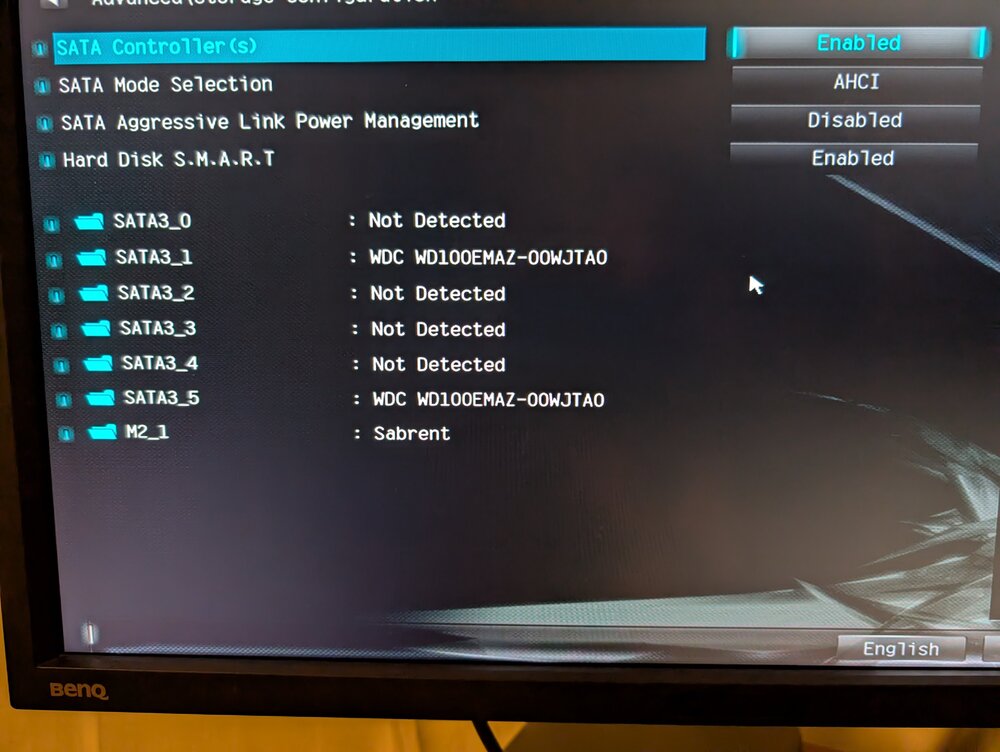
I checked bios and it sees all 6 HDDs and ran some cmd prompt lines to check HDD's. HDD's https://i.imgur.com/F805Bgp.jpeg specs: https://i.imgur.com/Of3e99D.jpeg lsblk: https://i.imgur.com/CFNPlbv.jpeg lsblk | grep disk https://i.imgur.com/tEUzIpc.jpeg
-
Array won't start. 2 out of 6 disks found.
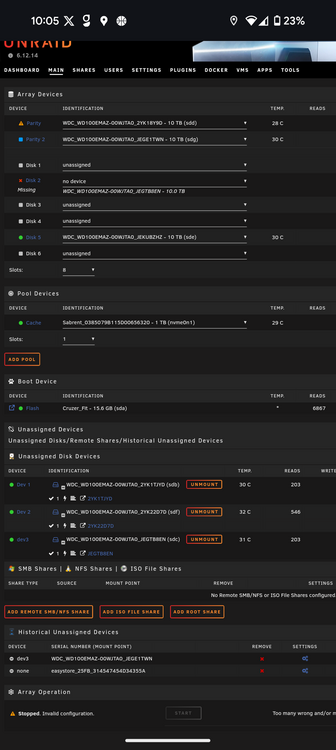
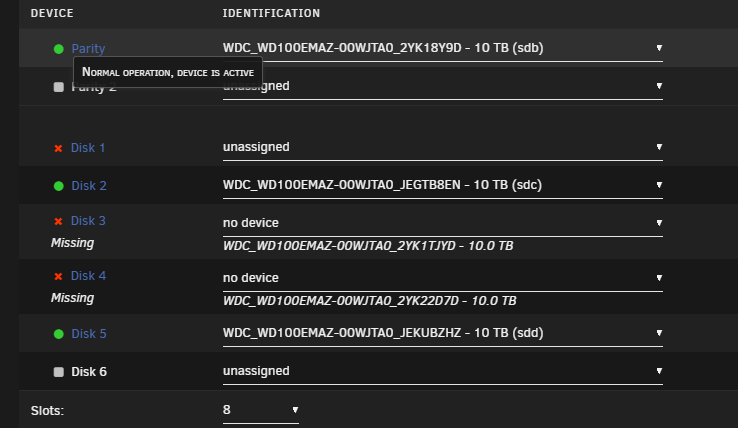
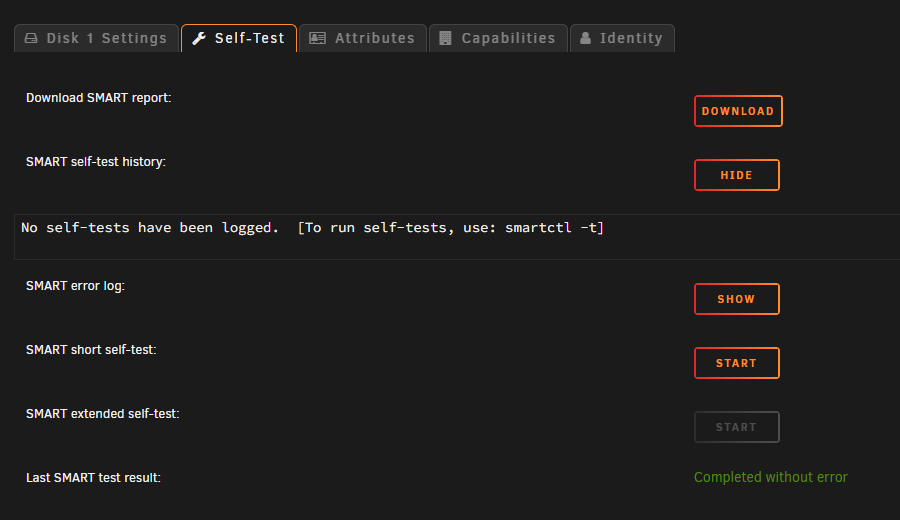
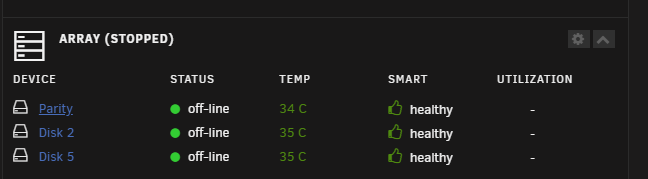
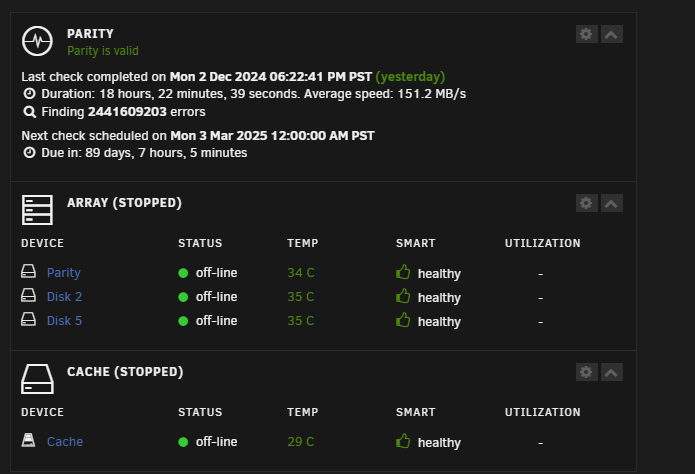
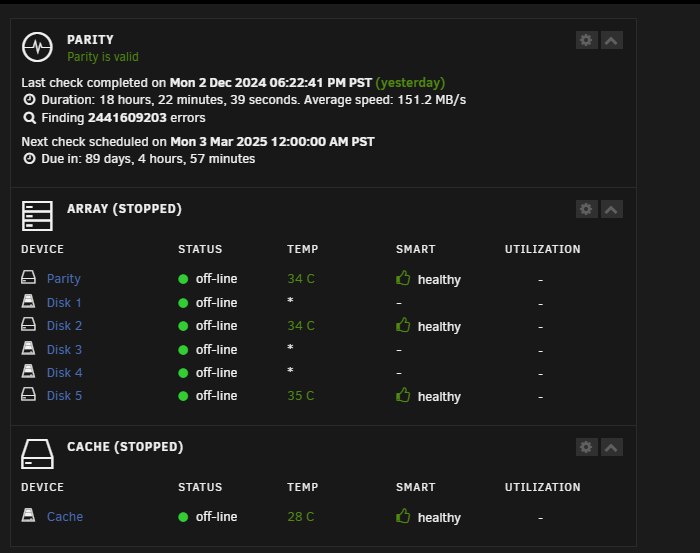
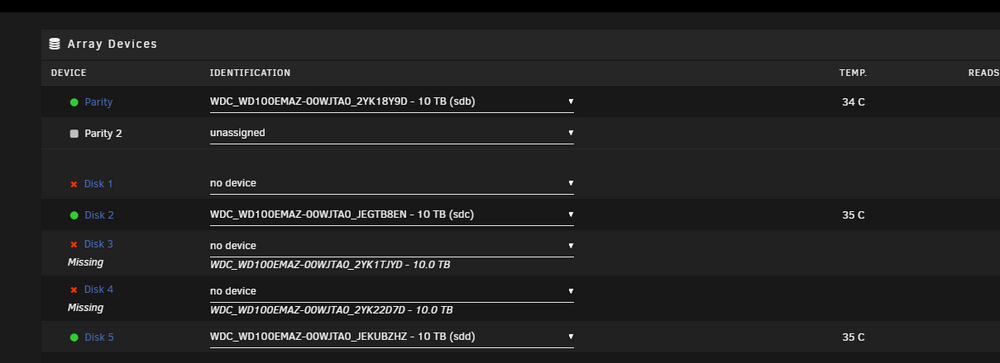
Any suggestions on how to get it back running? I'll admit it's just been running for years without any hiccups until recently so I'm a bit out of the loop on how to debug. I attached the tools --> Diagnostics. I went on vacation and then came back and saw a couple disk failed errors with no shares showing so I rebooted and this is now what I see. It's only see 2/6 disks for some reason. mars-diagnostics-20241203-1654.zip Strange... 2 hours later I see this now. Although I did upgrade the OS to the newest stable version. Here's some screen caps.
-
[Support] binhex - Plex Pass
My plugin is started and also won't open the WEB GUI. Restarting it didn't help. Seems the preference xml file is corrupted. Then just a lot of switch to next host in region, stopping, resolving, etc. 2023-03-08 09:11:06,837 INFO success: plexmediaserver entered RUNNING state, process has stayed up for > than 1 seconds (startsecs) 2023-03-08 09:11:07,836 DEBG 'plexmediaserver' stderr output: Failed to load preferences at /config/Plex Media Server/Preferences.xml 2023-03-08 09:51:24,323 WARN received SIGTERM indicating exit request 2023-03-08 09:51:24,323 DEBG killing plexmediaserver (pid 64) with signal SIGTERM 2023-03-08 09:51:24,323 INFO waiting for plexmediaserver to die 2023-03-08 09:51:25,325 DEBG fd 8 closed, stopped monitoring <POutputDispatcher at 23187695463984 for <Subprocess at 23187695458992 with name plexmediaserver in state STOPPING> (stdout)> 2023-03-08 09:51:25,325 DEBG fd 10 closed, stopped monitoring <POutputDispatcher at 23187695463936 for <Subprocess at 23187695458992 with name plexmediaserver in state STOPPING> (stderr)> 2023-03-08 09:51:25,325 WARN stopped: plexmediaserver (exit status 143) 2023-03-08 09:51:25,325 DEBG received SIGCHLD indicating a child quit Created by... ___. .__ .__ \_ |__ |__| ____ | |__ ____ ___ ___ | __ \| |/ \| | \_/ __ \\ \/ / | \_\ \ | | \ Y \ ___/ > < |___ /__|___| /___| /\___ >__/\_ \ \/ \/ \/ \/ \/ https://hub.docker.com/u/binhex/ 2023-03-08 09:51:25.598990 [info] Host is running unRAID 2023-03-08 09:51:25.617366 [info] System information Linux Mars 5.15.43-Unraid #1 SMP Wed May 25 11:54:05 PDT 2022 x86_64 GNU/Linux 2023-03-08 09:51:25.638640 [info] OS_ARCH defined as 'x86-64' 2023-03-08 09:51:25.659275 [info] PUID defined as '99' 2023-03-08 09:51:25.681797 [info] PGID defined as '100' 2023-03-08 09:51:25.720220 [info] UMASK defined as '000' 2023-03-08 09:51:25.741039 [info] Permissions already set for '/config' 2023-03-08 09:51:25.762373 [info] Deleting files in /tmp (non recursive)... 2023-03-08 09:51:25.784867 [info] TRANS_DIR defined as '/config/transcode' 2023-03-08 09:51:25.806483 [info] Starting Supervisor... 2023-03-08 09:51:26,079 INFO Included extra file "/etc/supervisor/conf.d/plexmediaserver.conf" during parsing 2023-03-08 09:51:26,079 INFO Set uid to user 0 succeeded 2023-03-08 09:51:26,080 INFO supervisord started with pid 7 2023-03-08 09:51:27,082 INFO spawned: 'plexmediaserver' with pid 64 2023-03-08 09:51:27,082 INFO reaped unknown pid 8 (exit status 0) 2023-03-08 09:51:27,103 DEBG 'plexmediaserver' stderr output: Failed to load preferences at /config/Plex Media Server/Preferences.xml 2023-03-08 09:51:28,104 INFO success: plexmediaserver entered RUNNING state, process has stayed up for > than 1 seconds (startsecs) 2023-03-08 09:51:29,103 DEBG 'plexmediaserver' stderr output: Failed to load preferences at /config/Plex Media Server/Preferences.xml 2023-03-08 09:56:01,378 WARN received SIGTERM indicating exit request 2023-03-08 09:56:01,378 DEBG killing plexmediaserver (pid 64) with signal SIGTERM 2023-03-08 09:56:01,378 INFO waiting for plexmediaserver to die 2023-03-08 09:56:02,379 DEBG fd 8 closed, stopped monitoring <POutputDispatcher at 22399117225280 for <Subprocess at 22399117220288 with name plexmediaserver in state STOPPING> (stdout)> 2023-03-08 09:56:02,379 DEBG fd 10 closed, stopped monitoring <POutputDispatcher at 22399117225232 for <Subprocess at 22399117220288 with name plexmediaserver in state STOPPING> (stderr)> 2023-03-08 09:56:02,379 WARN stopped: plexmediaserver (exit status 143) 2023-03-08 09:56:02,379 DEBG received SIGCHLD indicating a child quit Created by... ___. .__ .__ \_ |__ |__| ____ | |__ ____ ___ ___ | __ \| |/ \| | \_/ __ \\ \/ / | \_\ \ | | \ Y \ ___/ > < |___ /__|___| /___| /\___ >__/\_ \ \/ \/ \/ \/ \/ https://hub.docker.com/u/binhex/ 2023-03-08 10:01:05.261937 [info] Host is running unRAID 2023-03-08 10:01:05.281325 [info] System information Linux Mars 5.15.43-Unraid #1 SMP Wed May 25 11:54:05 PDT 2022 x86_64 GNU/Linux 2023-03-08 10:01:05.302287 [info] OS_ARCH defined as 'x86-64' 2023-03-08 10:01:05.323088 [info] PUID defined as '99' 2023-03-08 10:01:05.345568 [info] PGID defined as '100' 2023-03-08 10:01:05.431763 [info] UMASK defined as '000' 2023-03-08 10:01:05.452417 [info] Permissions already set for '/config' 2023-03-08 10:01:05.473765 [info] Deleting files in /tmp (non recursive)... 2023-03-08 10:01:05.496363 [info] TRANS_DIR defined as '/config/transcode' 2023-03-08 10:01:05.517800 [info] Starting Supervisor... 2023-03-08 10:01:05,743 INFO Included extra file "/etc/supervisor/conf.d/plexmediaserver.conf" during parsing 2023-03-08 10:01:05,743 INFO Set uid to user 0 succeeded 2023-03-08 10:01:05,745 INFO supervisord started with pid 7 2023-03-08 10:01:06,746 INFO spawned: 'plexmediaserver' with pid 64 2023-03-08 10:01:06,746 INFO reaped unknown pid 8 (exit status 0) 2023-03-08 10:01:06,763 DEBG 'plexmediaserver' stderr output: Failed to load preferences at /config/Plex Media Server/Preferences.xml 2023-03-08 10:01:07,764 INFO success: plexmediaserver entered RUNNING state, process has stayed up for > than 1 seconds (startsecs) 2023-03-08 10:01:08,763 DEBG 'plexmediaserver' stderr output: Failed to load preferences at /config/Plex Media Server/Preferences.xml Tried replacing the .xml file with my backup one. But now I'm getting: Error: Unable to set up server: sqlite3_statement_backend::loadOne: database disk image is malformed (N4soci10soci_errorE) Update -- Repaired database and seems to be working now. F*#(! power outages!
Supa
Members
-
Joined
-
Last visited