jungle
Members
-
Joined
-
Last visited
Everything posted by jungle
-
If this helps anyone it just seemed to work for me: Updated Unraid Connect just now -> went to Settings in the server UI -> Management Access -> Unraid API and restarted it -> then went to Unraid API Settings and selected the login button and it logged me in and I was able to register the server.
-
Still doesn't work for me after updating today, deleting all cookies, logging in and out a million times, restarting api etc.
-
Same issue for me. Was able to get it working by deleting cookies and signing back in over and over but after an update it's back to failing.
-
I switched to Gmail using this thread Couldn't find a resolution for Outlook/Office365
-
Anyone else run into their notifications failing as of Oct 1, 2024? Authorization failed (535 5.7.139 Authentication unsuccessful, basic authentication is disabled. [YT2PR01CA0024.CANPRD01.PROD.OUTLOOK.COM 2024-10-04T16:53:39.538Z 08DCE450F51FB4BD]) I guess basic auth for SMTP is done now from Micro Soft. Anyone have a different config to get this working again? I can't seem to find a solution to use in Unraid.
-
The rename of dump.rdb also worked for me
-
Same, just started getting this July 5. Edit because I can't read clearly. In Fix Common Problems it says to disable and re-enable to fix. Did this and re-ran Fix Common Problems and it's not reporting it anymore.

-
Does anyone else have this issue or have run into it and found a resolution? I could not find threads on this when searching on line... I suspect it could be a formatting issue but I am not well versed in this. When using any mobile browser - Chrome, Safari, Firefox - on some videos I get this screen in the media player but it never plays, just the grey screen. IMG_1939.heic
-
I just tried this but I'm still getting the message after checking for an update.
-
Yea I just meant I am not going to try to update in case there is some kind of communication issue and I get FUBAR'd in the middle.
-
Only thing I can get to work is by doing the OS Update check when the webpage is https://MyServerIP.SuperLongHash.myunraid.net/Dashboard and maybe 75% of the time it won't kick to the error message. Still not trying the update yet - I'm on 6.12.3
-
Nope, seems to be back to giving me the error message
-
It seems to work if I do it from https://MyServerIP.SuperLongHash.myunraid.net/Dashboard vs the tab via https://connect.myunraid.net/server/
-
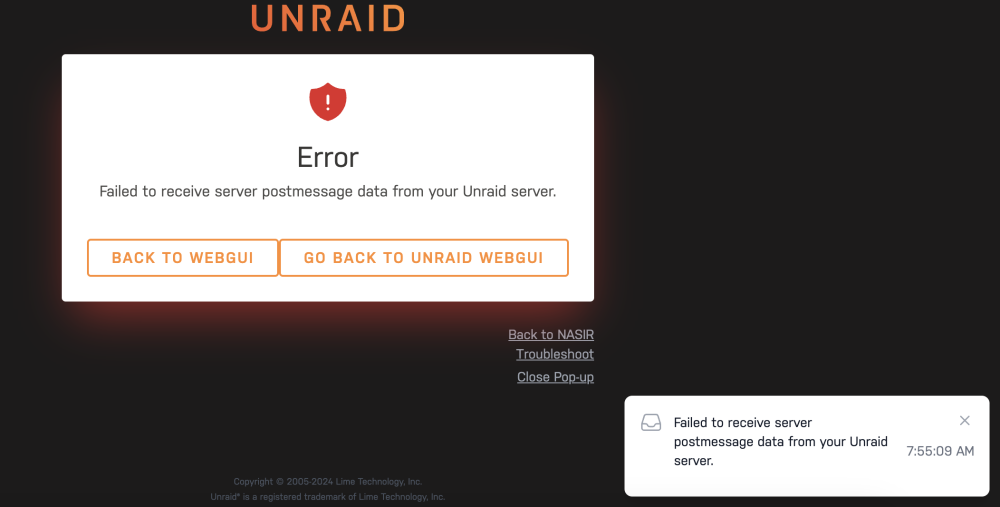
Looking to see if any one knows what is happening here. Getting this message "Failed to receive server postmessage data from your Unraid server." when I tried to take a look at the new OS update feature and when it punches out to the review page I can see the OS versions available and then about 5 seconds later it kicks to this message/screen. If I go to Update OS in the Tools menu it just hangs and nothing shows up. I just updated the Unraid Connect plugin right before trying this. Diagnostics attached if needed. nasir-diagnostics-20240110-0800.zip
-
That did it, thank you sir.
-
Logs are getting spammed with this over and over Jul 12 20:57:00 NASIR atd[31719]: PAM unable to dlopen(/lib64/security/pam_unix.so): /lib64/libc.so.6: version `GLIBC_2.34' not found (required by /lib64/libresolv.so.2) Jul 12 20:57:00 NASIR atd[31719]: PAM adding faulty module: /lib64/security/pam_unix.so Jul 12 20:57:00 NASIR atd[31719]: Module is unknown Jul 12 20:57:03 NASIR smbd[31908]: [2022/07/12 20:57:03.992419, 0] ../../lib/util/charset/codepoints.c:16655(get_conv_handle) Jul 12 20:57:03 NASIR smbd[31908]: dos charset 'CP850' unavailable - using ASCII Jul 12 20:57:45 NASIR flash_backup: adding task: /usr/local/emhttp/plugins/dynamix.my.servers/scripts/UpdateFlashBackup update Jul 12 20:58:00 NASIR atd[1647]: PAM unable to dlopen(/lib64/security/pam_unix.so): /lib64/libc.so.6: version `GLIBC_2.34' not found (required by /lib64/libresolv.so.2) Jul 12 20:58:00 NASIR atd[1647]: PAM adding faulty module: /lib64/security/pam_unix.so Jul 12 20:58:00 NASIR atd[1647]: Module is unknown Jul 12 20:58:45 NASIR smbd[3356]: [2022/07/12 20:58:45.327630, 0] ../../lib/util/charset/codepoints.c:16655(get_conv_handle) Jul 12 20:58:45 NASIR smbd[3356]: dos charset 'CP850' unavailable - using ASCII Jul 12 20:58:45 NASIR flash_backup: adding task: /usr/local/emhttp/plugins/dynamix.my.servers/scripts/UpdateFlashBackup update Jul 12 20:59:00 NASIR atd[3951]: PAM unable to dlopen(/lib64/security/pam_unix.so): /lib64/libc.so.6: version `GLIBC_2.34' not found (required by /lib64/libresolv.so.2) Jul 12 20:59:00 NASIR atd[3951]: PAM adding faulty module: /lib64/security/pam_unix.so Jul 12 20:59:00 NASIR atd[3951]: Module is unknown Not exactly sure what this is saying or what the issue is. If I try to download diagnostics it hangs and never downloads. Anyone have any idea?
-
Mac Mini completed overnight.
-
Yea seems like it's working, not sure why doing that rectified it but I'll take it. Thanks for your help though.
-
Update. My laptop (Air on Monterey) is done successfully and just waiting on my Mini on Catalina to finish - this will be tomorrow, she's always slow for a full new back up.
-
Yes without. I just wanted to test without it and it seems to be working, it a new Share [BackupsMac] - no space, no sure if that is making any difference but the others with just one word were misbehaving also. The backups are going to take a while but I'll report what happens.
-
So I deleted the macos lines and created a new share for the back ups and everything seems to be running fine now. I have 2 timemachine back ups running currently and it looks like they may be working. I'll report back if they complete or fail
-
I'm seeing this in the unraid logs May 6 09:34:42 NASIR smbd[31865]: mds_init_ctx: Unknown backend 1 May 6 09:34:42 NASIR smbd[31865]: [2022/05/06 09:34:42.623287, 0] ../../source3/rpc_server/mdssvc/srv_mdssvc_nt.c:153(_mdssvc_open) May 6 09:34:42 NASIR smbd[31865]: _mdssvc_open: Couldn't create policy handle for Pictures May 6 09:34:44 NASIR smbd[31865]: [2022/05/06 09:34:44.686670, 0] ../../source3/rpc_server/mdssvc/mdssvc.c:1638(mds_init_ctx) May 6 09:34:44 NASIR smbd[31865]: mds_init_ctx: Unknown backend 1 May 6 09:34:44 NASIR smbd[31865]: [2022/05/06 09:34:44.686705, 0] ../../source3/rpc_server/mdssvc/srv_mdssvc_nt.c:153(_mdssvc_open) May 6 09:34:44 NASIR smbd[31865]: _mdssvc_open: Couldn't create policy handle for Files May 6 09:34:46 NASIR smbd[31865]: [2022/05/06 09:34:46.075625, 0] ../../source3/rpc_server/mdssvc/mdssvc.c:1638(mds_init_ctx) May 6 09:34:46 NASIR smbd[31865]: mds_init_ctx: Unknown backend 1 May 6 09:34:46 NASIR smbd[31865]: [2022/05/06 09:34:46.075679, 0] ../../source3/rpc_server/mdssvc/srv_mdssvc_nt.c:153(_mdssvc_open) May 6 09:34:46 NASIR smbd[31865]: _mdssvc_open: Couldn't create policy handle for Backups May 6 09:34:47 NASIR smbd[31865]: [2022/05/06 09:34:47.651371, 0] ../../source3/rpc_server/mdssvc/mdssvc.c:1638(mds_init_ctx) May 6 09:34:47 NASIR smbd[31865]: mds_init_ctx: Unknown backend 1 May 6 09:34:47 NASIR smbd[31865]: [2022/05/06 09:34:47.651412, 0] ../../source3/rpc_server/mdssvc/srv_mdssvc_nt.c:153(_mdssvc_open) May 6 09:34:47 NASIR smbd[31865]: _mdssvc_open: Couldn't create policy handle for Media
-
Ok so did that but not it seems Finder just locks up when touching any of the Share folders. I get the spinning wheel and I have to Force Quit. I've restarted and stopped the Array a few times and also tried a reboot but I get the same lock up. This is how I've added it. #macOS config start [global] vfs objects = catia fruit streams_xattr fruit:nfs_aces = no fruit:zero_file_id = yes fruit:metadata = stream fruit:encoding = native spotlight backend = tracker [Media] path = /mnt/user/Media veto files = /._*/.DS_Store/ delete veto files = yes spotlight = yes [Backups] path = /mnt/user/Backups veto files = /._*/.DS_Store/ delete veto files = yes spotlight = yes [Backups\ Mac] path = /mnt/user/Backups Mac veto files = /._*/.DS_Store/ delete veto files = yes spotlight = yes [Files] path = /mnt/user/Files veto files = /._*/.DS_Store/ delete veto files = yes spotlight = yes [Pictures] path = /mnt/user/Pictures veto files = /._*/.DS_Store/ delete veto files = yes spotlight = yes #macOS config end
-
Should I just copy the whole thing and paste under the unassigned devices lines or should I exclude the [global] set?
-
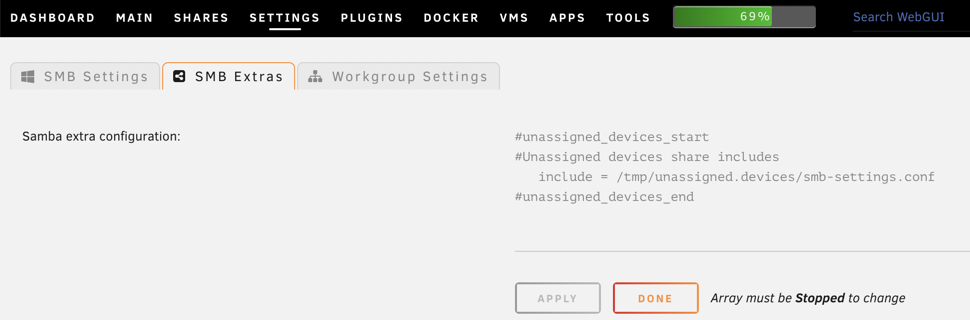
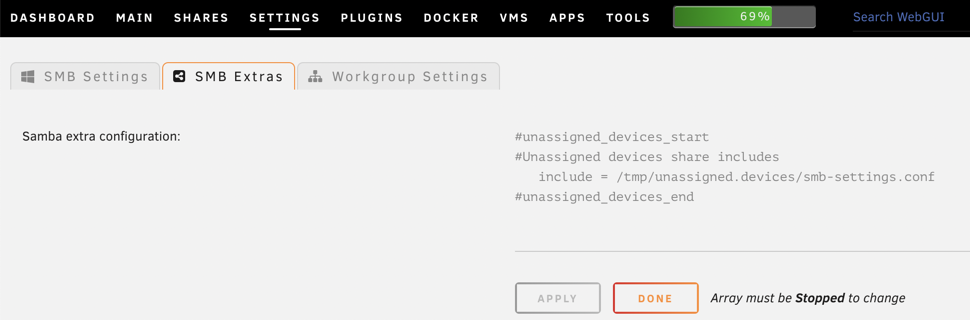
#unassigned_devices_start #Unassigned devices share includes include = /tmp/unassigned.devices/smb-settings.conf #unassigned_devices_end