





derpuma
Members
-
Joined
-
Last visited
-
I hear you and yes, stripping through the disks will definitely benefits speed, but I'd like at least a little bit of redundancy. I will test a few scenarios and see what fits best.
-
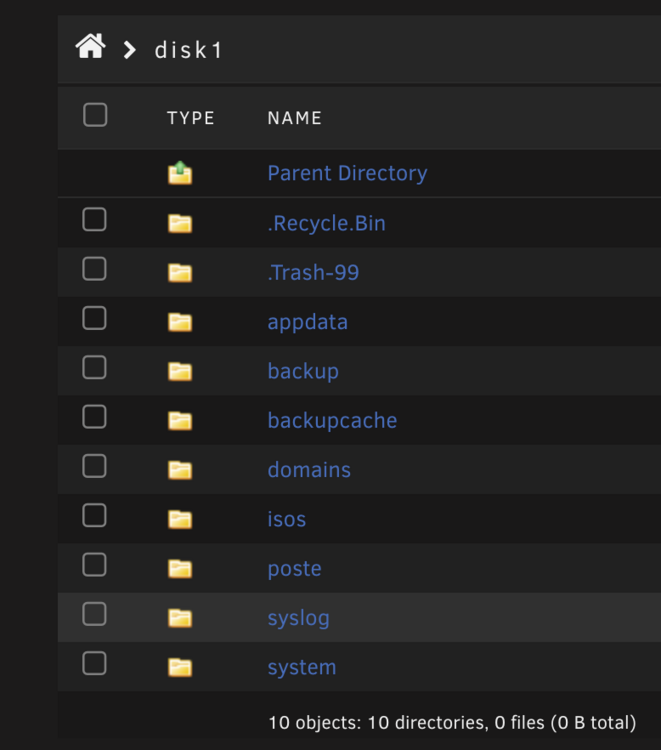
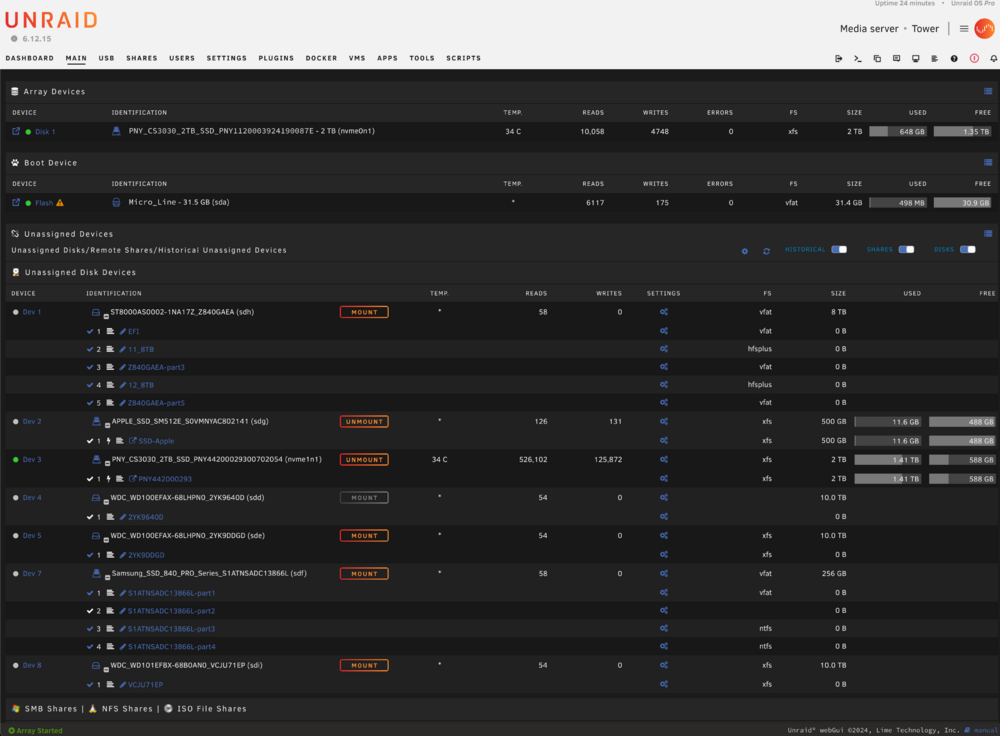
So... I tried the ZFS RAIDZ with 3x 10TB HDD today, but unfortunately it seems to be very slow, esp. compared the the BTRFS RAID5. I set it up with standard settings, no special config, with only a minimum RAM setting. I have 64 GB in my Server, while I was using my VM with allocated 48GB RAM, copying files seemed to be very slow. I use a 10Gb Ethernet Connection on both machines, my Truenas and Unraid Server and with ZFS RAIDZ files of aprox. 1TB took significantly more compares BTRFS RAID5. In my actual array, I have only one NVME of 2TB, where all the system files, appdata, isos, etc. are stored. My VMs are on a second 2TB NVME, a unassigned device, where I boot my VMs from. My thinking now is, to actually use the Array possibilities from Unraid and put the 3x 10 TB HDDs in there where one acts as a parrity. Question is, if I create a new blank config, how can I restore my settings (apps, VM settings, etc.) which are then on the previous array NVME, which then becames a unassigned disk too? What is the best way to use it then, when I want the array to spin down also, when no backup job is running. So basically Uraid should not use the array when I work on the system with my Virtual machines! I really need no redundancy or security for my VM images, as they backup over to my truenas server. Does the array spin down, if these files stay there but non of these directory contains files, the VMs use? I guess performancewise the Array would be the best bet? Here is a little overview how have set it up the disk now as my daily VM workstation:
-
Sorry, that I was not precise. I meant stopping the array and then hot swap/plug! Of course a running pool or array does not like swap or plug of running drives. My bad!
-
Thanks, yes I know that. Is it really that bad? What would you recommend then? ZFS might not be an option, as my System is mainly a VM Server where I work from and I need the RAM for my VMs. The pool should only act as another security backup of my truenas server. And as written: I am still on Unraid 6 latest Version, as UNRIAD 7 broke my macOS VMs booting up and I did not have the time right now, to fix these problems.
-
Thx guys for the reply. Okay, so I might stick on the 15 min. on the pool drives then. It is not RAIDZ it is btrfs RAID5 as I do not need the ZFS features here. Therefor I have a Truenas server running. I need the pool only for a cross backup of my existing truenas work folders. These backups run over nigth, so I only need the pool up on that time. I do not use the pool at all or work from it, it is only a safety backup on another device. I thought I could set it somehow, that the disks are not on at boot, as UNRAID is able to hot swap / hot plug, I thought there could have been an option for that. Thanks anyway for the replies! @tjb_altf4 Do you have a link to the scripts by hand? I searched quickly, but did not find the source so far.
-
I have a RAID backup pool of HDDs, which I do not want to spin up at boot, as I use it only for backup tasks. Is there a manual way, to set spin down in UNRAID? Thru GUI I see 15 min. as the least amount of time after the spin down takes place. Maybe I can set the time manually to 1min or so? Thx in advance! I am on V 6.12.15
-
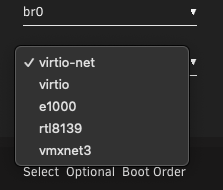
Hi, I recently had problems with sftp connections and very slow upload speeds (only kbps) over sftp when connecting to an IPv6 only address, while my network bridge is set to virtio. That problem was present while working from a macos VM. First I thought it was a macos VM problem (EFI or kext) but I saw, that my windows vm has not had this problem at all and that it used virtio-net. After switching from virtio to virtio-net on my macos VM, IPv6 speeds are now like they should be (round about 50 Mbps in upload). Any idea what the cause of this problem could be? I also use an Intel 520x dual 10gbit NIC, bridges also set to virtio. Should I set them to virtio-net too? Are there any performance differences between both? Or is there another network model, I should use when booting into a macos VM? I am still on UNRAID Version 6.12.13 2024-08-22.
-
A strange observation I made is, that every Network in Windows 10 is shown aas a 10/10Gbe internet connection. I put the 10/10Gbe PCIe Card out of my mainboard, booted Unraid and installed a Windows 10 VM, only with the 1Gbe Onboard Network in bridged mode as an available network source. Even then the Redhat driver states the card as 10/10 Network Connection in Windows... I bet previously it was shown always right as a 1 Gbe connection. I even booted form a fresh installed Unraid Bootstick with the same behaviour, which drove me nuts. Am I missing something out? Or can anyone confirm this?
-
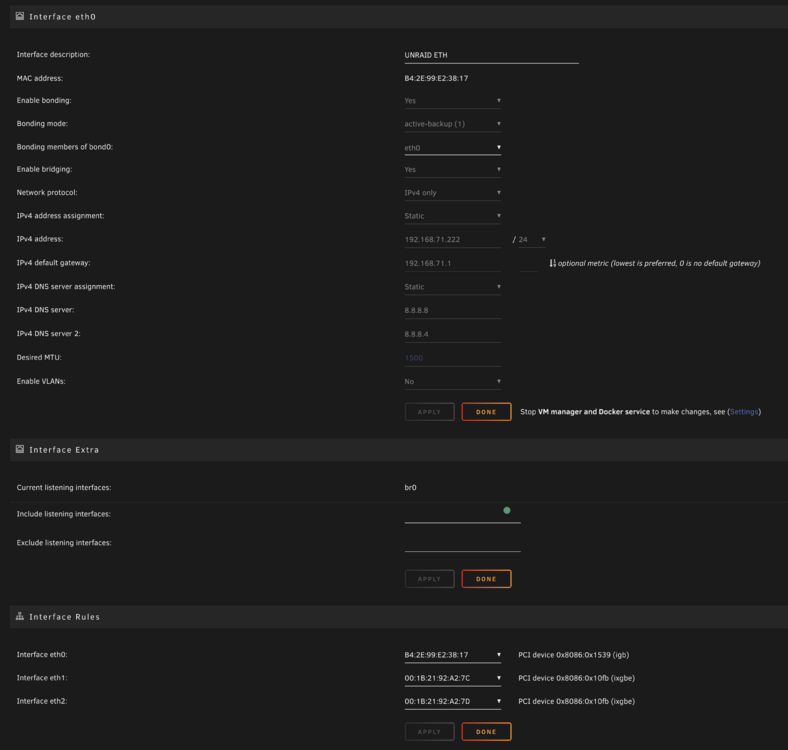
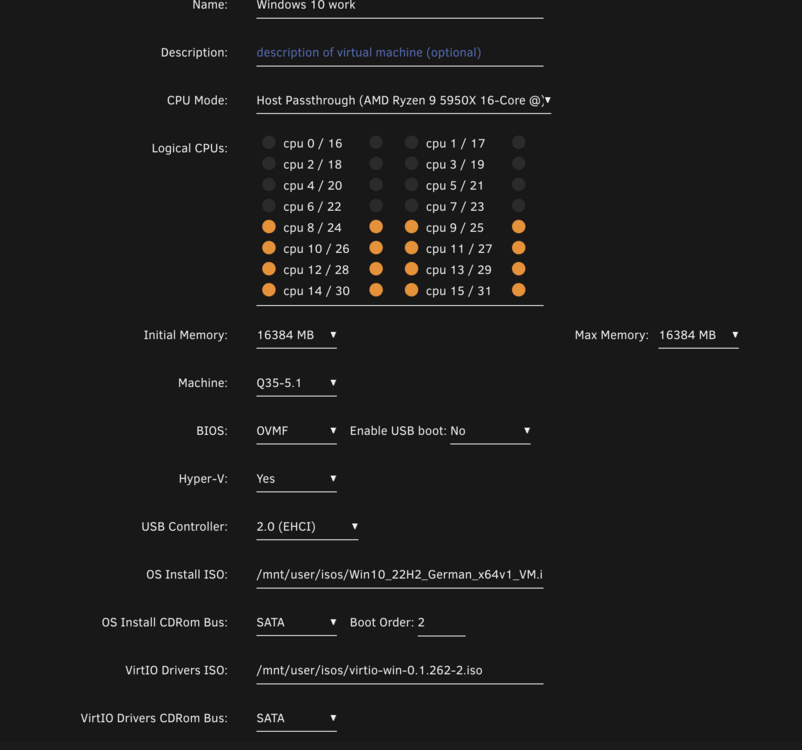
Hi, I have a problem with my network when I am installing a fresh windows 10. Install and everything went fine, but in Windows I see, that the internet connection is bridged via my 10/10GbE ethernetcard. My 1GbE Nic, which should handle the internet connection gets a random IPv4 address which does not macht the IPv4 range of my internet router. Deactivating the 10 GbE adapter and giving a matching IPv4 address to the 1GbE network does not work. 1Gbe adapter still stays as unidentified network. How can I force unraid to use the 1Gbe instead of the 10Gbe connection? Bridge source is br0 with virtio-net: <interface type='bridge'> <mac address='52:54:00:5e:e2:76'/> <source bridge='br0'/> <model type='virtio-net'/> <address type='pci' domain='0x0000' bus='0x01' slot='0x00' function='0x0'/> </interface>

-
I forgot to mention, this happens only in my macOS virtual machines.
-
Hey, do you mind sharing your XML you used for your 6900XT? Does yours have a USB-C Port? Mine has, and I would like to connect a drawing tablet to the USB-C Port of my AMD Founders Edition 6900XT. Unfortunately the pen does not work on the tablet, when connected with the following XML. Display so works just fine. If I connect the diplay to a regular USB-C Port, the pen works of course without display then... If I drop 0d:00.2 and 0d:00.3 from XML my virtual machine does not boot up. Any Idea how to solve that? <hostdev mode='subsystem' type='pci' managed='yes'> <driver name='vfio'/> <source> <address domain='0x0000' bus='0x0d' slot='0x00' function='0x0'/> </source> <alias name='hostdev0'/> <rom file='/mnt/disks/PNY44200029300702054/VM/macOS/AMD.RX6900XT.16384.201104.rom'/> <address type='pci' domain='0x0000' bus='0x03' slot='0x00' function='0x0' multifunction='on'/> </hostdev> <hostdev mode='subsystem' type='pci' managed='yes'> <driver name='vfio'/> <source> <address domain='0x0000' bus='0x0d' slot='0x00' function='0x1'/> </source> <alias name='hostdev1'/> <address type='pci' domain='0x0000' bus='0x03' slot='0x00' function='0x1'/> </hostdev> <hostdev mode='subsystem' type='pci' managed='yes'> <driver name='vfio'/> <source> <address domain='0x0000' bus='0x0d' slot='0x00' function='0x2'/> </source> <alias name='hostdev2'/> <address type='pci' domain='0x0000' bus='0x03' slot='0x00' function='0x2'/> </hostdev> <hostdev mode='subsystem' type='pci' managed='yes'> <driver name='vfio'/> <source> <address domain='0x0000' bus='0x0d' slot='0x00' function='0x3'/> </source> <alias name='hostdev3'/> <address type='pci' domain='0x0000' bus='0x03' slot='0x00' function='0x3'/> </hostdev>

-
I have a problem getting my drawing tablet to work in Unraid via USB-C on my AMD 6900XT. It is a Huion Kamwas (2021) with a 3to1 and a USB-C only cable connection. I would like to get this working only with the USB-C Cable, cause the 3to1 cable is very bulky and a little bit short too. Hardwarewise IOMMU looks like this, which works for the display connected. Display is working, pen is not. Any chance someone could help me, how to setup the XML, that also USB-Input for the pen is working, beside the display part? <hostdev mode='subsystem' type='pci' managed='yes'> <driver name='vfio'/> <source> <address domain='0x0000' bus='0x0d' slot='0x00' function='0x0'/> </source> <alias name='hostdev0'/> <rom file='/mnt/disks/PNY44200029300702054/VM/macOS/AMD.RX6900XT.16384.201104.rom'/> <address type='pci' domain='0x0000' bus='0x03' slot='0x00' function='0x0' multifunction='on'/> </hostdev> <hostdev mode='subsystem' type='pci' managed='yes'> <driver name='vfio'/> <source> <address domain='0x0000' bus='0x0d' slot='0x00' function='0x1'/> </source> <alias name='hostdev1'/> <address type='pci' domain='0x0000' bus='0x03' slot='0x00' function='0x1'/> </hostdev> <hostdev mode='subsystem' type='pci' managed='yes'> <driver name='vfio'/> <source> <address domain='0x0000' bus='0x0d' slot='0x00' function='0x2'/> </source> <alias name='hostdev2'/> <address type='pci' domain='0x0000' bus='0x03' slot='0x00' function='0x2'/> </hostdev> <hostdev mode='subsystem' type='pci' managed='yes'> <driver name='vfio'/> <source> <address domain='0x0000' bus='0x0d' slot='0x00' function='0x3'/> </source> <alias name='hostdev3'/> <address type='pci' domain='0x0000' bus='0x03' slot='0x00' function='0x3'/> </hostdev>

-
CPU temp is not a problem. I use an 360 AOI and Idle around 40°C. Under full load barely over 60°C. A long Cinebench run not nearly up to 80°C. And as said, the crashes even happen, when the VM sits and does nothing. For ex. I go for a lunch brake, come back and Unraid with VM crashed and restarted into shell.
-
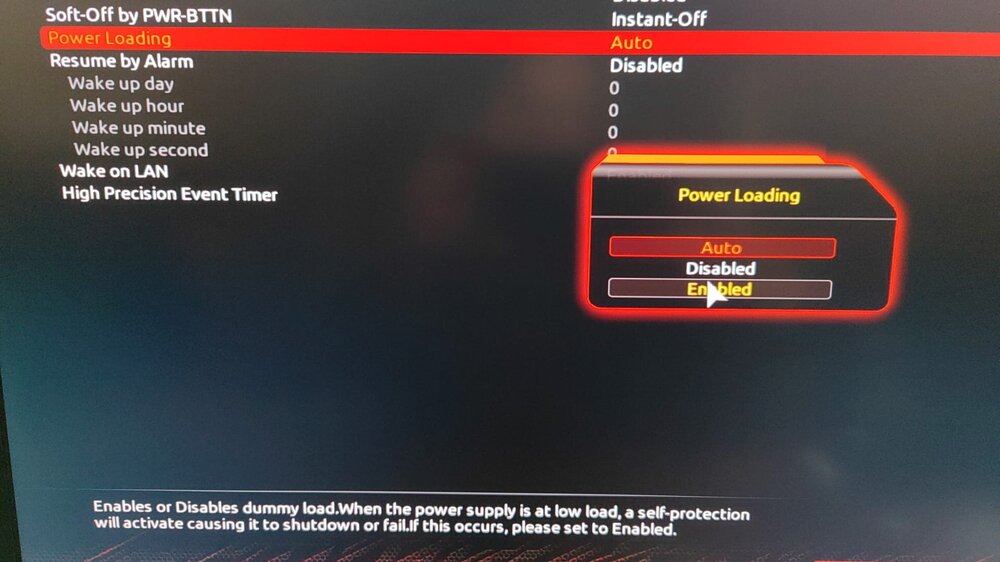
Hi Jorge, thx for the hint. I am on a Ryzen 5 5950X and Gigaybyte Aorus X570 Pro. I already tried the Bios setting from my screenshot on "enable". I can try to disable c-states globally. I am wondering, that I never had issues from 2019 to 2023 but I did some bios updates. Do you think it is worth to go back to an older bios? I already went back from latest beta bios to latest stable release with no changes. And fyi, I use 4 sticks of 16GB RAM in the right slots. So no messing up with dual channel mode (as dsaid also tried with single RAM stick). Even XMP on or off shows no difference regarding to the crahes.
-
So I did. A new fresh install of Undraid, with only VMs, noch dockers or other plugins also leads into fatal power off the machine and reboot. The funny thing is, I do not need a heavy load or something. Sometime I only use the Browser, surfing the internet, staying up to get a coffee and come back and the machine turned of and rebooted into unraid after a powerloss. And as said, the system runs pretty stable while I am on native Windows. No crashes or poweroff there, I ran a Cinebench over night and had no hardware problems there at all. I have a last suspect: my NVME M2 Pcie Disk. I run my VMs from that NVME, my native Windows runs from a regular sata SSD. Whats wondering me, is that there is a complete power shutdown and that the machine starts and immediatly boots up again after this powerloss. Could this be due to a broken NVME? The only other thing I have in mind is, that it could it be a Bios related setting, which leads into crashes while I am using KVM? This happens regardless of windows, mac or linux VM. So I doubt that it is the XML configuration of the virtual machines, esp. because I run them since a couple of years now with this hardware and zero problems until this mess started.


