





mason1171
Members
-
Joined
-
Last visited
Everything posted by mason1171
-
Thanks controlr.zip
-
The app no longer loads properly for me. Both the app and plugin are full up to date. My phone is on iOS 13.5. It allows me to add my server in the config step but after that, it loads to a white screen. Reinstalling makes no difference nor does toggling dark mode. Can you please help me out? IMG_1714.MP4
-
Thanks for the response. Im guessing to do that, enable the passed through option in the device’s config and create a new w10 vm xml including /dev/sdg
-
I am unable to mount my VM ssd after I had to force stop my windows 10 VM and clean boot my system. The drive is NTFS formatted with two partitions. Error in log below. Can I please get some help? Mar 21 19:27:28 M1171-NAS unassigned.devices: Adding disk '/dev/sdg1'... Mar 21 19:27:28 M1171-NAS unassigned.devices: No filesystem detected on '/dev/sdg1'. Mar 21 19:27:28 M1171-NAS unassigned.devices: Partition 'WDC_WDBNCE5000PNC_195291800017-part1' cannot be mounted. Mar 21 19:27:28 M1171-NAS unassigned.devices: Adding disk '/dev/sdg2'... Mar 21 19:27:28 M1171-NAS unassigned.devices: Mount drive command: /sbin/mount -t ntfs -o rw,auto,async,noatime,nodiratime,nodev,nosuid,nls=utf8,umask=000 '/dev/sdg2' '/mnt/disks/test' Mar 21 19:27:28 M1171-NAS unassigned.devices: Partition 'W10_Storage' cannot be mounted.
-
Excellent. I appreciate the response.
-
I feel like Im missing something here. How exactly do I use one of the custom prebuilt images? Do I just extract the files and copy them over the existing ones on the flash and reboot? Are there additional steps?
-
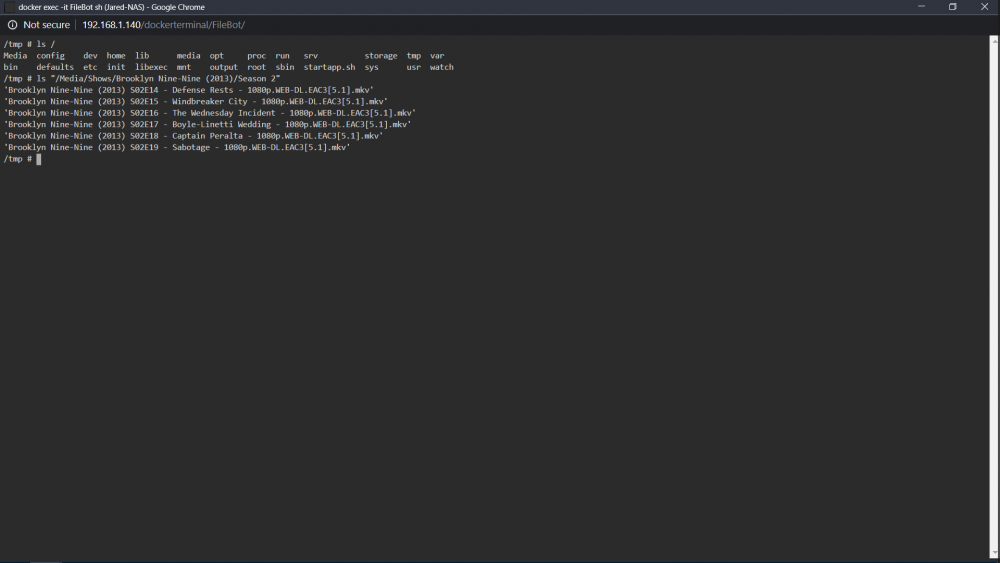
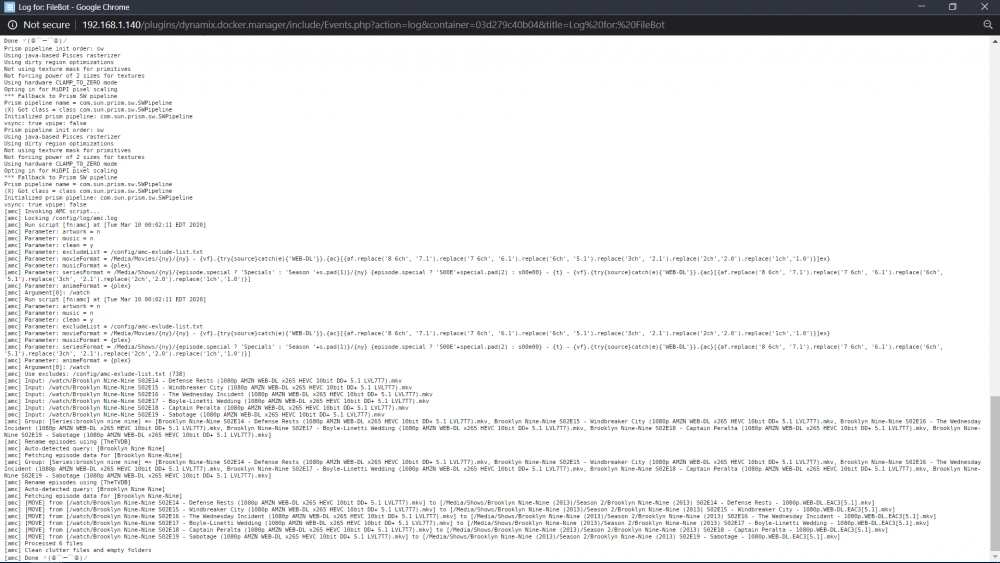
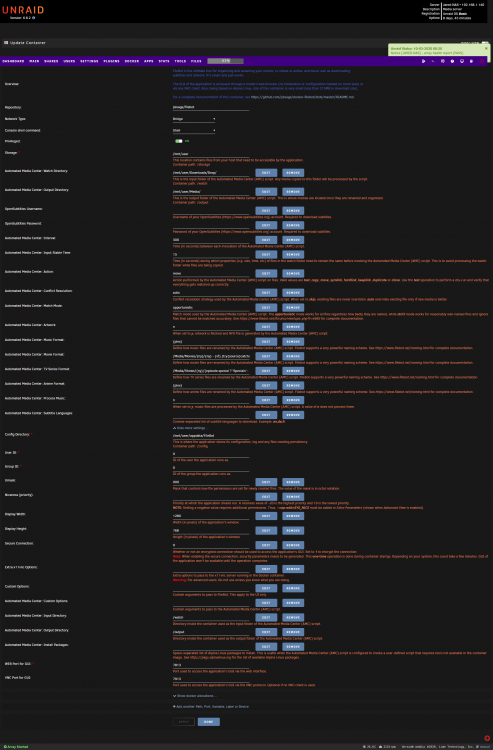
Im having a big problem with my Filebot docker. Rather than moving from the watch folder to my media folder OUTSIDE of the container, FIlebot is moving the files from /watch >> /Media inside the container and filling my docker.img. Can someone please help me out? Attached are my template, log file, and screenshot of container file structure
-
Unable to connect Rutorrent seedbox to my local Sonarr instance Seedbox: Seedboxes.cc running Rutorrent Local NAS: Unraid 6.8.0 How would i go about doing this? I tried following these instructions but I had no luck https://community.seedboxes.cc/articles/how-to-setup-sonarr. I also tried entering the rutorrent web UI info. provided by my seedbox. I have tried inputting /RPC2 as well as /rutorrent/plugins/rpc/rpc.php for the url path. Neither SSL nor non-ssl credentials work. Is this happening due to the programs being on separate networks? The Sonarr error: Unknown exception: Unable to connect to rTorrent, please check your settings Sonarr log error: https://pastebin.com/zHk4iEGJ




