





nars
Members
-
Joined
-
Last visited
-
just a quick note of something I did just noticed... if any of you guys are running vboxwebsrv manually with "--logfile /dev/null" param (as many suggested on a few old topics on this forum) you should always also add "--logrotate 0" else it rotates the /dev/null to /dev/null.1, etc... and creates a new /dev/null that it's actually a regular file on ramfs... like this: root@unRAID:~# ls -l /dev/null* -rw------- 1 root root 4093779968 2016-01-10 06:53 /dev/null -rw------- 1 root root 54991 2015-12-26 06:37 /dev/null.1 -rw------- 1 root root 157941 2015-12-25 19:58 /dev/null.2 -rw------- 1 root root 868 2015-11-30 00:43 /dev/null.3 crw-rw-rw- 1 root root 1, 3 2015-11-24 23:50 /dev/null.4 not good btw, think it doesn't affect current theone's plugin, as apparently he runs vbox using rc init script.
-
It should not stop working on an actual version you are running on your server, since AFAIK no online check is made at all, currently... but you may find it blocked later when you update to a new version... if that happens I believe that contacting Limetech and explaining the problem it may get solved asking to move that license to a different flash drive guid, since the same seems usually also possible even when a flash drive dies... but not an officially granted thing.
-
rick.p: sure it is unique? it appears realtek based like the Samsung I did posted above... try an 'lsusb' to get the full serial from it (shown as 'iSerial'), because serial it's often partial on unraid guid, missing some digits at left... then search the full serial on Google, if you can find it then it is not unique and despite not yet blocked it may get blocked on the future... I did found mine on usbflashspeed.com, they seem to list details of a lot of flash drives / card readers, guess they build db automatically from some speed test tool...
-
Yes, I wanted to post what I had before people wasted money. I have a new solution I'm working on that should satisfy all parties. I'll post when unRAID 6 is released. Yes, unfortunately seems a PITA to find an usable one Will be waiting your solution, thanks
-
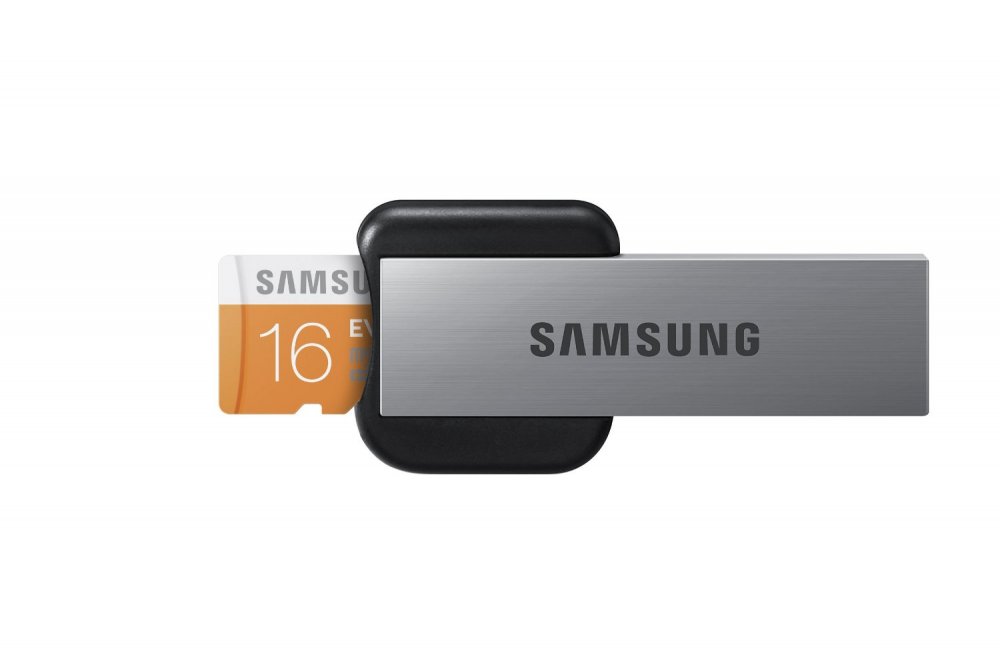
@WeeboTech: Seems like my post waked you up Btw, One more to the NO list: Samsung Electronics 16GB EVO Micro SDHC with USB 2.0 Reader Class 10 Memory Card http://www.amazon.com/dp/B00JEVHZK4/ I own only one unit but did search on Google for it's serial and found it is not really unique, not even unique to these samsung readers apparently, the reader seems based on a realtek chip and there are a few other readers with same realtek chip and same same serial...
-
One more for the no list: Transcend TS-RDP5W I did got hands on 2 units and both with same GUID.
-
Yes, and plugins/webGui-latest.txz
-
Anyone noticed this: http://lime-technology.com/forum/index.php?topic=29057.msg260936#msg260936 may explain it and some other slowdowns on development... Tom haves a personal life like all us and sometimes things are just not easy... also guess that if he ended accepting to release 5.0 without new webgui (that was not his intention), is maybe because he found it could really take some more time to fully polish it...
-
+1 again (like I posted on "Status - update" thread that is now closed) to release 5.0 as-is (with any known bugs fixed... this makes a difference not just rename rc16 to final as said above... there are at least two bugs found after rc16c, "Modified Time not being set properly." and "cannot do non-correcting parity check after array stop/start.") and add new gui on 5.1.
