





HondSchaap
Members
-
Joined
-
Last visited
Everything posted by HondSchaap
-
Yes!! Can confirm as well, the new beta recognises the RTL8156 NIC perfectly. @limetech Thanks so much for the effort you put into this! Very much appreciated.
-
This will more than do, this looks absolutely amazing! Thanks for all the work you put in creating all these case icons.
-
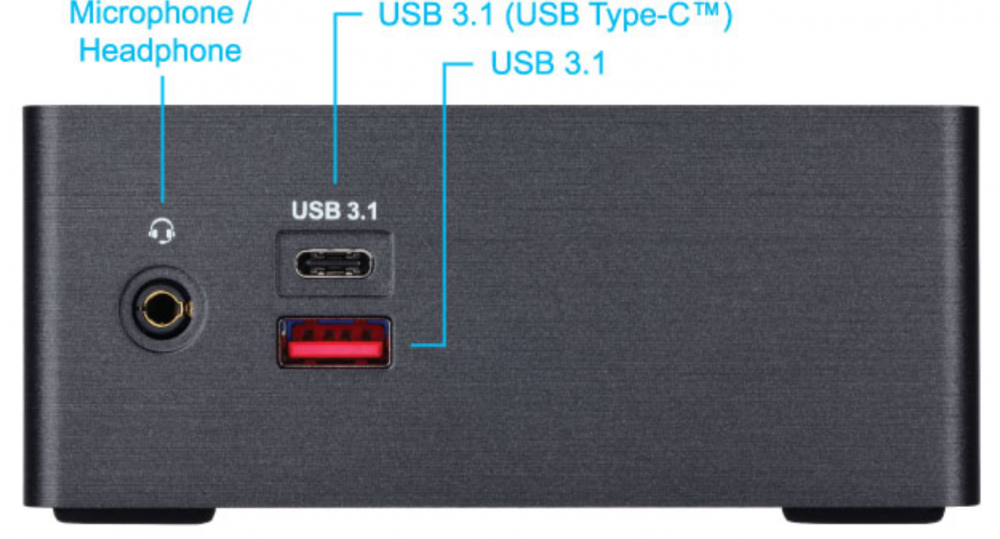
Could I request another case icon? Looking for a design for a NUC system. Mainly using the gb-bsi7ha-6500 right now, but if you have a design from another NUC laying around, I wouldn't mind using that one as well.
-
Yeah, probably. Tested a USB attached device with the RTL8153 chipset, which works fine. Well, in that case my feature request still stands, I guess. I'd love for the drivers of this chipset to be added, so I can use it within UnRAID : )
-
My bad, thought it would be easier to read, as you wouldn't have to download the zip to access the logs. Post hidden. Yeah, it's an add-on. Kinda. I'm running UnRAID on a NUC, so no PCI slots. The NIC I'm trying to add is a usb to ethernet adapter. The 2 intel NICs reported are the onboard LAN and WiFi. For troubleshooting purposes, I tried a different USB port (tried them all), no luck though. I also tested another USB NIC with the RTL8153 chipset, which works fine. Finally, tested Debian on the system I'm troubleshooting with the RTL8156 NIC, to be sure the adapter isn't faulty. It shows up (thankfully) within Debian. If the NIC doesn't show up in the syslog, could it be the case of a missing driver? Should it even pop up if there's no driver present to support it? For what it's worth, here's the adapter I'm trying to get working: https://www.club-3d.com/en/detail/2467/usb_3.1_gen1_type_a_to_rj45_2.5gbps/
-
tower-diagnostics-20200724-2121.zip
-
Sure! Let me spin it back up, I'll post the logs in a bit..
-
Yup, the 8125 is already available. One of my systems is using this chipset since 6.8.2. Tried the 6.9 beta, but unfortunately, my RTL8156 NIC isn’t being discovered. If the drivers are already available and it should work, let me know. I might have to do some troubleshooting then..
-
Hi, Could you please add Realtek RTL8156 drivers to UnRAID? There should already be Linux drivers available, as both Debian and FreeBSD support the chipset. Really want to add 2.5G connectivity to my server, but unfortunately don't have a PCIe slot I can utilize.
-
I didn't really like being reliant on an externally hosted share or network connectivity, so I chose a different path. The way I solved it was by using a hardware encrypted USB drive. I bought an iStorage Datashur Pro, but there are cheaper drives available on Amazon which offer hardware encryption. Basically, I decrypt the drive, stick it in my system and use bonienl's script to mount and copy the keyfile off of it. As long as the drive is powered, the drive stays decrypted so it survives reboots and remains accessible. When power to the thumb drive is cut off, the drive re-encrypts itself and keeps the keyfile safe.
-
I created a small script to help me fight the issues with hardware transcoding on Apollo- & Gemini Lake CPUs. Basically, the Intel Media Driver doesn't work well with hardware transcoding on Plex, resulting in blocky streams. The workaround is to delete the iHD driver, so it falls back to the older Intel VA-API driver (see this post for more info: hardware-transcoding-broken-when-burning-subtitles-apollolake-based-synology-nases The code below checks the plex container if the iHD driver is present and if so, deletes the driver and reboots the container. This script will probably be deprecated once the issues are resolved, but I got a little tired of logging into the shell manually each time the container was updated. con="plex" echo "Checking if iHD_drv_video.so exists..." if docker exec $con sh -c "test -f /usr/lib/plexmediaserver/lib/dri/iHD_drv_video.so"; then echo "<font color='red'><b>iHD_drv_video.so found, deleting...</b></font>" && \ docker exec $con sh -c "rm /usr/lib/plexmediaserver/lib/dri/iHD_drv_video.so" && \ echo "iHD_drv_video.so removed, rebooting Plex" && \ docker restart $con fi echo "All good!" Any feedback on improving this script is more than welcome!
-
Wow, that was fast! Love the design, thanks so much
-
Hi Mex, Thanks for all the work you're doing! I love your designs. Could I request a design for the Asustor Nimbustor 4? I'm using the v350 image as it's pretty similar, but it bothers me that the design doesn't match the case.
-
So, after troubleshooting for a while, I came across this thread: 67x-intel-igpu-hardware-transcoding-does-not-work-with-plex-docker-r581 After adding 'append intel_iommu=off' to my syslinux.cfg file, hardware transcoding works again! My CPU is once more showing around 10 / 15% usage while transcoding.
-
Thanks for the clear tutorial! However, I unfortunately can't get hw transcoding to work. Made sure to follow each step in this tutorial, but when I play media that needs to be transcoded, I see no (hw) in the stream details and my CPU kicks in to 100%. When I open the console on the Plex docker, I see the /dev/dri devices present. Both card0 and RenderD128 have rwx rights. When I was running Plex on my previous OS (same hardware, also running Docker), hw transcoding was working like a charm. I'm probably doing something wrong, but I can't figure it out. Any ideas? I can share log files if required. Running UnRaid 6.8.2 on an Asustor Nimbustor 4 (Celeron J4105)

