Albertpj
Members
-
Joined
-
Last visited
Everything posted by Albertpj
-
well ... well I stopped and executed it as you told me to finish quickly for now I can access again and write in the shared folders to see if it now holds up since on other occasions after a while it removes the disk to see if now after this it is maintained, if it lasts 24 hours I will perform a parity check Thanks, I'm already commenting on how it goes
-
I'm doing xfs_repair -v /dev/sdl do you know how long it can take on a 12tb disk with 4tb used? The strange thing is that this disk has the new partition and reconstruction from parity since it is a new disk and it dragged the same problems as with the previous disk
-
Well tonight after rebuilding the data on the disk and rebooting unraid and for more than an hour I have been able to access the data normally but now I am back with the same error also I realized that when this happens apart from I can't see the data on disk 5 I can't write to any shared resources attached new diagnosis unraid-diagnostics-20220111-2332.zip
-
Tonight when I open the reconstruction, I remove the usb that gives problems, restart and I get a new diagnosis, thanks
-
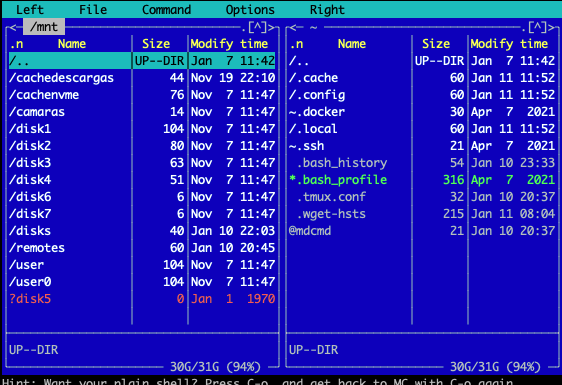
Hello, first of all excuse my English, I found a week ago that I was missing many files from the array (4TB to be exact) unraid in the last parity check I found some errors, 35, which I corrected. In the list of disks, none of them marks any error for me, the smatr either, but when I access from the webgui using the folder icon to see what is inside each disk, I see that disk 5 does not show me anything. I stopped the array, I turned it on again, I went in again and for a moment all the files are seen but after a few minutes they disappear again. I changed cables and did not solve anything, now I decided to change the disk to a new one, it is doing the reconstruction but I see that the same thing happens to me they do not appear and for mc I can not access the data on disk 5 or with the new disk. Within my tests I connect the unformatted vijo disk to a linux vm within the same unraid server and I can access the data. Let's see if you can help me attached diagnosis and some capture unraid-diagnostics-20220109-1135.zip


-
Hello I want to use the Nginx-Proxy-Manager but I would like to use custom: br0 and be able to use ports 80 and 443 and I see that in the template when using another network outside the bridge the 8080 and 4443 are defined, I could change this configuration
-
Thanks to the end I tried with another sai that I have salicru and with that I worked the first time I already have it working
-
Well, if that is because something strange happened to me, the plugin nut gave me a lump and the interface stopped responding, so I decided to restart the server and I find that the server does not start because it cannot find the USB, it had it connected to the internal USB port. (it is a hp gen8 ml310) then when not loading connect it to one of the rear ports and if it starts up but from what seems like something is happening the strange thing is that in the disk tab if it appears EDIT: Nothing definitely something happens to me with the usb and tried to make a backup of the flash memory and I am left without access to the interface again tomorrow I will restart it since it was accessing remotely now if I restart I go and something is wrong I do not have access physical right now i will run out of services that even without the interface still work
-
thank you, if yesterday I noticed that the backup was marked above the plugin I will try what you are saying thank you very much but the issue that the webui does not come out is also strange and now I just realized that I cannot update a plugin either it tells me some permissions and from what I have searched in the forum it may be that I have the flash drive with errors. but thanks again i will try that
-
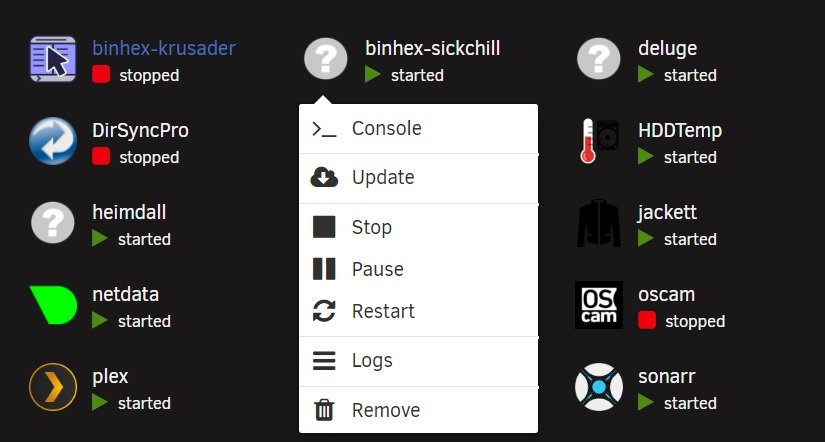
Hello, I am having problems installing new apps from the community plugin, it seems that they are installed well, but in the dashboard the logo does not load and the WebUI button does not appear nor half of the options you know that it can be attached capture EDIT:a few days ago I moved the system to cache prefer before doing this I could install without problems I don't know if it will have to do
-
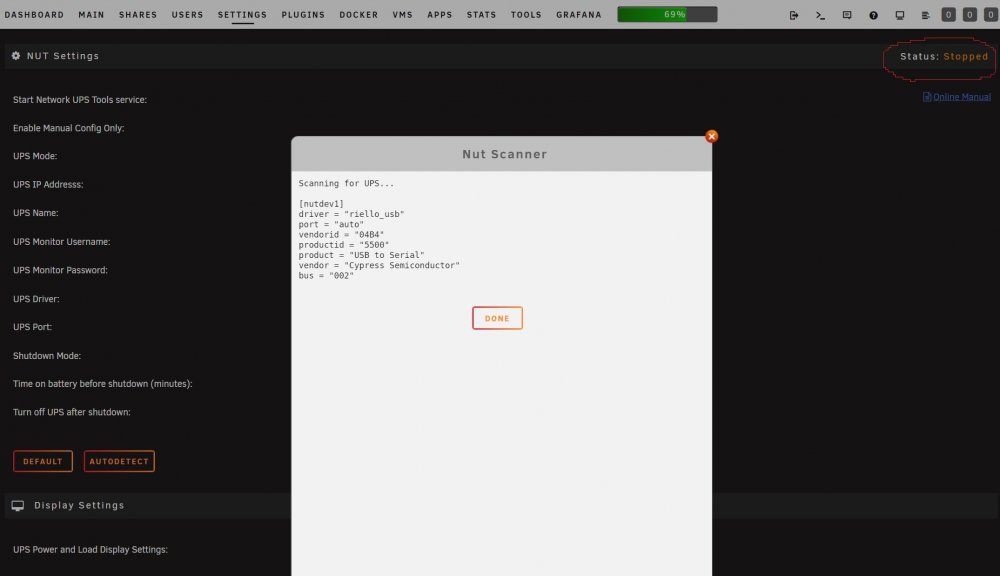
Hello good, could you tell me why the NUT service does not start me, the autodetec detects the sai well but I do not want to start the service and put the generic UPS configuration as indicated and tried to restart the server and nothing attached screenshot PS Excuse me my inlges I use the translator