





jena
Members
-
Joined
-
Last visited
Everything posted by jena
-
Hi all, I was wondering if the following configuration is possible for Unraid7 and I am open to suggestions. Assuming that I have a 4 x M.2 or U.2 Raid-z1 pool (~10TB usable) for my main storage (many dockers, nextcloud etc.) and a external disk shelf (assuming reliable connection like SFF-8088 miniSAS) that has tradition HDD array for large video files. If I need to move/travel long term and keep the "all-flash" small Unraid box traveling with me, and having the disk shelf shipped by a much slower method (could take a month or two), Can I still use my Unraid box (with all dockers running on the "all-flash" pool) without the presence of all the HDD disk in the tradition HDD array? (Not sure if Unraid will allow me to "Start" the array) Then later, when the external disk shelf arrives, just power down, connect everything and power up. Thanks!
-
I narrowed down to just one docker image, Omada Controller. I was wondering if I can map the "host path 3" for the container /mnt/user/<path_to_docker_data>/omada_controller/logs/ to the same ramdisk that the OP's script created. Thanks!
-
If I stop all docker containers, the write to cache pool stops.
-
Yes, I do see "Success: Backup of RAM-Disk created." every half hour.
-
ZFS mirror SSD cache pool. New SSD installed last week, only 9GB files on cache pool, but already 180GB written according to SMART report. (100GB of which is in the recent few days, meaning after 'Mover' moving data from Array to Cache) Docker settings Enable container table readmore-js:Yes Docker vDisk location: (btrfs vDisk) /mnt/user/system/docker/docker.img Default appdata storage location: /mnt/user/appdata/ Docker LOG rotation: Enabled, Set to 10M I did exactly this: 0. Set all docker containers to --no-healthcheck 1. Disable Docker service. 2. Created a user script, set "At Startup of Array", copied the latest script for 6.12.14 (matched my version), save the script, click run in background. The user scripts log shows "Script Starting , then Script Finished" 3. Enable Docker service. But I still see writes of 500+ kb to cache SSD every 5 - 10 secs. What can I do now? I am seeking suggestions. Thanks! df -h /var/lib/docker/containers Filesystem Size Used Avail Use% Mounted on tmpfs 16G 9.9M 16G 1% /var/lib/docker/containers
-
Crashed again today. on July 27, I followed the third option: "Keep docker containers in host or bridge mode which use the server IP address and ports as needed" I changed all dockers to host or bridge mode. Turned off "AdGuard" because it cannot run under host or bridge mode and disabled auto start. My unraid ran for a week and crashed again (same symptom, no response) last night. I attached the syslog. Please start from July 27, the day that I rebooted and made the change. syslog_20210803.txt
-
Great. A relief for me finally. Thank you so much.
-
Thank you very much. I also just attached syslog in my last reply. Could you help to take a look?
-
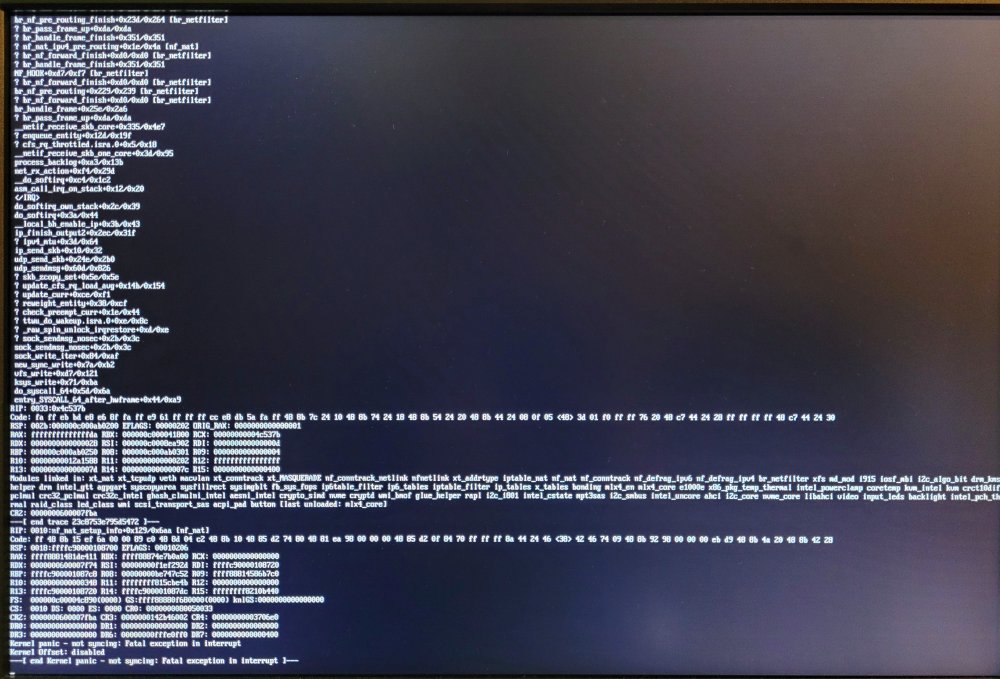
After a few days of running pretty stable. This morning. It froze again. This time there is video display (probably in the video buffer) right before it froze. syslog_0726_1045.txt neo-diagnostics-20210726-1051.zip
-
Yes after the crash. The syslog of the before crash (original problem) couldn't be found after the third crash despite I already enabled mirror syslog before that (after first crash).
-
I did that when 2nd time happened. I have seen the syslog under /boot/logs/syslog once, which contained logs from Jul 12. This time, before hard shut down, I pulled my data HDD out while they were spun own (I felt them, no spin vibration) in an attempt to prevent parity check again. I then hard shut down and put the HDD back in and boot it up again. Now I got error saying that my flash drive is not read/write. I guess it might have a temporary lock up due to hard shut down or huge file copy from /var/log/syslog. The UNRAID web UI and SMB service all seem to be working and I canceled parity check. I can see the file in /boot but log directory shows like this in ls -l command and not accessible. d????????? ? ? ? ? ? logs/ The var/log/syslog is huge at 120-ish MB and I manually copied it to a share. I attached part of "syslog_0717_1014"(the rest are all the same error "FAT-fs (sda1): error, corrupted directory (invalid entries)") and diagnose zip of this time (10:16am) I looked into the var/log/syslog, they are all Jul 17 (today). I did normal shut down via webUI and unplugged the flash drive and attempt to read it off it. There is logs folder, but nothing in it. Plug flash drive back it, UNRAID boots up fine, I attached another syslog at 10:44am and and diagnose zip of this time (10:59am). I don't know if I could recover the syslog that contains Jul 12-Jul16. How can I permanently cancel parity check due to hard shut down? I will do a full parity check after all the diagnose. neo-diagnostics-20210717-1016.zip syslog_0717_1014_part.txt syslog_0717_1044.txt neo-diagnostics-20210717-1059.zip
-
Hi UNRAID community, Setup I don't have GPU passthrough. I have plex docker with standard intel iGPU hardware transcoding setting (like modprobe i915). Once array and plex docker is running, at least for a couple hours, there is video out for UNRAID command line and response to keyboard input. I have plugin a Mellanox MCX311a to UNRAID made it to be primary in bond and On board 1G to be secondary in active backup config. Current switch is Netgear MX510TX 10G/multigig switch (I returned Mikrotik CRS305) These have been stable and I got full speed to 2.5G with 0 Retr for most of the time. I have got 7-8Gbps and 9.2 Gbps between MCX311a <-> Netgear MX510TX <-> HP 533FLR 10Gbe Problem I had this happen to my UNRAID server recently. First time, UNRAID be come unreachable in early morning, no reply to ping, no video out, no response to key board. The power indicator was lit and fans were running. HDD busy indicator was NOT lit or blink at all. Have to do hard shut down and it booted fine and just need to do parity check. Second morning, same exact story, UNRAID is not responsive and not reachable in the morning. Hard shut down. I did 4 pass of full memtest with my memtest DOS flash drive, no error. Somehow, memtest in the UNRAID boot menu doesn't work and it will just reboot. After memtest, it booted fine and parity check. Third morning, UNRAID is not reachable. The power indicator was lit and fans were running. HDD busy indicator blinked occasionally. ping response is very wired. Notice the third time is 3.7s. Pinging 192.168.x.x with 32 bytes of data: Reply from 192.168.x.x: bytes=32 time=14ms TTL=64 Request timed out. Reply from 192.168.x.x: bytes=32 time=3704ms TTL=64 Reply from 192.168.x.x: bytes=32 time=62ms TTL=64 If I unplug SPF+ cable, and have 1G NIC plugged to switch or router directly, ping reply: Destination host unreachable. This time, the monitor has video out but not responsive, and also not responsive to keyboard input. Last night keyboard was working and RGB lighting is on. This morning, keyboard numlock doesn't lit on when numlock is pressed, also RGB lighting doesn't work. Unplugged and plugged to different USB port, no response, no lights. At this point how can I diagnose? Do I have to hard shut down and do another parity check?
-
That I don't know. My unraid is under-powered old 4-core i5, not that useful for plotting. I ran Mint20 (Ubuntu) and windows as plotter. That way I can use swar plot manager (or plotman).
-
This could be why it broke my previous settings. I didn't recall that I updated the docker today (but maybe UNRAID auto updated it). Mine is also "up to date" version 1.1.7.dev0
-
https://forums.unraid.net/profile/119008-partition-pixel/ Took me an hour and got it working. I would suggest to put it in the docker template. Looking at here https://github.com/Chia-Network/chia-docker/blob/main/entrypoint.sh The docker needs a variable called ca So I added a variable for the docker (called Key below) called ca to add: press "Add another Path, Port, Variable, Label or Device" Config Type:Variable Name:ca Key:ca Value:/config/ssl/ca/ Make sure you also put these in (which should not be needed according to config.yaml in the original post "Farming on many machines" farmer_address: YOUR.FARMER.IP farmer_port: 8447
-
Hello, Thank you for this awesome docker template. I got the harvester only working for a day and it was connecting to the main full node ok (can see passing filter). My initial setting was: harvester only = true farmer_address: XXX.XXX.XXX.XXX farmer_port: 8447 I had to put farmer address in here, otherwise docker will fail to start, which should not be necessary. I believe the value here changes the "full node -> farmer_peer" section, which is not needed according to https://github.com/Chia-Network/chia-blockchain/wiki/Farming-on-many-machines Anyway, the initial setting worked. Then, all of a sudden, the docker might have restarted due to a parity disk problem (no change to docker settings). appdata is on cache disk, which should not be affected. How the docker log says: farmer address required. no matter whether I put farmer address and port here, it complaints about not having farmer address.
-
I read the Parity Swap Procedure carefully. Just want to double check. Assume I have Data Drive A, Old Parity B, New Parity C. After the Parity Swap Procedure - Step 14 , let's say for some reason (maybe B will be re-purposed in other places) I want to remove B. So before step 15, I will unassign B and start the array, right? PS: The real reason that I take this way (instead of just replace B with C, let C rebuild off A) is: my Data Drive A is the oldest. So I think by copying parity from B to C would have virtually zero stress on A. Otherwise if C rebuild from A, and A died in the process, then things will be very sticky? Also in this way, I can familiar myself with the parity swap procedure. Suggestions and comments are welcomed. Thanks!
