





Espressomatic
Members
-
Joined
-
Last visited
Everything posted by Espressomatic
-
I can access the docker UI and some plugins work fine, others are problematic or require different versions of underlying dependencies. The lack of updates to this docker make the situation untenable. If you're just jumping on this thread now and wanting HOOBS for the first time or simply for the first time in Unraid, save yourself long-term issues. SKIP THIS DOCKER. Refer to the instructions above and go with a VM instead which will let you stay up to date - which is required for some plugins.
-
Can anyone recommend a USB card that's still readily available that will work in pass through for MacOS? That's really the only thing I want to pass through at the moment as this VM otherwise runs headless. Hot-plug USB support and the ability to keep hold of USB-connected devices all the time are high priority for me. Running on a Supermicro server mainboard, which I recall may have some issues with certain chipsets.
-
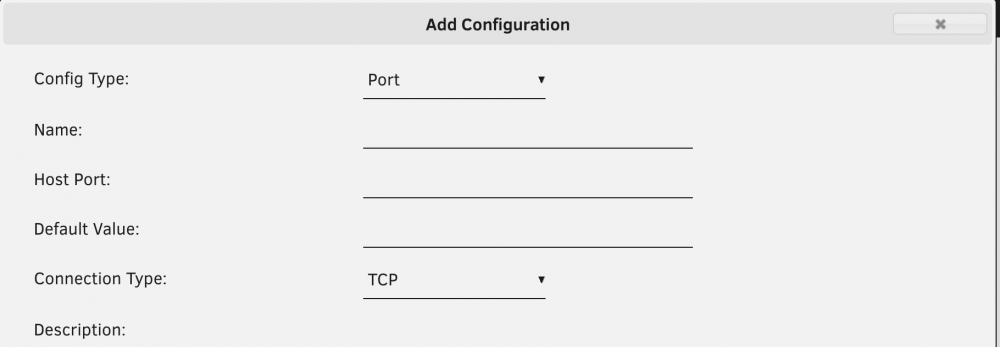
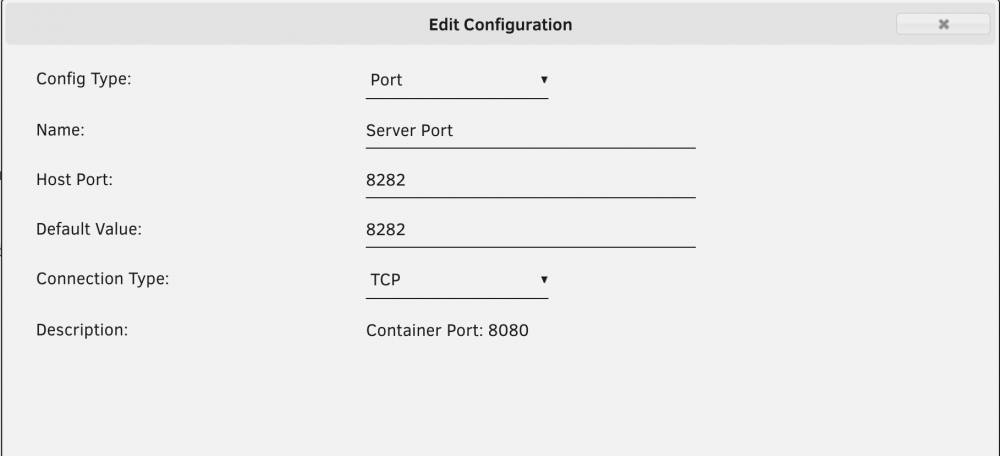
I can access the WebUI at port 80 simply by giving the docker a fixed IP. This doesn't match what's defined in the docker as there's nothing in the config that I can see to allow it to work on 80. Seems to me that this template is fundamentally broken and because it's defaulting to 80 it won't work without changing the default IP. That's how it looks anyway. As an aside, before "just trying it," I had been attempting to follow the directions to edit the port (or add a new one after removing the original) without any luck. The setting for Container Port simply doesn't appear even when viewing in advanced mode (Unraid 6.8.3) Or even after removing the original port:
-
It's not downloading Snow Leopard. The file you see in the log is a 6.5MB XML PLIST file - an indexed catalog of software release downloads for every OS in any number of languages. The next line tells you what OS it has selected. "001-86606". And that's Big Sur, a release from 2020-12-14. Confirmation (without looking into the catalog file): https://www.google.com/search?q=macos+001-86606
-
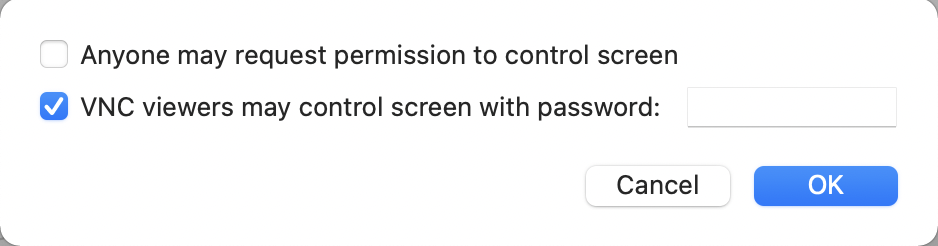
You should be able to connect to Mac Screen Sharing with a VNC client on Windows if you allow that from the Mac side. Also, this solution claims to be the best (and may work without the above option), Remotix: https://remotix.com/remotix-win/
-
One can always use Airfoil to re-route audio if you're on the LAN. Not using it myself for that purpose as I don't want/need audio with my primary Mac VM. I also use some client-server type apps in that VM, so most of the time I can interact with specific software without using VNC/Screen-Sharing at all.
-
Why would you run Linux or Windows in a VM? Because you want access to a second, third, fourth, etc. machine running that OS for whatever reason, including testing as you mentioned. So in other words, this VM is useful for the same reason ANY VM is useful. And Macinabox especially useful because it makes deployment easy in a few clicks - getting a Mac VM up otherwise is a royal PITA. As far as having a monitor connected, have you ever put together a bare-metal CustoMac or Hackintosh? The VM route is a lot easier to deploy and maintain. And lastly, connecting to a Mac VM (or any Mac) remotely: Use the Mac's built-in screen sharing. It works well. Enable it in the Sharing pref-pane inside System Preferences. From Windows use RealVNC or other client to connect to your Mac. From another Mac, just browse the remote machine from Finder's Network path and then click the "Share Screen" button that should appear. As far as Big Sur goes, I run it on my new M1-powered Mac, but I'd avoid it on Intel machines for now, unless you're developing and need to test solutions on that target. Stick with Mojave or Catalina for day-to-day and consumer-use. Big Sur has quite a few issues at the moment even on Apple hardware and it's a good idea to let those shake out over the next 4-6 months.
-
Is there any way to disable the reporting/notifications for (specifically) plugin and docker update availability?
-
I don't know why, but in my case, the scripts only appeared AFTER the Catalina ISO finished downloading. So it's not possible to perform the step in the video of launching the VM_Ready_Notify script until afterwards - it then (obviously) reports that it's ready.
-
Interestingly, I'm seeing a warning reported for a disk that's just about at the threshold (70%) but never seeing such warnings for disks which are over their thresholds (all disks set to same defaults).


