





rvijay007
Members
-
Joined
-
Last visited
Everything posted by rvijay007
-
Lately, I've been getting more spontaneous unRAID reboots, but have no idea why and unsure how to diagnose the issue. I'll go away for some period of time / sleep overnight, and when I check in on the array, I see that it's logged out, then log in, and see that the uptime is only several hours instead of several days. I have pulled diagnostics, can anyone help me? alexandria-diagnostics-20230106-0955.zip
-
Hi all, I'm getting new errors saying Out of Memory errors are being experienced, but I've never gotten this issue before and I'm not running anything out of the ordinary compared to my normal usage over 2 years. The plugin asked me to post to the unRAID forums with my diagnostics. I'm not sure how to go through these and interpret them, so I'd appreciate any help debugging this issue! alexandria-diagnostics-20230105-1226.zip
-
Thanks for all the suggestions. I'm a bit confused as to why sharing CPU cores is a no-no; I've never had a problem with it in the past, and even when I don't share cores with an updated configuration as I posted above, the issue still occurs. If I were running VMs on my local laptop, I've always thought that whatever amount of CPU cores I assign to the VMs are getting run while the main OS is using all the cores, so why wouldn't it be the same here? Shared CPUs or not shared, both will run simultaneously; it's only the addition of the GPU definition that prevents them from operating simultaneously. However, I will take this advice and my updated VM definitions no longer define shared CPU cores though to keep debugging through this issue. The only way that I don't get the issue is when I remove a GPU definition from one of the VMs, and then both VMs boot up and work normally. Either VM can get a single GPU definition and both VMs run simultaneously, but once I add GPU definitions to both instances, they stop working concurrently. Re: Memory - I will try out the memory suggestion and report back, but I'm confused why there are specifications for Initial and Max memory if the community says they should always be the same? Re: the extra hard drive definition to the Windows instance (i.e. by-id) - I took the advice from a SpaceInvader One YouTube on how to passthrough an unassigned hard drive to a VM. If there are newer, better instructions that someone can point me to for passing unassigned device HDDs to a specific VM, I'd love to learn.
-
Thanks for your suggestion. However, I'm a bit confused as when I remove the GPU for either instance, but leave the CPUs as is, both VMs start at the same time. It's only when I try to run both VMs with pass through GPUs that the second instance will terminate the first instance, regardless of shared CPUs or not. I still decided to experiment with your solution: I switched out the Linux instance to using CPU cores 1/0 instead of 5/6, the latter which are also in the Windows VM definition. i.e no shared cpu cores between the 2 instances. The same issue occurred with the 2nd instance shutting down the 1st instance, irrespective of order launching. I also changed the CPU type to qEMU CPU Emulation instead of Host Passthrough. Still getting the same issue. Any other ideas?
-
This is what my linux VM looks like: <?xml version='1.0' encoding='UTF-8'?> <domain type='kvm'> <name>Ajna</name> <uuid>4a2887d1-c42e-2e79-f4fd-891c47684037</uuid> <description>Ubuntu Server for Deep Learning Jupyter Hub Environment</description> <metadata> <vmtemplate xmlns="unraid" name="Ubuntu" icon="ubuntu.png" os="ubuntu"/> </metadata> <memory unit='KiB'>33554432</memory> <currentMemory unit='KiB'>16777216</currentMemory> <memoryBacking> <nosharepages/> </memoryBacking> <vcpu placement='static'>4</vcpu> <cputune> <vcpupin vcpu='0' cpuset='1'/> <vcpupin vcpu='1' cpuset='5'/> <vcpupin vcpu='2' cpuset='3'/> <vcpupin vcpu='3' cpuset='7'/> </cputune> <os> <type arch='x86_64' machine='pc-q35-4.2'>hvm</type> <loader readonly='yes' type='pflash'>/usr/share/qemu/ovmf-x64/OVMF_CODE-pure-efi.fd</loader> <nvram>/etc/libvirt/qemu/nvram/4a2887d1-c42e-2e79-f4fd-891c47684037_VARS-pure-efi.fd</nvram> </os> <features> <acpi/> <apic/> </features> <cpu mode='host-passthrough' check='none' migratable='on'> <topology sockets='1' dies='1' cores='2' threads='2'/> <cache mode='passthrough'/> </cpu> <clock offset='utc'> <timer name='rtc' tickpolicy='catchup'/> <timer name='pit' tickpolicy='delay'/> <timer name='hpet' present='no'/> </clock> <on_poweroff>destroy</on_poweroff> <on_reboot>restart</on_reboot> <on_crash>restart</on_crash> <devices> <emulator>/usr/local/sbin/qemu</emulator> <disk type='file' device='disk'> <driver name='qemu' type='qcow2' cache='writeback'/> <source file='/mnt/user/domains/Ajna/vdisk1.img'/> <target dev='hdc' bus='virtio'/> <boot order='1'/> <address type='pci' domain='0x0000' bus='0x03' slot='0x00' function='0x0'/> </disk> <controller type='pci' index='0' model='pcie-root'/> <controller type='pci' index='1' model='pcie-root-port'> <model name='pcie-root-port'/> <target chassis='1' port='0x10'/> <address type='pci' domain='0x0000' bus='0x00' slot='0x02' function='0x0' multifunction='on'/> </controller> <controller type='pci' index='2' model='pcie-root-port'> <model name='pcie-root-port'/> <target chassis='2' port='0x11'/> <address type='pci' domain='0x0000' bus='0x00' slot='0x02' function='0x1'/> </controller> <controller type='pci' index='3' model='pcie-root-port'> <model name='pcie-root-port'/> <target chassis='3' port='0x12'/> <address type='pci' domain='0x0000' bus='0x00' slot='0x02' function='0x2'/> </controller> <controller type='pci' index='4' model='pcie-root-port'> <model name='pcie-root-port'/> <target chassis='4' port='0x13'/> <address type='pci' domain='0x0000' bus='0x00' slot='0x02' function='0x3'/> </controller> <controller type='pci' index='5' model='pcie-root-port'> <model name='pcie-root-port'/> <target chassis='5' port='0x14'/> <address type='pci' domain='0x0000' bus='0x00' slot='0x02' function='0x4'/> </controller> <controller type='pci' index='6' model='pcie-root-port'> <model name='pcie-root-port'/> <target chassis='6' port='0x15'/> <address type='pci' domain='0x0000' bus='0x00' slot='0x02' function='0x5'/> </controller> <controller type='virtio-serial' index='0'> <address type='pci' domain='0x0000' bus='0x02' slot='0x00' function='0x0'/> </controller> <controller type='sata' index='0'> <address type='pci' domain='0x0000' bus='0x00' slot='0x1f' function='0x2'/> </controller> <controller type='usb' index='0' model='ich9-ehci1'> <address type='pci' domain='0x0000' bus='0x00' slot='0x07' function='0x7'/> </controller> <controller type='usb' index='0' model='ich9-uhci1'> <master startport='0'/> <address type='pci' domain='0x0000' bus='0x00' slot='0x07' function='0x0' multifunction='on'/> </controller> <controller type='usb' index='0' model='ich9-uhci2'> <master startport='2'/> <address type='pci' domain='0x0000' bus='0x00' slot='0x07' function='0x1'/> </controller> <controller type='usb' index='0' model='ich9-uhci3'> <master startport='4'/> <address type='pci' domain='0x0000' bus='0x00' slot='0x07' function='0x2'/> </controller> <interface type='bridge'> <mac address='52:54:00:75:38:06'/> <source bridge='br0'/> <model type='virtio'/> <address type='pci' domain='0x0000' bus='0x01' slot='0x00' function='0x0'/> </interface> <serial type='pty'> <target type='isa-serial' port='0'> <model name='isa-serial'/> </target> </serial> <console type='pty'> <target type='serial' port='0'/> </console> <channel type='unix'> <target type='virtio' name='org.qemu.guest_agent.0'/> <address type='virtio-serial' controller='0' bus='0' port='1'/> </channel> <input type='tablet' bus='usb'> <address type='usb' bus='0' port='1'/> </input> <input type='mouse' bus='ps2'/> <input type='keyboard' bus='ps2'/> <graphics type='vnc' port='-1' autoport='yes' websocket='-1' listen='0.0.0.0' keymap='en-us'> <listen type='address' address='0.0.0.0'/> </graphics> <audio id='1' type='none'/> <video> <model type='qxl' ram='65536' vram='65536' vgamem='16384' heads='1' primary='yes'/> <address type='pci' domain='0x0000' bus='0x00' slot='0x01' function='0x0'/> </video> <hostdev mode='subsystem' type='pci' managed='yes'> <driver name='vfio'/> <source> <address domain='0x0000' bus='0x02' slot='0x00' function='0x0'/> </source> <rom file='/mnt/user/isos/vbios/1080ti.rom'/> <address type='pci' domain='0x0000' bus='0x04' slot='0x00' function='0x0' multifunction='on'/> </hostdev> <hostdev mode='subsystem' type='pci' managed='yes'> <driver name='vfio'/> <source> <address domain='0x0000' bus='0x02' slot='0x00' function='0x1'/> </source> <address type='pci' domain='0x0000' bus='0x04' slot='0x00' function='0x1'/> </hostdev> <memballoon model='none'/> </devices> </domain> and my Windows VM: <?xml version='1.0' encoding='UTF-8'?> <domain type='kvm'> <name>Windows 10</name> <uuid>7f96a124-c821-8ea1-f72d-032027ca068d</uuid> <description>Windows 10 Professional - May 2020 (2004)</description> <metadata> <vmtemplate xmlns="unraid" name="Windows 10" icon="windows.png" os="windows10"/> </metadata> <memory unit='KiB'>33554432</memory> <currentMemory unit='KiB'>16777216</currentMemory> <memoryBacking> <nosharepages/> </memoryBacking> <vcpu placement='static'>4</vcpu> <cputune> <vcpupin vcpu='0' cpuset='1'/> <vcpupin vcpu='1' cpuset='5'/> <vcpupin vcpu='2' cpuset='2'/> <vcpupin vcpu='3' cpuset='6'/> </cputune> <os> <type arch='x86_64' machine='pc-i440fx-4.2'>hvm</type> </os> <features> <acpi/> <apic/> <hyperv mode='custom'> <relaxed state='on'/> <vapic state='on'/> <spinlocks state='on' retries='8191'/> <vendor_id state='on' value='1234567890ab'/> </hyperv> <kvm> <hidden state='on'/> </kvm> </features> <cpu mode='host-passthrough' check='none' migratable='on'> <topology sockets='1' dies='1' cores='2' threads='2'/> <cache mode='passthrough'/> </cpu> <clock offset='localtime'> <timer name='hypervclock' present='yes'/> <timer name='hpet' present='no'/> </clock> <on_poweroff>destroy</on_poweroff> <on_reboot>restart</on_reboot> <on_crash>restart</on_crash> <devices> <emulator>/usr/local/sbin/qemu</emulator> <disk type='file' device='disk'> <driver name='qemu' type='raw' cache='writeback'/> <source file='/mnt/user/domains/Windows 10/vdisk1.img'/> <target dev='hdc' bus='virtio'/> <boot order='1'/> <address type='pci' domain='0x0000' bus='0x00' slot='0x06' function='0x0'/> </disk> <disk type='block' device='disk'> <driver name='qemu' type='raw' cache='writeback'/> <source dev='/dev/disk/by-id/ata-WDC_WD3000HLHX-60JJPV0_WD-WX61E41V2631'/> <target dev='hdd' bus='sata'/> <address type='drive' controller='0' bus='0' target='0' unit='3'/> </disk> <disk type='file' device='cdrom'> <driver name='qemu' type='raw'/> <source file='/mnt/user/isos/virtio-win-0.1.190-1.iso'/> <target dev='hdb' bus='ide'/> <readonly/> <address type='drive' controller='0' bus='0' target='0' unit='1'/> </disk> <controller type='pci' index='0' model='pci-root'/> <controller type='ide' index='0'> <address type='pci' domain='0x0000' bus='0x00' slot='0x01' function='0x1'/> </controller> <controller type='sata' index='0'> <address type='pci' domain='0x0000' bus='0x00' slot='0x04' function='0x0'/> </controller> <controller type='virtio-serial' index='0'> <address type='pci' domain='0x0000' bus='0x00' slot='0x05' function='0x0'/> </controller> <controller type='usb' index='0' model='ich9-ehci1'> <address type='pci' domain='0x0000' bus='0x00' slot='0x07' function='0x7'/> </controller> <controller type='usb' index='0' model='ich9-uhci1'> <master startport='0'/> <address type='pci' domain='0x0000' bus='0x00' slot='0x07' function='0x0' multifunction='on'/> </controller> <controller type='usb' index='0' model='ich9-uhci2'> <master startport='2'/> <address type='pci' domain='0x0000' bus='0x00' slot='0x07' function='0x1'/> </controller> <controller type='usb' index='0' model='ich9-uhci3'> <master startport='4'/> <address type='pci' domain='0x0000' bus='0x00' slot='0x07' function='0x2'/> </controller> <interface type='bridge'> <mac address='52:54:00:00:17:3a'/> <source bridge='br0'/> <model type='virtio'/> <address type='pci' domain='0x0000' bus='0x00' slot='0x03' function='0x0'/> </interface> <serial type='pty'> <target type='isa-serial' port='0'> <model name='isa-serial'/> </target> </serial> <console type='pty'> <target type='serial' port='0'/> </console> <channel type='unix'> <target type='virtio' name='org.qemu.guest_agent.0'/> <address type='virtio-serial' controller='0' bus='0' port='1'/> </channel> <input type='tablet' bus='usb'> <address type='usb' bus='0' port='1'/> </input> <input type='mouse' bus='ps2'/> <input type='keyboard' bus='ps2'/> <graphics type='vnc' port='-1' autoport='yes' websocket='-1' listen='0.0.0.0' keymap='en-us'> <listen type='address' address='0.0.0.0'/> </graphics> <audio id='1' type='none'/> <video> <model type='qxl' ram='65536' vram='65536' vgamem='16384' heads='1' primary='yes'/> <address type='pci' domain='0x0000' bus='0x00' slot='0x02' function='0x0'/> </video> <hostdev mode='subsystem' type='pci' managed='yes'> <driver name='vfio'/> <source> <address domain='0x0000' bus='0x01' slot='0x00' function='0x0'/> </source> <rom file='/mnt/user/isos/vbios/Zotac.RTX3090.24576.210305.rom'/> <address type='pci' domain='0x0000' bus='0x00' slot='0x08' function='0x0' multifunction='on'/> </hostdev> <hostdev mode='subsystem' type='pci' managed='yes'> <driver name='vfio'/> <source> <address domain='0x0000' bus='0x01' slot='0x00' function='0x1'/> </source> <address type='pci' domain='0x0000' bus='0x00' slot='0x08' function='0x1'/> </hostdev> <memballoon model='none'/> </devices> </domain> Each GPU is in it's own IOMMU group, as shown here: I'm not sure what you are referring to when you say I said something about the graphics cards being virtual? I am trying to pass through the video cards, but don't want them to be the primary display driver as I'm trying to use them for computational purposes. That's why I also have VNC

-
Bump. Can anyone help me??? I would greatly appreciate it. Happy Holidays!
-
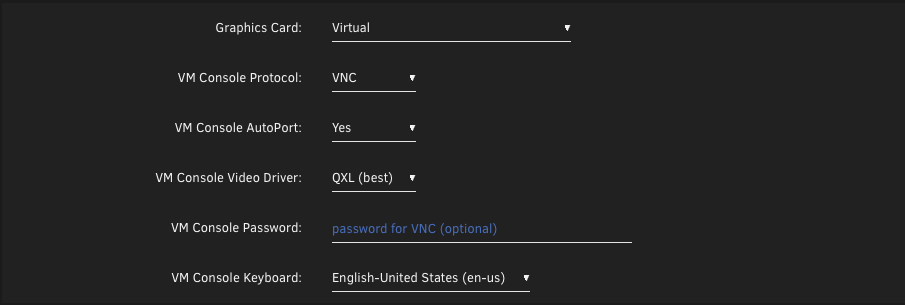
Thanks for your reply. I actually have an unbound Intel HD Graphics on the chipset that I believe unRAID uses as primary (not sure how to confirm this?), and this isn't bound to vfio-pci, as seen below. I do have a VNC driver for both, and assume it's using the primary HD Graphics to render this, and that section is common between both VMs. Does that affect the simultaneous usage of different GPUs? I don't think this is the case as if I remove the GPU definition from either one of the VMs, then both VMs can simultaneously run. Only this section is the same between both VMs.


-
Thanks for your reply and suggestion. I set the config acs override to both. When I boot into the first VM (either Ubuntu Server or Windows), that particular VM will boot properly and work with its appropriate video card. When I boot the second VM, I no longer get the error message popping up. However, as the second VM boots, the first VM always auto terminates, so it's not running both VMs at the same time. I tried using the option downstream, but this resulted in the same symptoms. However, it kept the multifunction capabilities on the same IOMMU, and the video cards were on different IOMMUs. I don't see any error messages popping up, so I am unsure what is happening? Any ideas?
-
My unRAID server has 2 NVIDIA GPUs (1080 Ti and 3090). I also have 2 VMs, one Ubuntu Server and one Windows 10. I'm trying to get 1 GPU passthrough to each VM and both VMs running at the same time. No VM is receiving both GPUs simultaneously. My goals: Have the 1080Ti passthrough to the Ubuntu Server VM Have the 3090 passthrough to the Windows 10 VM I'm able to start 1 VM (either Linux or Windows), but when I start the other VM, I get a QEMU error. If I start Windows 10 first, then start Linux, the QEMU error is: Requested operation is not valid: PCI device 0000:01:00.0 is in use by driver QEMU, domain Windows 10 And if I start Linux first, and then start Windows, the QEMU error is: Requested operation is not valid: PCI device 0000:02:00.0 is in use by driver QEMU, domain Ubuntu Server I'm not sure why these errors are coming up, when the GPUs they are complaining about aren't in the VM definition for that particular VM. The VM definition for the graphics card (linux example) is: <hostdev mode='subsystem' type='pci' managed='yes'> <driver name='vfio'/> <source> <address domain='0x0000' bus='0x02' slot='0x00' function='0x0'/> </source> <rom file='/mnt/user/isos/vbios/1080ti.rom'/> <address type='pci' domain='0x0000' bus='0x04' slot='0x00' function='0x0' multifunction='on'/> </hostdev> <hostdev mode='subsystem' type='pci' managed='yes'> <driver name='vfio'/> <source> <address domain='0x0000' bus='0x02' slot='0x00' function='0x1'/> </source> <address type='pci' domain='0x0000' bus='0x04' slot='0x00' function='0x1'/> </hostdev> For windows, its: <hostdev mode='subsystem' type='pci' managed='yes'> <driver name='vfio'/> <source> <address domain='0x0000' bus='0x01' slot='0x00' function='0x0'/> </source> <rom file='/mnt/user/isos/vbios/3090.rom'/> <address type='pci' domain='0x0000' bus='0x00' slot='0x08' function='0x0' multifunction='on'/> </hostdev> <hostdev mode='subsystem' type='pci' managed='yes'> <driver name='vfio'/> <source> <address domain='0x0000' bus='0x01' slot='0x00' function='0x1'/> </source> <address type='pci' domain='0x0000' bus='0x00' slot='0x08' function='0x1'/> </hostdev> Under unRAID System Devices, I see: IOMMU group 1: [8086:1901] 00:01.0 PCI bridge: Intel Corporation 6th-10th Gen Core Processor PCIe Controller (x16) (rev 07) [8086:1905] 00:01.1 PCI bridge: Intel Corporation Xeon E3-1200 v5/E3-1500 v5/6th Gen Core Processor PCIe Controller (x8) (rev 07) [10de:2204] 01:00.0 VGA compatible controller: NVIDIA Corporation GA102 [GeForce RTX 3090] (rev a1) [10de:1aef] 01:00.1 Audio device: NVIDIA Corporation GA102 High Definition Audio Controller (rev a1) [10de:1b06] 02:00.0 VGA compatible controller: NVIDIA Corporation GP102 [GeForce GTX 1080 Ti] (rev a1) [10de:10ef] 02:00.1 Audio device: NVIDIA Corporation GP102 HDMI Audio Controller (rev a1) Both GPUs (VGA & Audio devices) are bound to vfio-pci for passthrough purposes, as seen by the green dots next to the GPUs. Questions: Is this an issue because both GPUs are on the same IOMMU group? Is there any safe way to break up the cards into different IOMMU groups, but keep the multiple functions the cards on the same IOMMU group? Can anyone in the community help me through the steps needed to resolve this issue. Thanks in advance!
-
Thanks for your post and sorry you weren't getting any help. I experienced the exact same issue when trying to install a VM for Ubuntu Desktop 20.04.3, minimal installation. Without setting up the graphics card (NVIDIA 1080Ti), everything worked fine and I was able to do many other aspects of the setup, and that already included ssh via `sudo apt install ssh`. However, once I added the video card, I was experiencing this issue you describe. Namely, starting VM led to Tiamo boot screen, then black screen, then small black screen in upper left corner, then fully black screen. Luckily you pointed out that I should still be able to ssh, and luckily I set that up prior to hooking up the graphics card. I should point out that removing the graphics card option from the VM definition makes the VM work properly, so it's not hard to get back to a working state. Only the VNC graphics option was used in this case (the default for creating a new Unraid VM). Given that you listed many steps, I took some educated guesses as to what might be high value to start with, which were the following. SSH'd via another computer sudo apt-get install --reinstall ubuntu-desktop gnome-shell ubuntu-gnome-desktop unity [reinstalls all post display manager stuff] sudo apt-get install --reinstall nvidia-common sudo apt-get install xserver-xorg-video-nouveau sudo apt install nvidia-settings sudo nano /etc/default/grub > Added nouveau to the config as you wrote sudo update-grub sudo reboot Upon rebooting, the VNC screen was a bit off, but at least the login screen was readable. Once logged in, the screen refreshed and looked proper again. It seems that everything is around getting the nouveau driver installed. Afterwards, I went to Software & Updates > Additional Drivers. I selected the latest NVIDIA driver that is "proprietary, tested" instead of nouveau, and then I removed the grub line addition I made from your instructions (reverted steps 6/7). Rebooted and everything still works, so I'm not sure those lines are needed or not. What I don't understand is why Ubuntu needs to display render via the graphics card when I have the VNC Graphics Card still enabled? I don't want Ubuntu to use the NVIDIA secondary graphics card for rendering the display as I need it only for computational perspectives. If anyone knows how I can configure Ubuntu Desktop to only use the VNC graphics card for display purposes, please let me know.
-
Never mind, I figured out how to get it to boot off the USB drive now. I've attached some physical drives using the vmdk method in the original post. However, my disk i/o speeds are horrendous, on the order of 5 MB/sec. I have attached these vmdks using a SATA controller in Storage. Has anyone had any luck in getting faster disk io speeds using Virtual Box and a virtualized unRAID server?
-
I am having trouble getting unRAID working in a VirtualBox. It boots up the VHD, is going through the long list of linux commands, but then hangs up on "waiting for USB subsystem," which it keeps repeating over and over again. Do you know what I might be doing wrong? I have the USB controller enabled and added my USB key to the list of Device Filters. the USB 2.0 EHCI Controller checkbox is disabled by default and I did not change this.


